
Want an easy digital activity in Punggol for a senior parent, grandparent or any adult learning to use a phone? Spend 30–60 minutes together on one everyday task: making a video call to a consenting friend, organising a small photo album, finding an NLB eBook or learning how to recognise a suspicious message. The aim is one useful thing the learner can do for themselves afterward, not a race through every app on the phone. If the learner wants formal help, IMDA’s Seniors Go Digital programme provides Digital Ambassadors at selected SG Digital community hubs, with the nearest current location to be confirmed through its official directory.
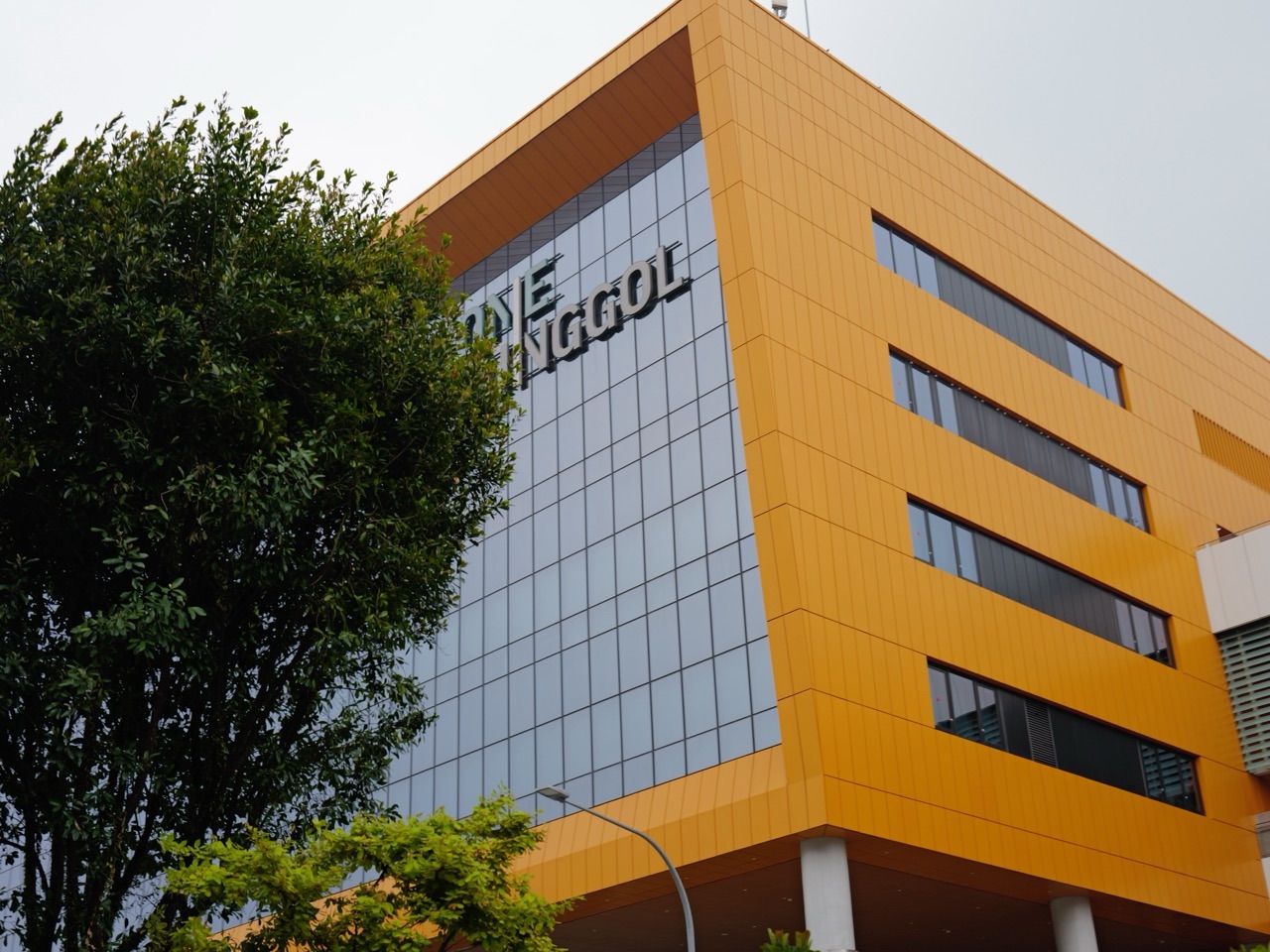
Digital activities for Punggol families and older adults can be an enjoyable way to share memories, reading and everyday confidence without turning home life into a technology lesson. One Punggol brings Punggol Regional Library and a ServiceSG Centre together in an integrated civic hub, but their jobs differ: the library supports reading and learning, ServiceSG helps people navigate government services, and IMDA’s Digital Ambassadors offer specific guided digital skills where their hubs operate. This article is a household activity planner—not proof that a Digital Ambassador is stationed at One Punggol every day or that ServiceSG provides device-repair services.
Updated 18 October 2026. Current haze may make optional travel inappropriate, especially for older adults or people with health concerns. The learning tasks below can be done from home and do not require a public appointment. Critically, never ask someone to disclose their Singpass password, bank password, OTP or other account credentials for practice. ScamShield’s public guidance says to keep those details private, verify suspicious messages and seek appropriate help if a scam is suspected.
Choose a Punggol digital afternoon in 30 seconds
| Learner wants to… | First safe activity | Don’t assume |
|---|---|---|
| Keep in touch | Make an ordinary video call with a trusted consenting person | Everyone wants to appear on camera |
| Enjoy family memories | Sort three existing photos into a private album | All photos may be posted publicly |
| Read more | Find a suitable NLB library eBook or audiobook | Every title is available immediately |
| Learn transport | Use a real official LTA journey map without paying or booking | A screenshot proves live service |
| Recognise scams | Discuss a fictional suspicious-message example | A real OTP should be typed into a demo |
| Find government help | Identify an official website or ServiceSG contact | A family helper should control another person’s account |
| Get structured support | Find a current SG Digital community hub | One Punggol automatically has a booked Digital Ambassador |
Five chapters: purpose, support, practice, protection and FAQs
- 1. Why a digital afternoon should stay small
- 2. Punggol’s support options and scam safety
- 3. Worked 30- and 60-minute family activities
- 4. Twenty practical tasks and common repairs
- 5. FAQs, related local articles and official sources
Chapter 1. Why a small digital session can be enjoyable
Digital confidence starts with something the person wants to do
A phone tutorial can become frustrating when a younger relative arrives with a list of ten useful apps while the learner only wants to see photographs of grandchildren or send a message. A better session starts with a real preference: reading, staying in touch, following local information or protecting oneself from suspicious contact. The motivation belongs to the learner.
Ask ‘What would you like your phone to make easier?’ and listen. If someone is not interested in digital payment, there is no need to make it the first activity. Digital inclusion respects choice and human dignity rather than treating every older adult as a person who must be upgraded.
One task practised twice is better than ten demonstrations
A helper can operate a device very quickly while the learner watches, but that may not help them remember the steps. Slower guided practice lets the person tap the right icon, understand what it does and repeat it in their own time. Some learners want written notes; others prefer a verbal reminder or a larger display.
Let the learner hold and operate their own device when comfortable. Pause before proceeding, allow questions and finish at a point where the person understands the task. Avoid using a real financial transaction or password reset as a demonstration unless there is an actual need and appropriate official support.
Age does not predict a person’s technical ability
Some grandparents use messaging, video calls and e-payments confidently, while some younger adults need help with a new app. The phrase ‘senior digital skills’ describes a programme audience, not a generalisation about intelligence or capacity. Individual experience, eyesight, hearing, language, memory and device preferences all matter.
Ask which parts the person already knows and what they actually want to learn. Avoid snatching a phone away when they hesitate. A respectful two-way exchange can also let younger relatives learn from the elder’s own knowledge of the neighbourhood.
Convenience and privacy should be considered together
Digital tools can make bookings or communication easier, but the convenience does not justify opening another person’s messages or photo gallery without permission. A household activity should have clear boundaries: what the learner wants to show, what stays private and whether anyone may save copies. In particular, a family member should not demand access to bank or Singpass credentials.
Use a neutral dummy example for demonstrations and ask before opening personal apps. A participant can choose to practise reading an official information page without signing in. A respectful session leaves the learner in control of their accounts and privacy.
A device can become a hobby, not simply a tool for bills
A senior may enjoy listening to an audiobook, organising old photographs, sharing a family recipe or reading history about Punggol. These are ordinary leisure uses that support interests without requiring new equipment or a technology programme. A person may prefer a printed book or a phone call rather than an app, and that preference is legitimate.
Choose the format that serves the individual. If NLB eBooks sound interesting, check its membership and lending policies rather than promising a particular title is immediately available. If a family photo album appeals, keep it private unless the subjects agree otherwise.
A community programme and a home tutorial do different jobs
IMDA’s Seniors Go Digital programme offers organised support at SG Digital community hubs and learning resources, while a private home session can cover small personal tasks. ServiceSG at One Punggol supports government service navigation. None of these automatically equals a repair shop for every device or a tutor for all software.
Use the actual provider for a need that requires official assistance. If you need a formal digital course, inspect current schedules and enrolment. The Punggol computer courses guide focuses on education providers; this article focuses on a family-friendly leisure afternoon.
Online safety belongs at the beginning, not at the end
A learner excited about messaging may receive suspicious links that imitate government services, banks or relatives. ScamShield’s current public guidance warns against sharing account passwords, Singpass details and OTPs and recommends checking suspicious contact through trusted channels. A digital afternoon can teach one safe decision before exploring new apps.
A calm practical script is: pause, don’t click, verify using the official website or trusted channel, and seek help if uncertain. No one needs to try opening a suspicious live link to prove they can recognise scams.
Digital help should not become a test of obedience
Sometimes family members become impatient when a person forgets a step or prefers an old method. That turns what should be a pleasant shared activity into a performance. A learner has the right to pause, skip an app, decline an online purchase or take an ordinary break.
End after one successful task, or earlier if the learner no longer wants to continue. A simple friendly session can be more useful than a full course forced into a Sunday afternoon.
Punggol offers online and offline ways to enjoy the same town
A person can use a current official map to plan a future One Punggol library visit or look at documented Punggol history without leaving home. If the weather improves, the physical visit becomes optional rather than necessary for completing the digital task. This flexibility is useful during haze and for people with mobility or caregiving needs.
Do not confuse a digital directory with a live booking confirmation. A map may show a facility that requires separate registration or one affected by construction. Check the actual operator when an appointment or activity matters.
The helper also learns useful boundaries
A family member teaching a phone skill may discover that the recipient wants larger text, an alternative language, more time or fewer icons. The helper can adapt the session without taking ownership of the device. Good support means making the learner more independent within their preferences, not becoming the permanent gatekeeper for every account.
Ask permission before changing settings, removing apps or adding payment details. If something is unfamiliar or potentially consequential, stop and use official assistance. Confidence grows through trust and accuracy, not pressure.
Chapter 2. SG Digital support, One Punggol and protecting accounts
Verified support: IMDA’s Seniors Go Digital programme helps people learn basic smartphone communication, digital government service use, e-payments and online safety. Digital Ambassadors provide one-to-one or small-group support at selected SG Digital community hubs in community clubs and public libraries. The Digital for Life directory, rather than this article, controls which hub is open, its actual staffing and operating time. PA’s One Punggol official facilities page lists a ServiceSG Centre intended to help residents, particularly those less digitally savvy, access government services; this is distinct from guaranteed Digital Ambassador attendance.

SG Digital community hubs: find the current authorised location
Digital for Life says Digital Ambassadors support seniors and stallholders at SG Digital community hubs in CCs and public libraries and other roving community locations. A particular Punggol site may change the date, service type or hours. The family should locate the latest suitable hub before travelling, ideally checking whether an appointment is required.
A current directory is better than a social-media screenshot. If an accessible route matters, check the real entrance and transport. Do not claim that an IMDA service is available inside every NLB library or that the ServiceSG counter offers all digital classes.
ServiceSG Centre at One Punggol: official transactions, not general device fixing
PA describes the One Punggol ServiceSG Centre as a whole-of-government physical service touchpoint for common government transactions and enquiries. It particularly supports people who need a more accessible way to handle digital services. That is helpful background for families deciding where to ask about government processes.
The actual agencies and services available depend on official ServiceSG arrangements. An adviser helping navigate a transaction is not a technician hired to repair any phone. Check opening and eligibility before bringing an older relative for a special trip.
NLB digital reading and accessible materials
Punggol Regional Library offers normal library and digital reading services under NLB rules. A family might show a grandparent how to browse a legitimate digital catalogue or borrow an available eBook. This can be a gentle leisure task for someone who enjoys stories, and it need not involve any purchase.
Individual titles, loan periods, licences, accessibility tools and accounts follow NLB’s current service rules. Do not share passwords or borrow through someone else’s account without permission. The Punggol digital library guide is the detailed service owner.
Mobile Access for Seniors: eligibility is a specific scheme
IMDA’s April 2026 updated Mobile Access for Seniors scheme lists criteria for Singapore citizens aged 60 and above who receive specified government assistance and have attended its digital programme. The published subsidised options include qualifying mobile plans and devices with terms and stock conditions. This is useful context for someone worried about affordability, but not a free phone offer to every senior.
Check the official scheme directly; this lifestyle guide does not recommend buying a particular model or assert eligibility for anyone. A family can still practise a basic skill on an existing device without purchasing new equipment.
ScamShield and urgent messages: practise stopping safely
ScamShield’s 2026 guidance tells people never to disclose OTPs, Singpass or bank credentials and to verify suspicious messages through trusted channels. Its app can help check numbers, messages and links; its hotline 1799 provides scam-checking support. A family can discuss a fictional message and identify red flags without clicking real suspicious links.
Avoid asking an elder to forward private account statements or real authentication codes into the family chat. If fraud may have occurred, use official reporting and relevant bank or emergency procedures rather than treating the situation as a leisurely technology exercise.
Device settings should be changed only with permission
Some users benefit from larger text, an appropriate screen reader, simpler notification choices or an easier-to-read home screen. These features vary by device and software. An enthusiastic helper may be tempted to reorganise everything, then leave the learner unable to find familiar apps.
Ask which setting the person wants to change, demonstrate its effect and note how to reverse it. Do not remove applications, reset the phone or alter security settings without understanding the consequences and obtaining clear agreement.
Password and account safety come before convenience
Two-factor authentication and secure account access exist to protect people. A ‘helpful’ family member who keeps all of a senior’s passwords may create different security and privacy risks. The safest practice is to help the person use official channels while keeping credentials under their control.
Use a fictitious sample password in a demonstration and never record a real OTP in shared notes. The Punggol ScamShield resource and official ScamShield guidance cover security in more depth.
Haze and mobility may favour the home option
A digital class at a public hub can be worthwhile, but an optional journey may involve heat, transit and exposed walking. Older people or those with health conditions may prefer a home session when air quality is poor. A small task such as reading a public information page can meet the day’s goal without needing a special appointment.
Follow NEA/MOH advice and personal health considerations. A facility being indoors does not guarantee a specific indoor air-quality standard. Postponing a public course visit is reasonable when travel is unsuitable.
Chapter 3. Eight friendly digital afternoons that can begin at home
The fifteen-minute family video-call trial
The fifteen-minute family video-call trial
Do not record calls or publish screenshots without consent. Keep children’s images private and ask the other person before adding them to a group chat. The goal is one comfortable connection, not creating a public family video archive.
Thirty minutes making a private photo album
Thirty minutes making a private photo album
Avoid deleting originals or transferring private photographs without clear consent. Explain that a public share link can expose images beyond the intended audience. The Punggol photo diary guide owns longer-term image storytelling.
An NLB eBook discovery session
An NLB eBook discovery session
Do not promise every book can be borrowed immediately. Loan rules and membership status vary, and the helper should not take possession of credentials. If the person prefers print, a future ordinary library visit may be better than forcing an eBook.
A Punggol map and route lesson
A Punggol map and route lesson
A transit map does not guarantee live arrival times or every accessible path. The exercise can end without buying a fare or taking the journey. For an actual outing, verify current operating hours and any mobility needs.
Fifteen minutes recognising suspicious messages
Fifteen minutes recognising suspicious messages
Never click a real suspicious link to demonstrate what happens. Do not reveal passwords, OTPs or account numbers. If the person has actually lost money or shared credentials, treat it as a real security issue and use appropriate official assistance promptly.
A public digital-history reading session
A public digital-history reading session
This is an enjoyable local interest activity even without going outside. It does not require a digital payment account, camera or costly subscription. Keep copied excerpts short and respect copyright if sharing.
A family recipe photographed and organised safely
A family recipe photographed and organised safely
Do not include private family information or copyrighted material in public posts without permission. This is a personal archiving task, not a food-safety certification. The Punggol family leisure planner connects it to other at-home activities.
A 60-minute first session with real pauses
A 60-minute first session with real pauses
Let the learner control their device; do not keep their phone after the session or change every setting. If a formal programme would help, research current IMDA Digital Ambassador support without booking until its availability is confirmed.
A simple 45-minute family tech session
| Minute | Activity | Reason |
|---|---|---|
| 0–5 | Ask the learner what they want | The goal belongs to them |
| 5–15 | Demonstrate slowly on their own device | Clarity, with consent |
| 15–25 | Learner repeats the task | Practice without pressure |
| 25–30 | Short rest | Comfort and pacing |
| 30–40 | Repeat or try one related step | Build a usable routine |
| 40–45 | Note where to find help | Avoid overdependence |
Chapter 4. Twenty useful digital tasks and five common pitfalls
1. Video call a trusted friend
Try: Start and end the call with consent. Boundary: No unapproved recording. A short safe practice task can be a complete digital leisure activity without creating a financial transaction or a public record.
2. Increase text size
Try: Find an appropriate display setting. Boundary: Obtain the learner’s permission. A short safe practice task can be a complete digital leisure activity without creating a financial transaction or a public record.
3. Read an eBook sample
Try: Explore an authorised NLB resource. Boundary: Titles and licences vary. A short safe practice task can be a complete digital leisure activity without creating a financial transaction or a public record.
4. Create a private album
Try: Organise a few selected photos. Boundary: Avoid publishing by default. A short safe practice task can be a complete digital leisure activity without creating a financial transaction or a public record.
5. Name a file clearly
Try: Use a basic date and subject. Boundary: Don’t expose home address. A short safe practice task can be a complete digital leisure activity without creating a financial transaction or a public record.
6. Check a current transport map
Try: Compare MRT and LRT connections. Boundary: A screenshot is not real-time. A short safe practice task can be a complete digital leisure activity without creating a financial transaction or a public record.
7. Open an official agency site
Try: Use a trusted URL rather than a text link. Boundary: Beware imitation sites. A short safe practice task can be a complete digital leisure activity without creating a financial transaction or a public record.
8. Spot an OTP request
Try: Explain why authentication codes stay private. Boundary: Never use a real OTP for practice. A short safe practice task can be a complete digital leisure activity without creating a financial transaction or a public record.
9. Identify a suspicious QR code
Try: Pause and verify the source. Boundary: Don’t scan untrusted payment codes. A short safe practice task can be a complete digital leisure activity without creating a financial transaction or a public record.
10. Use ScamShield help
Try: Find official app and advice. Boundary: Do not trust random imitators. A short safe practice task can be a complete digital leisure activity without creating a financial transaction or a public record.
11. Set a safe notification habit
Try: Discuss which alerts are useful. Boundary: Don’t suppress essential security alerts. A short safe practice task can be a complete digital leisure activity without creating a financial transaction or a public record.
12. Practise a polite message
Try: Draft in notes before sending. Boundary: Do not message strangers as a test. A short safe practice task can be a complete digital leisure activity without creating a financial transaction or a public record.
13. Use a basic calendar entry
Try: Save an actual approved family plan. Boundary: Don’t claim a class is booked. A short safe practice task can be a complete digital leisure activity without creating a financial transaction or a public record.
14. Check weather information
Try: Locate an official MSS/NEA page. Boundary: A photo doesn’t measure haze. A short safe practice task can be a complete digital leisure activity without creating a financial transaction or a public record.
15. Listen to an audiobook
Try: Find a legal audio source. Boundary: No piracy or public rebroadcasting. A short safe practice task can be a complete digital leisure activity without creating a financial transaction or a public record.
16. Learn a screen reader feature
Try: Try a relevant accessibility tool. Boundary: Avoid changing settings uninvited. A short safe practice task can be a complete digital leisure activity without creating a financial transaction or a public record.
17. Discuss payment security
Try: Identify the legitimate provider and safeguards. Boundary: Don’t make unnecessary transactions. A short safe practice task can be a complete digital leisure activity without creating a financial transaction or a public record.
18. Make a small private contact list
Try: Keep consented contacts only. Boundary: Do not upload others’ details. A short safe practice task can be a complete digital leisure activity without creating a financial transaction or a public record.
19. Practise asking for help
Try: Find a verified SG Digital or ServiceSG contact. Boundary: Do not assume every branch offers every service. A short safe practice task can be a complete digital leisure activity without creating a financial transaction or a public record.
20. Repeat one skill next week
Try: Choose what the learner found useful. Boundary: No proficiency or exam promises. A short safe practice task can be a complete digital leisure activity without creating a financial transaction or a public record.
The helper takes over the phone
The helper takes over the phone
The repair is to return control to the learner, choose one step and practise it slowly. End with something the person genuinely wanted to do.
A class or digital hub is not available at the expected location
A class or digital hub is not available at the expected location
Consult the nearest-hub directory, actual opening times and registration process before a special trip. An appropriate home-based activity remains an option while waiting.
Somebody sends a suspicious payment request
Somebody sends a suspicious payment request
If actual credentials or money may have been compromised, promptly contact the relevant bank and authorities. A hobby session must not delay real security response.
Family photographs appear in a public album accidentally
Family photographs appear in a public album accidentally
A small private offline or password-protected personal album may fit better. The learner should understand who can access it before publishing anything.
The learner no longer enjoys the session
The learner no longer enjoys the session
Stop, revisit the goal another day, or enjoy another hobby together. The best outcome is trust, not a forced completion certificate.
Chapter 5. Punggol digital-afternoon FAQs and official guidance
Where can seniors get digital help in Singapore?
IMDA’s Seniors Go Digital and Digital Ambassadors provide support through selected SG Digital community hubs; find the current nearest location through the official directory.
Is there a Digital Ambassador at One Punggol every day?
This article does not verify that. Check the current SG Digital hub directory and service hours before travelling.
What does ServiceSG One Punggol do?
PA describes a physical point for navigating common government services and enquiries, especially helpful to people who are less digitally savvy.
Is ServiceSG a smartphone repair shop?
Do not assume so. Official government-service support and device repair are different services.
Can a child teach a grandparent one phone skill?
Yes with consent, patience and boundaries; account passwords, OTPs and financial access should stay private.
Do seniors have to use a smartphone?
No. People have individual preferences, accessibility needs and circumstances. IMDA’s programme is intended to make digital tools more accessible, not eliminate personal choice.
What is the safest first digital activity?
A consensual message or video call to a trusted person, or organising personal photos without sharing them publicly.
Can we practise digital payment without spending money?
Discuss the process and security using fictional examples; an unnecessary actual transaction is not required.
What is an OTP?
A one-time password or authentication code. It should not be shared with other people.
Should my helper know my Singpass password?
No. ScamShield warns not to disclose Singpass and banking credentials or OTPs to others.
What if a suspicious message arrives?
Pause and verify through official channels. ScamShield can help check messages, numbers and links; the helpline 1799 is available for scam enquiries.
Does One Punggol Regional Library offer eBooks?
NLB provides digital reading services, subject to membership, loan and title availability; a library visit is separate from online borrowing.
Can I make a private photo album?
Yes, while respecting the permissions of people shown and understanding the sharing settings.
Is a 2026 Mobile Access scheme available to all seniors?
No. IMDA has specific age, citizenship, assistance, digital-learning and other eligibility criteria, with provider stock and terms.
What are the current subsidised phone prices?
IMDA’s official 2026 page lists scheme-specific device and plan options; check current eligibility, prices and stock rather than using an old blog quote.
Do I have to book a class to start?
No. A small household activity can use an existing device; formal courses are optional.
Can I meet a Digital Ambassador without registration?
Check the actual current programme and hub access. Individual locations and session requirements can differ.
What if I don’t read English comfortably?
IMDA provides information in Singapore’s official languages and offers support depending on current services; ask the provider about language assistance.
Can someone with vision or hearing needs participate?
Potentially, using suitable accessibility settings and assistance. Individual device, venue and person needs should be checked.
Can this be done during haze?
A home session can avoid optional travel. Follow NEA/MOH guidance for actual outdoor exposure and individual health considerations.
Does digital literacy improve health automatically?
No clinical outcome is guaranteed. The activities support practical interests and should not be described as treatment.
Do I need a new device?
No. Begin with an existing suitable device when possible and do not purchase something simply for a leisure activity.
Can a family helper set up my bank account?
Sensitive transactions and account credentials require particular care. Use official provider support and keep control of personal authentication.
Can a person choose paper books instead?
Yes. Digital options should add choices rather than shame someone for a preferred format.
Can I use OneMap to plan Punggol visits?
Yes for general routes and places, with current operator checks for actual access. An old screenshot is not live transport guidance.
What if a book is unavailable to borrow?
Choose another legal title or wait according to the library’s actual loan rules.
Do community clubs offer computer classes?
Some do, with variable fees and schedules. Check current onePA listings and specific class availability.
Can the learning session be just fifteen minutes?
Yes. One successful safe task is a reasonable outcome.
What should we do if the learner becomes tired?
Pause or stop without pressure. Continuing another day is fine.
Where can I find related Punggol digital and family content?
Use the computer courses, Regional Library, ScamShield and family lifestyle guides linked below.
Related Punggol information in the eduKate ecosystem
- Computer courses for beginners and seniors
- ScamShield 1799 guide
- Set up ScamShield in Punggol
- Punggol Regional Library
- Digital reading and NLB membership
- One Punggol hub
- Three-generation Punggol day
- Four-weekend photo diary
- Punggol community lifestyle
- Indoor haze alternatives
- Punggol lifestyle planner
- Punggol complete town hub
Official current sources and scope
Primary references: IMDA Seniors Go Digital, IMDA mobile access scheme, eligibility and rates, Digital for Life Digital Ambassadors, One Punggol ServiceSG Centre information, ScamShield check scams, ScamShield protect online accounts, NLB Punggol Regional Library, NEA haze guidance. Updated 18 October 2026. The guide is an independent lifestyle activity. It does not guarantee IMDA or NLB appointment availability, a particular public hub’s staffing, scheme eligibility, device pricing or personalised security support.


