
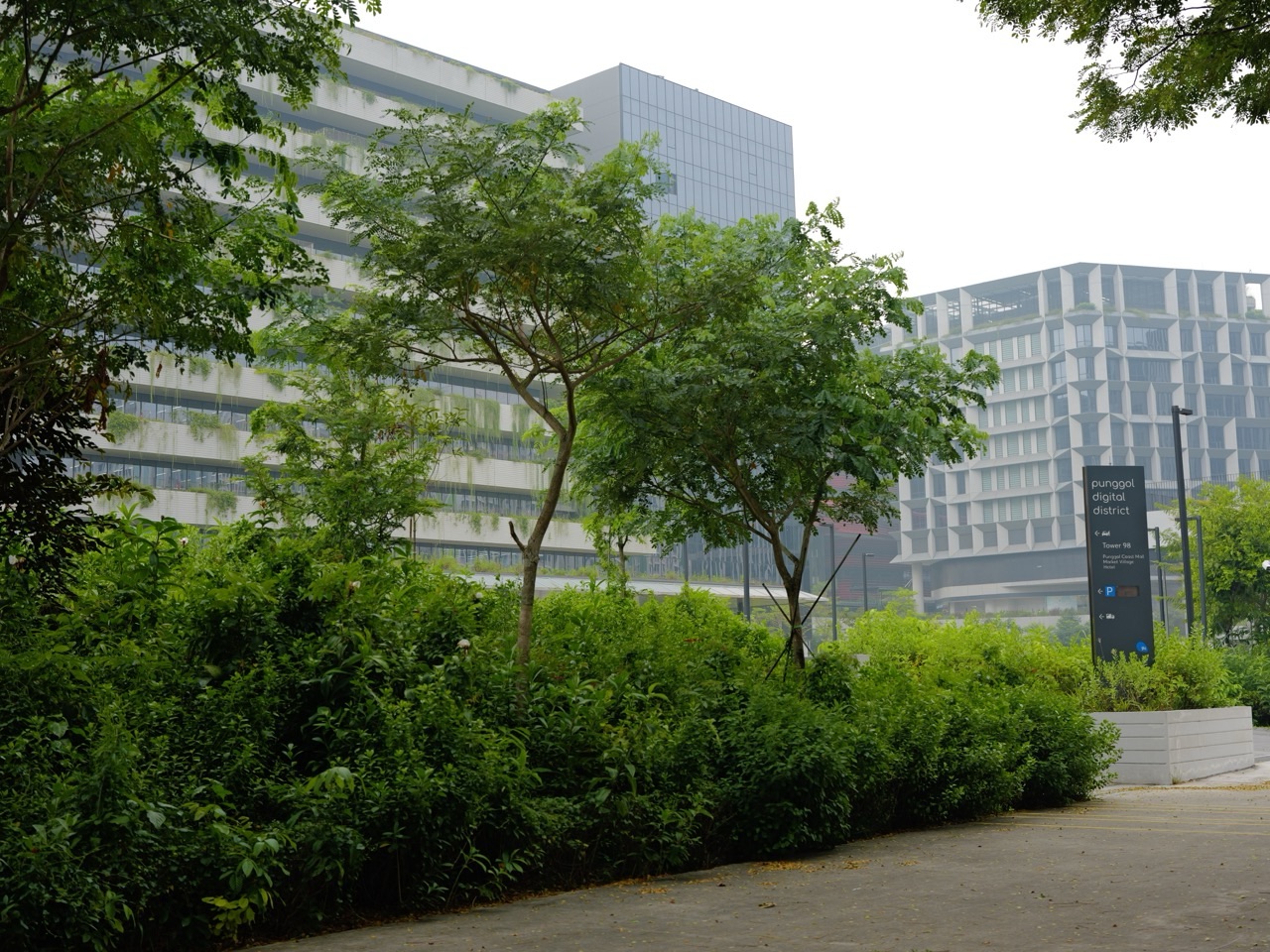
Quick answer, verified on 23 October 2026. Singapore’s Cyber Security Agency (CSA) has announced two free Be Cyber Safe Minecraft Education bootcamps at its Punggol Digital District office. The Defenders Bootcamp is on Wednesday, 4 November 2026, 9 am–4.30 pm, for secondary-school students. The Builders Bootcamp is on Tuesday, 24 November 2026, 9 am–4.30 pm, for Primary 3–6 pupils. The agency states that previous Minecraft experience is not required, internet-connected laptops or tablets will be provided, and places are limited on a first-come, first-served registration basis. These are age-specific educational activities, not the same all-ages event.
The official Defenders announcement and Builders announcement establish the dates and eligibility. The agency does not publish a live vacancy counter in these notices. A registration link being visible does not establish that a particular child has secured a place. Parents should follow the official registration route, look for acknowledgement, and get the reporting instructions directly from the organisers.
This is a meaningful Punggol education story because it moves cybersecurity discussion beyond a textbook. Students can explore digital protection using an interactive environment at an office in the emerging digital district. But the value is in learning to recognise evidence, design safeguards and communicate sensible decisions—not in collecting a glamorous label or claiming a one-day event will guarantee admission to a course or career. The guide below distinguishes published arrangements from illustrative activities and gives families a way to transfer the learning into ordinary home and school life.
Confirmed dates, audiences and links
- 4 November: Secondary-school Defenders, Wednesday, 9 am–4.30 pm, CSA office at Punggol Digital District. Official registration.
- 24 November: Primary 3–6 Builders, Tuesday, 9 am–4.30 pm, CSA office at Punggol Digital District. Official registration.
- Both events: Free participation is advertised; prior Minecraft knowledge is not required; an internet-connected device will be provided; places are limited.
- Questions: Use student_outreach@csa.gov.sg or leechin@zenitant.com.sg, as listed in the official notices.
- Do not assume: That the notices confirm a specific room, remaining seat count, food arrangement, parental accompaniment policy or certification outcome. Ask the organisers.
Why two bootcamps rather than one?
The secondary Defenders edition is described as a team hackathon, with participants taking on specialised roles to defend against realistic cyber threats. Its official publicity names concepts such as social engineering, ransomware, distributed denial-of-service attacks, encryption, access control and firewalls. Some of these terms are technically advanced, but a beginner can still make sense of the underlying decisions: who should be trusted, what information should be protected, and how a team responds to a threat without disrupting legitimate users.
The Primary 3–6 Builders edition centres on designing and building a cyber-safe world. Children can begin from a more concrete question: if a fictional digital town has a library, school and hospital, who should be permitted to enter each area and who should be allowed to alter information? They may discover that a secure arrangement should still be usable. A hospital needs to protect confidential records while letting authorised medical personnel obtain accurate information when necessary.
These differences matter more than which programme sounds exciting. A primary-school child should not be registered for the secondary session simply because they play Minecraft confidently. A teenager should not be pointed to the younger programme without asking the organiser about suitability. The age ranges come from CSA; any exception would need CSA’s approval, not parental assumption.
What does Minecraft Education contribute?
Minecraft Education is an interactive setting in which a group can make a rule visible. An access policy that seems abstract on paper can be represented by a room that some roles may enter and others may not. A security team can observe whether a rule behaves as expected, adjust it and explain the result. This is not proof that all cybersecurity risks can be reduced to a game; it is a way to make early reasoning observable.
Good learning requires a task, a constraint, feedback and an opportunity to explain. Playing an ordinary game for hours does not necessarily provide those elements. A guided educational challenge can prompt students to say why they have built a checkpoint, which information is private, and what should happen when a device fails. The explanation carries the transferable knowledge. Parents should ask children about decisions and evidence after the workshop rather than measuring success by how impressive the virtual construction looks.
CSA’s notices explicitly say beginners need not already know Minecraft. This statement reduces an unnecessary barrier. Parents should not feel compelled to buy equipment, subscriptions or extra lessons ahead of time. Instead, children can prepare with simple discussions of privacy, verification and trusted adults. The agency will supply the device for the event; other logistical details should come from the joining instructions.
Start with the three goals of cybersecurity
Confidentiality means information is available only to people with permission. A teacher’s private comments about a pupil should not appear to unrelated users. Integrity means the information is accurate and has not been improperly changed; a homework grade or medical detail should not silently mutate. Availability means that authorised users can obtain the service when it is needed. If a school timetable system cannot be accessed at a critical time, students still have a problem even when nobody has read private information.
Invite a child to apply those ideas to a fictional neighbourhood application. A public notice about a library event should be widely readable. A registered family might be able to see its own booking. Staff members may need to update event capacity, while guests should not. The application should remain reasonably available for families planning their day. One simple example shows why all three goals can matter at once and why a clever password by itself is not a complete security plan.
A second learning step is to ask about trade-offs. If everyone has editing rights, the application is convenient but vulnerable to accidental or malicious changes. If almost nobody can log in, privacy may improve at the cost of availability and usefulness. Real security design balances risks and user needs through multiple safeguards. Children need not calculate a formal risk model to understand that controls should solve a defined problem rather than merely look strict.
A Builders rehearsal for Primary 3–6
Draw a fictional town on paper. Include a public playground, a book-lending counter, a school office and a room containing sensitive records. Ask the child to create three types of visitor: a general resident, a student and an authorised staff member. For each location, who may look, who may enter and who may change information? Let the child explain one rule in ordinary English. This develops classification, conditional reasoning and an intuitive idea of permissions.
Then tell a story about a visitor who says, ‘Your teacher asked me to get the records immediately.’ Ask whether sounding urgent proves the visitor has permission. It does not. The child can propose checking with the school through an existing trusted contact rather than trusting an unfamiliar message or person. This is an age-appropriate introduction to social engineering: attackers can exploit trust and pressure, not just software weaknesses. The fictional activity avoids exposing children to actual scam sites.
Finally imagine that the virtual library’s booking system stops working. What should visitors do, how will staff communicate and how can bookings be restored without losing important details? The child may suggest a safe backup or an authorised paper record. The point is not that every suggestion is technically correct. It is that a failure affects users and that responsible design considers recovery. Allow the child to revise the proposal after you introduce a new constraint.
A Defenders rehearsal for secondary students
A teenager can use a more structured model: asset, threat, weakness and control. Suppose a fictional school club shares one account. Its assets include project files and contact details. A threat could be an outsider pretending to be a member. The weakness is poor accountability created by a shared login. Possible controls include individual accounts, suitable access permissions and multi-factor authentication where supported. The student should be able to explain which weakness each control addresses.
Ask how the proposed controls might fail or inconvenience genuine users. A complex login process may lead careless users to share credentials. A backup process may improve resilience but must also protect sensitive information. Teams need to choose safeguards thoughtfully, not stack technical words together. If the learner is unsure, encourage the sentence ‘I do not know yet; this is what we should check.’ In cybersecurity, an unsupported claim of certainty can be more dangerous than an honest question.
Another fictional scenario begins with a message saying an account will be suspended unless the student uses a supplied link immediately. A careful response checks whether the source is genuine, whether the instruction is consistent with normal procedures, and whether the notice can be verified using an independent official channel. It is not necessary to click the link to investigate. The exercise strengthens reading comprehension and decision-making, as well as digital safety.
Authentication and authorisation are different
Authentication tries to establish who a user is. Authorisation governs what that authenticated person may do. Two people might both enter a digital school platform, but one may view a timetable while a designated teacher can update it. Students often collapse the two ideas into one: ‘If I can log in, I should be allowed to do everything.’ A realistic challenge can demonstrate why that assumption is unsafe. Secure systems usually separate identification from specific privileges.
A simple analogy is a school building with identification badges. A student badge may allow entry to ordinary classrooms, while a staff member has access to a restricted office. Both badges identify their users, but the permissions differ. The analogy is incomplete—software systems have additional risks—but it offers younger learners a starting point. Students can test a fictional rule within a permitted game environment, compare the observed outcome with the intended policy and explain any mismatch.
Phishing involves language as well as technology
Phishing attempts may imitate a familiar institution, create a false emergency or exploit the desire to help. Ask learners to extract three facts from an imaginary message: who it claims to be from, what it requests, and what independent evidence confirms the claim. A familiar logo is not independent proof. Nor is a deadline written in capital letters. Checking a known website or contacting the organisation through an already trusted route is safer than relying on the message’s own instructions.
In an English lesson, students can separate statements of fact from appeals to emotion. ‘The sender claims to be from the school’ is a description. ‘The sender is definitely from the school’ would be an unwarranted inference without verification. Children learn not to treat confident tone as evidence. They can write a calm reply to themselves: ‘I will ask my parent or teacher and verify through the school’s established channel before sharing anything.’ This is transferable literacy, not merely cyber vocabulary.
Ransomware and recovery
Ransomware is malicious software used to deny access to data or systems, often while demanding payment. Secondary students can learn that the defensive conversation concerns prevention, early detection, incident reporting, backups and recovery. No child needs to create harmful code to grasp why an organisation should have appropriately protected backup copies or why unusual activity needs timely escalation. Fictional incidents suffice for discussing how safeguards work together.
Consider a school project drive that suddenly becomes unavailable. The first helpful action is not for every student to attempt unauthorised technical experiments. Staff need to know what stopped working, when, and which users are affected. The student should report through an approved channel and avoid worsening the situation. This teaches professional discipline: useful incident information is accurate, bounded and clearly communicated. It also shows that a computer problem may have both technological and human dimensions.
Firewalls, access controls and layers
A firewall controls certain network communications according to rules. It is neither an all-knowing guard nor proof that devices behind it are automatically safe. Access control limits what authorised users or systems can do. Security updates address known weaknesses; cautious user behaviour can prevent an avoidable mistake. Layering these measures matters because a single control can fail. The student who understands the limitations of a safeguard has made more progress than someone who has memorised its name.
Illustrate with a fictional building: a perimeter gate, room-specific keys, a visitor log and a backup communication plan each serve different purposes. Removing one layer may increase exposure, though the exact effects depend on the scenario. In the game, children might allocate permissions to areas and see what happens when they grant excessive privileges. In real life, they must not experiment on networks or accounts without explicit permission. The line between safe simulation and unauthorised access should be stated plainly.
Data literacy: a worked comparison
Suppose a classroom simulation presents 20 suspicious messages to two fictional teams. Team A incorrectly trusts four messages, a rate of 4 ÷ 20 = 20%. Team B incorrectly trusts one, a rate of 1 ÷ 20 = 5%. This calculation gives a 15-percentage-point difference, not proof that Team B has become permanently safer or that one training activity has a universal effect. The examples might differ in difficulty and the number of observations is small. Numbers are only informative when the test design is sound.
Now create another measure: how many genuine notices does each team reject? A system that rejects every message may detect malicious requests but also interfere with daily learning. Students can discuss false alarms and missed threats, and how the costs vary by context. This is a useful bridge to secondary Mathematics, probability and scientific investigation. It trains the learner to ask not only ‘What is the result?’ but ‘What exactly did we measure, and how reliable is the inference?’
Why teamwork and communication belong in a hackathon
The Defenders description refers to specialised roles. Real technical teams divide tasks because no single person can reliably inspect every part of a complex system at once. One participant may classify a suspicious message, another may map permissions, and a third may describe what happens during a service outage. The work becomes useful only when findings are combined. Students should practise giving a short explanation of what they observed, what they inferred and what they still need to verify.
A respectful team member does not simply announce the solution; they invite others to challenge it. If someone believes an access rule is too loose, the team can test the claim in the permitted environment. If a younger or quieter member notices an overlooked problem, the group should listen. This combination of curiosity, precise language and disciplined checking is relevant to school projects, Science practicals, engineering design and later workplace decisions.
How the bootcamp connects to 2027 school learning
These one-day events are not a replacement for MOE curriculum, the coming 2027 Singapore-Cambridge Secondary Education Certificate arrangements, or classroom Computing. Their value is to make underlying habits visible. Students may return to school better able to explain why algorithms need testing, why statistics require careful interpretation, or why an unfamiliar message should be checked. That is a plausible educational transfer, not a guaranteed examination score increase.
For a student considering future Computing or cybersecurity studies, the event can be a small diagnostic experience. Did the student enjoy reasoning about permissions? Could they collaborate after a setback? Did they find it interesting to look for weak assumptions? These observations may help the family plan reading or elective exploration. It would be misleading to treat attendance as a qualification that automatically opens a university or internship route. Later pathways have their own admission criteria.
Punggol’s connection with the Singapore Institute of Technology and businesses in the digital district makes those later pathways more visible geographically. JTC’s official district page explains its education-industry integration. The presence of a campus and corporate offices does not promise that participants can tour private facilities, collect company data or gain preferential access. This guide therefore separates a confirmed CSA education event from broader career possibilities.
Registration and venue details worth confirming
- Use the exact CSA-published link for the correct age group; do not rely on a forwarded message that substitutes a different payment or registration site.
- Confirm whether the child’s registration is accepted; published limited capacity does not tell parents how many places remain.
- Request the exact meeting point within Punggol Digital District. The event notice names CSA’s office but not a complete arrival procedure.
- Ask whether a guardian must accompany the child, whether there are identification or consent requirements, and what collection rules apply.
- Confirm meals, breaks, accessibility and any items to bring; the notice confirms a provided device but not all other logistics.
- If participation becomes impossible, follow the organiser’s cancellation guidance rather than assuming the place can be transferred to a friend.
One week of gentle preparation
Instead of pressuring a child to learn technical jargon, divide preparation into short sessions. On the first day, discuss what a trusted source is. On the second, ask which household accounts contain private information. On the third, compare a public library room with a staff-only records room. On the fourth, consider a fictional lost device and who should be told. On the fifth, let the student explain a basic security rule to a parent in their own words. On the sixth, discuss safe teamwork. On the seventh, check the registration confirmation and practical journey.
These activities take minutes, not an elaborate preparation course. The child should arrive curious and well-rested. If the parent feels tempted to test a real school’s login system, obtain another person’s password or demonstrate malicious tricks, that is the point to stop. Learning can happen through diagrams, hypothetical situations and authorised game environments. Ethical boundaries are part of cybersecurity education, not a rule to be abandoned in the name of ambition.
A practical route-planning example
The organiser names the CSA office at Punggol Digital District. This is not sufficient to identify a precise unit or entrance. A family travelling by public transport should first obtain the exact reporting point in the joining instructions and then check the current route. Allow margin for a minor delay without inventing a required arrival time. If the child needs an adult escort, plan both drop-off and collection; a long event ending at 4.30 pm can affect household arrangements.
Parents should not photograph or post entrance passes, identity documents or other participants’ details online. If the organiser permits event photographs, follow the stated photography rules and consider the privacy of other children. The lesson in cyber safety begins before the first Minecraft activity: people should manage information responsibly in the physical environment as well as on screens.
What to ask the child afterwards
Avoid making the entire debrief ‘Did you win?’ Ask instead, ‘What did your team try to protect?’, ‘Which decision was difficult?’, ‘What evidence changed your mind?’ and ‘What should a user do if they see something suspicious?’ The answers show whether the student has gained a principle that can be applied in a new setting. A child who describes a mistake and how the team repaired it may have learned more than one who simply remembers the final score.
Within a week, choose one safe home habit to review. That might be identifying where official school announcements are published, verifying account recovery methods with a parent, or discussing why passwords should not be forwarded to friends. One month later, revisit the discussion. Delayed recall reveals whether a new habit has survived the excitement of the event. Do not create an overly demanding programme that makes a helpful workshop feel like another examination.
Common questions from Punggol parents
Can a Primary 6 child join the 4 November event?
The published Defenders event is for secondary-school students, whereas the Builders event expressly includes Primary 3–6. A current Primary 6 student therefore fits the stated Builders audience. Ask CSA if there is an unusual case; do not assume skill with Minecraft changes the event’s published category.
Is participation really free?
CSA labels both as complimentary. That does not guarantee a place or cover costs that the notice does not mention, such as travelling to the venue. Verify any unexpected request for payment with the organiser through an official source.
Do students need a gaming computer or previous Minecraft experience?
No previous Minecraft experience is required according to both event pages, and the organiser says an internet-connected laptop or tablet will be provided. Parents should not purchase specialist equipment simply to satisfy an assumed requirement.
Is the school required to nominate participants?
The public notices describe a sign-up route and first-come, first-served limited places. They do not specify a general school-nomination requirement. If registration instructions show additional steps, follow the actual authorised process and ask CSA when uncertain.
Does attendance count towards O-Level or SEC grades?
No such assessment credit is promised by the notices. The potential gains concern understanding and experience, not an automatic mark, certificate or privileged pathway.
Can adults stay with young participants?
The public notices do not establish an escort policy. Parents should ask about supervision and collection arrangements before the event rather than treating the workshop as an open family festival.
Will the bootcamp cover real cyberattacks?
CSA describes simulated challenges concerning cyber threats. The experience should be understood as educational and authorised, not a licence to test real systems. School-age students should work within organiser instructions and tell a trusted adult about any genuine concern.
What if the registration form has closed?
The event pages do not provide live vacancy confirmation in their text. If the form is closed, contact CSA using the published enquiry channel if clarification is needed. Do not pay a third party to promise a seat or use unofficial duplicated forms.
A simple classroom rubric: is the explanation stronger than the design?
After the workshop, students can evaluate a fictional system using five criteria: identification of the asset, accuracy of the proposed access rule, evidence from a permitted test, ability to explain an unexpected result, and respect for users affected by the design. Give each criterion a plain-language judgment such as clear, developing or not yet demonstrated. This is an educational family rubric, not CSA’s published judging scheme. Its purpose is to move conversation away from how many structures a team built and toward what those structures mean. For example, if a group creates a locked records room, a useful explanation must state who possesses the authorised access and why. If students do not know how the virtual system handles forgotten access, they can write that down as an unresolved requirement. Acknowledging an unanswered question is often a sign of intellectual maturity, especially in work involving safety and trust.
The value of a mistake made inside a permitted simulation
Students sometimes believe a cybersecurity activity has gone badly if their first design fails. In a properly supervised fictional challenge, failure can be informative: it reveals a hidden assumption. Suppose a group creates separate rooms for public and private information but accidentally gives a visitor role editing privileges in both. The immediate educational task is not to blame the student who set up the access rule. It is to isolate what was expected, reproduce the unexpected behaviour in the authorised environment, find the permission setting responsible, correct it and retest. Keeping a record of the original assumption and corrected test makes learning more transferable. This method closely resembles good practice in Science experiments and mathematical error analysis. It also helps a student resist the impulse to conceal an error in order to appear competent. Real services require much stricter permission and reporting rules; children should never conduct unsanctioned tests against live systems.
A source-checking habit for parents and students
A workshop advertisement may be copied to social-media pages, parents’ chat groups and event aggregators. Each copy can become stale. For consequential details—age group, date, cost, registration, venue and supplied equipment—return to the agency’s original notice. Compare the heading, not only the first line of a forwarded image. The Defenders date is 4 November, whereas the Builders date is 24 November. Both start at 9 am according to their official pages, but the participants are not interchangeable. If a group message displays a third date or different payment link, ask the organiser to resolve the discrepancy instead of choosing whichever version appears most recent. This is a practical application of the cybersecurity principles the children will study: treat provenance as important, verify through a trusted channel and keep a decision record. A parent can demonstrate the habit by showing how to locate the official .gov.sg notice rather than merely telling a child to be careful online.
A child-friendly way to report an incident
Younger pupils need a procedure simple enough to remember under pressure. If a game account, online message or school platform behaves strangely, the child can stop interacting, avoid sharing more information, keep the suspicious item available for an adult to inspect where appropriate, and tell a trusted adult. The adult can then use the service provider’s official reporting channel. This does not mean children should collect private evidence about other people or forward harmful files to classmates. The goal is to stop preventable escalation and obtain help. Secondary students can learn a more precise incident description: what happened, which account or service was involved, when it was noticed, what actions were taken and what remains uncertain. Do not invent technical conclusions. Saying ‘I received an unfamiliar request’ is more accurate than declaring ‘The school has been hacked’ without evidence. Calm reporting is a form of good communication that can be practised safely at home.
Preparing different learners for the same workshop
One child enjoys talking but struggles to organise instructions; another can build confidently but finds it hard to explain choices to a group. Neither pattern proves the learner unsuitable for a cyber-safety workshop. Parents can prepare by matching one small task to the child’s present needs. A talkative student can practise giving a two-sentence answer without dominating the group. A quieter student can prepare a question written on paper or a diagram showing how an access rule should work. A child sensitive to unfamiliar routines may benefit from knowing the official arrival procedure and the expected collection arrangement before the event. The provider’s published information does not promise specific accommodations, so discuss any necessary support directly and privately with the organiser. Respect a learner’s pace: the purpose of participation is to practise reasoning and collaboration, not to compare gaming speed or confidence with other attendees.
Separating an engaging tool from a complete curriculum
A Minecraft scenario can teach an important security concept, but it remains a teaching medium rather than the entire discipline of cybersecurity. Genuine technical study later requires mathematics, computing, operating-system knowledge, network understanding, careful writing and ethical judgment. Some of those foundations may not be visible in a one-day activity. Parents should therefore avoid the conclusion that an enthusiastic child must immediately enrol in advanced hacking instruction, just as they should avoid assuming a child who dislikes the game could never pursue computing. Ask which intellectual task engaged the student: classifying access rights, diagnosing a failure, representing a system, reasoning with statistics or explaining a team decision. These observations are more useful for later educational choices. A child might explore a school computing club, read age-appropriate material or build simple authorised projects, subject to the opportunities available at their actual school.
Six weeks later: a meaningful transfer check
Set a reminder in your family’s calendar to revisit one lesson after roughly six weeks. Present a new fictional situation that does not resemble a Minecraft village: perhaps an unexpected parcel-delivery message, a shared class document or a request to post another student’s photo. Ask the child to describe the relevant safety principle, suggest a responsible next step and explain what information still needs verification. Do not turn the task into a test of memorised technical vocabulary. If the child can apply the principle to a different context, the learning has begun to transfer. If not, revisit the original example and correct the misunderstanding calmly. This delayed exercise is valuable because immediate enthusiasm can fade while genuine habits endure. The lesson should be modest and actionable: verify claims through known channels, avoid sharing secrets, protect other people’s information and seek help when uncertainty matters.
Sources and neighbouring guides
- Cyber Security Agency of Singapore: Defenders, 4 November 2026
- Cyber Security Agency of Singapore: Builders, 24 November 2026
- CSA-published Defenders registration route
- CSA-published Builders registration route
- JTC: Punggol Digital District setting
- eduKatePunggol: Cybersecurity and safe devices
- eduKatePunggol: Wider youth cyber education pathways
Editorial fact-check, 23 October 2026: The dates, venue, intended audiences, free participation, equipment and prior-knowledge statements come from CSA’s two event notices. Classroom analogies, numerical examples and suggested family routines are explanatory exercises created for readers, not claims about the organisers’ actual challenge sequence. Confirm current registration status and arrival instructions with CSA.


