
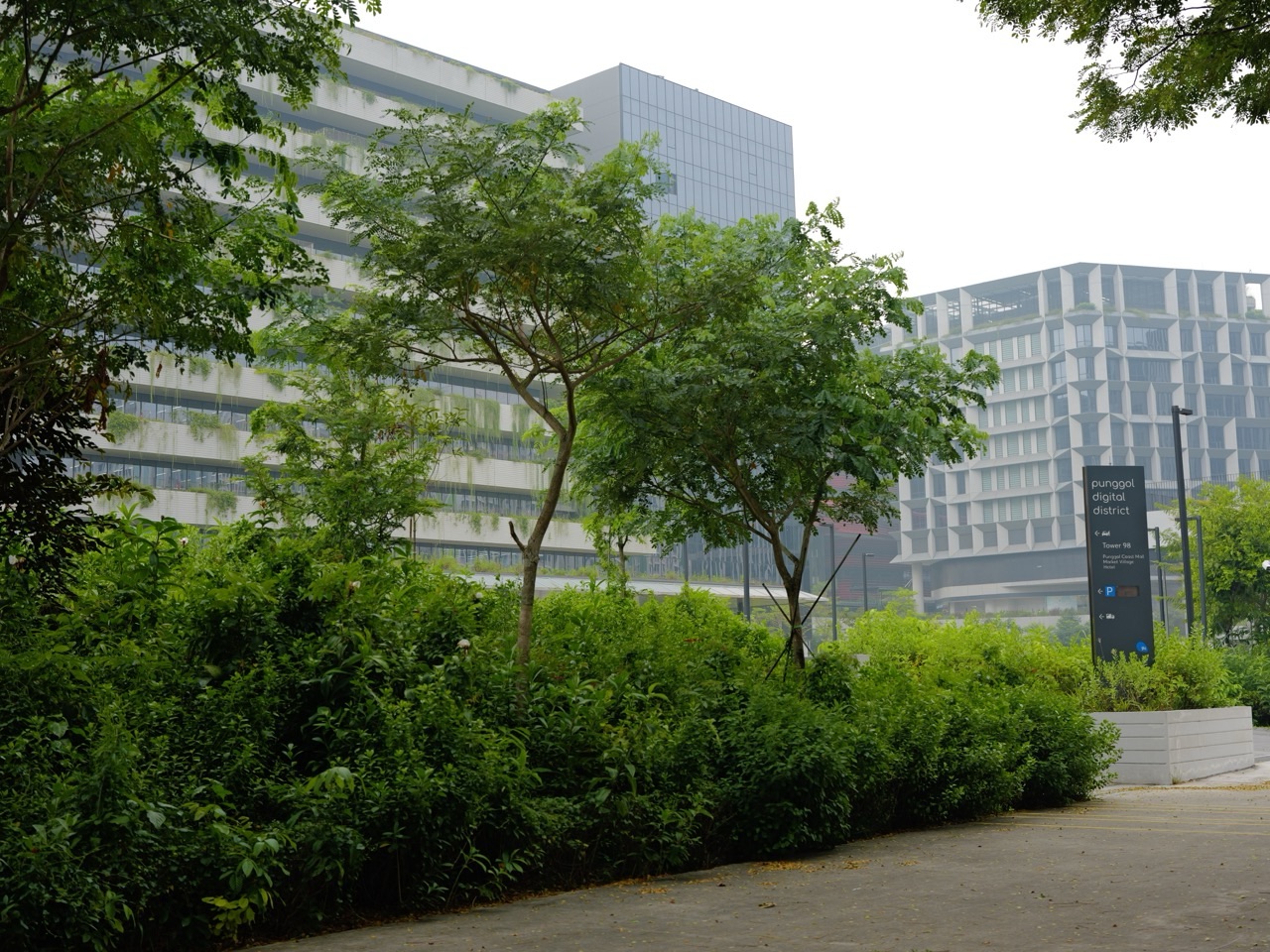
Cybersecurity is now part of everyday Punggol life, from the home Wi-Fi router and online shopping account to public digital services and work performed in Punggol Digital District. The Cyber Security Agency of Singapore (CSA) helps protect Singapore’s digital infrastructure, improves cyber resilience and publishes practical guidance for individuals and organisations. Its published 2026 contact address is 92 Punggol Way, #07-163 Tower 92, Punggol Digital District, Singapore 829854. That is an agency office address—not an invitation to walk into a restricted office to reset a phone or recover scam payments.
For residents, the immediate checklist is to secure important accounts with strong unique passphrases and two-factor authentication, update devices promptly, and use trusted channels to check suspicious messages. CSA’s national “Stop and Check” campaign highlights three core habits: enable 2FA and strong passphrases, update software promptly, and add appropriate ScamShield or anti-malware protection. Its 13 October 2026 Cybersecurity Strategy 2026 addresses critical infrastructure, the wider digital ecosystem, new technology risks and the cyber workforce, but it does not make every citizen’s home broadband connection government-managed.
Different problems need different authorities. SingCERT, within CSA, accepts reports of Singapore-related cybersecurity incidents through Cyber Aid, such as malware, ransomware and phishing sites. ScamShield 1799 provides round-the-clock assistance to check suspected scams; a person who has lost money should contact their bank immediately and file a police report through the appropriate route. A company that has exposed customers’ personal information may also have separate duties under the PDPA to assess and notify a notifiable data breach.
This Understanding Punggol | Things to Know guide was prepared using official CSA, ScamShield and related government sources current to 22 October 2026. It explains the systems and practical choices for parents, students, seniors, small businesses and workers. It does not ask readers to share private passwords or offer a fictional guarantee that cybersecurity software prevents all attacks.
Punggol digital safety in one minute
- CSA: national cybersecurity agency; its Punggol Digital District office is at 92 Punggol Way.
- 2026 Strategy: released 13 October 2026, focusing on infrastructure, ecosystem resilience, emerging AI/quantum issues, cooperation and capabilities.
- Home account protection: use unique passphrases and suitable two-factor or multi-factor authentication.
- Devices: install trusted operating-system, browser, app and router firmware security updates.
- Suspicious message: verify through an independently obtained website or known contact, not the link sent by the suspected impersonator.
- Suspected phishing or malware: use CSA’s SingCERT Cyber Aid.
- Scam doubts: call ScamShield 1799, available 24/7, or use its supported app and resources.
- Money already transferred to a scammer: contact the bank promptly, use its authorised account-blocking tools and file a police report.
- Home Wi-Fi: change default administrator credentials, use an appropriate modern security mode and keep firmware updated.
- Children: teach safe digital routines and review age-appropriate parental controls without treating monitoring as a substitute for conversation.
- Business owners: the SG Cyber Safe Programme supports proportionate organisation-level practices, including Cyber Essentials and other options.
- Personal data breach: a business may have separate PDPC obligations under the PDPA; SingCERT reporting does not replace them.
- No fee for emergency authorisation: do not transfer money to someone claiming to be CSA to “unlock” your Singpass or bank.
1. Why cybersecurity matters in Punggol homes
An ordinary household may use an internet router, smart television, doorbell camera, tablets, laptops, smart speakers and payment apps. Each device or account can handle information about the home or family, and some connect directly to other systems. A weakness in one account can therefore affect several activities.
For example, a compromised email account may be used to reset another account. An old router with weak credentials may expose internal devices. An unexpected app installed on a parent’s phone may request access to contacts or banking messages.
The most effective foundation is not buying the most expensive security product. It is understanding which accounts and devices matter, controlling access and developing repeatable maintenance habits.
2. What CSA actually does
CSA is the Singapore government agency responsible for national cybersecurity objectives, including protecting Critical Information Infrastructure (CII), responding to significant threats, supporting public and private organisations and raising cyber awareness.
A national agency is not the same as a neighbourhood computer repair shop. CSA can publish guidance and accept incident reports, while an individual may still need their bank, internet service provider or device manufacturer to address the practical problem.
This division of responsibility is useful when help is urgent. The authority empowered to investigate cybercrime may differ from the organisation able to reset the compromised account.
3. The CSA Punggol address is real but has a specific purpose
CSA’s official contact page identifies its office at Tower 92 in Punggol Digital District, 92 Punggol Way, #07-163. This illustrates Punggol’s role in Singapore’s technology ecosystem. It does not mean the office provides walk-in consumer assistance or grants residents special cybersecurity entitlements based on their postcode.
For a cyber incident, the same CSA page directs people to SingCERT’s Cyber Aid portal. For programme questions, it provides defined official forms or contacts. General career inquiries go through the designated recruitment channel.
Always use the appropriate online or official contact service rather than travelling to an office building hoping someone can restore a stolen bank account.
4. National security and household advice are different layers
Singapore’s cybersecurity strategy includes systemic protection for key services such as energy, water, banking, healthcare and transport. A cyberattack against one of those systems is different in scale and handling from someone forgetting a home Wi-Fi password.
Nevertheless, a secure digital society also depends on basic household habits. Password reuse, outdated software and social-engineering scams can create harm without any attack on nationally designated infrastructure.
The correct lesson is shared responsibility with distinct roles. Government agencies, businesses and individual users each have decisions within their own control.
5. What changed in the October 2026 strategy
On 13 October 2026, CSA announced Singapore’s Cybersecurity Strategy 2026, including a broader focus on the digital ecosystem, resilience of critical services, risks associated with artificial intelligence and quantum technologies, international cooperation and workforce development.
The strategy is a policy direction, not a promise that a particular Punggol business will receive government funding tomorrow or that household devices are automatically repaired. Scheme eligibility and real programmes have their own rules.
A reader should distinguish the date a strategy is announced from the implementation date of an individual service or grant. This makes articles about fast-changing technology useful rather than sensational.
6. The Stop and Check campaign is aimed at everyday decisions
CSA’s Stop and Check campaign emphasises checking whether an unsolicited request is genuine before acting. Many scams use urgency, fear or apparent authority to prompt a person to click a link, disclose credentials or transfer money.
A useful habit is to stop the current interaction, open the official service independently and check with a trusted person or channel where appropriate. That is more reliable than examining only the message’s spelling or logo.
Not every suspicious-looking notification is fraudulent, but no legitimate pressure tactic should replace independent verification of sensitive transactions.
7. Strong passphrases should be unique
A long, unpredictable passphrase is generally harder to guess than a short common word with a simple number appended. The most important practical habit is not reusing the same password for email, banking, shopping and work accounts.
If one retailer experiences a breach, attackers may try the exposed password elsewhere. A unique password per service limits that spillover risk. The user should avoid including easily discovered details such as a birthday or block number.
A reputable password manager can help manage distinct credentials when used securely. No human needs to memorise dozens of weak repeated passwords to prove they are careful.
8. Two-factor authentication adds a second barrier
CSA recommends two-factor authentication (2FA) where available. It requires an additional factor beyond a password, such as a token, device, biometric step or approved code. Even if a password is exposed, an attacker may still lack the second factor.
However, 2FA is not magical. A victim can be tricked into approving an unexpected prompt or revealing a one-time code, which defeats the protection. Users must verify that a login request corresponds to an action they initiated.
Teach the household to reject unexpected approval prompts and secure recovery methods as carefully as main logins.
9. Email security is a priority because of password resets
Email often functions as a recovery channel for other services. If a criminal gains access, they may request password resets, intercept documents or impersonate the user. A strong email password and suitable multi-factor authentication deserve priority.
Review recovery email addresses, phone numbers and active sessions through the email provider’s genuine security dashboard. Remove unknown recovery methods only after verifying that they are malicious; account restoration should follow the provider’s supported process.
A single well-protected email account can reduce risk across many other services used by a Punggol family.
10. Update software promptly
CSA states that operating-system and application updates often contain fixes for known security weaknesses. Delaying them indefinitely can leave devices exposed even when their users are careful about suspicious messages.
Set up trusted automatic updates where appropriate, check major app stores for legitimate versions and ensure the device has enough storage for installation. Do not install a random file from a text message claiming that the phone needs a government security patch.
Some updates require restarting a device. Plan for that inconvenience rather than accept months of unnecessary exposure.
11. Routers also need maintenance
A home router directs traffic for many devices. Its administrator password, firmware, remote-management settings and Wi-Fi security mode affect household exposure. A resident should replace default credentials, enable appropriate modern encryption and check whether the manufacturer still supports security updates.
Do not assume changing the Wi-Fi network name alone fixes vulnerabilities. The administrator control panel and the wireless passphrase are different protections.
If unsure, consult the legitimate internet service provider or device manufacturer. Avoid allowing an unsolicited caller remote access to the router’s administration interface.
12. Guest networks can reduce unnecessary exposure
A guest Wi-Fi network can allow visitors to access the internet without using the same local network as personal computers, network storage or smart-home controls. Whether the isolation works as intended depends on the router and configuration.
A Punggol home hosting relatives, tutors or contractors may benefit from a separate guest connection. But the mere presence of a guest SSID does not guarantee devices are isolated if settings are incorrect.
Review the manufacturer’s guidance and test the arrangement appropriately. The goal is to make access proportionate, not treat every visitor as a security threat.
13. Smart cameras and door locks are networked computers
Doorbell cameras, digital locks and other smart-home equipment may store or transmit access records and video. They can create valuable convenience and security, but weak account credentials or outdated firmware may expose sensitive household information.
Buy supported devices from credible vendors, change defaults, enable legitimate security features and understand where data is stored. A camera’s cybersecurity is different from whether its field of view respects neighbours’ privacy or MCST rules.
Our Understanding Punggol PDPA and CCTV guide explains the separate privacy-law layer.
14. The Cyber Landscape 2025/2026 report highlights connected-device risks
CSA’s Singapore Cyber Landscape 2025/2026, released on 30 June 2026, discusses a complex threat environment, including ransomware and weaknesses affecting consumer-grade Internet-of-Things devices with unpatched firmware or default passwords.
This does not mean every smart speaker in Punggol is already compromised. It means commonplace connected devices deserve maintenance and suitable configuration instead of being left on factory settings for years.
A family can review its home device list once or twice yearly, identify unsupported products and decide whether to update, reconfigure or retire them.
15. Malware and phishing are different threats
Phishing attempts to trick someone into revealing information or taking an action through a deceptive message, website or call. Malware is harmful software that can steal data, spy, disrupt or gain control of a device. A phishing link may lead to malware, but not every phishing attempt involves an actual infection.
Different responses matter. A person who clicked a link but did not enter information may need to review the site and device; someone who entered bank credentials should secure the bank account immediately.
Do not diagnose malware solely because a webpage shows a pop-up warning. Legitimate security alerts and fraudulent scareware can look similar.
16. Ransomware can affect small businesses
Ransomware commonly involves criminals restricting access to data or systems and demanding payment. A small Punggol business with one shared computer can be disrupted by an incident that prevents access to invoices and client files, even if it is not a large corporation.
The business should maintain appropriate protected backups, restrict administrative privileges and establish a response plan. Paying a demand does not guarantee that stolen data is deleted or that systems can be restored safely.
CSA’s Cyber Aid and appropriate professional incident-response providers can help guide next steps. A possible crime should also be reported to the Police.
17. A backup is useful only if restoration works
Keeping an extra copy of a file on the same device may not protect against hardware failure or ransomware. A more resilient approach uses suitably protected backups and tests whether important data can actually be recovered.
For a household, valuable examples include family photographs, study work and important documents. A business may also need reliable accounting and customer records. Protect backups from unauthorised access and avoid retaining unencrypted sensitive information indefinitely.
The point is continuity: a good backup allows a legitimate owner to recover after an incident without depending entirely on a scammer’s promises.
18. SingCERT is the cybersecurity incident reporting arm
Singapore Computer Emergency Response Team (SingCERT), within CSA, invites Singapore-related reports of phishing, ransomware, malicious websites, unauthorised access and other technical incidents through Cyber Aid. The reporting service helps identify issues and can support national awareness of threat patterns.
Submitting a report to SingCERT is not the same as filing a Police criminal complaint or contacting the bank to freeze a compromised account. Some incidents require both technical and law-enforcement responses.
Use the real CSA Cyber Aid service and avoid sending sensitive reports to an unverified account claiming to be “Cyber Police”.
19. Cyber Aid does not replace emergency incident containment
CSA’s contact page says it reviews submitted SingCERT reports and aims to respond within three working days. That is an advisory workflow, not an emergency bank-transfer interception promise.
If an organisation’s account is actively under attack, authorised administrators may need to isolate affected systems, revoke compromised sessions and engage professional assistance promptly. If money is being stolen, the bank’s official anti-scam channels are time-sensitive.
A sensible response follows parallel lines where necessary: immediate containment, appropriate technical report and law-enforcement reporting for suspected crime.
20. ScamShield 1799 is for scam doubts and guidance
ScamShield’s 1799 helpline operates 24 hours a day, helping callers assess suspicious messages and receive guidance. The official service can direct victims to participating bank channels. It does not itself file a police report or guarantee recovery of transferred funds.
A family member uncertain about a supposed government officer can call independently rather than continue a pressured phone conversation. The helpline is useful even before money is lost.
For an actual account compromise, contact the bank without delay. ScamShield is an additional support tool, not the only protective step.
21. Bank incidents require quick action
ScamShield’s official response guide directs people who have suffered a monetary loss or exposed banking credentials to contact the bank immediately, file a police report, secure affected accounts and inform relevant platforms. Banks may offer account freeze or kill switch functions.
Do not waste critical time debating whether the scammer will voluntarily return the money. Preserve transaction details and follow the bank’s actual incident instructions. A transfer that has completed may not be reversible merely because the user reports it promptly.
The point is to limit further loss and support an accurate investigation, without promising a recovery outcome.
22. A police report and a SingCERT report are not interchangeable
A cybercrime such as hacking, fraud or extortion may warrant an official Police report. SingCERT’s Cyber Aid records and advises on technical cybersecurity incidents. PDPC can have a role where an organisation mishandled personal data.
These institutions address overlapping facts from different legal and operational perspectives. A person should not assume one submission automatically completes every required notification or insurance claim.
Keep case numbers and correspondence organised. Our Understanding Punggol police report guide explains the separate law-enforcement routes.
23. Phishing messages can impersonate trusted institutions
Fraudulent messages may claim to be from a bank, Singpass, a parcel company or a government agency. A sender can know a person’s name or NRIC number from leaked or public information, so those details do not prove authenticity.
Do not click a link merely because the SMS uses familiar branding. Open the relevant official app or known website independently and check whether the action is required. A request to transfer funds into a “safe account” is a serious warning sign.
CSA’s “Stop and Check” framework is useful because it focuses on the decision, not a promise that scammers always use poor grammar.
24. Fake job advertisements can exploit Punggol’s technology aspirations
A job posting may misuse the name of a technology firm or reference Punggol Digital District to appear credible. A criminal can invent a recruitment deposit, ask for banking credentials or demand account access before any genuine employment exists.
Check the employer’s authentic careers page and registered company identity. A legitimate job application may request appropriate identity details at a later authorised stage, but should not require transfers to an unknown personal bank account to secure an interview.
Our Understanding Punggol SkillsFuture and career guide covers legitimate training and career development separately.
25. Artificial intelligence can make messages more convincing
AI tools can generate fluent text, imitation voices and manipulated images, reducing the usefulness of older scam detection rules based on spelling or obvious inconsistencies. An audio message that sounds like a relative may still require independent verification before a significant transfer.
Families can agree on safe verification practices, such as calling a known number directly rather than replying to an unfamiliar request. Never rely on one voice clip or photograph as complete proof that a financial emergency exists.
An unusual urgent request for a bank transfer deserves care, especially when the sender refuses normal verification.
26. Children’s accounts need age-appropriate controls
Young people may use gaming services, study platforms, chat groups and social media. Parents can help by explaining phishing, identity sharing, digital purchases and privacy. Device-level parental controls can reduce some risks but do not teach judgement by themselves.
A household can agree on which purchases require permission, how to handle messages from strangers and whom a child should tell about a threatening or suspicious interaction. Avoid shaming a child for reporting a mistake; secrecy can make harm harder to address.
For serious exploitation, threats or criminal conduct, involve suitable authorities or safeguarding services rather than expecting ordinary app settings to solve the problem.
27. Students should protect school and project work
A Punggol secondary or tertiary student may use cloud files, online assessments and group projects. Losing account access during an examination period can interrupt work even without financial theft. Use legitimate recovery information, protected backups and distinct school and personal credentials.
A student should not share a school account password just because a classmate wants to download a file. Use the institution’s approved collaboration method instead.
Cybersecurity supports learning independence: reliable access, recoverable work and responsible handling of other students’ information.
28. Older residents need understandable safeguards
A senior may prefer phone calls, paper reminders or assisted services. Cybersecurity guidance should respect those preferences while explaining common impersonation tactics and banking protections. A relative can help secure devices without taking permanent control of private accounts.
Discuss what to do with an unexpected caller demanding payment, where to find the bank’s genuine number and how to ask for assistance. Provide a written list kept safely rather than an overwhelming set of technical terms.
Digital inclusion works when the person remains able to understand and control important decisions.
29. Small businesses have different cyber responsibilities from households
A Punggol sole proprietor storing client records has commercial and potentially PDPA responsibilities. A company with several employees may face payroll, customer data and service continuity risks. Those obligations do not disappear because the business operates from a home office.
Owners should define who administers email, accounting, website and payment systems, then remove access promptly when roles change. Separate personal and business credentials where appropriate.
The national framework provides guidance, but the real business must implement proportionate controls based on its specific exposure.
30. The SG Cyber Safe Programme supports businesses
CSA’s SG Cyber Safe Programme offers resources and approaches for organisations at different stages, from basic cyber hygiene to more advanced practices. It discusses toolkits, health surveys, Cyber Essentials and broader certification or professional support options.
Participation requirements, fees and any funding differ by programme. A shop should not assume every certification is mandatory or that buying a badge automatically eliminates legal responsibility for a future incident.
The best first step is an honest assessment of which assets and data matter and which controls the organisation can actually maintain.
31. Cyber Essentials is a framework, not a magic shield
Cyber Essentials sets out baseline cybersecurity practices suitable for many organisations. Implementing controls can reduce common risks, but no certification guarantees immunity from phishing, stolen credentials or future software vulnerabilities.
A business should maintain its measures after the assessment, train staff and monitor changes in services and vendors. A certification logo should not be used to imply that customers face zero risk when submitting personal information.
Cybersecurity assurance is an ongoing process, not one-time decoration on a website footer.
32. The organisation must know its vendors
Cloud software, web hosts, online payment providers and external IT contractors may have access to systems or personal data. A business should understand the scope of that access, service contracts, security controls and incident contacts.
A vendor’s marketing claim of “bank-grade security” does not replace due diligence. The organisation needs a real process for revoking access, reviewing backups and handling potential service outages.
For a small business, a simple vendor inventory may be more immediately useful than a large consultancy report no staff member will read.
33. PDPA breach reporting is distinct from SingCERT
A security incident affecting personal data can trigger duties under Singapore’s PDPA, including assessment of whether a breach is notifiable to the Personal Data Protection Commission (PDPC). The organisation must follow the specific notifiable-breach thresholds and deadlines.
Submitting technical information to SingCERT does not automatically discharge PDPA obligations. Likewise, telling a customer about a phishing attempt does not prove that every statutory report has been completed.
Our Punggol PDPA guide explains privacy, data access, DPO and breach duties in greater detail.
34. Cyber resilience includes an outage plan
A business can be disrupted even when no malicious hacker is involved. A router failure, cloud service outage or power interruption may prevent payment processing or access to records. A practical response plan should cover both security incidents and ordinary availability failures.
Identify essential services and how staff will work safely during an interruption. Backup information should remain protected, and temporary manual processes should not result in careless disclosure of customer details.
A small shop that can handle a brief verified payment outage responsibly may be more resilient than one relying on an elaborate but untested technical system.
35. Worked scenario: a Punggol family receives a fake delivery link
A parent receives an SMS claiming that a parcel cannot be delivered until a small fee is paid through an unfamiliar link. They do not click or enter bank details. Instead, they check the actual order on the retailer’s platform and contact the carrier through its verified website.
If the message is suspicious, they can check it through ScamShield. If credentials were entered before the risk was recognised, they secure the relevant accounts and contact the bank where necessary.
The key lesson is independent verification rather than judging authenticity from a delivery logo or an amount that seems small.
36. Worked scenario: a router has never been updated
A fictional household installed a router several years ago and never changed its administrator password. They identify the exact model, access its authorised management interface, check firmware support, update the password and configure appropriate wireless security.
If the router is no longer supported by its manufacturer, the family considers a suitable replacement through a legitimate provider. They do not download firmware from a random advertisement or grant remote access to an unsolicited caller.
The improvement is practical risk reduction, not a claim that one configuration makes every device permanently safe.
37. Worked scenario: a home business loses customer files
A Punggol service provider finds that a work laptop has encrypted files and an apparent ransom demand. The owner stops unsafe further activity, seeks suitable professional incident-response help and protects known unaffected backup systems. They document what happened without paying an unknown “recovery agent” blindly.
If there is evidence of cybercrime, a police report may be appropriate; SingCERT Cyber Aid can receive a technical report. If customer personal data is involved, the organisation separately assesses PDPC notification duties.
The incident demonstrates why backups, vendor contacts and legal responsibilities must be planned before a crisis.
38. Worked scenario: an elderly person receives a government impersonation call
Someone claims to be from a government cyber agency and says the resident must immediately move their savings to an account for investigation. The resident does not transfer money. They end the unverified contact, consult a trusted person and check independently using an official government or ScamShield number.
ScamShield states that police do not instruct citizens over phone calls or messages to transfer money to accounts as part of supposed investigations. Knowledge of a person’s NRIC details does not make the caller legitimate.
A clear household protocol can protect an older relative without requiring them to understand every cybersecurity term.
39. Worked scenario: a teenager shares a one-time code
A teenager receives a login code and a message from a gaming contact asking for it. Sharing the code could permit another person to access the account. The teenager should not disclose it and should review the official account security page if the request was unexpected.
If the code was already shared, the next steps are to recover the account through the provider’s authentic route, update credentials and review other linked accounts for misuse. An adult can assist calmly.
The immediate lesson is simple: an authentication code is a security secret, not a harmless six-digit number to pass to friends.
40. Worked scenario: business employees share one password
A small Punggol company gives several employees the same administrator password because it seems convenient. When an employee leaves, no one can tell who still knows the credential or which actions were taken. This creates a preventable access-control weakness.
The company moves toward individual logins, properly allocated privileges and prompt removal of access for departed staff. It documents a safe recovery process and maintains backups.
This is an ordinary governance improvement rather than an expensive advanced cyber defence. Clear responsibility often makes both business operation and incident investigation easier.
41. When a technology career uses local opportunities
Punggol Digital District brings together technology-oriented companies, SIT and national agencies, including CSA’s published office. This offers meaningful learning and career context for residents interested in cybersecurity, data, software or digital governance.
However, proximity to a government office does not grant a job, internship or access to restricted facilities. Applicants should use official recruitment pages, educational programmes and relevant job platforms for actual opportunities.
The appropriate question is what skills and qualifications a role requires, not whether the applicant can see the office building from their home.
42. Common myths about cybersecurity in Punggol
Myth one: a strong password makes two-factor authentication unnecessary. Both can strengthen protection. Myth two: a paid antivirus app replaces updates. Known vulnerabilities still need patching. Myth three: an official-looking SMS with your name must be genuine. Personal data can be exposed or imitated.
Myth four: SingCERT is a 24-hour bank refund service. It is a cybersecurity incident-reporting and advisory function. Myth five: ScamShield 1799 files a police report for every caller. It does not. Myth six: a CSA office in Punggol makes every local cyber service walk-in. Use the agency’s actual service routes.
Myth seven: a business with Cyber Essentials cannot be breached. Certification is not immunity. Myth eight: a technical report automatically fulfils PDPA duties. Privacy-law obligations are separate.
43. A Punggol household and small-business checklist
- Identify the household or business accounts that matter most.
- Use unique strong passphrases and a suitable credential manager.
- Turn on two-factor authentication where supported.
- Reject unexpected login prompts and keep recovery details current.
- Update computers, phones, browsers, apps and router firmware.
- Replace unsafe default router and smart-device passwords.
- Protect valuable files through appropriate backups and test recovery.
- Separate household, guest and business device access where suitable.
- Verify unusual claims using independent official contact routes.
- Use ScamShield 1799 for suspected scam guidance.
- Contact the bank immediately if banking credentials or funds are compromised.
- File police reports for suspected cybercrime through the correct official service.
- Report suitable technical incidents through SingCERT Cyber Aid.
- For organisations, assign cybersecurity and DPO responsibilities.
- Know which cloud vendors and employees can access important records.
- Prepare an incident and service-outage response checklist.
- Teach children and older relatives practical verification habits.
- Use official CSA resources rather than unfamiliar “cyber recovery” agents.
Frequently asked questions
Is the Cyber Security Agency located in Punggol?
CSA’s 2026 official contact page lists its office at 92 Punggol Way, #07-163, Tower 92, Punggol Digital District. Its listed services are not a general walk-in device-repair centre.
What is Singapore’s Cybersecurity Strategy 2026?
A national strategy announced on 13 October 2026 addressing cyber resilience of critical infrastructure, the digital ecosystem, emerging risks, partnerships and workforce capabilities.
What are CSA’s most important household tips?
CSA’s “Stop and Check” campaign emphasises strong passphrases and 2FA, prompt software updates, and appropriate ScamShield and anti-malware protection.
What is SingCERT?
The Singapore Computer Emergency Response Team accepts and responds to relevant cybersecurity incident reports through CSA’s Cyber Aid service.
Does SingCERT replace the police if money is stolen?
No. Cybercrime may need a police report, while immediate banking compromise requires prompt contact with the bank. SingCERT is a separate technical incident-reporting channel.
Is ScamShield available throughout the day?
The 1799 ScamShield helpline is available 24/7 for suspicious scam enquiries and guidance. It cannot guarantee lost-money recovery or file the police report for the caller.
Does changing a Wi-Fi name protect all devices?
No. Router administrator security, wireless encryption, updates and individual device controls also matter.
Can a video doorbell be hacked?
Networked devices can have vulnerabilities. Use a credible manufacturer, secure logins, appropriate firmware updates and careful permissions.
Is an organisation’s personal data breach reported to CSA or PDPC?
A technical incident may be reported to SingCERT; a notifiable personal data breach may also require a separate PDPC notification under the PDPA.
Can cybersecurity training lead to a job at Punggol Digital District?
Training can support skills and employability, but actual recruitment depends on an employer’s current roles, entry requirements and selection decisions. Living nearby does not guarantee a place.
Official sources and connected Punggol reading
- CSA: What the Cyber Security Agency does.
- CSA: Punggol Digital District office and official contacts.
- CSA: Cybersecurity Strategy 2026 announcement.
- CSA: Singapore Cyber Landscape 2025/2026.
- CSA: Stop and Check national cybersecurity campaign.
- CSA: Enable 2FA and use strong passphrases.
- CSA: Update your software promptly.
- CSA: Report a cyber incident via SingCERT Cyber Aid.
- CSA: SG Cyber Safe Programme.
- ScamShield: About the app, website and helpline.
- ScamShield: 1799 helpline and limits.
- ScamShield: Steps after a scam or account compromise.
- Singapore Police Force: I-Witness and reporting.
- Understanding Punggol: Singpass, LifeSG and digital government.
- Understanding Punggol: PDPA, CCTV and data breaches.
- Understanding Punggol: ACRA, UEN and Corppass.
- Understanding Punggol: Police reports and community safety.
- Understanding Punggol: SkillsFuture and technology careers.
- Understanding Punggol: Punggol Digital District and SIT.
Bottom line: Singapore’s digital safety system works at several levels. CSA strengthens national cyber resilience and provides practical guidance; SingCERT receives technical incident reports; ScamShield helps check scams; banks protect accounts; Police investigate suspected offences; and organisations retain their own PDPA duties. Punggol residents are better protected by knowing these differences and practising reliable security habits.


