
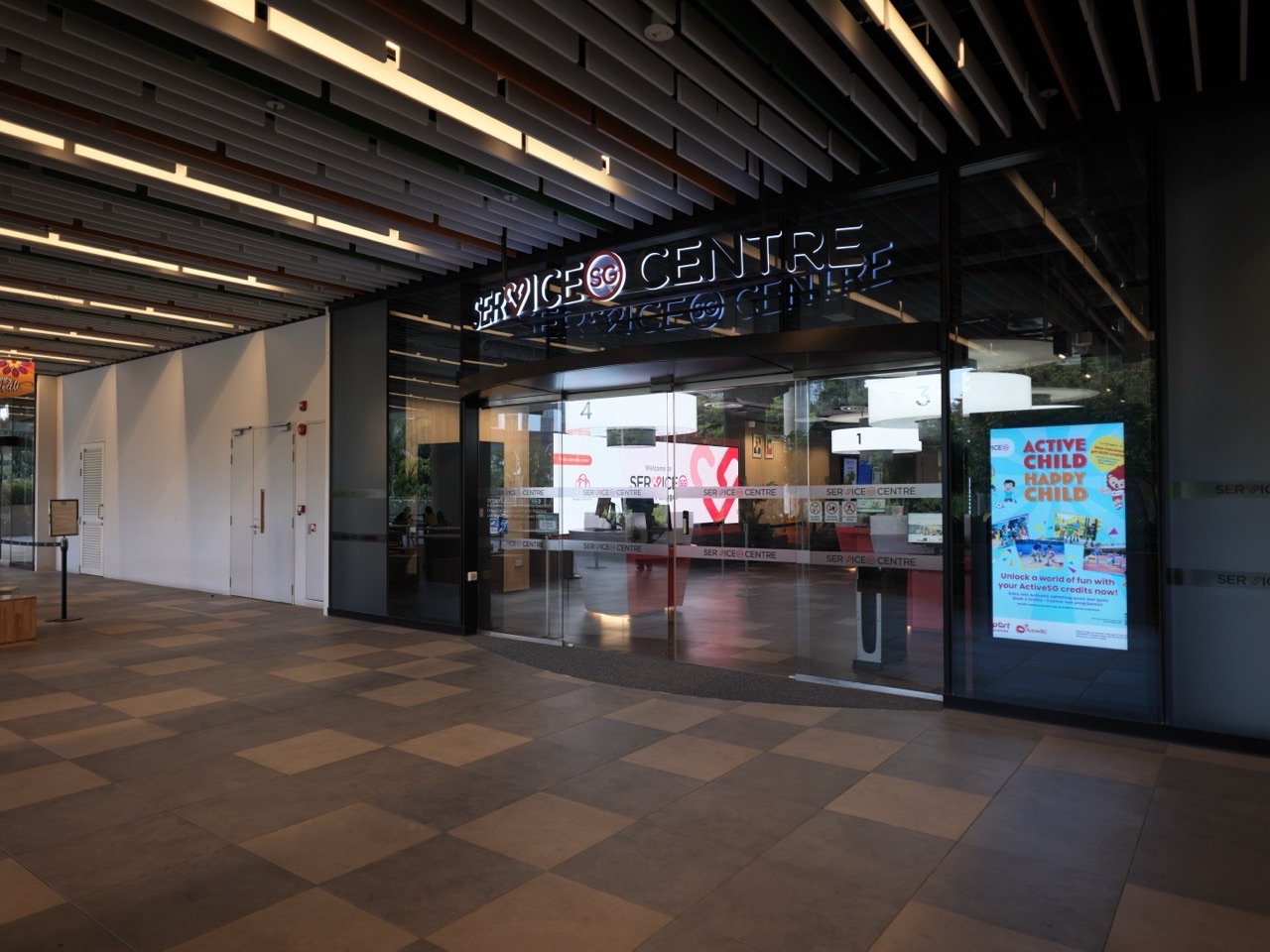
You can use LifeSG to check whether a government agency offers a video appointment at ServiceSG Centre One Punggol. For this kind of appointment, you go to the centre at 1 Punggol Drive, #01-01, Singapore 828629. LifeSG says the centre assigns you a private room for the video consultation with the agency.
Start by checking the agency and the service in the booking tool. An appointment at the centre is useful when you want to speak with the agency by video and prefer to do that from a ServiceSG location. If you just need help finding the right online service, check the centre’s general assistance options first.
- Open the official LifeSG ServiceSG appointment page and check whether your agency and issue are listed.
- Select One Punggol and save the booking confirmation if the tool offers that location for your service.
- Follow the agency’s instructions on identification, supporting documents and who should attend.
- Go to #01-01 at One Punggol. Sam Kee LRT is adjacent to the hub.
EDUKATE PUNGGOL · ONE PUNGGOL
Find the part you need
SECTION 1 OF 5 · PICK THE RIGHT SERVICE
Choose between general help and a booked consultation
Back to contents
Start with the outcome you need
Write one sentence about what you want to find out. “I need to know which document is missing from my application” is easier to route than “I need help with a letter.” Look for the agency name and any official reference on the notice. If the agency has directed you to a specific channel, check those instructions before booking elsewhere.
A ServiceSG officer can help with frequently used government services and digital transactions. A video consultation is an appointment with an agency that participates in the booking service. If you need a decision on an application, ask the agency what it can handle during the call and what may require a separate step. A consultation can give you a clearer next action even if the matter needs further review.
Use the LifeSG appointment page for the booking route. For general support and walk-in preparation, see the One Punggol ServiceSG guide.

Check the agency and centre together
On the LifeSG page, check which agencies and services are offered. If the issue appears in the booking tool, follow the prompts and select One Punggol when it is available for the appointment you need. Read the confirmation for the agency, service, location and time. If the right option is missing, use the agency’s official contact channel to ask where the matter should be handled.
Keep the confirmation somewhere you can retrieve at the centre. If you book for yourself, check which details the confirmation says to bring. If you are helping a parent, make sure the parent knows who the consultation is with and why it has been booked. Ask the agency in advance if someone else will be attending, assisting with communication or acting on the person’s behalf.
Keep the appointment separate from the centre’s hours
LifeSG lists ServiceSG Centre One Punggol as open from 9 am to 6 pm, except Sundays and public holidays. A centre being open does not tell you which appointment slots or agency services are available. Use the time in your confirmation and check the latest official listing before travelling.
If you need to change the appointment, follow the official instructions in your confirmation. If you cannot find them, use the booking or agency contact listed there. Give the person accompanying you the updated details so both of you work from the same time and venue.
Contents · Previous section · Next section
Make a short folder for the issue
Start with the appointment confirmation and the documents requested by the agency. A recent letter, a reference number or a copy of an application may be useful when it relates directly to the question. Keep personal records in a closed folder or on your own device. Share them through the agency’s authorised process if asked. Check what form the agency accepts if you are unsure whether to bring originals or digital copies.
Put the questions in the order you want answered. A good first question identifies what has happened so far. A good closing question asks what you should do next and by when. If the officer names a document or form you have never used, ask for its exact name and where to find the current official version.
Help a relative without taking over the call
Agree on the sort of help the relative wants. They might want you to read the booking details, accompany them to the centre or help write questions beforehand. If they want you in the room, check the appointment rules or ask the centre. Keep passwords and verification codes private and follow the official sign-in process.
After the appointment, review the next steps together. If the agency asks for another submission, record where it needs to go and any deadline the agency gives. A short written note can make it easier for the person to act independently later.
Contents · Previous section · Next section
One Punggol is at 1 Punggol Drive. Sam Kee LRT (PW1) is next to the hub. If you are transferring from the North East Line to the Punggol LRT, use Punggol MRT (NE17). On arrival, follow the directory to ServiceSG Centre at #01-01. If the person attending needs a step-free route or more time to walk, allow for transfers and check lift directions before the appointment.
At the centre, show or refer to your booking confirmation and follow the check-in instructions. LifeSG describes the appointment as a private room with a video consultation. The agency officer may ask for information relevant to the appointment. If an answer remains unclear, ask who to contact after the call.
If an HDB appointment was booked through HDB, follow those instructions. The HDB Punggol Branch guide covers that separate booking decision. For hub directions, see One Punggol on onePA.
Contents · Previous section · Next section
Do I join the consultation from home?
For the ServiceSG centre appointment described here, you go to the selected centre and join the agency consultation by video from there. Follow your confirmation if the agency has offered a different service.
Can I simply turn up for a video appointment?
Use the LifeSG booking route for this appointment type. Walk-in general assistance is a separate service. Check with the centre if you are unsure which one you need.
What if my agency does not appear in the booking tool?
Use the agency’s official contact page to check the right channel. The LifeSG service covers participating agencies and appointment types.
Where is ServiceSG Centre One Punggol?
It is at One Punggol, 1 Punggol Drive, #01-01, Singapore 828629.


