
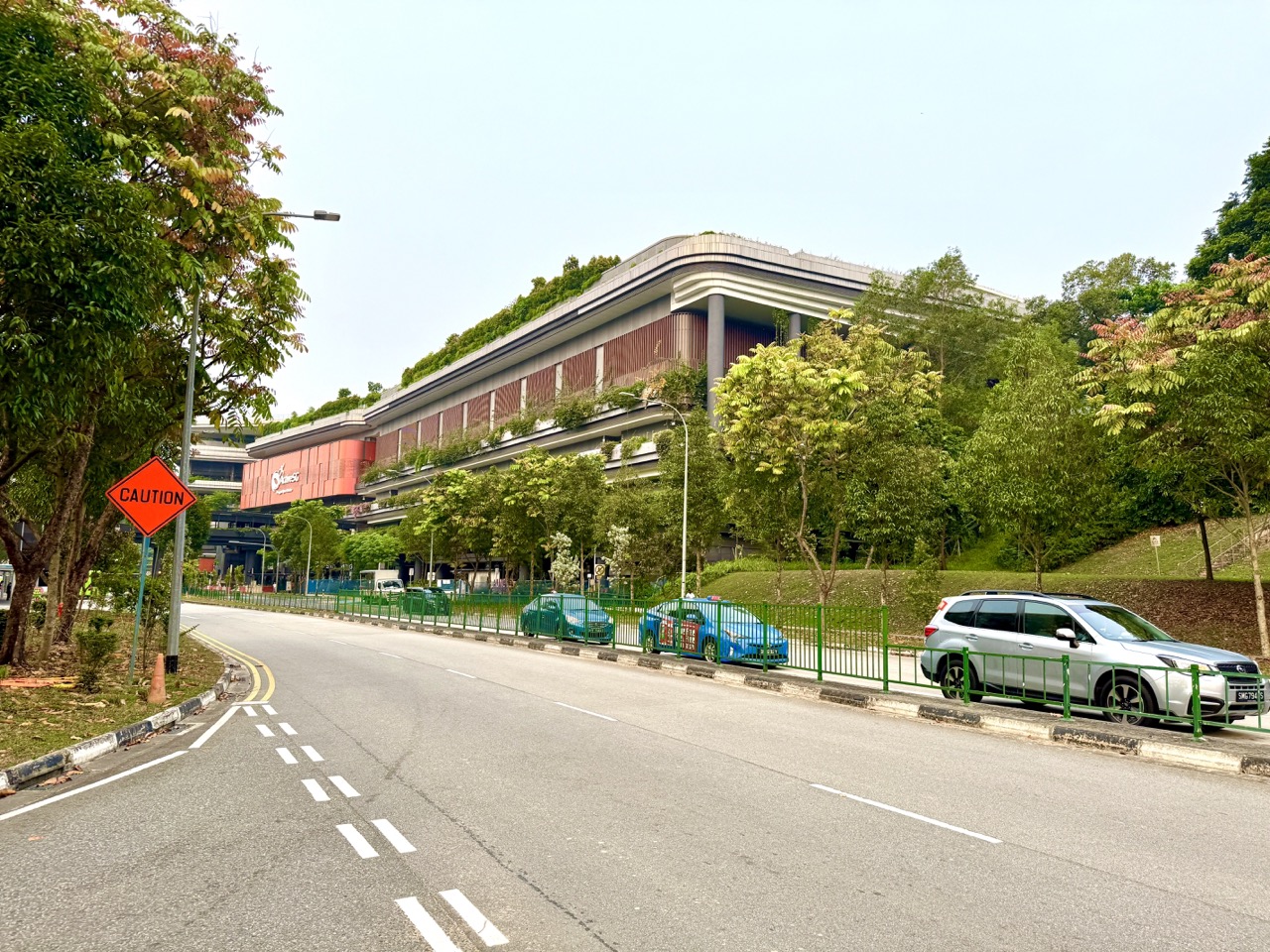
ActiveSG Punggol Sport Centre at 11 Sentul Crescent is an accessible local reference for learning robotics: imagine a small educational robot that detects a paper court boundary, decides whether to turn, and moves its wheels to stay inside a marked model area. The robot needs sensors, a controller, a programmed decision and a physical output, with feedback to check whether its actions worked. Punggol’s sport centre began selected public operations on 27 October 2026 and its formal opening is scheduled for 22 November 2026. This is a *fictional classroom robotics exercise*, not a claim that ActiveSG Punggol supplies robots, allows robotics trials on booked courts or operates autonomous sporting equipment. No facility booking is needed: use a paper diagram, offline simulator or appropriately supervised school robotics kit.
Singapore’s IMDA AI for Fun (Primary) programme introduces smart robots responding to sensor inputs and computer-vision concepts, while Code for Fun (Secondary) uses microcontrollers, digital prototyping and block- or text-based programming. These are school programmes offered through their own arrangements, not casual classes at the Punggol Sport Centre. Students should learn what sensors measure, why a reading can be noisy, how a control loop detects an error, what happens when data are missing, and where a safe stop belongs in the logic. The guide explains these concepts in ordinary language with original offline pseudocode, test cases and a four-week project, without encouraging filming strangers, unauthorised venue experiments or robot movement around pedestrians.
- Venue context: Punggol Sport Centre, 11 Sentul Crescent, near Sam Kee LRT; check real sport access through MyActiveSG+.
- Robot model: physical machine with a programmed controller, suitable inputs and outputs; autonomy varies by design.
- Sense: a hypothetical line sensor reads a safe model boundary; a distance sensor estimates separation from an obstacle.
- Think: a controller compares inputs with rules or a target.
- Act: a motor or indicator changes state in the educational model.
- Feedback: the next reading reveals whether the intended change occurred.
- Core Computing: variables, conditionals, loops, state machines, validation and safe termination.
- AI distinction: a fixed programmed rule differs from a trained prediction model; not every robot uses AI.
- Safety: no autonomous robot testing in public sports facilities, occupied paths or roads; no filming or scraping actual booking systems.
- Learning route: 4-week offline-to-supervised sequence, normal/error/boundary testing and design reflection.
Definition lock: what is a robot?
A robot is a physical system capable of performing actions through mechanisms and control, sometimes with sensors and varying degrees of autonomy. A phone booking application is software but not automatically a robot. A remote-controlled toy may count as a type of robotic system, but a programmable machine that responds to its environment introduces more feedback and decision-making questions. A child should identify the body, sensors, controller, power and actuators before describing a device as intelligent. The useful question is what the system can actually detect and do, not whether its appearance resembles a person. Clear definitions prevent marketing language from replacing technical understanding.
Why the sports centre is an analogy, not a robotics workshop
A sports venue is designed for authorised recreation, and an ordinary badminton reservation does not grant permission to deploy mobile robots, carry out a drone demonstration or test camera-based tracking. Such activities could create collision, trip, privacy and equipment risks. The safe alternative is a drawn miniature court on paper, an offline robot simulator, or an approved robotics classroom. Real facility photographs can provide general visual inspiration when properly used, but they do not establish an engineering installation. Children can learn the basic control logic at home with no motors at all. The lesson’s value comes from reasoning about inputs and outputs, not operating in a prestigious location.
Why Singapore’s Code for Fun programme matters
IMDA and MOE’s Code for Fun programme introduces computational thinking, digital making and emerging technologies in schools. Its AI for Fun primary module includes understanding how robots respond to sensors and how computer vision can be integrated into appropriate projects. That official description supports the educational relevance of robotics, not a guarantee that every child has an identical kit or that the Sport Centre runs a class. Schools have their own programme arrangements and prerequisites. Parents should treat this guide as supplementary first-principles explanation. It can help a learner ask better questions before a legitimate school activity, but it cannot replace the teacher’s safety instructions or assessment requirements.

The simple sense–think–act loop
A beginner robot can be described through three linked steps: sense something relevant, apply a decision rule, then act. For instance, an imaginary model robot could sense a dark line, decide whether it has crossed the permitted paper boundary and turn a simulated wheel. It then senses again. That repeating sequence creates a feedback loop. Draw the stages as boxes and arrows. Explain that the sensed signal may not perfectly represent reality, so the decision might be wrong. A good robot design plans for this uncertainty. This model is deliberately simplified; sophisticated systems can have several controllers, sensor types, safety layers and human oversight.
Inputs are measurements or commands
An input is information entering a controller. It could be a distance estimate, a button press, a camera frame or a temperature reading in an appropriate device. A robot does not automatically know the state of the surrounding world simply because it has an input pin. Each sensor reports data within limits of range, precision and context. A student can represent an input as a named variable such as distanceCm or lineDetected. The unit and expected range should be defined. For a fictional sports model, make the readings invented and label them. No real Punggol visitor’s location, body metrics or camera image is necessary.
Outputs create observable action
An output is a response such as changing motor speed, moving a servo, lighting an indicator or displaying a message. The controller might command a left turn, but the mechanical result could differ because of friction, power or obstruction. This is why issuing a command is not proof that the commanded movement happened. An offline exercise can use written outputs such as “turn left” and “stop” to teach logic without moving hardware. In a supervised school kit, outputs must follow the teacher’s safety and power limits. Public spaces should not be used as unapproved robot test tracks.
Sensors and actuators perform different jobs
Sensors gather evidence about conditions; actuators influence the physical world. A distance sensor may estimate separation from an obstacle, while a wheel motor changes the robot’s position. A common beginner error is saying the sensor “moves the robot.” In reality, a controller processes sensor information and commands an actuator through suitable circuitry. Distinguish the functions even in a block diagram. A motor may also have an encoder that reports its motion, showing that a system can use both feedback and output-related measurements. The exact wiring depends on the approved platform and should not be improvised from vague internet instructions.
A line sensor observes an optical contrast
An educational line-following robot may use optical sensing to distinguish a marked line from its background. The reading is influenced by illumination, sensor height, surface reflectance and thresholds. A dark mark is not automatically detected perfectly at all times. In an offline model, represent the sensor result as TRUE or FALSE, then ask what happens at the edge of a painted or paper region. A real line sensor should be operated only with suitable school apparatus and permissions. Do not use actual Sport Centre floor markings as a test surface or apply tape or paint there. The lesson is how sensing turns a physical contrast into a data condition.
Proximity sensors estimate distance
A hypothetical proximity sensor helps a robot respond before touching an obstacle. Different technologies infer distance through different physical mechanisms, and all have limitations. A learner can start with a variable such as distanceCm, then define a rule: if the detected distance is below a safe illustrative threshold, issue STOP. Do not interpret an arbitrary teaching threshold as a real safety-rated stopping distance. The true safe distance depends on speed, braking, sensor reliability and the setting. Offline decision tables can reveal the logic without placing a moving device near people. The engineering habit is to distinguish what a sensor reports from what is physically guaranteed.
Ultrasonic sensing has boundary conditions
Ultrasonic ranging can estimate distance using the travel time of sound under suitable conditions. An introductory formula uses distance equals speed multiplied by round-trip time divided by two. But surface angle, material, temperature and echoes may affect readings. Students should not assume every object returns a clean signal. A paper problem might specify a hypothetical echo time and wave speed, then ask for estimated distance. That is a Physics illustration, not a calibration of an actual robotics sensor. Real hardware needs appropriate specifications and supervised testing. Never direct experimental devices toward unsuspecting people in shared public spaces.
Infrared sensors also have limitations
Infrared systems can detect reflected radiation or other signals depending on their design. Their outputs may be affected by ambient lighting, surface colour, target properties or sensor geometry. A child should not treat “IR sensor” as one universal measurement method. Begin with the actual unit and output type in the kit specification rather than guess. An offline simulated reading can demonstrate conditional logic without exposing anyone to an unfamiliar emitter or using real facility equipment. The important learning point is that every sensing technology has an operating envelope. A controller should handle uncertain or invalid readings rather than assume every number is accurate.
Cameras and computer vision are not magical eyes
A camera produces images, but a robot needs algorithms or models to interpret them. Recognising an object can be challenging when lighting, angle, occlusion and background change. IMDA’s AI for Fun programme introduces computer vision as part of smart-robot learning, but a student should not claim an AI model knows a person’s intentions from one photograph. A safe class exercise can compare hypothetical images of a paper ball against different backgrounds without recording actual players. No video-tracking project should be deployed at the Sport Centre without authorisation and consent. The lesson is how visual data may support a decision, with explicit uncertainty.
A camera frame is not a verified identity
Even if a system recognises a shape, it does not necessarily establish who owns it or which person is authorised to use it. A camera cannot replace authenticated booking information, and a child’s face should not become an informal access credential for a school robot. Facial-recognition and biometric systems raise significant privacy and security responsibilities. For beginners, use anonymous geometric objects or coloured cards rather than personal images. Do not store real account QR codes, identity documents or footage from changing areas. Responsible robotics separates object detection, identity verification and permission to act. They are different problems with different requirements.
Switches provide simple binary inputs
A push-button or properly rated limit switch can give an easy introductory signal: pressed or not pressed. Students can model a switch by drawing two states on paper before using a real supervised kit. A stop input deserves special attention because it may be needed even when other sensors or software behave unexpectedly. However, an ordinary classroom button in a diagram is not a professionally certified emergency-stop system. Real moving machines require safety design appropriate to their hazards. The educational goal is understanding discrete states and the rule triggered by a change, not presenting a toy mechanism as public-safe automation.
Motors and servos are different kinds of actuators
A DC motor often produces rotation under suitable electrical control, while a typical educational hobby servo may be commanded toward a limited angular position using its internal control. Other servo systems differ. The student should understand that “motor” describes a class of actuators, not one universal electrical component. A paper model can show left and right wheel commands without connecting any wires. If using hardware, follow the school kit’s voltage and mechanical limits and keep hands away from moving parts. Do not improvise high-power drives or attach mechanisms to public sports equipment. Accurate component understanding reduces risk and confusion.
Open-loop control follows commands without checking the result
An open-loop controller might instruct a toy robot to turn its wheels for one second, assuming that will produce the desired movement. It does not measure whether the robot turned enough. Surface friction, motor variation and battery condition can alter the result. This makes the idea easy to teach with a paper diagram: a command travels outward but no measured result returns. Open-loop control can be useful in some applications, but it cannot correct errors it never observes. A student should avoid claiming that a one-second command always moves a robot exactly one metre. The output depends on the real physical system.
Closed-loop control compares action with a target
A closed-loop system uses feedback to compare an observed state with a desired state, then adjusts commands. Suppose a fictional educational robot aims to remain 50cm from a marker. A distance estimate is read, an error is computed, and the controller decides whether to approach, move away or stop. The next reading reveals whether the action helped. This is a conceptual model and not a safe design for a mobile device near humans. Real control requires suitable stability, braking and safety analysis. The advantage of the feedback idea is that the controller does not rely solely on an unverified assumption about what its last command achieved.
Error is target minus measured value
Define a consistent sign convention before calculating. If targetDistance = 50cm and measuredDistance = 70cm, the error target minus measurement is −20cm. The negative sign means the measured distance is greater than the target under this particular definition, not that a physical distance is negative. A different controller may define error the other way round, which would reverse the sign. Students should not memorise that a negative error always means “move forward.” The correct action depends on the robot’s orientation, the sensor arrangement and the defined control law. Writing units and meanings beside variables prevents sign errors from becoming unsafe commands.
Feedback may be delayed
A controller often acts on sensor information collected moments earlier. If a robot moves quickly, a delayed reading may describe a position it has already passed. A student can simulate this by comparing an imaginary reading at time t with the actual state at time t + 1. Feedback delay affects how accurately the system responds. The beginner should understand why more frequent sampling may help in some cases but does not eliminate all uncertainty. Real design also considers processing time, actuation lag and communication failures. The offline lesson is about the relationship between timing and control, not real-time robotic deployment near public visitors.
Measurement noise creates uncertainty
A sensor may report slightly different values when the underlying position has barely changed. Electrical noise, signal processing, geometry and environmental factors can contribute. A fictional sequence of 49, 51, 50 and 52cm readings could represent a stable target near 50cm with small variation. If a controller reacts aggressively to every tiny change, it may oscillate unnecessarily. Students can discuss averaging or tolerance bands conceptually, while recognising that filtering can also add delay. There is no one universally suitable filter. The correct design depends on the application and hazard level. A school worksheet can teach this without real equipment.
A tolerance band avoids pointless switching
Consider a fictional target of 50cm with an illustrative tolerance of ±3cm. The model treats readings between 47 and 53cm as acceptable for a non-safety-critical classroom simulation. Outside that range it may issue a correction. This can reduce excessive switching when measurements fluctuate slightly. However, a tolerance band is not permission to ignore real obstacles or personnel. Safety-related stop thresholds are distinct and should be evaluated separately by qualified designers. Students should label this as a paper model and explain why the chosen numbers are arbitrary examples. The central principle is that thresholds need an intended purpose and suitable validation.
Too-strong correction can cause oscillation
If a controller responds too aggressively to a small error, a robot may overshoot a target and then correct back, repeating the cycle. This illustrates instability or poor tuning under some conditions. Students can draw an imagined sequence of positions around a target to see how overshoot occurs. The example should stay conceptual; do not increase motor power on a real device to make it swing dangerously for demonstration. A stable design depends on the system’s physical dynamics, sensing and control parameters. The useful lesson is that a feedback loop is not automatically good simply because it exists. Its behaviour must be tested.
Control thresholds must be defined precisely
A rule such as “turn when near the line” is vague. How near? Does the line sensor produce Boolean or numeric data? What happens at the exact threshold? An offline algorithm can define an illustrative rule and test values just below, at and above its boundary. For example, if a simulated line signal is at least 70 arbitrary units, mark lineDetected TRUE. That threshold is only a classroom assumption. Real equipment requires calibration against its actual sensor range. Precise conditions make programs testable and help children understand why “it should probably work” is not an engineering specification.
A finite-state machine organises behaviour
A beginner robot may have named states such as IDLE, SCANNING, MOVING, STOPPED and ERROR. Events and conditions cause transitions between them. In a safe educational model, a START command might move IDLE to SCANNING; a valid reading may permit MOVING; invalid data or a stop condition returns to STOPPED. The diagram shows which transitions are allowed. A real robot has more complex safety logic, but a small state machine helps students avoid contradictory commands. If the machine is in ERROR, the program should not silently resume movement because a loop repeated. The system’s state matters as much as its most recent sensor value.
Inputs must be validated before action
Suppose a distance sensor reports no reading or a value outside its documented range. A naive program may treat that value as a huge safe distance and accelerate. A better educational model handles invalid readings explicitly: set ERROR and request a safe stop. The actual safe implementation depends on hardware and safety requirements. Students should learn to distinguish a valid zero, a missing value and a sensor malfunction. These are not automatically the same thing. Validation improves logic because the controller only acts on data it understands. The rule also transfers to booking applications and other digital systems.
Loops need a termination condition
A robot controller may repeatedly read sensors and issue commands, but the loop should have clearly defined ways to stop. A classroom simulation might run for twenty iterations, end on a STOP instruction or halt when invalid data appear. Without such conditions, a naive program can continue after it should have finished. Students should not build a physical device that has no accessible means of stopping. In an offline pseudocode exercise, mark the stop path before writing the movement path. This teaches responsible design as well as loops. The goal is not to create a relentless machine; it is to create controlled predictable behaviour.
Original offline pseudocode exercise
Fictional pseudocode, not for deployment on a real robot: START in IDLE; if the teacher-approved simulation begins, set state to SCANNING; read distanceCm; if the reading is invalid, set ERROR and output STOP; else if simulatedDistanceCm is below an illustrative 20cm boundary, output STOP; else if lineDetected is TRUE, output TURN_SLOWLY; otherwise output MOVE_SLOWLY; repeat at most twenty simulated steps; finally output STOP. Ask students to draw a flowchart of the decision points. This intentionally omits actual motor wiring, braking design and real-time hazard handling. The purpose is to learn conditional flow and safe defaults without energising any mechanism.

Normal test cases check expected behaviour
A normal test uses a plausible valid input well inside the intended range. In the fictional controller, distance 80cm and lineDetected FALSE might produce MOVE_SLOWLY under the stated rules. A valid reading of 15cm might produce STOP because it falls below the illustrative proximity threshold. Students should write the expected output before running the simulation, then compare results. A program that returns something is not necessarily correct. The output must match the documented rule. Use invented data rather than live robot trials in public spaces. The test proves only the paper model’s logic for those cases.
Boundary tests reveal comparison errors
Boundary testing examines values near a decision threshold. If the illustrative stop rule is distance below 20cm, test 19.9, 20.0 and 20.1cm, with an explicit decision about whether equality should stop. Students may discover they wrote less-than when the specification required less-than-or-equal. This is a logic issue even before hardware enters the picture. A real safety system’s threshold must be professionally designed; the classroom example should not be mistaken for a certified stopping rule. Testing the boundary teaches precise inequalities and shows why a single ordinary input cannot establish program reliability.
Error tests require safe defaults
An error test might supply NULL, an impossible negative distance or a sensor fault flag. The simulated robot should not pretend the value is a valid clear path. Define how the fictional model responds: enter ERROR, output STOP and request attention. The principle is sometimes called failing safely, although a real fail-safe design needs much more engineering. Children should not simulate hazardous failures by damaging sensors or unplugging moving robots unexpectedly. Test the logic on paper. A good error case tells the student whether the program handles uncertainty in the intended way instead of silently proceeding.
Robots and AI are not synonyms
A simple line-following robot may use fixed conditions without any trained AI model. Conversely, a language model answering a question may use AI without controlling a physical robot. IMDA’s school modules distinguish smart-robot sensing and computer-vision integration from broader generative AI activities. Students should not call every button press intelligent or assume every AI system can safely drive motors. The important question is what decision mechanism is used: predefined rule, optimisation, trained prediction or human control. Different mechanisms have different strengths and failure modes. Clear distinctions prevent exaggerated claims about devices in sports and daily life.
AI training data can be unrepresentative
A computer-vision model trained only on one brightly lit paper ball may struggle with a different ball colour or background. More data alone does not solve every problem if important conditions are missing or labels are wrong. IMDA’s AI for Fun secondary course discusses how training-data quantity and quality influence AI performance and bias. A student can compare fictional datasets and ask what kinds of examples are absent. No facial images or personal data are needed. The lesson is that model predictions depend on data and context. Apparent confidence does not replace testing against relevant conditions.
False positives and false negatives
Suppose a model predicts whether a dark line is present. A false positive means it reports a line when the defined target was absent. A false negative means it misses a line that was present. Both can matter, but their consequences differ depending on the task. Students can create a four-cell confusion matrix using invented results and discuss the definitions. Avoid treating this as a real evaluation of SportSG equipment. A robot controller may need to treat certain missed detections more cautiously when physical safety is involved. The educational point is that classification errors have meaning beyond a simple accuracy percentage.
A high accuracy figure can hide a problem
Imagine ninety-five of one hundred fictional frames contain no line, and a model always predicts “no line.” Its overall accuracy is 95%, yet it detects none of the five actual line events. This shows why class balance and per-class performance matter. The student should calculate the result and explain why the headline number is misleading. This is a conceptual machine-learning example, not a measurement from Punggol. The next question is what information matters for the intended application and what errors are costly. Good AI evaluation defines the task before celebrating an impressive-looking single number.
Privacy by design avoids filming players
A model sport robot does not need to identify real visitors, record children’s faces or collect actual booking references. Use coloured shapes, paper markers and synthetic sensor readings instead. If a supervised school project genuinely involves cameras, follow consent, school safeguards and privacy requirements. ActiveSG restricts unauthorised photography and filming within facilities, so a court reservation is not permission to gather footage for an AI dataset. Privacy-friendly design begins by asking which information is truly necessary. Many fundamental programming and sensing concepts can be learned using non-personal signals and fully invented scenarios.
Autonomy still requires boundaries
A device acting without continuous manual control can still have limits on where, when and how it operates. A robot moving around people requires more than a clever navigation algorithm: appropriate sensing, safe speed, emergency stopping, supervision, maintenance and lawful site permissions matter. A toy simulator can ignore some physical complexity only when labelled as simulation. Do not deploy a DIY autonomous ball collector in an occupied court or public path. Students should understand that a robot’s ability to move does not prove it is suitable for a public environment. Responsibility increases as a system’s actions can affect others.
Remote control is not automatic safety
A remotely driven machine still requires a competent operator, suitable visibility, a defined operating area and a means of stopping. Wireless commands may be delayed or lost, and a person can make mistakes. The control method does not eliminate hazards. A classroom paper model can contrast remote commands with sensor-based actions, explaining which parts depend on a human and which are automated. Students should avoid assuming that a robot is safe because someone holds a phone nearby. The exact arrangements must follow kit and venue requirements. Public sports facilities should not be used for improvised testing without operator authorisation.
Accessibility can guide a robot concept
An educational designer may imagine a device that helps someone find information about a sports facility. The first step is to understand the intended user’s needs rather than assume every person with a disability wants a robot escort. A simpler accessible sign or readable digital message may solve the problem better. If a robot is proposed, consider navigation, reliability, communication preferences and privacy. Do not claim the Punggol Sport Centre has such a device or that its routes are safely mapped for robotic operation. The lesson is user-centred problem definition, not enthusiasm for technology regardless of whether it helps people.
Ethics belongs in the first design brief
A technically working robot can still be inappropriate if it records strangers, blocks a path or creates a nuisance. Ask who could be affected and which permissions are needed before drawing the program. A fictional ball-retrieval robot might be useful in a private controlled training laboratory but unsuitable in a busy public court. Students should learn to reject a concept when its risks exceed its educational value, even if its motors could work. IMDA’s Code for Fun programme emphasises responsible technology use alongside creativity. Ethical reflection is therefore a design requirement, not an optional last slide added after the device is built.
One fictional sports-robot use case
Imagine a tabletop robot moving inside a cardboard rectangle to sort coloured paper disks into two trays. The activity uses a clearly bounded workspace, low-risk approved equipment and no humans as targets. A student can identify sensors, the decision rule and the output mechanism, then design a safe stop if the disk cannot be classified. This is a more appropriate beginner project than attempting to retrieve live badminton shuttlecocks while other people play. The cardboard layout may resemble a miniature sport court, but it is only an educational model. No real sports booking or physical court alteration is involved.
How to describe the tabletop project
The project goal is to recognise one of two permitted paper marker types and route each to a labelled destination, under an approved classroom model. Define the target materials, workspace, expected outputs and limitations. The student should not promise perfect recognition or indefinite autonomous operation. A valid acceptance check might verify that the offline algorithm classifies a small set of invented sensor readings according to its own rules and stops on invalid input. If a kit is used, the teacher handles physical safety and approved setup. This clarity lets the learner focus on testable requirements rather than loosely promising an intelligent sports assistant.
A four-week robotics learning plan
Week one: identify the difference between sensor, controller and actuator; draw a sense–think–act diagram and label input units. Week two: build offline decisions and a simple state machine, including STOP and ERROR paths. Week three: test normal, boundary and invalid inputs and discuss noise, timing and feedback. Week four: compare a fixed-rule approach with hypothetical AI classification, then document limitations, privacy and safe use. Approved school hardware may be used under supervision but is not required. The outcome is a coherent explanation and testable simulation, not a public autonomous robot deployed at Punggol.
Common misconceptions about robotics
Not every booking app is a robot, and not every robot contains machine learning. A sensor reading is not perfect knowledge. An actuator command is not proof the action happened. Feedback is not automatically stable. A high classification accuracy can conceal missed events. A physical robot is not safe simply because it uses a slow-looking toy chassis. A fictional proximity threshold is not a certified public-safety distance. And a sports venue photo is not evidence that the operator has installed the machine imagined in a lesson. Correct robotics reasoning begins with specific components, testable behaviour, safe limits and explicit assumptions.
Frequently asked questions
Does ActiveSG Punggol provide robotics classes or public test tracks? No such offering is established here. The examples are original learning models, not advertised venue programmes.
What makes a robot different from a normal website? A robot operates physical mechanisms, whereas a website may be software only.
What is a sensor? A component that reports information about a condition, with defined measurement limitations.
What is an actuator? A component that produces a physical or observable output such as motion.
What is the difference between open-loop and closed-loop control? Closed-loop control uses feedback about the result, while open-loop control does not check that result.
Does every robot need AI? No. Many robots follow predefined programming rules.
Why is a sensor value sometimes wrong? Noise, calibration, lighting, range and other conditions can affect measurement.
Can students film people inside the Sport Centre for computer vision? Do not do so without the required authorisation and consent. Use synthetic or non-personal data.
Should a robot stop when an important reading is invalid? A classroom model should handle invalid inputs safely; real safety design requires appropriate professional methods.
Can the whole lesson be completed without hardware? Yes. Diagrams, flowcharts, decision tables and offline simulations teach the foundations.
Official sources and next step
Read IMDA’s Code for Fun programme overview, AI for Fun (Primary) and Code for Fun (Secondary) for Singapore school learning context. AI for Fun (Secondary) explains data quality and AI responsibility. Punggol’s official opening is described at SportSG’s event page, with real facility access at MyActiveSG+. For distinct lessons, see Computing through court bookings and scientific inquiry and fair testing.
Your next step: draw an imaginary robot that senses a line, decides whether to turn and sends an output. Then add a feedback arrow, an invalid-reading case and a STOP state. If those parts are understandable, you have a meaningful foundation for responsible robotics learning.
Editorial note: Prepared 6 November 2026. No claim is made about an actual Punggol robotics installation, software architecture or operator-approved experiment. All robot movements and numeric thresholds are fictional or educational, not public safety certifications.


