
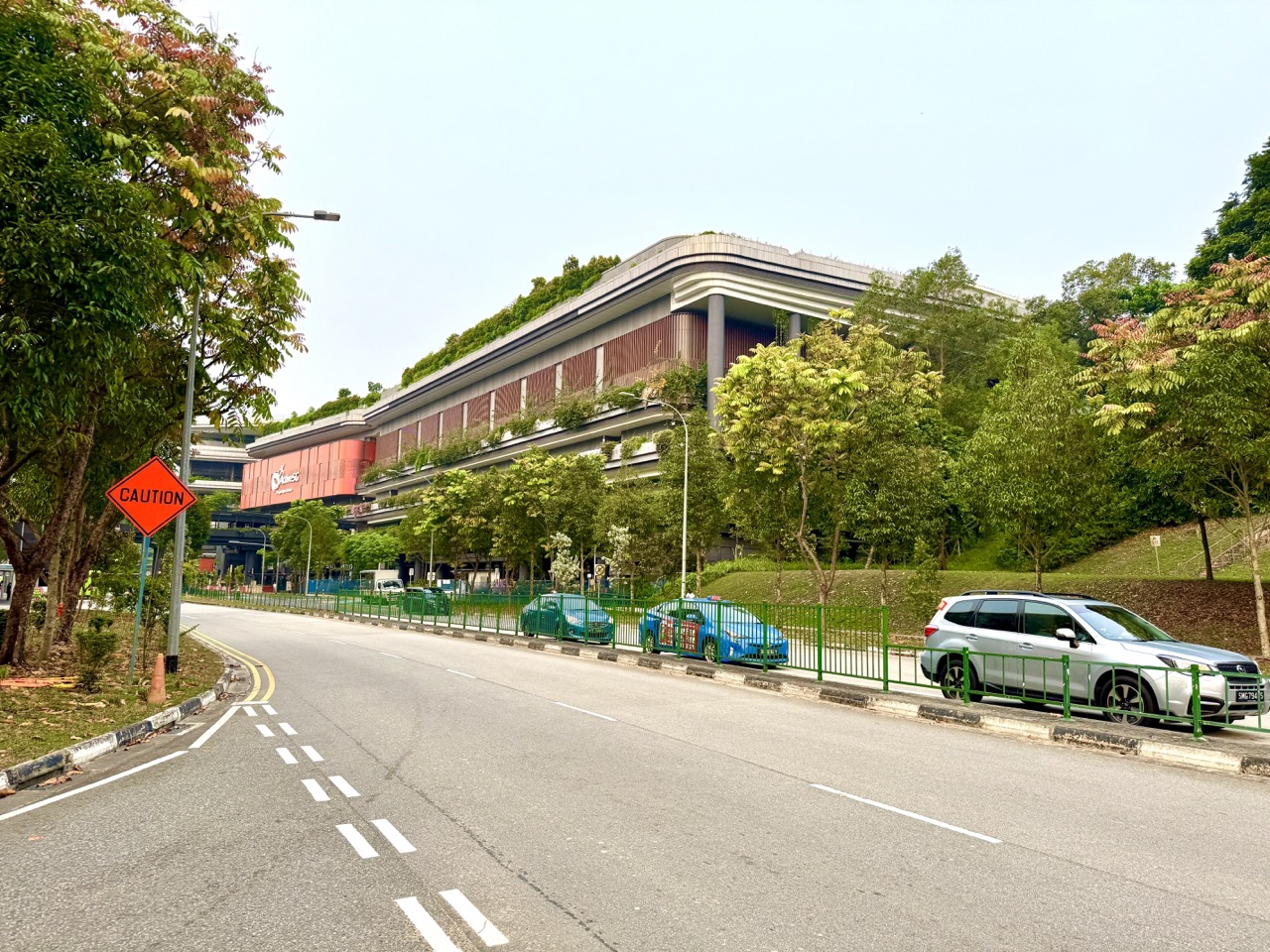
ActiveSG Punggol court bookings can go wrong in several very different ways: a ballot is unsuccessful, a successful ballot is not paid for in time, the wrong Punggol venue is selected, a payment appears to succeed without a visible booking, or a confirmed session is cancelled because of weather. Punggol Sport Centre, at 11 Sentul Crescent beside SAFRA Punggol, began its soft launch on 27 October 2026, and its formal opening was announced for 22 November. Its gym and selected sport-hall and sheltered-court bookings were reported available during the soft launch, but availability remains specific to the sport and date. This guide helps residents diagnose the exact problem rather than buying another slot blindly.
MyActiveSG+ is the official web-based booking service at activesg.gov.sg, not the discontinued ActiveSG mobile app. Under the published booking rules, peak-hour court ballots open 14 days ahead; non-peak and unassigned ballot slots become available for instant booking 12 days ahead. A successful ballot must be paid by its deadline, while a paid booking generally cannot be changed or voluntarily released for a refund. ActiveSG has a separate process for operator-affected cancellations, including eligible unused rain-cancelled bookings. These distinctions explain why two people reporting “the booking failed” may need entirely different solutions.
- Location: Punggol Sport Centre, 11 Sentul Crescent, Singapore 828656; select the precise sport and court listing.
- Official platform: MyActiveSG+, accessed through a browser using appropriate secure login.
- Peak ballot: normally opens 14 days before the preferred date, from midnight until 11:59pm that day.
- Ballot result: published the next day; successful applicants must pay by 11:59pm on the result day.
- Instant slots: non-peak and remaining unassigned ballot slots are generally released 12 days ahead at noon.
- Booking evidence: check the Bookings area in the signed-in account rather than relying on an old SMS screenshot.
- Notifications: routine facility-booking confirmations shifted to email from 31 August 2025, according to official guidance.
- Changes and refunds: paid slots generally cannot be changed or voluntarily released; eligible unused rain-cancelled bookings have a different refund process.
- Safety and privacy: never share Singpass passwords, one-time passwords or full payment-card details in group chats or with supposed helpers.
Definition lock: what does a booking actually mean?
A booking is an operator-confirmed entitlement to use a specified facility for a specified period under the published rules. It is not the same as a search result, an item temporarily placed in a shopping basket, a ballot entry or a message sent by another player. This distinction is the foundation of every troubleshooting decision. If you merely selected a date and explored the court list, you may not yet have reserved anything.
A ballot is a request to receive an eligible peak-period slot through the operator’s allocation system. Winning the ballot is not necessarily the final purchase. ActiveSG’s guidance requires payment by the stated deadline for a successful ballot. A confirmed, paid booking is a different state, normally visible in the relevant account’s booking records.
Before seeking help, say exactly which state you have reached: looking, balloting, successful ballot awaiting payment, payment submitted, booking confirmed, or operator cancellation. Clear language prevents you and customer service from investigating the wrong stage.
Why the old ActiveSG app is the wrong starting point
Sport Singapore discontinued the previous ActiveSG mobile booking app in October 2024 and moved core bookings, programmes and passes to its web-based MyActiveSG+ platform. Residents often search for old phone screenshots and expect menus to match. That is understandable, but recreating a discontinued app’s steps cannot fix a present-day booking problem. Start from the current official web service instead.
The front page distinguishes three major product families: buying gym or pool passes, booking a facility, and joining a programme. Clicking the wrong family can make a legitimate activity seem unavailable. An indoor badminton court booking is not a gym entry pass, and a coached tennis course is not the same as purchasing an hour of sheltered-court space.
Bookmark the official site, verify the domain, and use the in-page instructions when they differ from an older article. Independent guides should teach the logic of booking without pretending the interface can never change.
Choose the exact Punggol listing before searching for a slot
A large sports development may contain several facilities with separate names, access rules and calendars. Reports at the October 2026 soft launch distinguished Punggol Sport Hall for indoor badminton and pickleball, Punggol Sheltered Courts for tennis and some outdoor pickleball, and a separate table-tennis area. Gym entry and swimming admission are separate again. Do not search only for the word Punggol and assume the first result covers every sport.
If badminton courts are not visible under a tennis listing, that is not evidence the whole centre is closed. Return to the sport selection and choose the actual court type. Read the venue name in the final confirmation, not only on the first page of the booking search. A court elsewhere in Punggol or at Sengkang can have a similar name but a different entrance and journey.
A two-minute venue check is much cheaper than discovering at the door that your friends have arrived at a different sports hall.
Understand the soft-launch timeline before making claims
The public timeline matters because this article may remain online well beyond November 2026. Punggol Sport Centre began soft-launch access on 27 October 2026; contemporary reporting described public gym entry and selected court bookings. A formal centre opening was announced for 22 November 2026. These dates should be treated as historical announcements, not a guarantee that every individual facility is bookable at all times.
In particular, the swimming complex did not have the same general public availability as the gym during the late-October reports. A reader cannot purchase a swim reservation merely because a photograph shows water in a completed pool. Check the live pool listing when swimming is the aim. Equally, a closed pool should not be described as evidence that booked badminton courts are closed.
The source date and the facility type are two pieces of information that should always accompany any availability claim.
The 14-day ballot is not the 12-day instant release
The official ActiveSG ballot timetable describes a peak-hour ballot opening 14 days before the intended date at 12 midnight. Applicants can place a ballot until 11:59pm that day. Results are sent the following day. Non-peak slots and unassigned peak ballot slots are then released for first-come booking 12 days before the preferred date at noon.
The two-day difference causes real confusion. A parent searching twelve days ahead for a popular Saturday evening slot might find that it was awarded in an earlier ballot. Another parent checking fourteen days ahead during a non-peak weekday afternoon may not yet be looking at an instant-purchase product. Each period has its own purpose.
Set a reminder for the correct window and review the live instructions. Do not assume a slot is being withheld personally because another type of release is not yet open.

Which hours count as peak and off-peak?
ActiveSG’s published booking guidance identifies peak hours as Monday to Friday, 6pm to 10pm, and Saturday, Sunday and public holidays, 7am to 10pm. Non-peak hours run Monday to Friday, 7am to 6pm. The distinction affects allocation method and may also affect price. It is not merely an informal description of when a court feels crowded.
A Punggol parent hoping for Saturday morning badminton should therefore prepare for the peak-hour ballot process even if the family considers 8am quiet. By contrast, a weekday mid-afternoon slot generally belongs to the non-peak instant-booking process. Check the exact sport and current system rules rather than assuming every facility or programme uses identical hours.
When comparing options, also ask whether everyone can attend. A cheap court that no player can reach offers no practical value. A successful booking serves actual participants, not an imaginary schedule.
Successful ballot: the payment clock is still running
Official ActiveSG guidance says that a successful ballot result is communicated the next day, and payment must be made by 11:59pm on that same result day. A player who celebrates the ballot success but forgets to pay may lose the opportunity. This is a separate failure from being unsuccessful in the ballot itself.
When a result arrives, open the official MyActiveSG+ site directly and inspect the pending payment, date, venue, sport and amount. Avoid relying exclusively on a link forwarded in a chat. Confirm that the slot actually suits the players before you commit; once paid, the operator normally does not permit ordinary changes. If a result notification is missing, check the authenticated account and the registered email rather than concluding nothing happened.
A reliable group should nominate one booking holder and one sensible backup communication method. The account holder, not an unrelated friend, must finish the transaction according to the rules.
Why both successful ballot slots may need one decision
A counterintuitive ActiveSG rule is that when a patron ballots for two time slots and wins both, the operator’s FAQ says the patron must accept both or none, rather than choose one of the two winnings. This matters when families ballot for multiple possible times without considering the cost or actual attendance. A successful ballot should not create an impossible calendar.
Before placing a multi-slot ballot, ask whether you would genuinely use—and pay for—every combination that the system can award. If you want only one court hour, do not build a strategy that assumes you can reject an inconvenient winning slot while retaining the other. The precise current quota also depends on sport, so consult the sport-specific ballot page.
The deeper lesson is commitment design. A ballot is not an effortless expression of interest. It is a request whose successful outcome may produce real payment obligations within a short window.
No slot is showing: begin with the calendar, not a complaint
The phrase “no courts available” can describe multiple situations. The preferred date may be beyond the booking window, the peak ballot period may have closed, the sport may not be operating there, or the selected times may already be allocated. An empty result is not enough evidence to identify which one happened.
Check the calendar against the published 14-day and 12-day milestones. Then confirm the sport and location, examine other permitted times and look for official facility notices. If a court is genuinely full, consider another day or an appropriate nearby centre. Do not buy an unrelated sport booking in the hope that the operator will let you use an empty badminton court.
A practical search records the attempted date, sport, venue and what the portal displayed. With these facts, support can assess a genuine technical problem much more efficiently than a message saying only that Punggol “is broken.”
No SMS: understand the August 2025 notification change
An especially important update is ActiveSG’s notice that from 31 August 2025, routine confirmations for facility bookings, ballot placements and unsuccessful ballot outcomes would no longer be sent by SMS. Those non-essential communications were moved to email. The service continued to use SMS for more important notifications such as successful ballots and certain cancellations, as described in its official notification table.
A reader using an old guide may expect an SMS after every booking and regard silence as evidence of failure. That is unreliable. Check the registered email and spam folder, then sign in to the actual booking record. Do not click a suspicious message that claims to be a government refund service and asks for a bank password.
A confirmation channel is a communication method, not the underlying entitlement. The signed-in booking record is the stronger place to check whether the session exists.
Find your booking in the account, not in a group-chat screenshot
ActiveSG’s booking-details FAQ directs users to the Bookings tab on the MyActiveSG+ homepage, or to Bookings under the menu, where upcoming and past records can be inspected. The exact screen layout may be redesigned, so follow the current labels displayed by the service. Selecting the relevant record should help identify its date, time and venue.
If another person booked the court, your own account may not show it. Ask the booking holder to check their authenticated record and share only the necessary meeting information. Never ask them to forward a Singpass password or sensitive identity details as proof.
Before paying twice, make a careful distinction between an absent record and a missing notification. The latter may be normal under current communication rules; the former may require closer investigation.
Payment attempted, but no confirmation is visible
A payment screen can be interrupted by poor connectivity, an expired session or a redirect that never completes visibly. If your bank shows a pending charge while MyActiveSG+ displays no confirmed booking, do not automatically attempt the same purchase repeatedly. First refresh the authenticated booking history carefully, allow for ordinary processing delays and check the relevant email. Preserve the time, amount and any non-sensitive reference number.
If the discrepancy persists, use ActiveSG’s official support or feedback channel. Describe the venue, sport, selected time and transaction state. Provide private payment evidence only through the operator’s secure process, never a public comment, social-media DM or an unknown payment-support link. An author cannot determine whether a charge settled, reversed or failed from a screenshot alone.
The sensible rule is to reconcile the booking and payment records before creating another transaction. This reduces accidental duplicate spending and makes escalation clearer.
Wrong date or court after payment: act quickly but realistically
The operator’s FAQ on changing paid slots says paid slots cannot be changed. This makes proofreading the details before checkout essential. If you discover a wrong date afterwards, do not assume customer service will routinely move it for convenience. You can contact the official support team to describe an exceptional issue, but treat any adjustment as subject to the published rules and the operator’s decision.
It is also unhelpful to arrive at a different court and ask users to swap unofficially. Bookings may be tied to particular players, venues and conditions. Trading a slot privately can cause disputes and may breach terms.
Repair the process for the future: require a second person in the group to read out the date, time, sport and venue before payment. That small habit prevents a surprisingly expensive class of mistakes.
Voluntary cancellation is not the same as an operator closure
ActiveSG’s FAQ states that booked court slots cannot ordinarily be released and are non-refundable. A household’s change of mind, forgotten appointment or unexpected homework commitment is therefore not automatically a refundable event. This policy is one reason to confirm players and transport before booking a popular peak hour.
An operator cancellation is different. Weather-affected or otherwise cancelled facilities may have separate officially described procedures. The distinction turns on what happened and what the operator recorded, not on how disappointed the family feels. Do not call a voluntary change of plans a rain cancellation in an attempt to obtain a refund.
The honest response is to read the applicable current terms, identify the event accurately and use official support when the operator has initiated a closure. That is more reliable than promising a refund based on an unrelated experience.
Rain-cancelled booking: what the current FAQ actually says
A newer official refund FAQ says an unused facility booking cancelled due to rain is typically processed for refund within five working days. Once the refund is approved, cash returned through the original payment method may take up to ten working days to appear; the ActiveSG credit portion is credited to the account according to the published process. The FAQ also says a booking that was used despite rain is not eligible for that particular unused-booking refund.
That is a narrower and more useful statement than “all rain means free refunds.” First confirm that the operator recorded a cancellation under the relevant conditions. Then inspect the respective booking’s refund status through MyActiveSG+. If the status does not match what happened, contact official support with the booking reference and the incident details.
Policies can evolve. The source date and its precise conditions matter more than an old social-media anecdote.
What if another family member booked for a child?
MyActiveSG+ permits parents to link eligible child accounts and book or ballot on a child’s behalf. Official guidance says that only the parent who actually placed the child’s booking or ballot can manage it, pay for a successful ballot or cancel the pending ballot. Another linked parent may be able to view information without gaining control over that transaction.
This explains a confusing case: a mother sees her child’s booking but cannot edit it because the father used his account to place it. Repeating the transaction from the second adult’s login may make the situation worse. The correct first step is to identify the original booking holder.
For safety, the adults should keep their own Singpass credentials private. Shared parenting does not mean shared passwords. Use the official parent-child linking mechanism and agree who manages each transaction before placing a ballot.
Child account cannot be selected: check linkage and quota
ActiveSG’s parent-account FAQ describes two common blockers: the child may not be linked correctly, or the child’s available booking or ballot quota may already be used. A person who cannot select a child should therefore inspect the linked accounts and existing pending or confirmed bookings before concluding there is a technical fault.
Follow the current child-linking instructions at the official site. After linking, check whether the intended sport and date are eligible for the account. If the issue persists, the operator’s help resources provide a feedback path. Avoid inventing an independent child identity or entering incorrect personal information merely to bypass an apparent quota.
This is a particularly good example of how booking systems combine identity, eligibility and inventory. The screen does not always explain the reason for a disabled option, so a careful diagnosis is preferable to random repeated attempts.
Booking limits are sport-specific, not a universal two
It is tempting to simplify all ActiveSG court bookings into “two per day,” but the official quota guidance is more nuanced. Its table describes two slots per day for several court sports, including badminton and tennis, while selected football and futsal variants have different monthly limits. The operator also says only one ballot per sport may be placed at a time in relevant circumstances.
Before organising a larger session, read the actual sport’s limits rather than assuming a badminton rule applies to a football pitch. Also note that ActiveSG discourages excessive consecutive reservations to preserve access for other users. A group cannot assume that every member may combine their quotas into an unlimited private event without regard to the terms.
Limits protect fairness in shared public facilities. Understanding them helps groups plan sensible rotations rather than treating availability rules as obstacles to evade.
Can you walk in and take an empty court?
ActiveSG’s court FAQ is clear that users must book a slot before using its courts. An apparently empty court may be reserved for someone running late, held for maintenance, assigned for an event or subject to a different operational schedule. A visitor cannot safely infer permission from what they see through the door.
This rule matters especially during Punggol’s phased opening. A new court surface may look complete, but that does not establish public access. If the official booking service offers no relevant slot, do not occupy the facility and demand admission later. Ask staff or find another authorised activity.
Spontaneous sport remains possible in genuinely permitted free-to-play areas, subject to the local rules. But free neighbourhood play and a paid, reservable ActiveSG court are different access products and should be described separately.

How to avoid unnecessary repeat payments
Before every checkout, pause at a simple confirmation list: correct account, correct sport, correct Punggol venue, correct date, correct start time, correct duration, correct participants and correct amount. Keep one booking holder responsible. If the group has been discussing several time options, explicitly label the final choice before entering payment details.
After checkout, return to the signed-in Bookings area and inspect the confirmed record. If something looks inconsistent, stop. Do not immediately buy a substitute and hope the earlier charge will disappear. Save the relevant booking reference and contact the operator securely when necessary.
The method is similar to checking a school examination entry: a few precise fields determine the outcome. Spending more time verifying those fields is not inefficiency. It is an inexpensive way to prevent avoidable corrections, disputes and costs.
Protect yourself from fake booking and refund requests
A Punggol resident who receives an unexpected message asking them to re-confirm a booking through a strange website should check the official domain rather than follow the link. The ActiveSG homepage warns about government impersonation scams and explains that genuine government SMS use the gov.sg sender identity. Criminals may imitate administrative language such as “refund pending,” “account blocked” or “ballot payment due.”
Use a bookmarked official service, the operator’s known FAQ and secure account login. Do not provide Singpass credentials, OTPs, bank passwords or full card information to anyone in a social-media comment or group chat. A real parent organiser never needs another parent’s login to coordinate a court.
If you suspect a scam, stop interacting, verify directly with the agency and use appropriate reporting or banking channels. A sports booking is not important enough to compromise a family’s digital identity or finances.
Contacting official support with a useful incident report
A strong support message is factual and concise. State the activity, facility, date, time, account context, what you expected, what appeared on screen and whether any payment was attempted. Include the non-sensitive booking or transaction reference where applicable. If the issue involves weather, explain whether the operator announced a closure and whether the court was used.
The official help centre provides contact channels, and ActiveSG’s FAQ on paid-slot changes lists its service-manager telephone number. Use current contact details from the official site instead of trusting numbers repeated by unrelated accounts. Avoid sending identity documents or full card numbers unless the authorised secure process specifically requires them.
A clearly described incident is easier to route. “Punggol badminton slot on Tuesday at 7pm, payment shown pending, no record in Bookings” is much more actionable than “Your booking system failed again.”
Case study: a parent thinks the Saturday ballot is broken
A parent wants a Saturday morning badminton court at Punggol. They search fourteen days ahead but expect instant purchase because 8am does not feel busy. The result looks wrong to them: the system offers a ballot rather than checkout. The missing information is the official peak-hour definition. Saturdays fall under peak hours for the stated operating window regardless of how popular that particular morning feels.
The parent reads the ballot guidance, places a timely request and notes the result-day payment deadline. They also create a backup plan for another date or a suitable nearby option. If unsuccessful, they can check for legitimate unassigned slots at the published 12-day instant release instead of repeatedly refreshing an unavailable transaction type.
This is not a software repair at all. It is a mental-model repair. Understanding the allocation timeline converts confusion into a legitimate planning process.
Case study: a successful ballot that expires
Four colleagues ballot for a Friday evening pickleball court, with one account holder responsible for the booking. The ballot succeeds the next day, but the holder is busy and assumes the result itself is the final reservation. The payment window closes at 11:59pm and the slot is not secured. By the time everyone checks the group chat, the presumed game is missing.
The lesson is to establish two distinct reminders: one to place the ballot and another to check and, if successful, pay on time. The group should also agree in advance whether it would accept every combination of successful slots submitted. This prevents indecision when the payment deadline is short.
A better workflow does not rely on a single person remembering every detail while at work. It relies on a clear owner and a simple shared schedule that never exposes anyone’s account credentials.
Case study: a card charge but no visible booking
A resident attempts to purchase a weekday badminton slot. The page briefly shows a processing screen and then returns to the main menu. Their banking app displays a pending amount, but no confirmation email arrives. The resident is tempted to purchase another court immediately because the session is popular. That could create confusion if the first transaction settles later.
Instead, the resident checks the official Bookings tab, reviews the registered email and documents the payment attempt privately. They do not treat a pending banking notification as conclusive proof of a completed booking, and they do not publish financial screenshots. If the record remains absent, they contact ActiveSG through the official channel with the venue, time and non-sensitive transaction information.
The central skill is reconciliation: determine what the operator confirms and what the payment provider records before authorising further spending.
Case study: rain closes the outdoor court
A family has a legitimately booked outdoor court and arrives during a period of unstable weather. Venue staff close the area because of rain. The family follows the closure instruction and does not use the court. Afterwards, the booking holder checks the official rain-cancellation guidance and the individual booking’s refund status. They know that the current FAQ describes processing for qualifying unused bookings, but do not assume that every private decision to stay home will be treated the same way.
The family keeps the booking confirmation and relevant venue notice. If the refund status is delayed beyond the stated process, they can seek official assistance with those details. The parent does not pressure staff into letting the children play on a slippery surface to “get their money’s worth.”
This is the right separation of concerns: safety is decided immediately; financial reconciliation follows through the official rules.
Case study: a child booking appears under the wrong adult
Two guardians jointly plan a school-holiday tennis session. One parent places a ballot on the child’s behalf, while the other expects to pay if it succeeds. When the result arrives, the second parent can view the child’s booking but cannot complete the transaction. That behaviour is consistent with ActiveSG’s account-holder rules rather than necessarily indicating a broken website.
The original booking parent should log in securely and manage the successful ballot within the permitted timeframe. For future sessions, the household agrees which adult will act as holder and checks whether the child’s account is correctly linked. They avoid exchanging Singpass logins or sharing OTPs.
This situation is common in any service where access to information and authority to change a record are different permissions. Families save frustration when they know which adult actually owns the transaction.
A four-week method for learning the system
In the first week, learn how MyActiveSG+ labels venues, sports and bookings. Inspect official rules without purchasing anything unnecessary. In the second week, choose a realistic court time and understand whether it falls into a 14-day ballot or 12-day instant-release window. In the third week, complete one appropriate transaction, verify its confirmation and attend on time. In the fourth week, review the experience: Was the court correct? Did everyone come? Was the chosen time sustainable?
Use those observations to improve the next booking. Perhaps a weekday off-peak slot suits the group better, or a different sport produces more participation. Avoid treating the process as a contest in which the goal is to collect as many court reservations as possible.
The real achievement is a repeatable, compliant sports habit that does not waste money, mislead friends or place pressure on staff.
How to reduce the cost of repeated unsuccessful attempts
Not all unsuccessful ballots create a financial transaction. ActiveSG’s guidance distinguishes a successful paid facility booking from an unsuccessful request, including for the purpose of certain ActiveSG credit policies. People should not claim that every failed ballot deducts money without checking their actual balance and operator rules.
The bigger costs may be time and disrupted group plans. Select realistic dates, widen the acceptable schedule, and have a suitable alternate activity. When Punggol’s new facilities attract high demand, a group that can play at different times may find more viable options than one that insists on the same Saturday evening every week.
It helps to keep expectation and entitlement separate. A public booking system aims to allocate limited space fairly; registering interest does not promise that a court will exist for everyone at the desired hour.
What this guide does not authorise
Booking a court does not automatically authorise paid coaching, a public tournament, commercial photography, brand promotion, or a large event. Those uses may require separate permissions and conditions. A completed facility booking also does not guarantee access to another sport space, a different court or the swimming complex. When proposing an organised activity, ask the operator first.
Similarly, this guide cannot determine account-specific booking outcomes, reverse a credit-card charge or certify that a slot is currently available. Those facts are visible only through the authenticated system and applicable operator records. A resident should not send personal passwords or identity documents to an independent publisher for assistance.
The purpose of clear local guidance is to help the reader ask the right question and choose the official next action, not to impersonate an operator or promise powers the author does not possess.
Frequently asked questions
Why is my Saturday court offered as a ballot?
Under the published ActiveSG timetable, weekend court use is in the peak-hour window, so the 14-day ballot system generally applies.
When is the first-come release?
Non-peak slots and unassigned ballot slots are generally released twelve days ahead at 12 noon, subject to current rules and actual availability.
I won the ballot. Is the court already paid for?
Not necessarily. Follow the successful-ballot payment instructions and the stated deadline, ordinarily 11:59pm on result day.
Why did I receive no booking SMS?
Routine facility-booking confirmations moved to email under the notification changes effective 31 August 2025. Check the current account record.
Where is my confirmation?
Sign in to MyActiveSG+ and use the Bookings area to inspect upcoming records.
Can I change the booked slot after paying?
ActiveSG’s general FAQ says paid court slots cannot be changed. Ask official support about a genuinely exceptional issue, without assuming approval.
Can I walk in to an empty court?
The official rule requires booking before using the courts. An apparently empty court is not permission.
What if a booked court closes because of rain?
Follow staff instructions and inspect the official refund procedure for a qualifying unused operator-cancelled booking.
Why can’t I pay for my child’s booking?
The adult who placed the child’s ballot or booking may be the only parent authorised to manage that transaction.
Can a pending charge prove I own the court?
No. Reconcile the official booking record and payment status before repeating the purchase or claiming confirmation.
Does the new Punggol Sport Centre opening cover every facility?
No. Verify each sport and its availability independently, especially while the centre is opening in stages.
Official references for reliable troubleshooting
The official MyActiveSG+ platform is the first destination for live records, payments and sports bookings. Read the 14-day ballot and 12-day instant-booking timetable, the ballot payment deadline, the notification changes, and the booking-details instructions.
For a paid booking, see the change-policy FAQ, the release/refund rules and the rain-cancellation refund FAQ. Parents can use the linked-child account guide. The 29 October 2026 Punggol opening report is useful dated venue context.
For general exercise access rather than court technical support, read eduKate Punggol’s first-time gym guide.
Your next step: identify the exact booking state
Open the authenticated Bookings area and write down five facts: sport, exact Punggol venue, date and time, whether a ballot or confirmed booking exists, and whether payment has been attempted. Match the problem to the official rule. A missing notification needs an account check; a successful ballot needs timely payment; a rain cancellation needs the operator’s refund workflow; and a visible charge without a confirmed record needs careful reconciliation.
Do not use the wrong court, promise a refund or share login credentials merely to make a frustrating situation go away. Solve the exact problem through the current official service and use the official support channel when the records are inconsistent.
Editorial note: Updated 1 November 2026. MyActiveSG+ interface, quotas, opening schedules and policies may change. This is independent local guidance, not a booking service and not an official ActiveSG support account.


