
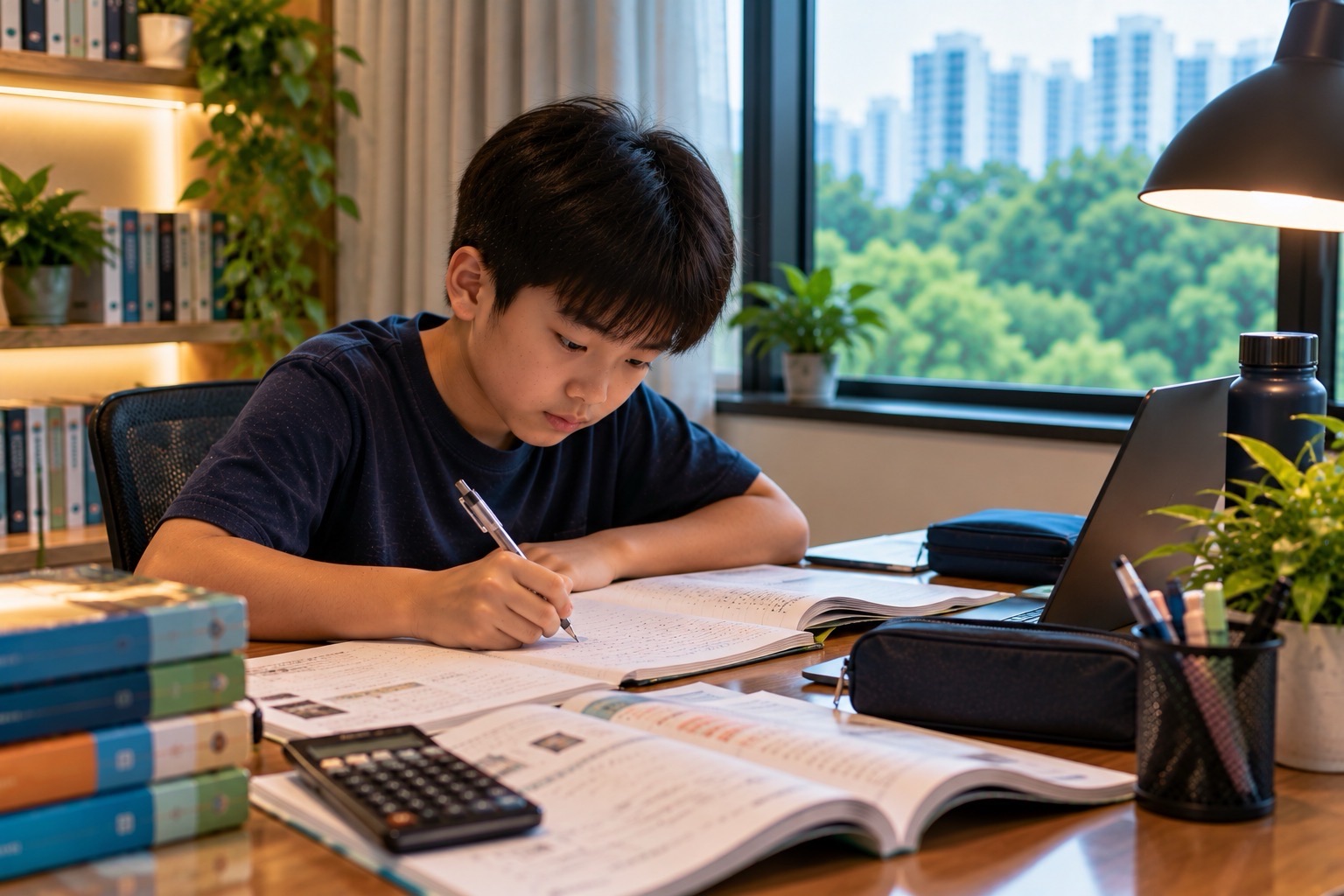
The quick answer: A Punggol family screen-time agreement should separate compulsory digital schoolwork from optional entertainment, protect meals and sleep, make online safety understandable, and give each learner responsibilities appropriate to their age. A Primary 3 child using the Student Learning Space (SLS) is not doing the same activity as a teenager watching short videos during homework or an undergraduate collaborating on a course project. Treating every minute in front of a screen as identical leads to poor rules and arguments that solve nothing.
Singapore’s Ministry of Health (MOH) updated its Guidance on Screen Use in Children in January 2025. Its advice for ages 7–12 is less than two hours daily of recreational screen use, excluding schoolwork, with agreed routines and no screens during meals or in the hour before bed. For ages 18 months to six years, the guidance recommends less than one hour daily outside school, and for children under 18 months it advises no screen use other than interactive video calls. These are age-specific health guidelines, not a blanket two-hour restriction on a university student’s academic work. The actual school may also have rules for smartphones and personal learning devices.
This is Life in Punggol | Family Screen-Time Agreements, a practical household guide spanning primary, secondary, polytechnic and university life. It addresses the relationship between homework, gaming, messaging, family conversation, privacy and sleep. For SLS password recovery, use the separate Punggol digital school-login guide; for MOE cyber-wellness and AI policy, use the formal education-system guide. This article helps families make a realistic agreement they can actually follow.
The first rule is to define the activity, not condemn the device
Before asking a child to “get off the screen”, find out whether they are reading an assigned passage, attending an approved lesson, drawing digitally, playing an online game or chatting with friends. The activity’s purpose, content, time, safety and effect on other responsibilities all matter.
A laptop can hold a Mathematics question and a game on adjacent tabs. A smartphone can deliver an official transport message and a distracting video. Device ownership alone does not reveal whether learning is taking place.
Ask the learner to show the actual task and explain what they intend to accomplish. Set rules for transitions between activities instead of treating all devices as equally harmful or all educational-looking applications as automatically useful.
What the official Singapore guidelines say for Primary 1 to 6
MOH’s screen-use guidance and HealthHub Grow Well SG recommend less than two hours a day outside schoolwork for ages seven to twelve. They also recommend establishing a plan with the child, avoiding screens at meals and for one hour before bedtime, checking age suitability and using appropriate controls.
The schoolwork exception must be read correctly. It allows recognition that assigned digital learning is different from recreational viewing; it does not imply that unlimited online homework without rest is desirable.
For a child with individual developmental or health needs, discuss concerns with an appropriate qualified professional. A family should not treat general guidance as a medical prescription for every pupil.
The preschool rules are deliberately different
The same official guidance recommends less than an hour daily outside school for ages 18 months to six years, including choosing age-appropriate content and co-viewing or discussing what the child sees. For children under 18 months, it advises no screen use except interactive video chatting.
A child in this age group may gain more from supervised play, stories, movement and conversation than from being left alone with an unrestricted tablet. Avoid putting a video on automatically whenever a young child is upset or an adult is busy.
This article is not claiming that one short screen encounter causes a diagnosed condition. It is explaining age-specific preventive guidance and encouraging families to organise ordinary routines more thoughtfully.
The teenager needs a developmental agreement, not an invented fixed number
MOH’s under-12 recommendations should not be copied as a supposedly universal statutory daily limit for all teenagers. Secondary students have different social, study and timetable demands. HealthHub’s teen cyber-wellness guidance suggests considering whether screen use is affecting school responsibilities, emotional wellbeing, physical health or real-life social behaviour.
A teenager who completes schoolwork, rests, communicates appropriately and maintains genuine relationships may need a different household arrangement from someone whose gaming routinely prevents sleep or assignments.
Parents can still set clear boundaries and follow school rules. The reasoning should relate to actual functioning and safety, not merely an arbitrary number copied from a different age group.
Singapore tightened secondary school phone rules in January 2026
MOE introduced enhanced limits on smartphones and smartwatches in secondary schools from January 2026, extending restrictions across school hours including recess and relevant co-curricular or supplementary activities, subject to school-directed exceptions. School-managed personal learning devices have their own device-management arrangements.
One official 2026 school discipline policy describes storing phones in lockers and using them only in expressly permitted circumstances. This is an example of implementation at one school, not a substitute for every Punggol secondary school’s rules.
The family should check its actual school’s policy before telling a student that a phone is allowed during recess. At home, the discussion can cover necessary parent contact without encouraging the learner to bypass school device restrictions.
The 10:30pm managed-device setting is not the bedtime for every child
MOE’s January 2026 enhancements also brought forward the default Device Management Application sleep timing for relevant Personal Learning Devices to 10:30pm, from 11pm. That is a device-management policy, not a universal health recommendation that every student should remain awake until 10:30pm.
A Primary 2 pupil’s bedtime and a Secondary 4 student’s schedule are different questions. Parents should follow age-appropriate wellbeing guidance and the actual institution’s device settings, rather than use a technical cut-off as an instruction to study late.
If the school-managed device cannot access needed resources at an unexpected time, seek authorised help. Do not disable device safeguards by following unverified instructions online.
Begin with two protected moments: meals and bedtime
A manageable family agreement can start with keeping shared meals and the last hour before bedtime free of recreational device use for the relevant children, consistent with MOH’s guidance. Adults should model the routine where practical instead of expecting children to put away screens while every caregiver scrolls through messages.
A child may still require an essential school or family communication near a protected period. Discuss how such exceptions are handled rather than use an inflexible rule to create panic about a necessary message.
Focus on a consistent, workable habit. A household agreement that works on ordinary Tuesdays is often more valuable than an elaborate weekend poster that everyone ignores.
Distinguish the learning task from its distracting neighbours
Imagine a pupil opens an SLS Science assignment and then switches to unrelated videos every few minutes. The family should not report the entire period as productive learning merely because the SLS tab was open.
Ask the learner to name the objective: “I need to explain how one variable affects the result in this experiment.” Then decide which pages or tools are permitted and how the student will check completion.
If the assignment itself is confusing, provide appropriate academic guidance. A content misunderstanding is not corrected simply by moving the device across the room.
An original Mathematics example of time accounting
Suppose a fictional Primary 5 child spends 45 minutes on assigned digital Mathematics, 20 minutes on a teacher-approved digital reading task and 70 minutes playing recreational games. The schoolwork total is 45 + 20 = 65 minutes. The recreational total is 70 minutes, not 135 minutes.
Under MOH’s general guidance for ages seven to twelve, the recreational amount is the relevant quantity when checking the less than two-hour recommendation. That does not mean the whole evening is healthy by definition: sitting time, breaks, meals, sleep and real learning quality still need attention.
These numbers are teaching examples, not measured usage by any Punggol pupil. Counting should clarify purpose rather than become a punishment or a competitive family scoreboard.
A second example: why “two hours” cannot explain everything
Imagine another fictional child uses a screen for 115 minutes recreationally but has skipped dinner conversation and stayed awake late. Being below the daily two-hour benchmark does not erase those concerns.
Now imagine a child with a legitimate 150-minute school project involving research, drafting and a permitted presentation. The task is longer than two hours but is not correctly classified as 150 minutes of recreational scrolling.
The meaningful questions are what the student did, whether the content was appropriate, how the day was structured and which real responsibilities were displaced.
The first family conversation should be curious, not adversarial
Instead of opening with “Your phone is ruining your life,” ask what the child enjoys and why. Perhaps a game allows creative building, or a group chat helps the teenager stay connected to CCA friends. Learning the function helps adults set proportionate limits.
Then explain which areas must be protected: sleep, schoolwork, respectful communication, safety, meals and other interests. Invite the learner to identify a feasible routine. Parents remain responsible for age-appropriate safeguards; agreement does not mean children can vote away every boundary.
HealthHub’s healthy screen habits guide recommends creating a balanced plan with children and leading by example rather than only issuing commands.
A small household contract with five fields
Write down which activities are permitted, when and where devices may be used, how homework takes priority, what happens if the plan fails, and when the family will review it. Do not turn the agreement into a lengthy surveillance document.
For a young primary child, the agreement may be a picture routine supported by adults. A teenager may be able to propose an independent schedule, with clear safeguards and school rules. A university student should usually manage their own legitimate academic and digital responsibilities, while respecting shared household courtesy.
The contract must be usable with caregivers and siblings. If a grandparent supervises after school, they should understand the agreed rules without being required to log into the student’s private accounts.
Avoid turning every disagreement into confiscation
A parent may sometimes need to enforce a clear device boundary, but automatic escalation after each mistake can generate secrecy and resentment. Consider what went wrong. Did the child misunderstand the end time? Was the homework task not clear? Did the family fail to provide another suitable activity?
Use consequences and adjustments that are age-appropriate, consistent and connected to the situation. Seek appropriate professional or school support when use appears persistent and significantly affects daily functioning.
A relationship that allows honest conversation can make it easier for a child to report harmful online content instead of hiding it out of fear of an immediate indiscriminate punishment.
Primary 1 and 2: use visual transitions
Younger pupils benefit from knowing the next event. An adult can explain: “We read the assigned school page, close the device, put it away and have dinner.” A visual checklist or timer may be useful where appropriate.
A child may need help saving work and recognising when an assignment is actually submitted. Do not assume that a page being visible means the task reached the teacher.
Use the Punggol SLS login and digital homework guide for authorised sign-in and technical help rather than allowing a young pupil to improvise password recovery.
Primary 3 and 4: teach the child to check content
A child may be drawn to videos or games labelled “educational” without distinguishing accurate information from entertainment. Ask who produced the content, what factual claim it makes and how that claim can be verified.
For a Science video, a learner could explain which observation supports a conclusion and whether an example was merely animated. For a maths game, they can solve one unfamiliar question without hints to show the concept transferred.
The National Library Board’s S.U.R.E. framework provides a practical information-literacy approach. Reliable sources and independent reasoning matter more than a colourful user interface.
Primary 5 and 6: exam pressure can disguise overuse
Parents may tolerate endless screen activity if a pupil claims to be revising for PSLE. Yet watching repeated explanation videos without attempting work independently may not repair a misconception.
Ask the learner to choose one actual problem, explain their first step and try a new example. A student struggling with 3(x + 2) = 18 can divide by three to obtain x + 2 = 6, then x = 4. A fresh question such as 2(y + 5) = 22 tests transfer, giving y = 6.
This is the pedagogical difference between exposure and learning. More device time is not automatically more understanding.
A teenager’s group chat has social value and privacy risk
Online peer groups may help coordinate legitimate projects and friendships. They can also become sources of misinformation, pressure or harassment. Teach teenagers to check source and context before forwarding school announcements and to respect other pupils’ private information.
Students should not post classmate results, medical details or identifiable allegations to seek approval. A group-chat misunderstanding may need clarification; a serious bullying or safeguarding concern requires the school’s appropriate channel.
See Life in Punggol | Parent WhatsApp Groups and Verification and Friendship Fallouts for those distinct situations.
Social media age restrictions are not optional household inventions
MOH’s guidance advises against giving children aged seven to twelve access to social media services. Families should also follow the actual services’ age requirements and Singapore’s applicable laws and school rules.
A younger pupil’s desire to join an older sibling’s online community is not proof that the service is appropriate. Age suitability, privacy and safeguarding matter more than peer popularity.
For teenagers, discuss how public posts can reveal identity, school, routines or the location of younger classmates. A family’s digital agreement should address both what is viewed and what is shared.
Passwords and monitored devices require separate boundaries
A child’s school account may have management settings and institutional access rules. Parents can teach safe password handling and seek school support without collecting credentials in a family chat.
A household might agree on device charging in an appropriate shared location, but should not treat every adult’s legitimate private university work account as an open family asset. As students mature, their academic data and autonomy need greater respect.
Never bypass school device management or request that a tutor impersonate a pupil online. Legitimate assistance and appropriate privacy can operate together.
Shared devices can create sibling conflicts
Two Punggol pupils may need the same laptop for different assigned tasks while a parent uses it for work. A screen-time limit alone will not solve a resource conflict. Record the actual deadlines and allocate legitimate use periods.
For a fictional 90-minute device window, one pupil may need 35 minutes for a school task and another 40 minutes. That leaves 90 − 35 − 40 = 15 minutes of unallocated time, assuming no switching delay. This is an arithmetic illustration, not a promised homework duration.
The family should check whether simultaneous school obligations require an alternative permitted arrangement. Our Punggol shared-device scheduling guide handles the resource problem separately.
School nights and holiday nights should be planned realistically
A child may have different available time on a CCA day from an ordinary school day, and a holiday may contain legitimate projects or family visits. The agreement can distinguish contexts without abandoning basic wellbeing safeguards.
Do not assume the school holidays make unlimited recreational use harmless. Equally, a school holiday should not become a punitive schedule of digital revision with no physical activity or human connection.
The Punggol school-holiday learning and rest guide helps families balance appropriate learning, activity and recovery.
Digital creativity is not identical to passive consumption
A learner might make a stop-motion animation, compose music, code a simple game or write an illustrated story using a device. These activities can involve genuine creativity when the learner makes decisions and can explain what they produced.
That does not remove age-specific screen guidance or the need for safe content and appropriate rest. A family can celebrate digital making without claiming that any screen activity described as “coding” guarantees computational understanding.
For a creative Punggol home project, see Stop-Motion Animation at Home and follow the student’s actual school rules if any part is assessed.
What to do when the child breaks the agreement
First determine what occurred. Was it a one-off delay in ending a game, repeated nighttime use, unsafe contact with strangers, or neglect of compulsory schoolwork? These require different responses.
A calm review might identify a need to move charging, change notification settings, clarify homework deadlines or request help with a persistent wellbeing issue. Do not treat a genuine online safeguarding incident as ordinary overuse to be handled only by subtracting minutes.
HealthHub’s teen cyber-wellness advice highlights concerns about commitments, mood, sleep and social behaviour. Qualified assistance may be necessary if significant difficulties continue.
Parent modelling matters more than a complicated chart
An adult who checks work messages constantly during family dinner may unintentionally undermine a no-device meal rule. Families can agree how to handle genuinely urgent work or care communication while preserving ordinary conversation.
Do not turn modelling into a demand that every working parent switch off a work phone completely. Instead, explain the purpose of important exceptions and make the default routine visible.
A predictable shared norm often teaches better judgement than an elaborate timer imposed only on children.
ITE, polytechnic and university students need negotiated household courtesy
Older learners increasingly manage their own course portals, group projects, paid work and social networks. A family should not prescribe a Primary 3 recreational screen limit for an undergraduate completing legitimate research.
Shared household boundaries may still cover late-night noise, private filming, use of common devices and respectful presence during agreed meals. Academic integrity, project confidentiality and safe data handling belong to the actual institution.
At SIT Punggol, applied-learning and industry-linked work can involve complex digital tasks. The student must use university-approved tools and protect project data, not allow family members to publish confidential material to demonstrate technical skill.
Four weeks to implement a useful agreement
Week 1 — Observe: Separate schoolwork, recreational use, creative work and family communication. Identify which real responsibilities are affected. Do not diagnose a child or impose a permanent punishment from a single day’s data.
Week 2 — Agree: Set a few age-appropriate boundaries using MOH guidance and the actual school’s rules. Protect meals, sleep and necessary learning. Include the student’s voice and the duties of any authorised caregiver.
Week 3 — Practise: Use the routine on ordinary and CCA days. Let the learner practise ending an activity, saving schoolwork and choosing an offline alternative. Review mistakes calmly and keep safeguarding rules clear.
Week 4 — Evaluate: Ask whether homework is completed honestly, sleep and family relationships are protected, and the child can manage transitions with less prompting. Adjust the agreement using real evidence; seek school or qualified professional help for persistent significant problems.
Case study: a Primary 4 pupil calls every game educational
A fictional Punggol pupil completes a short SLS lesson, then spends a long period in a game while telling parents they are still “doing computer learning”. The family initially tries to ban the laptop outright.
They instead identify the true school task and permitted recreational time under the age-appropriate guidance. The child practises completing one new Maths problem independently before moving to planned leisure, with suitable offline activity available afterward.
The outcome is a clearer distinction between schoolwork and recreation, not a guaranteed improvement in exam scores or the claim that all games are harmful.
Case study: a Secondary 2 teenager’s late group chat
A teenager participates in a class group chat that continues late into the night. Some messages concern a real project while many are social. The student’s sleep and morning routine become affected.
The family checks which project communication is actually required and negotiates a suitable evening routine. The student tells group members when they will be offline and follows the school’s digital conduct expectations.
This is a fictional illustration of respectful boundaries. It does not establish that social media itself caused a particular health condition.
Case study: an SIT undergraduate needs the family computer
A student at SIT Punggol is completing an authorised technical assignment on the family’s only powerful computer. Younger siblings want the same device for schoolwork and games. An inflexible “nobody uses screens after dinner” rule would block legitimate academic work.
The household coordinates verified deadlines and allocates the available device time, preserving younger children’s appropriate limits and necessary adult work. The university student remains responsible for academic integrity and any confidential material.
The useful achievement is a realistic resource plan, not forcing everyone into an identical screen-use pattern.
Ten frequently asked questions
Does Singapore recommend less than two hours of screen time for every age?
No. MOH’s under-two-hour recreational recommendation is for children aged seven to twelve, excluding schoolwork. Younger children have different guidance; teens and adults require age-appropriate balance.
Does online homework count toward the recreational two hours?
MOH’s guidance explicitly distinguishes screen use for schoolwork from the recreational limit, but lengthy homework still needs sensible breaks and wellbeing consideration.
May secondary students use smartphones during school recess in 2026?
MOE tightened restrictions from January 2026. Check the actual school’s implementation and authorised exceptions; do not assume recreational use is permitted.
Is 10:30pm a compulsory bedtime for every secondary student?
No. It is the default device-management cut-off for relevant school Personal Learning Devices, not a medical bedtime prescription.
Should parents prohibit all online friendships?
Not automatically. Age suitability, platform rules, safety and the quality of relationships matter. Encourage appropriate communication and respond to actual harms.
Can gaming or creative coding be educational?
Some activities may develop skills or creativity. The student should still follow age-appropriate screen guidance and demonstrate real understanding rather than rely on a marketing label.
Should parents demand university account passwords to monitor study?
Do not assume such access. Tertiary students have institutional privacy, assessment and account responsibilities; families can support without impersonation.
How can siblings share one laptop fairly?
Use actual assignments and deadlines, account permissions and a workable schedule; do not solve the problem through simple equal-minute assumptions when obligations differ.
Does a child who gets upset when devices stop automatically have an addiction?
No diagnosis follows from one response. Persistent significant effects on daily functioning warrant appropriate discussion and possibly professional advice.
What is the strongest sign that the family agreement works?
The learner follows appropriate boundaries, completes legitimate learning independently, protects sleep and relationships, and can discuss digital problems safely with trusted adults.
Verified sources and more Punggol reading
Primary sources are MOH Screen Use in Children Guidance, HealthHub Grow Well SG Screen Habits, HealthHub Healthy Screen Habits, HealthHub Teen Cyber Wellness, MOE 2026 Education Announcements, NLB S.U.R.E. and the student’s current school/device rules. The calculations and family examples are original fictional illustrations, not clinical measurements.
Continue with Punggol SLS and Digital Homework, Independent Learning at Home, Punggol School Cyber Wellness, the Family School Calendar and School Friendships. A good screen-time agreement teaches a learner to distinguish purpose, limits and trust; it is not simply an adult counting minutes.


