
Understanding internet and mobile connectivity in Punggol begins with one essential fact: mobile coverage, a fibre broadband connection, the Wi-Fi signal inside your flat and your telecoms contract are four different systems. A fast-looking plan does not prove that every room receives reliable service; a new SIM does not automatically preserve your old mobile number; and a building advertised as “fibre ready” does not guarantee an internet service has already been activated in a particular unit. Each decision has a different check.
For Singapore households, the Infocomm Media Development Authority (IMDA) regulates communications. NetLink Trust provides the passive fibre infrastructure under the Nationwide Broadband Network, while retail internet service providers sell broadband plans. Mobile operators and their retail brands provide cellular services, and Wireless@SGx offers public Wi-Fi at participating hotspots. Punggol residents can use the same national rights and processes as other Singapore users, but should test the *exact* home, block, room and route instead of assuming town-wide results.
This tenth entry in the Understanding Punggol | Things to Know series is a practical, answer-first guide for homeowners, tenants, students, caregivers and people working remotely. The rules and regulator sources were checked against official IMDA information available in October 2026. Product prices, coverage maps, contract promotions, signal conditions and service availability change. This article explains how to make the decision and which source must be checked again before spending money.
Key facts in under a minute
- Fibre broadband: check the exact premises and serviceability; network infrastructure and an activated retail service are not the same.
- Home Wi-Fi: wireless signal from a router or access point; it can be poor even when the subscribed fibre link is working properly.
- Mobile data: delivered over cellular radio; indoor coverage depends on the building, device, radio conditions, network and current load.
- 4G or 5G: a network indicator alone does not promise a fixed data rate in every location.
- Number porting: arrange it with the receiving mobile operator; confirm eligibility and account details before cancelling a line.
- SIM ownership: IMDA’s official self-check uses Singpass; the published pilot excludes some categories such as data-only and corporate individual scheme lines.
- Billing dispute: complain to the provider first, preserve evidence and consult IMDA’s Alternative Dispute Resolution scheme when its conditions are met.
- Public Wi-Fi: IMDA’s Wireless@SGx requires an appropriate device set-up; it is not a universal network covering every part of Punggol.
- Security: never disclose Singpass passwords, SMS one-time codes or banking credentials to unsolicited telco callers.
- Location check: test the actual Punggol flat, workplace, school route or facility rather than relying on the district name alone.
1. The four layers of home connectivity
A home connection begins outside the flat. Fibre infrastructure must connect a building to the national network, and the chosen internet service provider must provision a usable service. Equipment within the home converts and distributes that connection. Mobile connectivity, by contrast, uses the device’s cellular service and the operator’s radio network. When someone complains that “the internet is down”, these layers must not be treated as interchangeable.
Consider a person unable to load a webpage on a bedroom laptop. The cause might be a weak Wi-Fi signal from the router, an internet service problem, the laptop’s own configuration or an external website. Restarting the fibre connection repeatedly may not fix a distant-room Wi-Fi issue. A different test—such as trying another device nearby—can help narrow the issue without making unsupported assumptions.
A good household map names the actual fibre provider, where the fibre termination point and router are located, the mobile operator on each household phone and any special network needs. Keeping these distinctions clear makes discussions with customer support shorter and prevents the wrong replacement or contract purchase.
2. Who operates Singapore’s nationwide fibre infrastructure?
IMDA’s Nationwide Broadband Network description identifies NetLink Management, as trustee of NetLink Trust, as the network company responsible for passive fibre infrastructure, while Nucleus Connect has an operating-company role within the Next Generation Nationwide Broadband Network architecture. IMDA regulates wholesale access arrangements to support service provision through the infrastructure.
This is a different business function from selling a monthly broadband plan to a household. An operator can use the national network while a retail provider handles the customer’s plan, router offer, monthly charge and first-line support. Your contract should make clear which company you pay and who takes the customer call for provisioning or billing problems.
The distinction also explains why a network technician and an ISP installer may perform different work at different stages. Do not assume that a named fibre network company is the correct place to dispute a retail promotion. Use your actual provider’s service channel, with escalation under IMDA processes where appropriate.
3. A fibre termination point does not itself mean active internet
In a typical fibre-enabled home there may be a fibre termination point—the physical endpoint of the optical network in the unit—and provider-supplied equipment connecting onward to a router or local network. Exact arrangements vary, especially in older properties and according to a provider’s equipment. A socket on the wall is not evidence that a current paid subscription remains active.
When moving into a Punggol flat, ask whether the relevant network infrastructure is present and whether the intended retailer can serve the unit. Confirm whether additional installation or a visit is required and the permitted location of the equipment. A previous occupant’s contract may have ended, and their router may not belong to the property.
Do not pull fibre cables, move a termination point casually or drill into a concealed route. Fibre connectors and building cabling require care and, where necessary, an authorised technician. If the unit is rented, discuss physical modifications with the landlord or managing agent before authorising drilling.
4. Check the exact address, not just a postcode headline
A new block may be shown on an operator’s marketing map even while individual unit activation or technical conditions remain to be confirmed. A serviceability check should be performed for the exact Punggol block, unit and building type. The same principle applies to condominiums, offices and mixed-use developments, where management permissions or technical access may affect installation.
Record the precise address on the application, planned installation date and any required building approvals. An incorrect unit number can waste technician time and create delays. If the household depends on the connection for remote work, do not promise an employer that service will be active before the provider has confirmed it.
A useful distinction is serviceable, ordered, installed and working. These are four stages rather than synonyms. A salesperson can indicate that a location is serviceable without proving that equipment is already installed and functioning.
5. How to choose broadband speed without buying a headline
Retailers advertise broadband plans at different nominal maximum speeds. IMDA’s broadband guide explains that service providers must publish typical internet download speeds as well as theoretical maxima. For 10Gbps plans, a provider will usually test the service at installation. The presence of a number in an advertisement does not mean one ordinary phone or laptop will achieve that rate across every room.
A household should estimate its real simultaneous activities: video meetings, school learning platforms, entertainment, cloud backups, gaming and connected devices. Each has different requirements for bandwidth, stability and latency. Two people browsing documents need a different setup from a household transferring large files while several screens stream high-resolution video.
Before choosing an upgrade, test whether the existing plan is actually the limiting factor. Poor signal at the back of an apartment is often a coverage issue rather than proof that the fibre package is too slow. Paying for more raw speed may solve the wrong problem.
6. Download speed, upload speed, latency and reliability
Download speed matters for receiving files and streaming; upload speed matters for sending files, cloud backup and video transmission; latency describes delay; and reliability describes how consistently the service is usable. A video call can become uncomfortable even when the nominal bandwidth is high if the connection drops repeatedly or experiences long delays.
A simple diagnostic compares performance on a device directly connected through a suitable wired connection with performance over Wi-Fi in different rooms. Use the provider’s instructions and equipment specifications. If the wired connection behaves normally but distant-room Wi-Fi performs badly, investigate placement and wireless coverage before purchasing a faster package.
Testing should be repeated at relevant times. One result at 2am may not represent a busy after-school evening, and a measurement to a remote server includes factors outside the household. Keep records rather than treating one speed-test screenshot as a permanent judgment on a network.
7. Worked example: download time under ideal assumptions
Suppose a file is 2 gigabytes, and a device receives a sustained 100 megabits per second. Using the simple decimal convention, 2 GB equals approximately 16 gigabits. At 100 Mb/s, the ideal download time is 16,000 megabits ÷ 100 megabits/second = 160 seconds, or 2 minutes 40 seconds.
This is a teaching calculation, not a promise that any Punggol plan will deliver it. Actual transfers have protocol overheads, server limitations, radio variation, other household traffic and interruptions. The example also teaches a common unit error: a byte is eight bits, so 100 MB/s is not the same as 100 Mb/s.
Understanding units helps families interpret advertising and troubleshoot effectively. It does not require buying the highest-speed plan. For many routine activities, sensible local Wi-Fi design and stable service may matter more than the largest printed speed.
8. Why Wi-Fi is usually the first indoor problem to check
A router broadcasts radio signals, and walls, doors, furniture, appliance placement and building materials can affect them. The exact geometry of a Punggol HDB or condominium unit matters more than a generic claim that a particular router covers “a whole apartment”. A room behind thick walls may behave differently from the living room beside the equipment.
Begin by locating the router in a safe, well-ventilated position with suitable power and cabling. Follow the provider’s recommendations for placement, and avoid hiding it deep inside a metal cupboard or behind bulky objects. If necessary, suitable additional access points or a properly designed mesh system can improve coverage, but the correct choice depends on the floor plan and existing wiring.
Before spending money, measure performance where the household actually needs it: the work desk, child’s study area and frequently used bedroom. A coverage solution should be designed for those real locations rather than the centre of a promotional floor-plan diagram.
9. Mesh Wi-Fi is useful but not magic
A mesh system uses multiple nodes to improve wireless coverage and network management. It can help overcome awkward room layouts, but node placement and the connection between nodes strongly affect results. If every node connects over weak wireless links, simply adding another box may not give the expected improvement.
A wired connection between access points can be useful where suitable and professionally installed. The household should consider electrical sockets, aesthetics, rental restrictions and practical locations. A mesh setup is not a substitute for fixing a failed fibre service, an overloaded device or an incorrect internet account.
When speaking with a supplier, ask what the solution is intended to improve: signal coverage, maximum speed near a device, stability or capacity for many simultaneous connections. An informed purchase begins with a specific problem, not a promise that “mesh fixes everything”.
10. 2.4 GHz, 5 GHz and newer Wi-Fi bands
Wi-Fi bands involve trade-offs. Broadly, lower frequencies can travel further or penetrate certain obstacles more effectively, while higher frequencies can support more capacity under suitable conditions but may be more sensitive to walls and distance. The experience also depends on the router and client devices, permitted channels, congestion and implementation.
A printer or smart appliance may support only certain bands. A modern laptop may support more. An automated router may choose bands dynamically. There is no reason to assume that selecting the numerically largest band always delivers the best experience to every device in every room.
The practical way to decide is to follow compatible equipment guidance, test the real use location and avoid unsupported setting changes. Keep firmware updated, enable appropriate security and document the working configuration before experimenting.
11. Mobile coverage is a different test from home broadband
A smartphone may switch from Wi-Fi to 4G or 5G when it leaves the flat. Its performance then depends on a cellular radio network, the device and its plan. A resident should not take a strong Wi-Fi signal at home as evidence of a strong mobile signal on a lift landing, an underground car park or a route beside an LRT station.
Likewise, a operator’s broad national coverage claim cannot prove indoor quality in one exact bedroom. Building materials, floor height, interference and local load can affect service. Some locations may support an operator’s outdoor coverage while indoor performance differs.
If mobile connectivity is critical, assess the actual places you use: home, workplace, school pickup route and frequent public-transport transitions. A short trial or documented testing at meaningful times is more informative than assuming every operator will be identical across the district.
12. What 4G and 5G indicators really mean
4G and 5G describe generations of cellular network technology and supported service capabilities. A 5G icon does not itself certify a fixed download speed or uninterrupted connection. Your device’s supported frequency bands, subscription, local cell conditions, indoor signal and network traffic can all influence performance.
For an ordinary household, the relevant questions are simpler than network marketing: Can calls be made reliably? Does mobile data work where the person needs it? Is battery performance acceptable? Are the chosen plan’s data and roaming allowances suitable? A child who needs to reach a caregiver values dependable contact more than winning a speed-test comparison.
Do not conclude that the newest label always outweighs actual service quality, price or support. Compare real needs, and recheck provider claims when new equipment or network deployments change conditions.
13. eSIM and physical SIM are provisioning choices
A physical SIM is a removable card; an eSIM is an embedded digital subscription profile supported by suitable devices. Availability depends on the handset, operator and plan. A user cannot assume that a new phone, tablet or smartwatch will accept every provider’s eSIM offer.
During a phone replacement, ask how the existing number and plan are moved, whether identity verification or a one-time code is required and whether the old profile will stop working. Plan the transfer when you have access to both devices and a trusted connection where necessary.
Do not share activation QR codes or credentials publicly. Treat them as sensitive account material. If the mobile line is used for banking authentication, arrange the move carefully so a failed transfer does not cut off important verification messages.
14. Number portability keeps a number, not necessarily every plan benefit
Singapore supports mobile number portability, but the process must be arranged through the receiving operator in accordance with its eligibility and identity rules. Customers normally should not terminate their existing line before the porting process is properly arranged, because doing so may affect the number’s portability. Ask the new provider for exact instructions.
Number porting does not automatically cancel every separate device instalment, roaming option, family line or bundled service. Outstanding charges and contract obligations may remain. A person who has had one mobile number for years should understand these liabilities before treating a new promotional SIM as a risk-free swap.
Our specialised Punggol guide to switching telcos while keeping your number explains the operational checklist. Use current service provider procedures for the actual port rather than following an old screenshot.
15. Read the end date before leaving a telecoms contract
Mobile and broadband plans may include minimum contract periods, discounted rates, bundled devices, installation subsidies and early termination charges. A plan that looks cheaper on the first month’s bill may cost more over the full commitment if the household expects to move or change providers soon.
Review the contract start and end dates, recurring fee, promotional period, separate equipment charges and how cancellation must be requested. Save the full plan summary and the provider’s confirmation. The contract is the relevant evidence in a billing dispute, not a sales slogan repeated by a friend.
A household moving into Punggol may want temporary connectivity during a renovation and a longer-term arrangement after occupation. These have different requirements. Read the mobile contract end-date guide for the detailed decision process.
16. Worked example: advertised saving versus termination fee
Assume a family could switch from a plan costing S$48 per month to one costing S$35 per month, saving S$13 monthly. Over six months, the direct subscription saving is S$78. But if leaving the existing contract immediately triggers a hypothetical S$120 fee, the household is initially S$42 worse off, ignoring all other differences.
The point is not that switching is a bad idea. It is that a price comparison must include commitment terms and timing. If a provider waives a charge or offers a different contract structure, the answer may change. Likewise, roaming costs, equipment instalments or bundled discounts can alter the outcome.
These are invented teaching figures, not a quote from any operator in October 2026. Use real contract documents and the provider’s written confirmation when making an actual decision.
17. How to compare mobile data plans sensibly
Start with measured monthly use and expected changes. A parent mostly using messaging over home Wi-Fi may need less mobile data than a worker who regularly uses navigation, uploads photographs and conducts video calls away from Wi-Fi. Data quantity is only one dimension: voice, SMS, roaming, speed management, coverage and customer support also matter.
Compare similar billing periods, promotional expiry dates and what happens if a cap is exceeded. An “unlimited” headline may be subject to speed or fair-use terms. A cheap mobile plan with unsuitable coverage on the user’s actual route is not good value.
For a child or older adult, prioritise contact reliability and clear account administration. A complicated family bundle can save money but may make number ownership or future changes harder to manage. The account holder should know which services are registered in whose name.
18. International roaming is not an everyday data add-on
Roaming involves using networks outside Singapore, usually subject to separate plan rules. An included country list, daily pass or advertised allowance can change. A person visiting Johor Bahru or travelling further abroad should check the plan’s covered countries, rates, activation and usage alerts before crossing the border.
Be particularly cautious when an app or handset automatically uses background data. A traveller can incur charges without deliberately opening a large video. Verify how to disable or configure roaming for the actual device and whether an overseas eSIM or local SIM would suit the trip.
Do not assume that a Singapore-wide plan’s “unlimited data” promise covers foreign networks. Keep the operator’s official roaming tariff and help channel available rather than trusting a general internet comparison.
19. Checking how many postpaid SIMs are in your name
IMDA’s anti-scam resources describe a self-help SIM-card checker at go.gov.sg/simcardhowmany. The process uses Singpass to authenticate and an email verification to send information on relevant postpaid SIMs associated with the person. The checker is a pilot and has published exclusions: certain corporate individual scheme and data-only SIMs are not reflected.
If a line is unfamiliar, it may result from a genuine family arrangement or earlier promotion, but identity misuse is also possible. IMDA advises contacting the operator to verify details and, if identity misuse is suspected, promptly notify the telco. The tool is not a substitute for checking the full billing account and all SIM categories.
Our local SIM-ownership guide gives a resident-friendly walkthrough. Never enter Singpass details on an unofficial lookalike page or share the resulting account information in a public chat.
20. Public Wi-Fi is a supplementary network
Wireless@SGx is a free public Wi-Fi programme at participating locations. IMDA’s updated consumer page explains the device-profile setup and an improved onboarding portal. Depending on device type, a local SIM or mobile-number verification may be relevant. It does not mean that every bus stop, park bench or indoor room in Punggol has a usable Wireless@SGx signal.
Use the official portal or device-specific guide at IMDA Wireless@SG. Follow the authentication and profile process rather than manually joining lookalike networks. Public Wi-Fi can reduce mobile-data use but should not be assumed to provide continuity for safety-critical or urgent communication.
When planning to study at a library or work at a public facility, check whether the site has suitable connectivity, access rules and practical space for the intended task. A free network does not reserve a seat or guarantee uninterrupted service.
21. Wi-Fi security begins with the home administrator
Home networks can carry private banking, medical, work and family information. The router’s administrative password, wireless network password and firmware updates therefore matter. Change default credentials as instructed by the provider or manufacturer, and use strong authentication. Do not give unfamiliar visitors unrestricted administrative access.
A visitor network can be appropriate for guests, depending on supported equipment. It is also sensible to check which devices remain connected, particularly after handing over a rental property or disposing of old phones. Avoid exposing configuration screens or QR codes containing the household Wi-Fi password in public photographs.
Technical security does not require every family member to become a network engineer. A short set of safe habits—verified updates, strong credentials, controlled sharing and an identified support provider—prevents many routine mistakes.
22. School learning and home connectivity
Children may rely on online school platforms, research, assignments and communication. A broadband subscription alone does not guarantee a good study environment. Device access, accessible desk placement, software, digital literacy, safe account handling and appropriate adult support are also parts of the system.
For a student whose laptop struggles in a bedroom, check whether moving closer to a better access point improves a test before paying to upgrade the internet plan. If a school platform itself is unavailable, changing mobile operator cannot automatically fix it. Keep alternative ways to contact the school and follow its official communication rules.
For households facing financial barriers to devices or connectivity, consult appropriate school and government assistance channels rather than assume every broadband company has the same student subsidy. A reliable learning plan includes offline preparation for short disruptions.
23. Remote work needs a continuity plan, not just raw speed
A Punggol resident working from home may need video calls, secure employer access and large file transfers. Reliability includes the provider’s uptime, stable Wi-Fi to the work desk, functioning equipment and a plan for occasional outages. A mobile hotspot can be a temporary fallback for some work, subject to plan limits and workplace security rules.
Ask whether the employer allows use of a personal hotspot or certain public networks for sensitive tasks. Work accounts and confidential files should not be exposed through unapproved connections. Some regulated jobs impose technical or physical privacy requirements beyond a household’s normal broadband plan.
A good setup puts the important work device where a stable connection is possible, tests calls before major meetings and saves the official support route. The aim is to reduce avoidable disruption, not make unrealistic guarantees that a residential service will never fail.
24. A practical internet speed-test record
When reporting a performance issue, create a small factual log. Record the date, approximate time, device, whether it used wired Ethernet or Wi-Fi, room location, speed-test service, and the observed download, upload and delay. Repeat under comparable conditions. Keep the numbers unedited rather than selecting only the most dramatic result.
A support engineer can use that evidence to distinguish a persistent issue from isolated congestion or a weak wireless link. One screenshot without location and connection type has limited value. Use the ISP’s recommended diagnostic process first when available.
Be careful not to publish speed-test identifiers, account numbers or detailed home floor plans unnecessarily. Evidence should be accurate, useful to support and minimally revealing about household privacy.
25. Billing errors should be challenged with documents
A disputed charge may relate to a promotional rate ending, a roaming event, equipment instalment, contract renewal, a service transfer or a bill that includes more than one line. The most effective first step is to identify the exact invoice, charge description, contract provision and period.
Contact the service provider in writing or through an official support channel, explain the disputed item and request an explanation or correction. Keep a case number and copies of the response. Do not threaten staff or publish private customer information to pressure the company.
If the issue remains unresolved, check whether IMDA’s Alternative Dispute Resolution scheme is suitable. Our Punggol telecom billing dispute guide is the dedicated next read. It must not be assumed that every consumer complaint qualifies for the formal scheme.
26. IMDA’s Alternative Dispute Resolution process
IMDA says the Alternative Dispute Resolution (ADR) Scheme covers eligible telecoms and media service disputes up to S$10,000, subject to a dispute having arisen within the past year and other scheme rules. It is administered through the Singapore Mediation Centre and typically requires a 14-day Notice of Intention to allow the service provider an opportunity to resolve the dispute first.
The scheme has exclusions. For example, some third-party equipment issues, customer-service performance complaints and international roaming performance matters may fall outside its scope. A consumer should read the actual exclusions before assuming a formal application is accepted.
ADR is a dispute pathway, not a promise of automatic compensation. The person should assemble the service agreement, invoices, correspondence and evidence showing attempts to resolve the issue. Use IMDA’s ADR information for current conditions and process details.
27. What to do when connectivity fails unexpectedly
When a household loses internet, first determine whether the problem is limited to one device or the entire home. Check whether mobile data still works, whether other devices can use Wi-Fi and whether the router or optical network equipment shows an obvious fault indicator. Follow the provider’s published instructions for safe diagnostics.
Do not open electrical equipment, pull fibre connectors aggressively or repeatedly reset devices without knowing what the reset changes. A factory reset can erase configurations and make a support problem harder. If a fibre cable appears physically damaged, report it rather than attempt improvised repairs.
A short interruption becomes more manageable when households know alternative ways to communicate. Keep mobile devices charged, retain the ISP’s support contact and prepare any offline material required for an urgent school or work task. For real emergencies, use the appropriate official emergency communication channel rather than waiting for home Wi-Fi to return.
28. Moving between Punggol addresses is a service transfer
A change from one Punggol flat to another may require a new installation appointment, eligibility check, transfer fee or revised plan. The provider cannot always be expected to carry an existing subscription unchanged to the new premises. Different building types and existing equipment arrangements matter.
Before signing a tenancy or planning a move, verify broadband serviceability at the new exact address. Ask the current provider about relocation costs, any minimum contract period and what happens if the new place cannot receive the same service. Confirm whether equipment should be returned or carried to the new property.
The general Punggol utilities moving guide covers home setup as a whole. This telecom guide is the specialist reference for connectivity contracts, equipment and consumer rights.
29. Phone scams often impersonate the systems residents depend on
A fraudulent caller may claim to be from a broadband company, a mobile operator, IMDA or technical support. They may say the household’s service will be cut off unless someone reveals a code, installs a tool or sends payment immediately. A real-looking caller ID, copied logo or personalised Punggol address is not reliable proof of identity.
IMDA and ScamShield provide official security guidance. Verify suspicious requests using the known customer-service number from your own bill or the company’s genuine site—not the number provided by the suspicious message. Do not hand over Singpass credentials, banking details or SMS authentication codes.
If a suspicious communication may be a scam, use ScamShield or call 1799 to check. If money has already been transferred, contact the bank immediately and follow official reporting guidance. Consumer contract disputes and criminal fraud are different problems with different pathways.
30. Why “future-ready” marketing needs a date
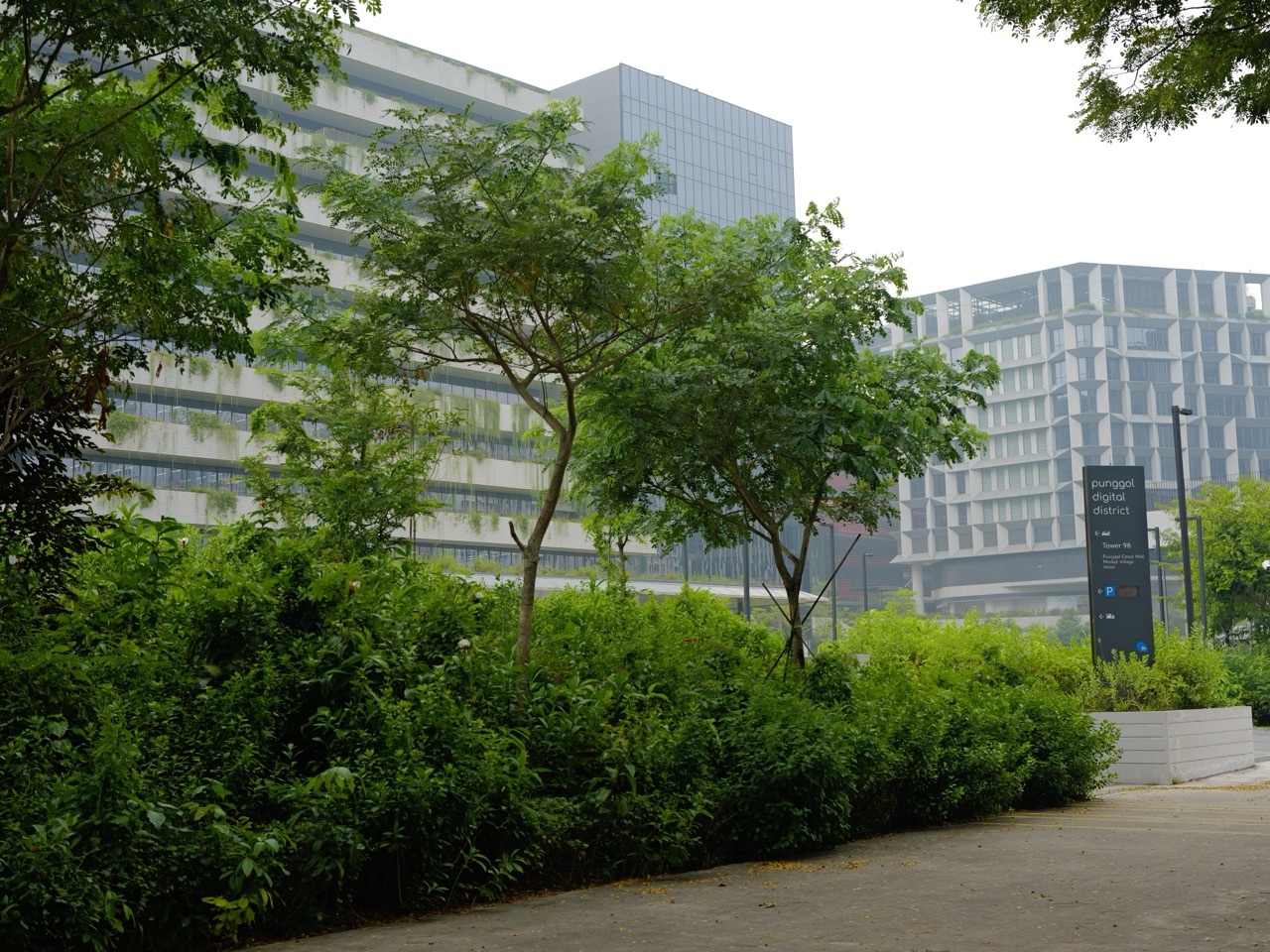
Punggol’s Digital District and SIT campus make technology a prominent part of the town’s identity, but a forward-looking urban vision does not guarantee a particular private operator’s retail broadband product at every address. Infrastructure planning, equipment capability, actual household service activation and customer pricing are distinct layers.
A property brochure may describe gigabit connectivity, while a device bought many years earlier supports a lower wireless standard. An internet provider may promote a new plan that requires compatible router, ports and network hardware. The system works only if the relevant components are suitable together.
Look for the date of the advertisement, the precise claim and its conditions. Ask whether it describes an implemented network, an available subscription or a future development. Evidence-first reading is particularly important in places where construction, services and technology continue to change.
31. A worked example: two internet complaints, two different fixes
Household A: A laptop next to the router performs acceptably on a wired connection, but a bedroom phone drops video calls. This suggests investigating indoor Wi-Fi coverage, placement or device compatibility rather than assuming the fibre subscription’s maximum speed is inadequate. A support provider may recommend a tested additional access point.
Household B: Multiple wired devices lose internet at the same time and the provider’s status page reports a disruption. Buying a stronger Wi-Fi router is unlikely to restore an upstream provider outage. The right first action is to follow official provider instructions, save the incident reference and use an approved fallback where necessary.
Both households live in Punggol, but their problems occur at different layers. A generic “best broadband plan in Punggol” list cannot explain the difference. Systems thinking can.
32. A worked example: parent and child mobile plans
Imagine a parent needs reliable voice contact with a child after school, while the child uses modest amounts of data for school communication and maps. A high-volume roaming bundle might be irrelevant, while predictable coverage and simple billing are essential. The parent reviews account ownership, the child’s device settings and what happens when data runs out.
If the child’s number must be retained, the family checks how porting works and whether the line is held under a parent’s name. They avoid disclosing personal contact and location data in an online forum. If there is an emergency, a charged phone and an agreed contact plan matter more than a marketing claim about record-breaking data speeds.
This example illustrates the correct evaluation standard: plan fitness for a real person’s needs. It does not require that all family members use the same telecom operator.
33. A worked example: choosing fibre and mobile backup for study
Suppose a tertiary student in Punggol shares a flat with two others. They want stable home internet for assignments but also a mobile-data fallback during occasional disruptions. Start by estimating the actual shared usage, the home’s Wi-Fi layout, who will hold the broadband contract and how roommates will split bills.
The roommates test the chosen plan’s coverage and compare full costs including router, installation, minimum term and any future move. They agree on how to settle bills when someone leaves the flat early. A household agreement does not override the retailer’s contract, so the named account holder must still understand legal responsibility.
A measured approach can prevent disputes and reduce unnecessary upgrades. It also helps the roommates recognise which problem belongs to Wi-Fi hardware, which to their internet provider and which to their own devices.
34. Six myths that make connectivity decisions worse
Myth: “Fibre means the Wi-Fi must be perfect.” Wireless distribution inside a property is a separate layer with its own limitations. Myth: “5G is always faster everywhere.” Device, local signal, plan and traffic affect real performance. Myth: “Switching mobile providers destroys the number.” Porting is possible when eligibility and procedures are followed.
Myth: “Cancel the old number first.” Premature cancellation can interfere with number porting; follow the receiving operator’s procedure. Myth: “All SIMs appear in IMDA’s checker.” The pilot has published exclusions. Myth: “Any billing dispute qualifies for automatic compensation.” ADR eligibility, exclusions and evidence requirements apply.
Reliable decisions begin by rejecting these blanket claims and checking the specific layer involved.
35. Punggol telecom and broadband decision checklist
- Identify the exact block, unit and building type.
- Confirm fibre serviceability and the retailer’s activation requirements.
- Distinguish network infrastructure from the retail broadband contract.
- Read speed information as typical versus theoretical performance.
- Test wired and wireless connections separately when feasible.
- Map the actual rooms and work locations requiring strong Wi-Fi.
- Check each person’s mobile service at their most important locations.
- Compare all-in contract cost, expiry, equipment and termination terms.
- Arrange number portability through the new provider before cancelling an old line.
- Use IMDA’s official Singpass-verified SIM checker for supported postpaid lines.
- Keep equipment and administrative passwords secure.
- Use Wireless@SGx through the proper IMDA setup process.
- Save detailed evidence if a persistent fault or billing dispute occurs.
- Contact the provider first and use IMDA ADR only if eligible.
- Verify suspicious telco messages independently; use ScamShield for suspected fraud.
- Prepare a safe alternate communication method for short outages.
- Recheck current product offers and network availability before committing.
Frequently asked questions
Is Punggol connected to Singapore’s fibre network?
Punggol homes can be served through Singapore’s Nationwide Broadband Network, but the exact unit and retail service availability must be checked with the relevant provider. Presence of a fibre termination point does not mean an active subscription exists.
Does a 10Gbps broadband plan make my phone run at 10Gbps?
No such general guarantee exists. IMDA explains the difference between typical and theoretical speeds. Device capability, network equipment, Wi-Fi conditions and testing methods can all limit what one device experiences.
Why is mobile data weak in one part of my Punggol flat?
Building materials, radio coverage, device compatibility and network conditions may all contribute. Check the precise location and use the operator’s support and coverage information; do not assume a neighbourhood-wide outage from one room.
Can I keep my mobile number when switching operators?
Mobile number portability is available subject to the operator’s process and eligibility. Arrange the port with the receiving operator and do not cancel the old line prematurely.
How do I know what SIMs are in my name?
IMDA offers a self-help checker at go.gov.sg/simcardhowmany using Singpass, with exclusions for certain SIM categories. Contact your operator if you find an unfamiliar line.
Can I use Wireless@SGx instead of subscribing to home broadband?
Wireless@SGx provides free public Wi-Fi at participating hotspots, not universal coverage inside private homes. It is useful as a supplementary service, subject to location and device setup.
What if I signed a mobile contract and want to leave early?
Review its minimum period and early termination terms before cancelling. Request the operator’s written explanation of any charge and preserve the documentation.
Where can I escalate an unresolved broadband billing dispute?
IMDA’s Alternative Dispute Resolution scheme may be suitable if the claim falls within its eligibility and exclusions. The scheme covers eligible disputes up to S$10,000 and generally requires the appropriate Notice of Intention process.
How do I check whether a telco call is a scam?
Verify through the operator’s independently located official contact. Do not share passwords or codes. Use the ScamShield app or call 1799 for suspicious-scam enquiries.
Should all Punggol families buy the fastest plan?
Not automatically. Evaluate real activity needs, actual Wi-Fi coverage, devices, contract costs and provider reliability. The largest advertised speed is only one part of the decision.
Official evidence desk and related Punggol articles
- IMDA: Nationwide Broadband Network and network roles.
- IMDA: Residential broadband setup, typical speeds and troubleshooting.
- IMDA: NetLink Trust Interconnection Offer and regulatory framework.
- IMDA: Telecom and media ADR eligibility, exclusions and process.
- IMDA: Anti-scam measures and pilot SIM-card checker.
- IMDA: Wireless@SGx consumer guide.
- IMDA: Wireless@SGx official setup portal.
- ScamShield: Check suspicious links, numbers and messages.
- Understanding Punggol: The digital district and future coastal centre.
- Understanding Punggol: Utilities when moving home.
- Punggol: Keep your number when changing telcos.
- Punggol: Check contract end dates and exit charges.
- Punggol: How to check SIM cards registered in your name.
- Punggol: Telecom billing dispute and IMDA ADR.
Bottom line: Get an internet and phone setup that works in the exact places your household actually uses it, and understand which company controls each part of the system. The right service is not always the fastest advertised plan. It is a reliable, suitable and well-documented combination of infrastructure, equipment, contracts and safe account management.


