
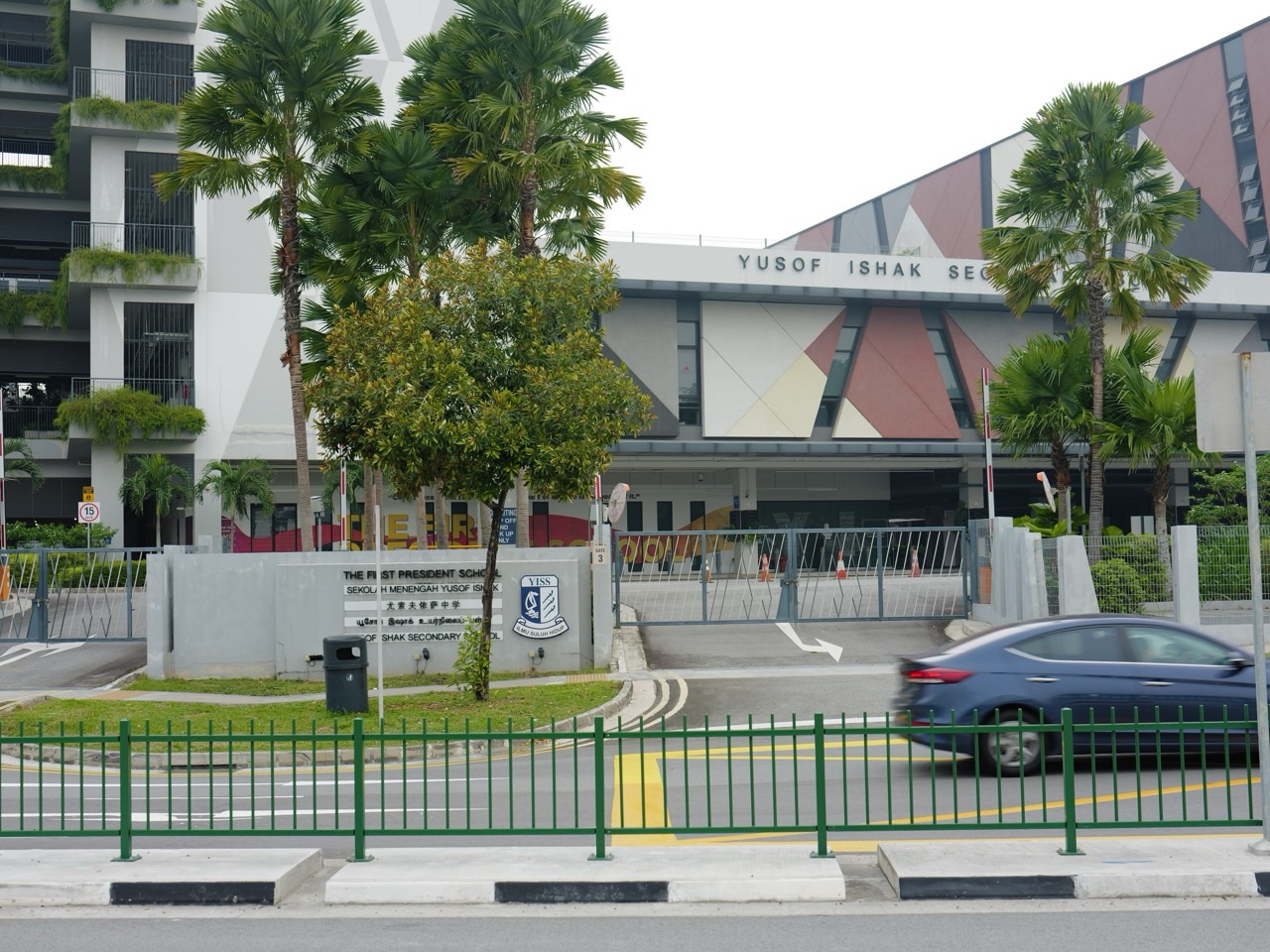
For Punggol parents choosing a secondary school after the 2026 PSLE, smartphone rules are no longer simply an individual school’s optional experiment. MOE’s enhanced guidelines took effect from January 2026: secondary students are not permitted to use smartphones and smartwatches during school hours, including recess, CCAs and supplementary or enrichment sessions, except where schools grant necessary permission. Devices are kept in designated storage or schoolbags as instructed. This means families should not assume that Edgefield Secondary, Greendale Secondary, Punggol Secondary or Yusof Ishak Secondary will freely allow recreational smartphone use during breaks. The better school-choice question is how the actual school implements the policy, teaches digital literacy and provides safe communication when a child needs help.
Parents should compare the real digital-learning environment alongside the child’s eligibility for Secondary 1 in 2027. The official 2026 PSLE results are released on Tuesday, 24 November at 11.00am, and the ordinary S1 Portal closes on Monday, 30 November at 4.30pm. The four local Punggol mainstream schools—Edgefield, Greendale, Punggol Secondary and Yusof Ishak—have distinct learning programmes, but none can be declared the ‘safest online school’ from an old PSLE cut-off or a marketing page. MOE is also strengthening digital and AI literacy, including a refreshed Code for Fun programme for all schools in 2027. This guide helps families ask about the personal learning device (PLD), device management, cyber wellness, school-home communications and actual school fit while building six realistic S1 choices.
Quick parent summary
• From January 2026, MOE’s secondary-school guidelines restrict smartphone and smartwatch use throughout school hours, including recess and CCAs, subject to authorised exceptions.
• The 2026 default school PLD Device Management Application sleep time moved earlier to 10.30pm; check the receiving school’s current arrangements.
• A school-prescribed PLD is not the same thing as an unrestricted personal smartphone.
• MOE announced refreshed Code for Fun and stronger AI-literacy learning opportunities for all schools in 2027.
• Ask how pupils access school messages, handle urgent family communication and report cyberbullying or AI-generated misinformation.
• Compare the four Punggol schools’ actual programmes and current PG1/PG2/PG3 eligibility, not unverifiable screen-time rankings.
• Submit six genuine school choices by the official deadline and wait for the actual receiving school’s device instructions before purchasing equipment.
The national smartphone rule parents should know
On 30 November 2025, MOE announced enhanced measures to promote healthier screen use. From January 2026, the guidelines for secondary schools expanded beyond lesson time to non-lesson activities, including recess, CCAs and supplementary, enrichment or remedial lessons. This is a substantive national change. It is incorrect to tell a 2027 Secondary 1 family that every school independently decides whether phone use is unrestricted at recess.
The general approach is that smartphones and smartwatches are kept out of use during school hours, with devices placed in lockers, designated storage or bags according to school procedures. Schools can allow exceptions where necessary. Schools retain responsibility for their individual discipline and implementation arrangements, so the exact storage method, communication route and handling of violations can differ. Check the receiving school’s current handbook and instructions.
The aim is to support attention, wellbeing and interaction with peers rather than simply remove technology from education. Teachers may still use appropriate digital tools in learning. A child should understand that personal entertainment, school-approved learning and an urgent authorised phone call are different situations. The rules are about responsible use in a school context, not a claim that all digital skills are harmful.
Smartphone, smartwatch, PLD and learning platform: four different things
| Technology | Purpose in a Secondary 1 pupil’s life | Parent’s actual question |
|---|---|---|
| Personal smartphone | Family contact outside restricted school hours and personal communication | Where is it stored, when may it be retrieved and what are authorised exceptions? |
| Smartwatch | Timekeeping, possible messaging or connectivity functions | Does it fall under the school’s restricted devices policy? |
| Personal Learning Device (PLD) | School-prescribed digital learning with device management | Which model and procurement instructions apply to this school? |
| Student Learning Space or other platform | School assignments, learning resources and submissions | How does the child access it and obtain help with technical problems? |
| Home computer or shared family device | Optional home access for schoolwork or other activities | Is an additional purchase truly necessary? |
A PLD is normally a school-prescribed learning device configured for educational use, often with a Device Management Application (DMA). It is not a licence to use social media freely during school. Nor does a phone ban mean that the pupil is prohibited from learning coding or doing research on approved school devices. Parents should distinguish the technology’s purpose and the school’s safety arrangements.
If a parent has already bought a laptop for the child, do not assume that it can replace the receiving school’s prescribed PLD or that the device will satisfy software and management requirements. Wait for actual school registration and procurement information. The family may be eligible for Edusave support or financial assistance depending on the applicable rules and circumstances.
What the new Device Management Application timing means
MOE’s screen-use measures brought the default PLD DMA sleep time forward from 11.00pm to 10.30pm from January 2026. The purpose is to discourage late-night use of the school-managed device and support healthier sleep routines. Parents should confirm how the child’s actual school implements the current settings and any permitted family choices outside school hours.
A default restriction is not a comprehensive home plan. A child may still have access to other household devices or a smartphone outside school. Families should agree on a reasonable schedule for homework, rest, reading, family meals and leisure. Device rules are most effective when adults explain the reason and model healthy behaviour themselves, rather than treating the technology as a nightly source of conflict.
It is also important to avoid assuming that a school device will solve every learning problem. A Mathematics concept may still require pencil-and-paper reasoning and careful explanation. English comprehension and Humanities require reading and discussion, while Science may benefit from digital models when used deliberately. Technology should support understanding, not replace it with endless clicking.
What will schools teach about AI and online information in 2027?
MOE’s 2026 Committee of Supply announcements state that AI literacy is being integrated across the curriculum, co-curriculum and self-directed resources. They also say that Code for Fun will be refreshed to strengthen AI-related skills and made available to all schools in 2027. Cyber Wellness lessons in Character and Citizenship Education are being updated to address checking generative AI information and recognising deepfakes.
This is useful for parents of children interested in technology. An AI learning opportunity should teach pupils to question evidence, understand limits and use tools responsibly, not merely submit automatically generated work. A student who can explain why a source is trustworthy, recognise an altered image and describe the reasoning behind an answer is gaining a more durable skill than one who can produce a polished paragraph in a single click.
The phrase ‘available to all schools’ does not mean every Secondary 1 pupil at each of the four Punggol schools will follow an identical weekly AI timetable or receive a particular specialist award. Ask each school how the new curriculum and enrichment resources reach pupils, how activities are organised and what teachers expect from students when they use generative AI.
Punggol’s four schools: technology learning and cyber-wellness questions
Edgefield Secondary: creative enterprise and responsible digital work
Edgefield Secondary at 36 Punggol Field, Singapore 828814 highlights Growing the Edgefield Mindset and offers innovation and enterprise learning. A pupil creating ideas or digital presentations will benefit from knowing how to research responsibly, verify claims and give appropriate credit. Ask how teachers help students evaluate online information and distinguish their own reasoning from automated output.
The school has clubs including Robotics and Aviation among its published CCA choices, but being offered a club is not a promise that every pupil can join it. Ask how ordinary digital literacy is taught beyond the clubs, what the current personal-device storage policy is, and how the child can contact a parent in a genuine emergency.
Greendale Secondary: design, coding and evaluation
Greendale Secondary at 51 Edgedale Plains, Singapore 828866 publishes a Design, Technology and Engineering Applied Learning Programme with coding, prototyping and hands-on creation. A child interested in building technology should learn both how to use tools and how to assess whether a solution is safe and useful.
Ask how pupils are introduced to digital research, school-approved programming tools and collaboration. Some activities may be school-wide while Robotics or other related CCAs use separate recruitment processes. Do not assume that a distinctive engineering ALP means the school grants unrestricted personal phone use. The national smartphone guidelines still apply.
Punggol Secondary: sustainability, data and trustworthy evidence
Punggol Secondary at 51 Edgefield Plains, Singapore 828870 highlights environmental sustainability and community leadership. Students examining local environmental issues may use data, digital maps, reports and presentations. Parents can ask how teachers help pupils judge sources, explain scientific evidence and make careful claims rather than copying whatever appears first online.
The school has published timetable and technology information through its parent resources, but 2027 procedures should be confirmed after posting. Ask what happens on a home-based learning day, where the pupil gets technical support and how families handle a lost or damaged school device. A school blog post from a previous year is not an official future procurement instruction.
Yusof Ishak Secondary: sustainable smart-city STEM
Yusof Ishak Secondary at 8 Sumang Walk, Singapore 828676 highlights its S4TEM@YI learning about sustainable cities, technology and science. Its STEM Club describes programming and practical technology. Such experiences may interest a child who enjoys coding but also needs to understand responsible online communication.
Ask whether digital literacy and AI-related instruction is school-wide or selected, what ordinary school PLD use looks like, and how the pupil can seek help when receiving a harmful online message. Even a strongly STEM-focused programme should not be assumed to have more or fewer cyber incidents than another school without independent evidence.
A school-by-school digital safety worksheet
| Question | What parents should record | Why it matters |
|---|---|---|
| How are phones stored in 2027? | Current receiving-school policy, location and exceptions | Child knows what to do during lessons and CCA |
| How can urgent contact happen? | School office or other authorised channel | Families do not rely on a prohibited recess call |
| What PLD will the school prescribe? | Official model, purchase, subsidy and servicing instructions | Avoids wasted spending |
| What is the DMA schedule? | Current setting and any authorised parent options | Supports sleep and appropriate schoolwork |
| How are cyber concerns reported? | Trusted adult, school process and relevant evidence | Prevents silence about harassment or scams |
| How is AI literacy taught? | Actual school-wide learning and relevant electives or clubs | Distinguishes education from marketing |
| What happens if the device fails? | Teacher and technical support route | Prevents missing assignments unnecessarily |
There is no verified basis for writing ‘Greendale has the best phone rules’ or ‘Yusof Ishak has the lowest cyberbullying rate’. The useful decision is whether the school can clearly explain its present procedures, learning expectations and support. A parent might prefer a school whose communication system is simple and whose commute is manageable, even if another school has a more prominent technology programme.
What about a child who needs to call parents after school?
A working family may worry that the new phone restrictions prevent the pupil from communicating about a delayed train or late CCA. The national guidelines permit necessary exceptions and schools provide ways to reach families through their official channels. Ask exactly what the child should do during school hours if they need urgent help, and when they are allowed to access their personal device after school ends.
Practise a realistic plan: the child knows the school office location, the parent’s correct phone number, the approved message route and a safe fallback if transport is disrupted. Do not ask the child to break school rules routinely because the parent would prefer a mid-day text. A reliable emergency plan should work within the school’s actual procedure.
After ordinary school hours, a family can agree when the child sends a travel update and how to handle reasonable delays. A phone is a tool, not a substitute for knowing the route, practising road safety or understanding whom to ask for help.
Group chats, deepfakes and academic honesty
Secondary 1 pupils may encounter class messaging groups, social-media posts, gaming communities and AI-created content. Some online activity will be helpful: reminders, coordination and creative exploration. Other activity can involve rumours, repeated teasing, scams, manipulated pictures or pressure to respond immediately. A parent should talk about these possibilities before the child needs urgent help.
Teach the pupil not to distribute an embarrassing or manipulated picture simply to ask others whether it is real. If someone is being targeted, preserve appropriate evidence privately and ask a trusted adult for help. A deepfake is not harmless because it was created by software. Pupils should understand that creating or forwarding humiliating material can harm classmates, and that school policies on bullying and digital conduct still apply.
For schoolwork, encourage the student to explain when a digital tool was used and to follow the teacher’s actual instructions. A child who copies an AI-generated essay without understanding it may produce polished words but learn little. Ask the student to show their reasoning, sources and revisions. The school’s academic honesty rules may vary by task, so do not create a blanket permission based on the fact that AI tools exist.
The ordinary Punggol PSLE score comparison still matters
The following values are historical final admitted scores for the 2026 Secondary 1 intake, based on PSLE 2025. They are not the final admission thresholds for 2027 and do not rank online safety or digital teaching.
| School | Past PG3 COP | Past PG2 COP | Past PG1 COP |
|---|---|---|---|
| Edgefield Secondary | 14 | 23 | 27 |
| Greendale Secondary | 16 | 23 | 27 |
| Punggol Secondary | 19 | 24 | 27 |
| Yusof Ishak Secondary | 15 | 22 | 27 |
A pupil with PG3 Score 18 may love technology at Greendale, but its historical PG3 endpoint was 16, more competitive than the child’s result. Punggol Secondary’s old PG3 endpoint of 19 was numerically less stringent than Score 18. That comparison is a reason to widen the six-school research, not proof that any school offers better or worse online safety. A family may need eligible options in Sengkang or Hougang where travel remains practical.
A child with PG2 Score 24 would compare the PG2 figures of 23, 23, 24 and 22. A score-25 pupil may be offered PG1 or PG2, leading to very different school lists. A school device preference does not change the student’s actual formal Posting Group, and a PG1 historic score cannot be borrowed for PG2 admission.
If a child is interested in technology, the school’s ALP and CCAs can help shape their shortlist—but only after confirming actual school eligibility, subject support and a manageable morning and late CCA journey. Schools beyond Punggol may offer suitable programmes; check their precise school profiles rather than assume every school has the same academic route.
A one-page family digital agreement for Secondary 1
- During school hours, follow the current school’s smartphone and smartwatch restrictions, including its authorised exceptions.
- Use the school-prescribed PLD for permitted learning and follow device-management and acceptable-use rules.
- Do not share school portal passwords or other account credentials with friends.
- Before forwarding a surprising image, message or AI-generated claim, check its origin and possible harm.
- Ask a trusted adult when someone is threatened, bullied, pressured or tricked online.
- Follow the teacher’s instructions on the use or disclosure of AI tools for schoolwork.
- Agree on reasonable device-free times at home, including meals and preparation for sleep.
- Keep school and parent contact details accurate and know the authorised emergency communication route.
- Use official school purchasing instructions and financial help rather than buying expensive equipment early.
- Review these habits together after the first month of Secondary 1 without turning every conversation into punishment.
An agreement is more useful when the child understands the reasons behind it and adults also follow reasonable digital boundaries. Rather than confiscating every device as soon as a problem occurs, try to understand whether the issue is unsafe contact, lack of sleep, distracting games, unclear homework or anxiety. Different concerns require different support.
How to compare digital learning without buying extra equipment
Wait for the actual school posting and registration package. The receiving school will explain the PLD model, procurement, software, DMA settings, instructions for existing devices and any applicable financial assistance. The MOE FAS or independent-school bursary framework may help eligible households, depending on the school and applicable year. A parent who buys a laptop before posting may end up with an expensive device that does not fit the school’s programme.
The school may provide technical guidance if the device fails or needs servicing. Ask whether pupils can continue assignments another way while repair is arranged. A good learning environment should help students learn to solve technical problems responsibly; it should not require parents to be professional IT technicians.
More technology is not automatically better teaching. A hands-on Science demonstration, good Mathematics explanation, guided English reading or thoughtful conversation may be more useful than another digital screen. A school should select the method that genuinely supports the learning objective.
The six-school selection checklist
- Read the official PSLE Score, individual subject ALs and the child’s available Posting Group options.
- Choose the appropriate route, then compare each candidate school’s correct historical cut-off.
- Review actual learning programmes, digital literacy, AI education and academic support.
- Ask how the school implements the national 2026 smartphone rules and provides safe communication.
- Check real PLD procurement and digital homework requirements without buying early.
- Include the child’s CCA interests, peer culture and personal wellbeing in the comparison.
- Test actual morning and late-CCA travel from the Punggol home.
- Include two or three schools with less stringent previous cut-offs where suitable, as MOE advises.
- Rank six genuinely acceptable schools in preference order and verify the application codes.
- Submit before 30 November at 4.30pm and keep the official confirmation.
Ordinary S1 posting starts with academic merit. Citizenship, school preference order and computerised balloting are used when relevant applicants tie for a final place. A school offering a distinctive technology programme does not override those admissions rules. The child’s school should be chosen for a complete education, not because the parent expects to avoid every online risk by selecting a particular campus.
Official 2026 dates for the 2027 Secondary 1 intake
| Milestone | Announced time |
|---|---|
| PSLE results released | Tuesday, 24 November 2026 at 11.00am |
| MOE S1 Portal opens | Tuesday, 24 November at 11.30am |
| S1 school-choice submission deadline | Monday, 30 November at 4.30pm |
| Posting results | Tentatively Friday, 18 December; final announcement to follow |
The exact result release and school submission window come from SEAB’s 17 November 2026 statement. One parent with valid Singpass can normally submit the ordinary S1 options. If assistance is needed, contact the primary school before closing. A confirmed DSA-Sec pupil should follow specific official instructions.
Frequently asked questions
Can Secondary 1 students use phones at recess in 2027?
MOE tightened its national guidelines from January 2026 to restrict smartphone and smartwatch use throughout school hours, including recess and CCAs, with necessary school-authorised exceptions. Ask the particular school for its current storage and implementation rules.
Does the ban include a smartwatch?
The enhanced national guidelines cover smartphones and smartwatches. Parents should ask about the actual policy for any device the child owns and avoid assuming a watch is exempt because it is worn rather than held.
Can the child call a parent during an emergency?
Schools can permit exceptions where necessary and have official channels to reach families. The parent should ask which school office or other authorised route the pupil must use.
Does every Punggol school issue the same laptop?
Do not assume that. The receiving school provides its prescribed PLD requirements, purchase arrangements and DMA guidance. Wait for its actual 2027 instructions.
Will Code for Fun teach AI in every school in 2027?
MOE announced that the refreshed Code for Fun programme, strengthening AI skills, will be made available to all schools in 2027. Actual timetables, activities and participation arrangements should be checked with the school.
Is a STEM school necessarily better at digital safety?
No. A technology-themed ALP is one educational feature and does not constitute measured evidence of superior online safety. Ask about cyber wellness, reporting, student support and actual rules.
Should parents stop all AI use for homework?
Follow the teacher’s task-specific instructions. Help children learn to verify claims, develop original explanations and use tools responsibly rather than automatically accepting generated text.
Official sources and eduKate reading
- MOE: enhanced 2026 secondary school smartphone, smartwatch and PLD DMA rules
- MOE Committee of Supply 2026: AI literacy, refreshed Code for Fun and cyber wellness
- MOE: secondary education and digital learning overview
- SEAB: 2026 PSLE result day and S1 submission dates
- MOE SchoolFinder: school programmes and past cut-offs
- Greendale: design, coding and engineering learning
- Yusof Ishak: STEM activities
- eduKate Punggol: budgeting for PLDs, financial assistance and transport
- eduKate Punggol: safe school communication and working parent routines
Parent conclusion: The right Secondary 1 school should teach pupils to think, question evidence, use technology responsibly and build human relationships. The national 2026 smartphone restrictions apply across secondary schooling, while individual schools explain storage, exceptions and learning-device arrangements. Compare the four Punggol schools by the real education, cyber-wellness support, entry route and daily journey—not by unverified digital safety rankings—and submit six meaningful preferences on time.


