
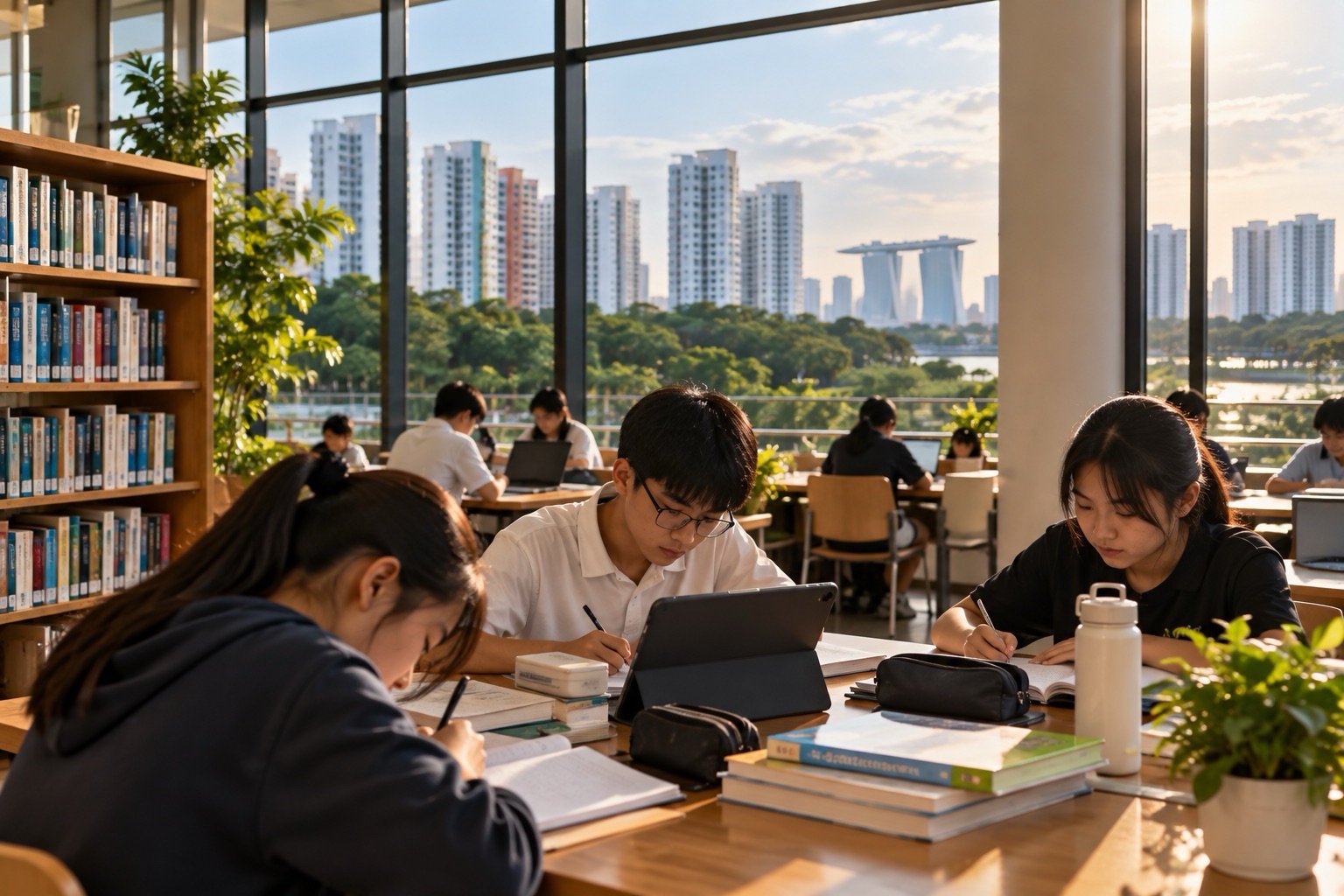
Does a PG1 Secondary 1 student need a laptop or tablet for school? Students in Singapore’s mainstream secondary schools generally use a school-approved Personal Learning Device (PLD) under MOE’s National Digital Literacy Programme, regardless of whether they entered through Posting Group 1 (PG1), PG2 or PG3. The school will specify the model or approved procurement arrangements, cost, collection date, management software and support available. Parents should not buy an expensive device before receiving the school’s actual instructions. The PLD is for school-approved learning, while the Student Learning Space (SLS) is an online platform through which teachers can assign and support learning; they are not the same thing.
From January 2026, MOE tightened smartphone and smartwatch restrictions in secondary schools: pupils are not to use them during school hours, including non-lesson periods such as recess, CCAs and remedial lessons, unless the school grants a necessary exception. This does not mean all learning devices are banned. Schools continue to use PLDs for approved teaching and learning. For school-managed PLDs, the default Device Management Application (DMA) sleep period begins at 10:30pm instead of 11pm, and school-specific management and after-school parent options apply. For Punggol parents preparing for Secondary 1 in 2027, the key is to distinguish the device, the learning platform, the safety controls, school phone rules and the family’s home routine.
Quick answers for parents:
- PG1: the pupil’s school-posting route, not a separate class of devices or online learning.
- PLD: a school-approved personal learning device, such as a laptop, Chromebook or tablet, depending on the school’s programme.
- SLS: the Singapore Student Learning Space, used for teacher-assigned and self-directed learning.
- DMA: management and filtering software that helps schools manage learning devices and gives parents certain after-school choices.
- Smartphones and smartwatches: use restricted throughout school hours from January 2026, including recess and CCAs, unless permission is granted.
- Default device sleep: 10:30pm to 6:30am under the published 2026 settings, subject to the exact school and parent-option arrangement.
- Edusave: eligible Singapore Citizen students may use their Edusave funds for an approved PLD purchase under the school programme.
- Financial help: ask the school about the relevant subsidy or assistance if buying the device is difficult.
- Home-Based Learning: can include online and offline tasks. It is not necessarily a full school day on video calls.
- 2027 planning: check the receiving school’s current model, price, procurement deadline and rules rather than copying a 2026 school circular.
1. Four different systems parents should not confuse
Secondary school often introduces several new abbreviations during the same orientation period. A parent reads about PLDs, SLS, DMA and Parents’ Gateway and may assume all four refer to one application. They do not. The easiest way to understand them is to ask what job each one performs. One is equipment, one is a learning environment, one manages the equipment, and one communicates information to parents.
| Term | What it is | What your child or family does |
|---|---|---|
| PLD | School-approved Personal Learning Device | Uses it for authorised lessons, digital assignments and independent work |
| SLS | Singapore Student Learning Space | Logs in to access lessons, tasks, explanations and feedback set by teachers |
| DMA | Device Management Application | Applies device controls, approved apps and filtering; parent choices may change after-school settings |
| Parents’ Gateway | School–parent communication service | Receives school notices and provides parent responses as directed |
The distinction makes practical troubleshooting easier. A device that will not switch on is a PLD hardware problem. A child who can use the internet but cannot enter the assigned lesson may have an SLS account or content issue. An application blocked at a certain time might be related to DMA rules. A parent not receiving a consent form needs to check the school’s notification route, not reinstall the child’s Mathematics app.
These systems support rather than replace teaching. A student still needs to read, write, listen, ask questions, practise, talk with classmates and learn from the teacher. A screen can display information but cannot automatically guarantee understanding.
2. Why does MOE use personal learning devices in secondary schools?
Under Singapore’s National Digital Literacy Programme, secondary-school learning includes digital research, interactive tasks, collaboration and independent access to materials. A school-managed PLD gives students a more consistent way to do this than depending on whatever phone or family laptop happens to be available at home. It also allows the school to organise educational applications and manage access responsibly.
Imagine a G1 Science lesson where students examine a graph, compare variables and explain an observation. The PLD may display a simulation or worksheet that helps them see how changing one factor affects the outcome. In English, the child may annotate a passage and receive feedback. In Mathematics, the student may explore patterns or demonstrate working using an approved digital tool. These are examples of appropriate uses, not a guarantee that every school teaches every lesson digitally.
The purpose of the device should be to make learning clearer or more accessible, not to increase the number of hours a pupil looks at a display. A good lesson may alternate a short digital explanation, pencil-and-paper practice, small-group discussion and teacher feedback. Students need to know when a device adds value and when putting it away makes deeper thought possible.
PG1 pupils benefit from suitable digital learning just as other secondary pupils do. The correct level of explanation and task difficulty depends on the subject and the child’s readiness, not on whether the family has purchased a more expensive laptop.
3. Does the school provide the device, or does the parent buy it?
The receiving school typically informs families about the approved device model and its procurement process. Some schools use Chromebooks, others laptops or tablets. The exact brand, operating system, specifications, package, pricing and collection arrangements vary and may change from one intake to the next. Parents should not take a screenshot of another school’s 2026 PLD letter as the correct 2027 list.
Often the family is offered a purchasing arrangement through the school, which may include applicable protection, management setup or support provisions. The device is generally intended for the student’s own learning, subject to the school’s management requirements. Some schools also have processes for an existing student-owned device that meets specified criteria. Do not assume that bringing a personally purchased gaming laptop is enough to replace the prescribed arrangement.
Before making payment, confirm what the offer includes. Does the quoted price include the charging adapter, any keyboard or stylus required, warranty, damage coverage or school management setup? Is the device ordered through an official vendor link? Will it arrive before the first week of school, or during a later term? An official school letter should answer these more reliably than a general internet guide.
If the family cannot afford the quoted amount, contact the school before attempting to finance an unnecessary private purchase. There may be approved funding or practical alternatives. A pupil should not have to start secondary school with a device that their school cannot support simply because the family feared missing a deadline.
4. Can Edusave pay for a student’s PLD?
For eligible Singapore Citizen students in MOE-funded schools, Edusave funds can be used towards the cost of approved personal learning devices under the school’s digital learning programme. This is a specific approved educational use, not permission to spend the account balance on any laptop, tablet or phone bought from a retailer. The school’s procurement instructions and the Edusave withdrawal arrangements apply.
Families can review Edusave and related education account information through MOE’s Student Finance System. The system provides account and transaction services, including the ability to review relevant approved withdrawals and authorisations. Ask the school which step is required for its PLD purchase rather than initiating an unrelated account transaction.
Suppose the device costs more than the eligible amount available in the student’s Edusave account. The family should ask the school about the amount that can be drawn, any parent contribution and the subsidy options for which the household might qualify. Do not assume that the account will always cover the entire bill. Equally, do not assume that an empty account leaves the family without a route to assistance.
MOE’s Edusave annual financial reporting states that approved use of Edusave was expanded in October 2020 to include devices purchased under qualifying school digital learning programmes. The relevant rules are about approved expenditure, not the child’s PSLE score or whether their posting route was PG1.
5. What if the family needs help paying for a device?
A device purchase can be a substantial expense at the same time parents are paying for uniforms, books, shoes, transport and school meals. Families should enquire about the school’s support arrangements as early as possible. MOE has provided additional resources to assist eligible Singapore Citizen students from lower-income households with the purchase of PLDs, including support through school-administered arrangements.
The MOE Financial Assistance Scheme may also be relevant to the household’s broader school expenses, but parents should not assume that every FAS approval automatically produces a completely free PLD. Financial assistance schemes, eligibility conditions and the specific PLD subsidy are separate administrative matters. Ask the receiving school to explain exactly which forms, supporting documents and amount of parent contribution apply.
The best question is: “Our child is entering Secondary 1 and we need to confirm PLD procurement assistance. What is the official school route, and should we wait before purchasing anything?” This gives administrative staff a concrete issue to resolve without requiring the child to explain household finances in front of classmates.
For wider costs, see eduKate Punggol’s PG1 financial assistance guide. A sustainable plan covers meals, transport and learning materials alongside the digital device, not the laptop alone.
6. Does a pupil use their own smartphone instead of the PLD?
No. A smartphone is not automatically a school-approved alternative to a PLD. Schools specify which devices can be used for learning and what applications, security settings and management arrangements are required. The distinction became more important after the 2026 restrictions on smartphone and smartwatch use during school hours.
Parents sometimes imagine that the child can complete every lesson on a phone because the device has a browser. Small screens can be unsuitable for extended reading, written explanations, complex graphs, digital design or sustained assignments. Schools may also require a managed operating system or particular software. A device that opens a webpage at home does not necessarily satisfy the school’s security and teaching requirements.
Do not transfer every application from the phone onto the PLD indiscriminately. School-managed devices may restrict entertainment apps, social platforms and downloads. The goal is a reliable learning environment where pupils can reach the tools their teachers have approved, rather than an unrestricted second entertainment screen.
7. What exactly changed in Singapore’s phone rules from January 2026?
MOE announced stronger screen-use measures on 30 November 2025, taking effect from January 2026. Secondary students were already subject to restrictions on smartphone and smartwatch use during lessons. The enhanced policy broadened those restrictions to non-lesson school time, including recess, co-curricular activities and supplementary, enrichment or remedial lessons. Smartphones and smartwatches are generally kept in the designated place identified by the school, such as a locker or school bag, during those times.
The policy does not mean students are forbidden to possess a phone in every circumstance, nor that they can never contact home. It means the school controls when personal devices may be used, and may approve exceptions where necessary. Schools publish their own detailed implementation: where to store the device, whether it must be switched off, how parents contact the child during school hours and what happens when a rule is breached.
A common misunderstanding is “No phones during recess, therefore no digital learning during the day.” That is incorrect. The restrictions target personal smartphone and smartwatch use. School-directed PLD learning remains part of the education programme. The device category and its approved use matter.
Read the official MOE enhanced screen-use announcement. It sets out the general national framework; the receiving school’s conduct rules explain the daily practice.
8. How can the child contact a parent when phones are kept away?
Families should plan a communication method before a problem occurs. If the child becomes unwell, misses a scheduled school activity or needs urgent help while at school, they should know how to approach the form teacher, general office or designated staff. The school can help the parent and child communicate through the appropriate channel. The phone restriction is not intended to leave a student without help.
Before the first week, save the school’s official contact details and explain to the child whom to approach. Agree on ordinary after-school arrangements: where to meet, which public transport route to take, and whom to call when they are legitimately able to use the phone. Avoid relying on continuous real-time messaging as the only safe-travel plan.
Some families have legitimate needs requiring an exception, such as a relevant medical arrangement. Discuss that with the school through its formal process rather than expecting the child to challenge a teacher’s decision during a lesson. An exception should be documented and understood by the people responsible for the student.
School-specific policies can differ in detail. For example, one school may have designated brief intervals when a phone can be accessed, while another may require storage until the last official activity. Follow the actual school rule, not a friend’s account from a different campus.
9. What is the Device Management Application?
The Device Management Application, usually called DMA, is management software installed on a school-approved PLD to support a safer, more focused learning environment. It can help manage approved applications, filtering of unsuitable web content and access times. The exact settings and controls depend on the device, school programme and parent option selected.
Schools commonly require the DMA on the programme’s PLDs and on student-owned devices used in lieu of a PLD, where permitted. A parent-owned device that is used privately at home is a different situation from a device the school approves for its managed programme. Families should not attempt to bypass management controls because an application appears inconvenient; ask the school to investigate whether the application is needed for a legitimate task.
DMA is not the same as SLS. SLS holds online learning resources and assignments. DMA helps govern the device that accesses them. A pupil might open SLS using a school-managed browser while the DMA restricts an unrelated entertainment website.
The purpose of the controls is to support learning and digital wellbeing, while allowing families to participate in the management of the device outside lessons. Parents should understand their actual choice rather than assuming that every device restriction is a school error.
10. The 2026 default DMA sleep period: 10:30pm to 6:30am
MOE’s November 2025 announcement brought forward the default DMA sleep period from 11pm to 10:30pm with effect from January 2026. Many schools describe the default PLD access window as approximately 6:30am to 10:30pm, with the overnight sleep period lasting until 6:30am. Individual after-school options and local management arrangements can change how the default is applied.
The reason for a sleep period is not to punish a child who needs to finish homework. It is to establish a healthier boundary around late-night device use. When students rely on screens after midnight, there is a risk that games, messages or endless browsing displace sleep. At Secondary 1, sleep affects memory, emotional regulation and the ability to cope with long school days.
A good family plan does not depend on the device suddenly switching off at 10:30pm. Begin winding down well before that time, check whether required work is complete and plan paper-based revision or reading appropriately. If a school assignment genuinely cannot be completed because of a technical restriction, the pupil should inform the teacher rather than secretly circumventing the system.
The sleep window is a device-management boundary, not a declaration that every adolescent should remain awake until 10:30pm. Many Secondary 1 students need to sleep earlier depending on their morning journey and family routine.
11. Default, Option A and Option B: choosing after-school DMA controls
Schools commonly describe three after-school parent options for a PLD’s Device Management Application. The Default option continues the school’s restrictions after school. Option A lets a parent adjust permitted settings after school hours under the school’s available controls. Option B makes DMA inactive after school, which removes its filtering and monitoring protections during that period. This is a meaningful privacy, safety and responsibility decision.
| Option | What happens after school | Parent consideration |
|---|---|---|
| Default | School-set controls continue outside school hours | Simple, consistent boundaries with less need for parent configuration |
| A | Parent can modify supported DMA settings for after-school use | More flexibility while keeping the supported management tools active |
| B | DMA inactive after school hours | More unrestricted access, but DMA content filtering and parent monitoring are unavailable then |
These descriptions are taken from current school guidance, including Bedok View Secondary’s DMA parent options. Individual implementation can differ according to the PLD operating system and the receiving school’s rules, including when changes take effect. Do not assume that selecting an option overrides school-hour restrictions, or that a chosen setting takes effect immediately.
Parents should make the choice by considering the pupil’s age, maturity, ability to manage distractions and the household’s capacity to supervise. A responsible child may benefit from graduated independence. A child repeatedly distracted by games or social media may need firmer boundaries. Technology controls work best when accompanied by honest discussion about why certain uses are appropriate.
12. Is Option B automatically best because it gives freedom?
No. Greater freedom can be valuable when a pupil has developed good judgement, but the removal of DMA controls also removes a layer of filtering and monitoring after school. Bedok View Secondary’s guidance notes that the parent portal is unavailable with Option B because DMA is inactive after school, and there are no DMA restrictions to filter objectionable content during that period.
Parents should not choose an option merely because another family did. The better question is what responsibility the child can demonstrate now. Can they put a device away without repeated conflict? Do they recognise suspicious messages? Will they tell a parent when something online makes them uncomfortable? Are they able to complete school tasks without constantly opening unrelated content?
It is also possible to supervise without turning the home into a surveillance environment. Agree on device locations during homework, breaks and meals. Explain which online activities are appropriate and which are not. Encourage the child to discuss a questionable image, link or interaction without fearing an immediate angry reaction. Family trust and technical safeguards can complement each other.
If changing settings creates unexpected difficulty with schoolwork, ask the school for its parent guide and support channel. Do not post the child’s login credentials or screenshots showing identifying account information in a public group to obtain help.
13. What exactly does the Singapore Student Learning Space do?
The Student Learning Space is MOE’s online learning environment for students and teachers. Teachers can use it to provide lesson resources, activities, assignments and feedback, while students may use relevant resources for independent learning. It supports classroom teaching, home-based activities and tasks at an individual pace. Its usefulness depends on how thoughtfully the lesson is designed and how the student interacts with the material.
A child might watch a short explanation, answer questions, review feedback and then discuss a difficult idea with the teacher the next day. In another lesson, the student may compare two sources of information, write a response or practise an unfamiliar skill. Not every online task is a video, and not every item must be completed at the same speed.
For PG1 learners, the teacher can choose tasks suited to the subject and level being studied. A G1 English pupil may need clearer scaffolded reading, while a student taking a subject at G2 could be given more demanding tasks in that area. The SLS itself is not a single nationally identical worksheet for all pupils.
Use the MOE Student Learning Space information for the platform’s purpose and the school’s instructions for the student’s actual login. Ask the school if the child is unsure which assignment or account to use.
14. How to help a child complete SLS assignments independently
Parents do not need to sit beside a child through every digital task. Instead, help them develop a consistent method. First, read the instructions before pressing buttons. Second, identify what must be submitted and by when. Third, complete the work without switching constantly to unrelated apps. Fourth, check whether the system recorded the submission. Fifth, reflect on any feedback instead of treating completion as the same thing as learning.
Ask the child to explain one answer after the task is complete. “Why did you choose this?” reveals much more about understanding than “Did you finish?” A student who guesses through ten online multiple-choice questions can receive a completion mark without building the mechanism behind the topic. Feedback and explanation convert activity into learning.
If the child struggles with reading instructions, teach them to identify the action word: explain, compare, calculate, describe, infer or justify. Each verb asks for a different kind of response. This vocabulary practice helps with English, Science and Mathematics alike and is especially useful when students transition from primary to secondary learning.
Do not complete the digital answer for the pupil merely to clear a notification. Teachers need accurate evidence of what the child can do independently. Helping the child understand a direction is different from producing the student’s work on their behalf.
15. What if my child cannot log in to SLS?
First, check whether the problem is specific to the student account or to internet access. Does the device connect to the expected network? Can it open an ordinary approved webpage? Is the student using the correct school-issued credentials? Has the school announced a maintenance period? A simple sequence of checks can prevent repeated password attempts that make a problem worse.
If the child has forgotten their password, follow the current account-recovery instructions or contact the school’s designated SLS administrator or help channel. Do not ask another family to share their child’s account, and do not send the password or identification documents through an unverified messaging link. Shared credentials can expose schoolwork and personal information.
When an assignment deadline is approaching, notify the teacher or school promptly using the recognised channel. State the practical issue: “The student can log in but cannot open the assigned activity,” or “The device has no connectivity.” This is more useful than simply saying “SLS does not work.” Record the time and the error message if asked, without posting private account details publicly.
The school may provide a workaround, alternative task or deadline guidance. Such decisions belong to the teacher; parents should not promise that all technical problems automatically excuse incomplete work.
16. What happens on a Home-Based Learning day?
Home-Based Learning, often shortened to HBL, is an organised learning arrangement that allows students to learn away from the usual classroom environment according to the school’s plan. It does not necessarily mean attending a full day of live video lessons. HBL can include SLS activities, independent reading, worksheets, practical observation, recorded explanations and tasks completed without a screen.
The balance of online and offline activities depends on the school, level and learning objective. A Science task might ask pupils to record observations of an everyday event and later explain them. An English task might combine reading a passage with a short written reflection. Mathematics may include practice followed by a discussion of mistakes. A screen is one possible tool rather than the whole educational experience.
Parents should read the school’s instructions for that specific HBL day: what time the student must check in, which assignments are compulsory, when they are due, whether a live session is scheduled and how attendance is recorded. Do not assume that the national school calendar lists the school’s HBL days or that students may treat them as optional holidays.
For a broader explanation, see eduKate Punggol’s Home-Based Learning, SLS and Student-Initiated Learning guide. It complements the device and safety information here.
17. A sensible HBL day routine for a Secondary 1 student
Start with a clear workspace, working connection and access to the required school instructions. Have the child list the day’s tasks in order and mark whether each requires the PLD, paper, a book or a short practical activity. This takes only a few minutes and prevents the entire day from becoming a series of surprises.
Break work into manageable sessions. A child might work through an assigned SLS task, take a short movement break, read a printed passage and then return to a digital activity. Follow the school’s stated attendance and submission requirements rather than making up a separate timetable that conflicts with them.
At the end, check that the tasks were actually submitted where required. Invite the child to say what they understood and what remains confusing. If a student cannot explain the central point of the learning activity, completion alone may not be enough. Write down a question to ask the teacher when school resumes.
Children with additional learning needs may require a modified routine or accessibility support. Discuss these with the school instead of assuming that the same device settings or number of tasks will work for every child.
18. What if the family has no reliable internet connection?
Access difficulties should be raised with the school early, ideally before a planned HBL day. Ask whether the school has device-loan arrangements, an approved offline alternative or a recognised way to receive materials. Where the household needs broader digital access assistance, ask about the applicable eligibility for national or school programmes rather than purchasing an expensive plan immediately.
MOE’s parent information on HBL explains that learning can be delivered through both online and offline formats. This matters because HBL should not automatically be equated with a child being left without learning if a single online tool is unavailable. Nevertheless, the actual teacher must decide which alternative will satisfy the specific lesson objectives and attendance arrangements.
If the connection suddenly fails mid-task, the student should keep any offline work already completed and report the issue through the school’s approved channel as soon as practical. Do not encourage the child to upload school documents through an unknown public link. Privacy still matters when the family is trying to meet a deadline.
Keep a simple emergency list: school contact, account support, any approved alternate platform and the child’s assignment deadlines. A short plan prevents avoidable stress on the morning of HBL.
19. What to do if a PLD breaks, is lost or is stolen
A device can fail at an inconvenient time. The response should be systematic. If the screen is damaged, the keyboard stops working or the device no longer charges, tell the school’s designated ICT or PLD contact and follow its repair or warranty process. Do not take the school-managed device to an unauthorised repairer without checking the rules, since this may affect coverage or the installed management software.
When a device is lost or suspected stolen, act promptly. Tell the school, record when and where it was last seen, and follow the school’s guidance on account protection, reporting and any required police report. The family should not attempt to track or confront someone using a child’s unverified location information. Keep important passwords and account recovery options secure.
Parents should confirm the coverage included with their school’s procurement package. “Warranty” does not always mean accidental damage is covered, while an insurance or damage protection plan may have excess charges and conditions. Read the actual document rather than assuming that every broken screen is free to replace.
If repair takes time, ask the teacher how the pupil should complete schoolwork in the meantime. A school may provide temporary arrangements or alternative assignments, but availability varies. The learning plan should be addressed alongside the hardware problem.
20. What happens if the child forgets to charge the device?
A PLD is useful only when it is ready for the lessons in which it is required. Build a simple evening charging routine in an agreed household location. The pupil should learn to check battery status before packing the bag, carry the approved charger if the school requires it and avoid leaving the device unattended in unsafe places.
Repeated forgotten charging is often an organisation problem rather than a technology problem. Help the child attach the task to an existing habit, such as placing their bag at the same location after dinner and checking the next day’s timetable. A short physical checklist may be more effective than creating several phone reminders the child cannot check during school hours.
If the device fails to hold a charge despite following instructions, contact the school’s ICT support. This is a different issue from simply forgetting to plug it in. Accurate descriptions help staff decide whether the pupil needs a replacement battery, repair, troubleshooting or a better routine.
21. AI tools, ChatGPT and honest homework: what should a pupil know?
Generative AI tools can produce explanations, summaries and draft answers, but they can also make mistakes or invent information. A Secondary 1 student should learn to verify claims against trustworthy sources, compare answers with the textbook or teacher guidance, and explain a solution independently. An answer generated in seconds is not equivalent to knowledge the student can use in an assessment or real-life situation.
MOE’s 2026 education announcements say that AI literacy is being integrated into curriculum, co-curricular experiences and self-directed resources, with updated cyber wellness lessons covering the validation of AI-generated information and identification of deepfakes. This is a reason to teach careful use, not a reason to require every pupil to use a chatbot for every assignment.
Schools may set different rules for AI use in individual tasks. A teacher might allow students to brainstorm questions but require them to write their own explanations; another task may prohibit AI-generated content. Read the instructions. Students should acknowledge any permitted assistance appropriately, avoid presenting generated answers as original independent work and never upload classmates’ personal details or confidential school materials without authorisation.
A useful home test is simple: put the screen away and ask the child to explain the reasoning. If the explanation collapses, the student needs more learning rather than a more polished AI response. For PG1 pupils learning complex new ideas, this independent recall is an especially useful guard against false confidence.
22. Cyber wellness: how to protect classmates and personal information
Digital literacy includes more than technical skill. Students need judgement about privacy, consent, accuracy and the effect of online actions on other people. A pupil should not photograph classmates in an embarrassing situation, forward a private screenshot or post a school document publicly without permission. The fact that an image can be captured does not make it appropriate to share.
Teach the child to be careful with suspicious links and unexpected requests for passwords. A message claiming that the school account will close immediately may be a phishing attempt. Instead of following an unfamiliar link, open the known official school or MOE platform directly and ask the ICT staff if needed. Encourage use of strong passwords and responsible handling of account recovery information.
Cyberbullying also requires action. If a student receives threats, humiliation or repeated harmful messages, preserve relevant evidence safely and report through the school’s established channels. Avoid public retaliation or circulating the material more widely to prove a point. If there is an immediate threat of harm, seek urgent assistance from appropriate authorities.
A family conversation about online mistakes should make it possible for a child to ask for help before a small incident spreads. The goal is accountability and safety, not constant fear of using technology.
23. Screen time is not one single activity
Parents often receive advice to reduce screen time without a distinction between activities. Yet reading a teacher-assigned passage, drawing a diagram, practising a language, playing an endless scrolling game and messaging friends late at night have different purposes and effects. A useful family plan examines the content, timing, posture, emotional effect and whether the activity is necessary for learning.
Some digital tasks can improve learning through feedback and interaction. Others become distracting because the child switches rapidly between applications. A pupil might spend forty minutes on an SLS Science assignment and then another two hours on unrelated videos. Calling both periods “school screen time” hides the difference that matters to parents and teachers.
A practical household approach is to create a clear study window, planned breaks, screen-free meals and a predictable bedtime. Physical activity and face-to-face relationships need space as well. Where the school’s DMA helps enforce boundaries, explain its purpose rather than framing it as a punishment.
Observe the child’s functioning over time. Are they sleeping, arriving prepared, completing tasks independently and enjoying friendships? Are they frequently irritable when asked to stop using a device? Those patterns can guide a calm conversation and adjustments to the routine without making every screen encounter a confrontation.
24. Why device habits affect English, Mathematics and Science
Learning involves attention, working memory and repeated retrieval. A child reading a difficult English passage may need to hold several ideas in mind while identifying the author’s purpose. Constantly checking messages interrupts that process. A Mathematics pupil may need a sustained period to decide which quantities are related. A Science student must examine evidence carefully before drawing a conclusion. These tasks are harder when attention repeatedly shifts.
That does not mean technology is inherently opposed to deep thinking. A digital graph can help a student visualise a relationship, and a carefully designed practice activity can provide useful feedback. The issue is whether the device serves the task or the task becomes an excuse for unrelated browsing.
Parents can model focused work. When helping with homework, put away unrelated notifications, read the question, discuss a method and then check the result. Encourage pupils to write down a question rather than immediately switching apps whenever something becomes difficult. This builds the capacity to tolerate uncertainty long enough to reason through it.
At eduKate’s small-group tuition in Punggol, the useful starting point is what the child can explain and do independently, not how many educational apps are installed. Sign up for Mathematics tuition only after the student’s starting position is clear. A PLD can support good teaching but is not a substitute for understanding.
25. A four-week device-readiness plan for Secondary 1
Week 1 — Read the school instructions before buying
Confirm the actual school, PLD model, procurement route, cost, warranty, collection schedule and any required consent. Check whether an existing device may be used, what management software is required and whether the school has issued instructions about Edusave or subsidies. Save the official school ICT contact in a secure place.
Week 2 — Learn the four systems
Explain the difference between PLD, SLS, DMA and Parents’ Gateway. Help the child locate the school’s approved platforms and practise basic account security. Do not share passwords in public parent chats. Discuss where the child should go for help if they cannot log in or the device fails.
Week 3 — Establish boundaries that can be followed
Read the school’s phone and smartwatch rules and agree on an emergency communication plan. Choose a suitable place for charging, homework and overnight storage. Discuss the DMA default and other parent options using the school’s current documentation. Keep time for meals, movement and sleep.
Week 4 — Practise one realistic learning day
Ask the child to follow an example assignment sequence: read instructions, organise materials, complete a digital task, take a break, check submission and explain what was learned. Rehearse what to do if the internet fails or an application is blocked. A pupil who can handle these ordinary difficulties is better prepared for independent school life.
26. Four situations that show how to solve the right problem
Situation A: an app is blocked at 9pm
The child says a needed website is blocked. The parent checks whether the website was actually part of a school task and whether the block comes from the DMA. They contact the school’s support channel if a legitimate learning resource has been restricted. They do not immediately choose unrestricted Option B merely to remove one obstacle, because that would change more protections than the immediate problem requires.
Situation B: a pupil wants to message parents at recess
The child says friends are using phones during breaks and asks to do the same. The parent checks the receiving school’s actual 2026-onwards phone rules, explains the restriction and agrees on the proper communication route for urgent matters. A genuine accessibility or medical need is raised formally with the school rather than handled through secret phone use.
Situation C: the home internet fails during HBL
The family records which tasks were affected, keeps completed offline work and informs the school through an approved channel. They ask about alternate submissions or support. They do not assume HBL is cancelled or demand that the child spend hours trying unfamiliar public websites.
Situation D: a child copies an AI answer without understanding
The pupil submits a polished explanation but cannot describe the key idea. The parent does not simply ban every online resource. Instead, they explain that the assignment must reflect the child’s own work and help them restudy the concept using the teacher’s approved materials. Future AI assistance is guided by the school’s instructions and verified against independent understanding.
27. Mistakes parents can avoid during the PLD transition
- Buying a laptop before the school letter: the model, operating system and DMA requirements may be incompatible.
- Assuming PG1 means less technology: digital learning arrangements are school-based and curriculum-based, not a separate PG1 holiday or device status.
- Confusing SLS with DMA: one delivers learning; the other manages the device.
- Confusing smartphone restrictions with a PLD ban: approved digital lessons continue.
- Assuming Option B has the same filtering as Default: DMA is inactive after school under Option B.
- Assuming the default 10:30pm cut-off is an ideal bedtime: establish an age-appropriate earlier routine if necessary.
- Using another school’s 2026 procurement prices: check the actual 2027 school’s letter.
- Completing SLS tasks for the child: teachers need a true picture of independent understanding.
- Ignoring cybersecurity because the child is young: privacy and safe reporting habits should begin early.
- Assuming every HBL lesson is a live video call: the school may provide a blend of online and offline tasks.
Frequently asked questions about PG1, PLDs and school screen rules
Does a PG1 student need the same kind of PLD as a PG3 student?
Device requirements are determined by the receiving school and programme, not an automatic national PG1-versus-PG3 ranking. Check the school’s actual model and procurement instructions.
Can we buy our own laptop instead of the school’s PLD?
Only if the school’s arrangement permits a compatible student-owned device and its required management and security configuration. Do not assume any personal laptop will qualify.
Can Edusave be used for the PLD?
Eligible Singapore Citizen students can use Edusave for approved school programme purchases under the applicable rules. Ask the receiving school about authorisation and any balance or parent contribution.
What if the family cannot pay for the device?
Contact the school about subsidies, eligible funding and loan or other practical arrangements before purchasing anything privately. The decision depends on current eligibility and school policy.
Can my child use a phone during recess?
From January 2026, MOE’s enhanced rule generally restricts secondary pupils’ smartphone and smartwatch use during school hours, including recess. Schools may allow justified exceptions; follow the receiving school’s specific instructions.
Are phones allowed during CCA?
The broad 2026 restriction includes CCAs and supplementary, enrichment or remedial lessons. The school specifies storage and exceptions.
Is a school PLD banned during lessons?
No. School-directed PLD use for approved learning is distinct from unrestricted use of personal smartphones.
What time does the PLD lock overnight?
MOE moved the default DMA sleep start to 10:30pm in January 2026. The commonly published default window is 10:30pm to 6:30am; school-specific parent options can affect after-school arrangements.
What do DMA Default, A and B mean?
Default continues school restrictions after school. A permits supported parent modifications after school. B makes DMA inactive after school, removing its filtering and monitoring functions for that period.
Can we change DMA settings whenever we like?
Use the receiving school’s approved parent process. Some schools apply changes after an administrative delay rather than immediately.
Is SLS a separate device or an app?
SLS is a learning platform accessed through appropriate digital devices. The PLD is the physical school-approved computer or tablet.
Must all HBL tasks be completed online?
No. Home-Based Learning can combine digital resources, paper tasks, reading and other offline activities, depending on school instructions.
Can a child use AI to finish school homework?
Follow the teacher’s rules. AI-generated content may be inaccurate, and pupils must develop independent understanding and academic honesty. Do not submit generated answers as independent work when that is not permitted.
What if the school device is lost?
Tell the school promptly, follow its security and reporting procedure, and check the procurement package’s coverage. Ask about a temporary learning arrangement while the case is handled.
Do digital rules remain unchanged in 2027?
The cited phone and DMA measures took effect in January 2026. Families entering Secondary 1 in 2027 should verify whether MOE or the individual school has issued newer instructions.
Official references and connected eduKate reading
- MOE: enhanced student screen-use measures effective January 2026
- Bedok View Secondary: 2026 DMA parent options and safeguards
- Damai Secondary: PLD device management and 10:30pm default
- MOE: Singapore Student Learning Space
- MOE: Student Finance System and Edusave
- MOE: 2026 AI literacy and cyber wellness developments
- eduKate Punggol: Home-Based Learning, SLS and student-initiated learning
- eduKate Punggol: Digital literacy, AI learning and cyber wellness
- eduKate Punggol: FAS and practical secondary school costs
- eduKate Punggol: Mixed form classes, friends and the timetable
Independent PG1 parent guide reviewed 6 November 2026. Exact PLD models, prices, subsidy eligibility, restrictions, parent options and HBL schedules vary by school and intake. Use the current MOE policy and receiving school’s written instructions before purchasing, configuring or using a device.


