
How PG1 works at Punggol for digital literacy is not determined by whether a child takes Mathematics or English at G1, G2 or G3. Posting Group 1 is an admission arrangement under Singapore’s Full Subject-Based Banding (Full SBB), while digital literacy and cyber wellness are abilities relevant to students across subject levels. A Secondary 1 student needs to find information responsibly, evaluate whether it is trustworthy, use school-approved technology productively, protect accounts and personal information, communicate respectfully and recognise that artificial intelligence can produce confident but incorrect answers. These are learning and citizenship skills, not a special privilege reserved for one Posting Group.
For Punggol families preparing for 2027, MOE’s March 2026 Committee of Supply announcements are particularly relevant. MOE said AI literacy will be integrated into curriculum, co-curriculum and self-directed resources, that an updated Code for Fun programme strengthening AI skills will be made available to all schools in 2027, and that Cyber Wellness lessons have been updated to address verifying generative-AI information and recognising deepfakes. Parents should confirm how their child’s actual secondary school implements these initiatives; availability to schools is not the same as a promise that every student will take an identical coding module. The practical home priorities are understanding the school device rules, completing work independently, checking sources and seeking help promptly when something unsafe appears online.
- PG1 and digital learning: PG1 organises Secondary 1 admission; responsible technology use is expected across different academic subject levels.
- MOE’s digital literacy frame: Find, Think, Apply and Create—evaluate information, reason with data, use tools productively and produce work responsibly.
- 2027 AI update: enhanced Code for Fun availability to all schools, alongside AI literacy and stronger deepfake awareness in Cyber Wellness education.
- School resources: follow instructions for the actual personal learning device, Student Learning Space, device management and submission platforms.
- AI accuracy: generated answers, images, quotations and references need verification; confident wording is not evidence.
- Online safety: protect passwords, recognise suspicious links and impersonation, avoid sharing personal details, and report bullying, threatening or harmful content.
- Academic integrity: follow the school’s AI-use rules; a tool-generated assignment is not evidence of the student’s independent understanding.
- Daily habits: clear task, trusted source, independent attempt, appropriate checking, secure submission and a planned screen break.
- Punggol relevance: local digital infrastructure can inspire curiosity about technology, but a nearby technology district does not imply particular school programmes or admissions rights.

Digital literacy is about judgment, not just speed on a screen
A teenager may navigate apps quickly but struggle to evaluate a misleading source. Another may type slowly and yet understand exactly what information is needed. Neither speed nor confidence with a device proves digital literacy. The more important question is whether the learner can choose a suitable tool, find reliable information, make sense of it and act responsibly. This is why digital literacy belongs alongside reading comprehension, Mathematics and scientific reasoning.
A student preparing a Geography or Science assignment might encounter a dramatic claim online. A responsible learner checks the publisher, date, evidence and relevance before using it. If a source is weak, the student looks for something better. The tool is useful because it provides access, but the thinking belongs to the child. Parents should teach that distinction early, particularly as generative AI makes polished words and images easier to produce than ever before.
The difference between academic subject levels and digital competence
Full SBB enables students to learn academic subjects at levels appropriate to their strengths and needs while sharing common curriculum experiences. A PG1 child may offer Mathematics at G1 and another subject at a different approved level, but safe technology use is relevant in both. Digital skills should not become another status label. A pupil who is uncertain in algebra can still learn to organise files securely or evaluate a source thoughtfully.
This also means parents should not assume that taking an upper-secondary Computing subject is the only way to become digitally literate. Computing is a distinct course with its own syllabus and offering arrangements. Digital literacy runs more broadly through school learning and everyday life. Some pupils may later pursue Computing or coding-related opportunities, but those routes depend on actual school programmes and eligibility. The immediate objective is to become a competent, critical and responsible user of technology.
The Find–Think–Apply–Create framework
MOE’s EdTech Masterplan 2030 uses a Find–Think–Apply–Create framework for digital literacy and technological skills. Find concerns gathering and evaluating information safely and ethically. Think concerns interpreting data and solving problems. Apply concerns effective use of software and devices. Create concerns producing digital work and collaborating responsibly. The four elements describe capabilities rather than a timetable that every secondary school must deliver in identical weekly lessons.
Parents can use the framework to diagnose a problem. A child may be excellent at creating a slide presentation but weak at identifying credible sources. Another may find good information yet struggle to organise the results into a usable table. A third may handle apps well but share private information without thinking. These are different learning needs. Rather than saying “my child is bad with computers,” choose one capability and teach it through a small appropriate task.
Find: searching is a process of forming good questions
Many students type a broad phrase into a search tool and accept the first result. Better information gathering begins with a clear question. If the task is about public transport accessibility, the learner should identify what evidence would answer it: current routes, official maps, relevant dates or the needs of different users. A vague search may produce entertaining but unrelated material. A focused search creates a path toward a defensible answer.
At home, give the student a harmless information task such as finding the current description of a public educational facility from an official source. Ask what words they used and why they selected the page. Then compare it with a fictional or outdated example. Explain that search ranking is not a guarantee of accuracy, and that a sponsored result or attractive headline may serve a different purpose from an official information page. Learning to formulate the question is often more important than knowing one search trick.
Check who published the claim
Information has an origin. A government source may be appropriate for a policy, a school website for current school arrangements and a specialist publication for a technical explanation. But even an authoritative site can contain older information that has since changed. Ask the child to identify the publisher and publication date, then decide whether the source addresses the actual question.
For example, if the pupil wants to know the current school timetable, a social-media message from a former student is not as strong as the school’s own notice. A dated article about the introduction of Full SBB can explain history but may not include the most recent administrative detail. The student should learn to match source to task. This habit prevents careless copying and strengthens work across the curriculum. A neat citation cannot compensate for a source that does not support the claim.
A source can be real and still be used misleadingly
Digital misinformation does not always require a completely invented image. A real photograph may be shared with the wrong date, location or caption. A genuine statistic may be presented without explaining what it measures. A video may be cut so that the speaker’s meaning changes. Teach the child that verifying a claim often involves checking the context, not merely asking whether the image exists somewhere online.
A safe exercise uses an old, clearly dated public photograph and two fictional captions. Ask which caption is supported by the evidence and what remains unknown. Avoid presenting the example as an actual breaking event. The student learns to distinguish observation from explanation. This connects directly to Science and Humanities: an image shows certain details, while a conclusion about cause or intent requires further evidence.
Think: data requires interpretation
Students may enter numbers into a spreadsheet without understanding the question. Digital competence includes deciding what the columns mean, checking units and identifying whether a chart accurately represents the data. A graph with a misleading scale can create a false impression even if its data points are correctly entered. Ask the child to explain what one row and one plotted value mean in ordinary words.
A suitable home exercise uses fictional reading times or journey durations. The student sorts the data, calculates an appropriate comparison and creates a simple chart if a school-approved tool is available. Then ask whether the chart supports the intended statement. Avoid inventing causal conclusions from a pattern. Data literacy is about making justified interpretations, not decorating an assignment with complicated visuals.
Computational thinking is useful without advanced coding
Computational thinking includes breaking a problem into manageable steps, identifying patterns, representing information clearly and designing a logical procedure. A student can practise these habits with everyday tasks even before learning a programming language. For example, planning how to organise school materials involves a sequence of decisions, conditions and repeatable routines.
Ask the learner to write instructions for a fictional student to find a book, check whether it is borrowed and return it to the correct place. Which steps must occur first? What happens if the item is not found? Does the procedure remain clear to someone who did not write it? This teaches precision and debugging. It also improves independent study habits. The point is not to pretend that making a checklist is the same as software development. It is to begin cultivating logical reasoning.
Apply: device skills support a learning task
A personal learning device or school computer is useful when the student understands how to open the relevant platform, organise materials, complete work and submit it properly. Having many apps does not make learning more effective. Ask which tool the school requires and what the expected outcome is. Then teach the student to follow the process accurately without repeatedly handing the device to an adult.
For a digital worksheet, the child should know the deadline, where to locate instructions, how to save progress and how to confirm submission. A missing submission can become a significant school issue even when the work was done. The solution may be a clear routine rather than additional academic tuition. Parents should follow the actual school’s platform and security instructions rather than assume every Punggol secondary school uses identical settings.
Singapore Student Learning Space needs school-specific routines
The Singapore Student Learning Space (SLS) supports digital learning, but an article should not invent a child’s login details, assigned lessons or teacher workflow. Schools may provide instructions for accessing lessons, completing activities and receiving feedback. The pupil should know how to find assigned work and whom to contact if a technical problem prevents completion. Parents should distinguish an access issue from a failure to understand the lesson.
A simple routine might be: read the assignment instruction, note the due date, attempt the learning activity, review feedback and confirm completion. The child should take increasing ownership of these steps. Avoid sharing passwords in family chats or posting screenshots that reveal student details. If an account is locked or a device fails, use official support channels. A reliable digital workflow reduces anxiety and allows attention to return to learning.
Personal learning devices come with responsibilities
MOE’s National Digital Literacy Programme has supported personal learning devices for secondary students and school-managed approaches to digital learning. The exact device, acquisition process, management application and permitted uses are determined by current school arrangements. Parents should not purchase a device on assumptions based on another school’s old letter. First read the actual registration and device guidance.
Teach the student to care for the device, charge it appropriately, update it through authorised channels, store it securely and report faults. A damaged device is a practical issue that should be handled honestly rather than hidden. The student should also understand boundaries between school tasks and entertainment. Device ownership creates opportunities for independence, but it requires habits that may take time to develop.
Why school device-management rules matter
Schools can use device-management arrangements to support safe and purposeful technology use. Families may find some restrictions inconvenient, but they should understand the educational and safeguarding purposes before attempting to change settings. A child should not be taught to bypass a school control as a way of demonstrating technical skill. If an essential learning resource is blocked, use the school’s process to request help.
Parents can discuss why access is different in a supervised learning environment from a personal entertainment device. The distinction is not always obvious to teenagers who use the same screen for several activities. Explaining the reason helps develop responsibility. The longer-term aim is self-regulation: the ability to choose appropriate content and limits even when an adult or software filter is not watching every action.
Create: a digital product must still show real thinking
Students can create slides, diagrams, short explanations, graphs, posters or simple programmes using digital tools. But a visually polished product is not automatically a good piece of schoolwork. It should answer the task, present accurate information and reflect the learner’s contribution. The student should know which parts they created and what sources or tools were used.
For example, a presentation about public spaces needs a defensible central point and suitable evidence. Animations and decorative images are secondary. Ask whether a viewer can identify the message, understand the chart and check the source. A student who can explain these decisions has demonstrated meaningful digital competence. If the entire presentation was produced by a template or another person, the learner may not have developed the required skill.
AI literacy begins with knowing what AI is and is not doing
A generative AI system predicts or generates content based on learned patterns and the current input. It can help explain concepts or suggest alternatives, but it does not become a reliable authority merely because its answer is fluent. It may invent a quotation, misread a question, produce an outdated policy summary or create an image containing impossible details. Students need to understand this limitation before using generated content in schoolwork.
A safe teaching question is: “How would you check this claim if the AI tool were unavailable?” If the child cannot name a source or a method of verification, the answer should not be treated as established fact. This encourages critical thinking without requiring the family to dismiss every useful tool. AI literacy is the capacity to use systems appropriately and recognise where human judgment remains necessary.
MOE’s 2026 announcement makes AI literacy more explicit
In its March 2026 education announcements, MOE said AI literacy would be integrated into curriculum, co-curriculum and self-directed learning, with developmental milestones. It also announced enhancements to Code for Fun, to be made available to all schools in 2027, and updates to Cyber Wellness lessons on validating AI-generated information and recognising deepfakes. These are national policy directions, not the timetable for one particular Punggol Secondary 1 class.
Ask the school which learning experiences apply to your child’s year and what resources will be used. Some activities may be embedded in existing subjects rather than offered as a separate examination course. A family should not assume that every student will have the same coding hours or that the initiative automatically confers eligibility for a Computing subject. The meaningful outcome is greater ability to think about and use technology responsibly.
Code for Fun is an opportunity to investigate, not a guarantee
MOE has described an updated Code for Fun programme that strengthens students’ AI skills and becomes available to all schools in 2027. “Available to schools” does not promise a fixed schedule or identical lesson for every student. Parents should ask whether their child’s school will run an applicable activity, what age group it serves and what preparation is required.
If a teenager enjoys coding, encourage them to explore basic logic, sequences and problem-solving through school-approved activities or age-appropriate resources. A simple original project can be valuable, but the child should explain how it works rather than copy an entire solution. Do not promise that learning to code early guarantees a technology career. Interests develop, and later courses have their own subject and admissions requirements.
A deepfake is not automatically recognisable by appearance
AI-generated audio, images and video can impersonate people or create convincing scenes. Some manipulated material contains visual clues, but increasingly sophisticated examples may not be identifiable through one simple trick. Teach students to verify the source, context and claims through independent channels rather than rely entirely on noticing unusual eyes or awkward movement.
Suppose a viral clip claims that a local school made a sudden policy change. A responsible response is to check the school’s official communication channel or MOE, not forward the clip because it looks realistic. Avoid spreading suspicious media while asking others whether it is genuine. Students should also understand that producing misleading impersonations of classmates or teachers can cause harm. Digital creativity does not remove responsibilities to truth and other people’s dignity.
The difference between an AI explanation and student understanding
An AI tool might provide a clear-looking explanation of a percentage question or a literary passage. That can be useful if the school’s rules permit it, but the learner should still be able to reconstruct the reasoning independently. Copying a correct answer does not prove understanding. Ask the child to solve a fresh example, explain the key step and identify what would change in a different case.
For writing, the student should develop their own point and use evidence from the actual text. An AI-generated paragraph may sound sophisticated while including invented examples or a tone unsuitable for the assignment. Teachers need authentic student work to assess progress. Parents can encourage the use of approved tools as aids to learning rather than substitutes for effort, with disclosure and citation when required.
School rules on AI use take precedence
Schools may specify when AI tools can be used, which tools are permitted, how assistance must be acknowledged and what work must be completed independently. These requirements can differ by assignment. Do not tell a student that a general internet article overrides a teacher’s instructions. If the task requires independent writing, an AI-produced essay is not a legitimate way to meet it.
A useful question is, “Can you explain which part was your own reasoning and which part came from a tool?” A responsible student can answer honestly. If the allowed use is unclear, ask the teacher before submitting. Academic integrity should be understood as a way of protecting genuine learning and fair assessment, not simply avoiding punishment. The student benefits when the teacher can see what they actually know.
Privacy is the first rule before entering a prompt
Young people may be tempted to paste homework notices, chat screenshots or personal details into external AI tools. They should avoid sharing names, addresses, contact information, identification numbers, passwords, private school material or sensitive information about classmates without proper authorisation. A prompt does not become safe merely because it is entered into an educational-looking interface.
Parents can practise rewriting a question without personal identifiers. Instead of uploading a message naming a student, class and teacher, describe the general academic task where school rules permit. For genuine account or personal matters, use the authorised school channel. Good AI literacy includes knowing which information should never be given to an external service. That is a life skill with relevance far beyond the classroom.
Passwords should protect accounts, not be passed around
Students may share passwords with friends out of convenience or use the same simple password across multiple services. Explain that an account can contain schoolwork, messages and personal information. A friend who knows the password may unintentionally or deliberately change or expose those materials. The correct habit is to keep credentials private and follow school requirements for recovery and authentication.
If the pupil forgets a password, use the school’s official recovery procedure rather than ask classmates for access. Avoid sending login details in unprotected chats. Parents should model responsible handling of their own accounts too. Security is easier to teach through consistent habits than through frightening stories about every possible cyberattack. The immediate goal is to reduce avoidable risk while maintaining confidence in using legitimate school tools.
Phishing is an attempt to manipulate behaviour
A suspicious message may claim urgency, request a password or direct the recipient to a login page that imitates a trusted service. Students should learn to pause rather than respond to pressure. The presence of a familiar logo or school-related wording does not prove a message is authentic. Check the actual sender and use an independent official channel when verification is needed.
A safe exercise uses fictional example messages without live links or personal data. Ask what details create concern and which action is safer. The child might decide not to click, to verify through the school’s known website or to ask a trusted adult. Teach that reporting an attempted scam is better than hiding an embarrassed mistake. If an account may have been compromised, follow official school and relevant service guidance promptly.
Online friendships require respect and boundaries
Mixed form classes and CCAs can lead to group chats and online friendships. Digital communication helps pupils coordinate tasks but can also encourage gossip, exclusion or misunderstanding. A message may be forwarded far beyond its intended audience. A child should understand that private information about another student is not theirs to publish or circulate.
Parents can co-create simple expectations: avoid humiliating jokes, do not share images without permission, keep school work and chat discussion appropriately separated, and seek an adult when the conversation becomes threatening or harmful. Do not demand that every ordinary friendship conversation be reported, but make it clear that safety concerns deserve support. Respectful communication is the online expression of school citizenship, not a separate optional rule.
Cyberbullying needs a specific safety response
Repeated hostile messages, humiliation, threats, impersonation or exclusion may require school intervention. Listen to the child and ask what happened without immediately blaming them for using a device. Where appropriate, preserve evidence safely and use the school’s reporting procedure. Avoid publicly identifying classmates or circulating allegations in parent groups. Serious threats or other urgent safety issues should be escalated through appropriate authorities and support channels.
Not every disagreement is bullying, and some conflicts can be repaired through guided conversation. But a child who feels unsafe should not be told simply to ignore everything or work harder. The goal is to protect the student and address harmful behaviour proportionately. Digital wellbeing is connected with school attendance, sleep, friendships and learning, so parents and schools should take persistent concerns seriously.
Screen time is only part of the wellbeing question
Counting minutes does not fully describe what a teenager is doing online. Reading a school text, submitting an assignment, discussing a group project and scrolling through short entertainment clips are different activities. Families can still establish reasonable routines and boundaries, but it helps to discuss purpose and the effects on sleep, attention and relationships.
A useful evening plan allocates time for school tasks and then creates a clear stopping point. Encourage breaks during sustained work and protect sufficient rest. If device use becomes compulsive, distressing or seriously disruptive, seek appropriate guidance rather than relying on one arbitrary rule. Good habits develop through collaboration, modelling and consistent expectations. The goal is self-regulation, not the illusion that a technical restriction alone teaches judgment.
A digital workflow that a PG1 student can actually manage
Many students need a small number of clear habits rather than a sophisticated productivity system. Begin each study session by identifying the task and deadline. Open only the required approved resources, make an independent attempt and record a question when confused. Check the completed work against the instructions, save or submit it through the correct channel and note whether the platform confirmed completion.
Parents can initially supervise the process, then reduce prompts as the child becomes reliable. If the student repeatedly forgets a step, make it visible in a short checklist. Avoid taking over the keyboard and completing the assignment for them. Organisational independence is part of successful Secondary 1 adjustment. A child who can handle a digital task without constant adult rescue has more time and attention for the difficult academic thinking it requires.
File organisation should make future work findable
A common problem is a folder full of files named “final”, “final2” and “newfinal”. The student cannot locate the correct assignment and becomes anxious before a deadline. Teach a simple naming convention that includes subject, task and a useful date or version where the school permits it. Keep one location for current work and another for completed work. Do not create a complicated private system that conflicts with the school’s own platform.
Ask the child to locate an older corrected assignment. Can they find it within a reasonable amount of time and explain what the correction shows? If not, simplify the structure. Digital organisation supports revision and reduces the temptation to submit the wrong file. It is a modest skill with substantial practical value, especially when secondary students handle several subjects with different teachers and due dates.
Checking a digital submission is part of the task
Students sometimes believe a task is complete because they finished writing it, while the teacher never received it. The missing step may be saving changes, selecting the correct file or confirming submission. Teach the student to follow the actual school’s procedure and look for the relevant completion indicator. Do not invent a particular button layout because software interfaces can change.
If a technical failure occurs, ask the learner to record what happened and contact the teacher or support service through an authorised channel. Sending private login information to an unofficial helper is not the solution. Encourage timely communication before the deadline where possible. This is not merely administration. It teaches ownership, evidence and responsible reporting—capabilities that will matter in later education and work.
A Punggol learning example: examining a digital district
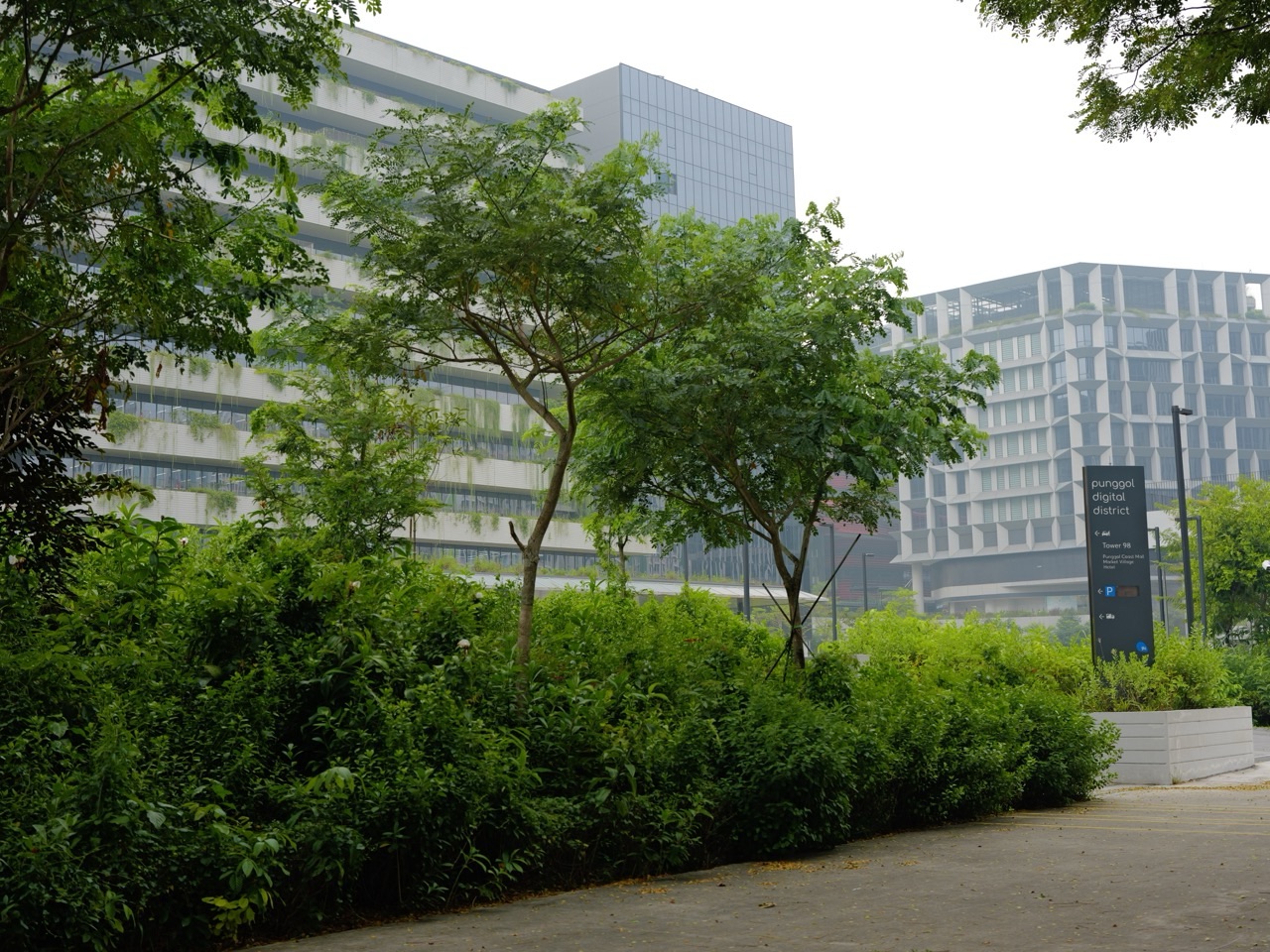
Punggol Digital District and the Singapore Institute of Technology campus provide a visible local reminder that technology is part of Singapore’s economy and education landscape. A parent can use a publicly available description of the district as the starting point for a research task: What is the place intended to support? Which claims are official? What is already operating, and what is a proposed future development? The student should check dates rather than assume every promotional plan is complete.
This is not a claim that a PG1 student automatically receives access to SIT facilities or a particular technology internship. The educational activity is about gathering accurate information and recognising the difference between a present fact and a future plan. Ask the child to summarise what a reliable source establishes and what remains uncertain. The local setting gives digital literacy a meaningful subject without creating unrealistic promises.
A four-week digital literacy learning plan
Week one can focus on school platform routines and secure account handling. Week two can practise source evaluation using an age-appropriate public information question. Week three can examine a fictional AI-generated claim and identify how to verify it. Week four can ask the student to create a small original digital product with accurate sources and appropriate disclosure of tools. The school may have its own sequence, so the family should adapt rather than replace it.
Keep the assignments short. A student might create a one-page explanation of a community feature, including one verified source and a statement of what they checked. The quality of the work comes from accuracy and independence, not graphic sophistication. If the child cannot explain the source or the claimed fact, revisit that step. A small responsible routine is more valuable than a broad technology programme that relies on copied answers.
Worked example: the AI answer with an invented quotation
Imagine a fictional Punggol student, Chloe, using a permitted AI tool to explore a historical event. The tool produces a convincing quotation attributed to a person in the story. Chloe cannot find the quotation in the original source. Instead of submitting it, she checks a trusted reference and discovers that the wording is unsupported. She removes the claim and writes a narrower explanation using evidence she can verify.
This is a valuable learning outcome even though the tool made an error. Chloe has practised verification, source comparison and integrity. Her teacher can evaluate her actual reasoning. The important principle is that a fluent answer is a claim requiring evidence. Parents can reinforce this habit by asking what was checked rather than praising the speed with which an answer appeared on the screen.
Worked example: a message that impersonates the school
Imagine a fictional student, Ray, receiving a message claiming that his school account will be disabled unless he enters his password immediately. The message includes a convincing logo but comes from an unfamiliar address. Ray remembers the rule to verify independently. He does not use the supplied link. Instead, he checks the school’s recognised communication channel and seeks advice from an appropriate adult or school staff member.
The learning point is not that every unfamiliar email is malicious. It is that urgency and visual familiarity are insufficient proof. Ray has used a safe process under uncertainty. If he had clicked the link, the next step would be to report what happened and follow official account-protection instructions, not hide it out of embarrassment. Cyber wellness education should make good decisions more likely in the real world.
What a parent should ask a Punggol secondary school
When evaluating Edgefield Secondary, Greendale Secondary, Punggol Secondary, Yusof Ishak Secondary or another eligible school, ask how digital literacy is taught across subjects, what device and management arrangements apply and how students receive help with online platforms. Ask how the school teaches source verification, AI limitations and cyber wellness, including deepfakes. Request current information for the child’s actual intake rather than relying on an older student’s device instructions.
Also ask how digital skills are supported for pupils who are new to particular software or have accessibility needs. A student should not be excluded from meaningful learning merely because they have less experience with an application. Clarify what happens when a device breaks or internet access is unreliable. The answers will reveal practical support arrangements that affect everyday schooling more directly than a school’s claim to be technologically advanced.
Digital literacy should not become a purchase competition
Some parents assume that a more expensive device, specialised software subscription or private coding course automatically gives their child an educational advantage. But the learner still needs to evaluate information, understand tasks and use the tools appropriately. A fast computer cannot repair a misconception by itself. The school’s prescribed device and approved software should guide practical decisions.
Before spending money, ask what problem the additional product solves and whether a free, school-supported or existing option is adequate. Ensure that the purchase does not create a security or compatibility problem. For a student struggling with basic submission routines, the best intervention may be a five-line checklist rather than a new laptop. Educational effectiveness depends on matching a tool to a real learning need.
The difference between digital opportunity and future eligibility
A child who enjoys AI, spreadsheets or coding may become interested in Computing, engineering, design or other technical courses. Encourage that curiosity while keeping future pathway discussions accurate. A technology-related CCA, school Code for Fun activity or personal project is not an automatic route to a specific SEC subject, polytechnic diploma or university programme. Actual subject combinations, prerequisites and results matter.
At Secondary 1, the family can focus on reliable foundations: English comprehension, Mathematics, logical reasoning, safe technology use, creativity and responsible collaboration. As the student progresses, consult the school’s current course offerings and official admissions criteria. There is value in exploring technology without declaring that a twelve-year-old must commit to a single future career. Good education expands options through competence rather than promises.
Frequently asked questions about PG1, AI and digital safety
Does PG1 mean my child cannot learn coding or AI? No. PG1 is an admission Posting Group. General digital literacy and AI education are relevant across subject levels. Specific Computing subjects or activities have their own school arrangements and eligibility.
Will every secondary student take exactly the same Code for Fun class in 2027? MOE announced that the enhanced programme will be available to all schools in 2027. The actual school implementation and student experience must be confirmed; availability does not guarantee identical lessons.
Can AI be used to complete school essays? Only as permitted by the school’s assignment rules. Students must not submit tool-generated work dishonestly as independent understanding, and claims still need verification.
What should my child do when an online message asks for a password? Do not enter credentials through an unverified link. Check through an independent authorised channel and seek help from a trusted adult or school staff member.
How can we tell whether a video is a deepfake? There is no universally reliable visual trick. Verify the publisher, origin and claims through credible independent sources; avoid forwarding suspicious media as fact.
Does a school learning device need supervision? Follow the school’s device and management rules while gradually building responsible independence. Discuss task purpose, privacy, wellbeing and how to seek help when problems occur.
Official MOE sources and related Punggol guides
Read MOE’s 2026 education announcements, MOE’s EdTech Masterplan 2030, MOE Full Subject-Based Banding, MOE SchoolFinder and IMDA’s anti-scam resource overview. Related Punggol learning guides include PG1 G1 English, PG1 Design and Technology and the first 90 days under Full SBB.
This article reflects available policy information as of November 2026. It does not grant school-device access, describe a particular private account or replace the receiving school’s platform and academic-integrity instructions. The most useful next action is to ask the student to verify one online claim through a trustworthy source and explain why that source deserves confidence—without sharing any private information.


