
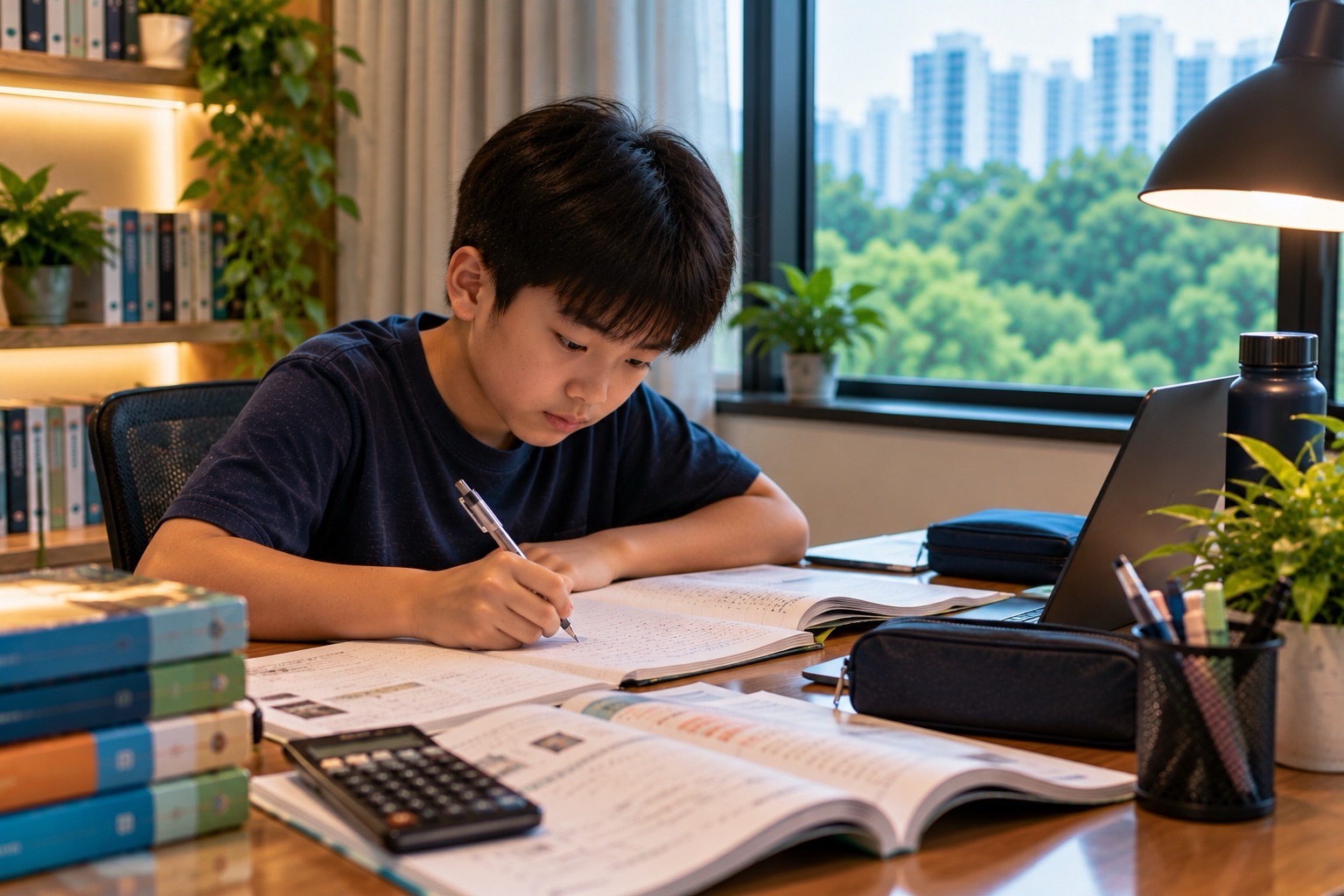
From January 2026, Singapore secondary-school students are generally not permitted to use smartphones or smartwatches during school hours, including recess, co-curricular activities (CCAs), supplementary lessons and other school activities. Schools may allow necessary exceptions and set their own implementation details. This is a screen-wellbeing measure across secondary schools, not a different rule for students taking G1, G2 or G3 subjects under Full Subject-Based Banding (Full SBB).
For a Punggol family preparing for Secondary 1 in 2027, the key decisions are whether the child should bring a phone at all, where the receiving school requires it to be kept, how parents can contact the pupil in an emergency, and how the school-prescribed Personal Learning Device (PLD) fits alongside the no-phone rule. Phones are not automatically confiscated for the whole year; approved storage, teacher permission and school-level discipline procedures matter. The aim is to protect learning, face-to-face interaction and healthier digital habits while keeping essential communication possible.
- MOE tightened smartphone and smartwatch guidelines from January 2026, extending non-use beyond lessons to recess, CCAs and other school hours.
- Students’ devices should be kept in designated storage such as lockers or school bags, according to each school’s instructions.
- Schools can authorise exceptions when necessary, and families should verify the exact local process.
- Phone possession, phone use and a school-prescribed PLD are three different questions; do not assume they have identical rules.
- MOE moved the default Device Management Application cut-off for secondary PLDs from 11 pm to 10:30 pm in January 2026.
- Parents should use the school’s official channels for urgent messages instead of assuming the child can check WhatsApp during lessons.
- Cyber Wellness education includes responsible communication, privacy, age-appropriate online activity, identifying scams and evaluating AI-generated information.
- The rule applies regardless of a student’s Posting Group, academic subject level or CCA category.
Fast answer: From January 2026, secondary-school smartphones and smartwatches are generally not to be used during lessons, recess or CCAs. Each school explains the storage, communication and necessary exceptions.
Contents: phone rules and healthier digital habits
- 1. The exact policy change that began in January 2026
- 2. What ‘during school hours’ means
- 3. The difference between not using and not possessing a phone
- 4. Why smartwatches are included
- 5. What designated storage may involve
- 6. How students contact parents in an emergency
- 7. How parents contact students during lessons
- 8. Why recess is part of the restriction
- 9. Phones during CCAs
- 10. What if the parent needs to change pickup
- 11. Why Full SBB G levels do not affect the rule
- 12. A school-prescribed PLD is different
- 13. Why the PLD default cut-off moved to 10:30 pm
- 14. How school-specific consequences are decided
- 15. What necessary exceptions might look like
- 16. Medical or accessibility-related communication
- 17. A child travelling alone from Punggol
- 18. Location tracking is not the whole safety plan
- 19. Screen time and sleep
- 20. Building face-to-face friendships
- 21. Cyber Wellness and school values
- 22. Class chats and subject-group chats
- 23. Cyberbullying does not stop at the school gate
- 24. Privacy, photography and consent
- 25. Social-media minimum ages
- 26. Scams and phishing messages
- 27. Deepfakes and AI-generated information
- 28. AI homework and responsible help
- 29. Why school rules differ in details
- 30. A fictional first-week phone misunderstanding
- 31. A fictional late-CCA emergency
- 32. A four-week family digital-routine plan
- 33. Where Full SBB fits into healthy technology use
1. The exact policy change that began in January 2026
MOE expanded existing school rules so that smartphones and smartwatches are generally not used during the full school day, rather than only during lessons. The expanded restriction includes non-lesson periods such as recess and scheduled co-curricular or supplementary activities.
The policy was announced on 30 November 2025 and implemented from January 2026. Its objective is healthier digital habits, attention and social interaction. A 2027 Secondary 1 parent should therefore treat it as an existing school routine rather than a new trial beginning with the child’s intake.
Parent action: Read the receiving school’s current 2027 student handbook to find its exact storage and permission rules.
2. What ‘during school hours’ means
The national guidance covers curriculum time and associated activities, not only the minutes between the start and end of a formal Mathematics period. Recess, CCAs, supplementary lessons, remedial classes and enrichment programmes are explicitly included in the expanded restrictions.
Different schools manage transitions between the last timetabled lesson and a subsequent activity differently. The parent should not assume that a rule allowing use in one school’s canteen applies in another school. The school is responsible for communicating the actual routine.
Parent action: Ask for the permitted device-use times and places for a normal day and a late-CCA day.
3. The difference between not using and not possessing a phone
MOE’s announcement describes non-use and safe storage during school hours, with schools deciding implementation arrangements. This is not a blanket statement that all secondary pupils are forbidden to own or carry a phone under every circumstance.
Some schools require students to store phones in lockers; others specify approved school-bag or designated storage procedures. A parent may choose to send a device for after-school communication, but the child must still follow the school’s restrictions. Do not infer permission to use it merely because it is in the bag.
Parent action: Distinguish whether the school permits bringing the phone, where it stays, and when it can be retrieved.
4. Why smartwatches are included
Smartwatches can display messages, notifications, calls and applications that distract from learning and social interaction. MOE’s expanded rule explicitly covers smartphones and smartwatches, rather than treating watches as entirely separate because they are smaller.
Some pupils use a smartwatch for ordinary timing, while others use it for health or accessibility reasons. The receiving school can explain permitted alternatives and how necessary exceptions are considered. A parent should not assume a smartwatch is exempt just because its screen is small.
Parent action: Check the specific watch’s communication functions and ask the school about any relevant medical or accessibility need.
5. What designated storage may involve
MOE guidance refers to school bags or designated areas, such as lockers. Actual schools have adopted different arrangements. One may require a phone to be switched off and locked away before assembly, while another may specify collection or retrieval rules at dismissal.
The student needs to know how to store the device securely without interfering with lessons. Parents also need to understand the consequences of failing to follow storage rules and whether school staff supervise retrieval. Neither a universal national locker type nor a universal confiscation period should be invented.
Parent action: Practise the prescribed storage and retrieval routine during school orientation.
6. How students contact parents in an emergency
A genuine need to reach a parent during school hours should be handled through approved school channels. School offices and staff can help with urgent messages according to their local procedure; some schools explicitly direct students to the general office telephone.
Families should not train a new Secondary 1 pupil to secretly message during a lesson because a parent is anxious. Equally, the child should know whom to approach if there is a real emergency. The objective is reliable communication without undermining safety or school routines.
Parent action: Save the school’s general office number and teach the teenager exactly where to ask for urgent help.
7. How parents contact students during lessons
The school’s official contact channels are more reliable than expecting a pupil to read personal messages on demand. Parents can contact the general office or follow the school’s stated emergency communication route during operating hours.
A teacher cannot necessarily stop a lesson each time a parent sends an ordinary message. Families should separate time-sensitive emergencies from routine reminders about lunch money, tuition or pickup. Repeated non-urgent interruptions may create avoidable anxiety.
Parent action: Agree on one emergency-contact procedure and one after-dismissal messaging routine.
8. Why recess is part of the restriction
MOE’s expanded guidelines explicitly include recess. The intention is to help students interact with classmates, eat, move and rest without defaulting to personal devices throughout the break.
For pupils in mixed form classes, recess can be an important opportunity to maintain friendships across different subject groups. Removing phones does not automatically create relationships, but it can give students space to talk and pay attention to one another.
Parent action: Ask the child about meals, friends and activities during recess rather than about the messages they could not read.
9. Phones during CCAs
Co-curricular training, rehearsals and club activities fall within the expanded non-use policy. Students should follow school or teacher instructions rather than assume that the end of academic classes means unrestricted personal phone use.
The rule can be especially relevant to families with late dismissal. Some schools specify approved communication windows between lessons and CCA or after all school activities. That is a local procedure, not a nationwide promise. Students also need a safe route home.
Parent action: Ask the CCA teacher what the communication plan is when training ends late or unexpectedly.
10. What if the parent needs to change pickup
A late train, delayed meeting or sudden family issue can require changes to pickup plans. The school may provide a channel for urgent messages, and pupils may be able to use a phone at permitted times or locations under local rules.
Do not assume a child can instantly receive a private message during PE or a sports session. Instead, establish a sensible backup plan such as a known school pickup location and a trusted authorised contact. Avoid sending strangers to collect the pupil without following school procedures.
Parent action: Make a short, written plan for delayed pickup that does not depend on constant phone access.
11. Why Full SBB G levels do not affect the rule
Full SBB subject levels describe academic curriculum demand. Digital-device rules apply to the school community rather than offering special privileges for G3 Mathematics or extra restrictions for G1 English.
A pupil might use a school-prescribed digital device to study a particular subject at a different level, but that does not authorise unrestricted personal phone use. Parents should model the distinction by discussing behaviour rules separately from academic ability.
Parent action: Tell the child that safe school conduct is shared across subject groups and Posting Groups.
12. A school-prescribed PLD is different
The Personal Learning Device is issued or prescribed for educational work under the National Digital Literacy Programme. Schools configure these devices with a Device Management Application and relevant learning software. They serve curriculum tasks under teacher direction.
A privately owned phone used for social messaging is not interchangeable with an approved PLD. A family should not claim that the phone ban makes SLS inaccessible because the school uses managed devices and approved digital channels for learning. Actual school equipment requirements vary.
Parent action: Follow the receiving school’s PLD instructions rather than buying a retail device based on a friend’s recommendation.
13. Why the PLD default cut-off moved to 10:30 pm
In the enhanced measures announced for January 2026, MOE brought forward default Device Management Application sleep hours on secondary school PLDs from 11 pm to 10:30 pm. The change is intended to encourage healthier device use and rest.
Parents should distinguish default DMA timing from their child’s entire household screen routine. Some school or parental settings can differ according to authorised arrangements. A pupil still needs enough time for homework, meals and sleep without relying on a PLD late every night.
Parent action: Ask about legitimate device-management options and set a realistic family bedtime routine.
14. How school-specific consequences are decided
MOE provides national guidance, while schools implement conduct rules and discipline practices appropriate to their students. These may involve reminders, counselling, confiscation for a specified period, notification to parents or other educative consequences.
The word ‘ban’ should not lead parents to promise the same penalty at every school. An accidental mistake, repeated deliberate misuse and a safety-related incident may be addressed differently within the school’s procedures. Students should understand the rules before disciplinary problems arise.
Parent action: Read the current handbook and discuss how the school responds to repeated misuse.
15. What necessary exceptions might look like
MOE allows schools to permit phone use when necessary. An approved exception could relate to a practical safety, health, accessibility or teaching need, but the actual permission must be arranged with the school.
A parent should not unilaterally decide that location tracking, medical monitoring or private tuition requires unrestricted personal phone access during the school day. The relevant school can coordinate an appropriate and confidential arrangement while protecting the student.
Parent action: Explain the real functional requirement to the school and obtain the prescribed approval.
16. Medical or accessibility-related communication
Some students need to communicate about a health condition, use an assistive device or follow a medically relevant routine. Those needs should be discussed privately with appropriate school staff, rather than assumed to be prohibited without consideration.
A medical exception is not an invitation to share a child’s diagnosis with classmates or a large parent group. The school’s student-support and health procedures can identify what equipment or access is necessary and how it should be supervised.
Parent action: Provide only relevant information through the school’s authorised confidential channel.
17. A child travelling alone from Punggol
Families often give teenagers phones for commuting rather than entertainment. A Secondary 1 student may need to use the device after dismissal to contact home, check an approved route or respond to an unexpected transport problem.
The school-day restriction does not remove the need for a safe travel plan. Confirm exactly when the pupil can retrieve and use the device, then practise what to do if the battery is empty or a train service is disrupted. No single commute estimate fits all Punggol addresses.
Parent action: Agree on an after-school check-in point and an offline backup contact plan.
18. Location tracking is not the whole safety plan
Some parents use device location sharing for reassurance. Such systems may be unavailable when a school requires the phone to be turned off or stored, and coverage or battery problems can make information unreliable.
A safer family plan includes known routes, reasonable reporting times, emergency contacts and teaching the child when to approach an official staff member for help. Constant tracking may also create conflict with a teenager learning independence.
Parent action: Use tracking only where appropriate and never treat an unavailable location dot as proof that something terrible happened.
19. Screen time and sleep
Healthy digital habits concern more than following school rules. Late-night games, social-media feeds and notifications can reduce sleep and make concentration harder the next morning. Secondary pupils need a routine that protects recovery as well as learning.
MOE’s revised PLD cut-off highlights the importance of evening boundaries, but family rules should also consider personal phones, televisions and other screens. Bans alone do not teach a child to understand why the behaviour matters.
Parent action: Agree on a device-free bedtime routine and explain its purpose without using shame or threats.
20. Building face-to-face friendships
A mixed form class offers opportunities to know peers from different academic subject levels. If students spend every break looking at phones, some of that contact is lost. The expanded non-use rules are intended to encourage more interaction and participation.
A withdrawn or anxious child will not automatically become outgoing simply because a phone is stored. Parents and teachers may still need to support respectful introductions, inclusive activities and help for social difficulties. Technology boundaries should not be mistaken for a cure for isolation.
Parent action: Ask about one shared conversation or school activity rather than demanding a perfect social life.
21. Cyber Wellness and school values
Cyber Wellness teaches students to make responsible digital decisions, treat others respectfully, understand privacy risks and balance online activity with ordinary life. MOE includes these topics within Character and Citizenship Education.
Learning about cyber wellness remains important even if personal smartphones are not used during recess. Pupils continue to encounter digital platforms outside school, at home and through approved learning technologies. Classroom rules and critical judgement complement each other.
Parent action: Discuss one realistic online dilemma at home and ask how the child would respond safely.
22. Class chats and subject-group chats
Full SBB students may have different academic subject groups, form classes and CCAs, creating multiple potential communication channels. Official school notices should be separated from informal student chats, especially when assignments or timetables change.
A message copied from another subject-level group can mislead the pupil about which worksheet is due. Class chats can also expose student names, private results or comments that do not belong in public. The school should confirm its approved channels and digital conduct rules.
Parent action: Teach the child to verify subject, level, teacher and deadline before forwarding messages.
23. Cyberbullying does not stop at the school gate
Harassing messages, impersonation and humiliating images can follow students home after the phone-free school day. The absence of devices during lessons does not make online abuse irrelevant to school wellbeing.
Parents should listen carefully, preserve appropriate evidence and report school-related harassment through established support channels. Avoid reposting the material or publicly identifying other minors. Serious threats require timely safety support rather than an argument inside a group chat.
Parent action: Teach a calm response: stop, save relevant evidence, tell a trusted adult and seek appropriate help.
24. Privacy, photography and consent
A camera-equipped device can capture classmates, teachers and school spaces. Students should follow school policies on recording, photographs, sharing and consent. A funny clip that includes someone else’s private information can cause genuine harm.
Parents should not encourage a child to secretly film teachers or other pupils to settle an ordinary disagreement. Where a serious concern arises, the school has procedures for documenting and investigating it appropriately. A safe digital habit includes asking permission before posting.
Parent action: Discuss the difference between observing something, recording it and publishing it for strangers to see.
25. Social-media minimum ages
Online platforms have service-specific minimum ages and safety settings. A student who has just entered Secondary 1 may encounter social-media accounts, messaging groups and influencers before developing strong judgement about privacy and manipulation.
Parents should check the actual platform rules rather than assume every application is appropriate because classmates use it. A family can agree on age-appropriate accounts, privacy settings, communication rules and time boundaries without turning monitoring into a constant conflict.
Parent action: Review the services the child actually uses and their current age and privacy requirements.
26. Scams and phishing messages
Students may receive messages claiming a free game reward, exam answer leak, scholarship offer or urgent school payment. Scammers can imitate official-looking logos or use account-compromise links. A phone-free school day does not eliminate exposure outside school.
Teach pupils to stop before opening suspicious links or sharing passwords and one-time codes. A message apparently from a teacher should be verified through the school’s official channel if it requests unusual personal details or payment. Encourage children to report mistakes early.
Parent action: Practise three questions: who sent it, why is it urgent and where can I verify it independently?
27. Deepfakes and AI-generated information
MOE’s 2026 plans expand cyber-wellness coverage of AI-generated information and deepfakes. Students should understand that convincing images, voices and fluent explanations can be fabricated or misleading. This is relevant to school research, peer relationships and social-media consumption.
A teenager who receives a manipulated classmate video should not share it as evidence. Parents can discuss verification through original sources, context and trusted adults. When schoolwork uses AI-enabled tools, the same principle applies to checking factual claims.
Parent action: Ask the child to identify the source and evidence of one surprising digital claim before believing or forwarding it.
28. AI homework and responsible help
AI tools can generate explanations, example essays, code and answers. They can also invent facts and conceal a student’s actual misunderstanding. Schools may have academic-integrity rules governing when and how digital assistance is permitted.
A parent who asks AI to complete the child’s homework may produce a polished submission that does not show learning. Better use involves explaining a concept, asking questions, verifying sources and then letting the pupil work independently. The same principle applies across G levels.
Parent action: Have the child explain a submitted answer without digital prompts before considering the task complete.
29. Why school rules differ in details
The national policy sets broad expectations, while each secondary school may specify device storage, approved use locations, discipline and permitted communication. Xinmin Secondary’s 2026 letter gives one local implementation, while Bowen Secondary’s 2026 handbook describes another.
Parents should not copy one school’s locker rule or a screenshot of another student’s permission into their own child’s campus. Schools also update procedures during the year. Information should be read with the correct institution, date and level.
Parent action: Use the receiving school’s live notice as the source of operational truth.
30. A fictional first-week phone misunderstanding
Imagine fictional student Kai arriving at a Punggol-area school with a smartwatch that can receive messages. He believes watches are allowed because they are not phones. A teacher explains that the school’s restrictions cover both devices during school hours.
Kai learns where the device must be stored and how to contact his parent if something urgent happens. His family changes the pickup routine instead of encouraging him to hide the watch. This example is not a description of an actual named school incident.
Parent action: Teach the device rule before orientation and give the child a safe way to ask questions.
31. A fictional late-CCA emergency
Imagine fictional student Aisha finishing a school activity later than expected. Her phone is stored under the school’s procedure during training, and her parent sends repeated messages that cannot be read immediately.
The teacher and school explain the permitted end-of-activity communication plan. The family arranges a fixed meeting point and knows the official contact route. The lesson is that practical safety depends on preparation, not constant access to notifications.
Parent action: Rehearse a delayed-dismissal plan that works even when the child cannot read personal messages.
32. A four-week family digital-routine plan
Week one: read the school’s rules and practise phone storage. Week two: confirm PLD settings, school IT access and the official contact channels. Week three: discuss privacy, respectful group communication and cyberbullying. Week four: review evening screen use, sleep and whether the child can manage the routine independently.
Urgent safety or medical needs should be raised immediately, not deferred to week four. The plan is intended to create clear household and school expectations, rather than add more controls without explaining the reasons.
Parent action: Let the teenager contribute to the rules and evaluate what genuinely improves attention and wellbeing.
33. Where Full SBB fits into healthy technology use
A flexible subject-level system creates many opportunities to use digital tools for learning, but the child’s real-world relationships, wellbeing and curiosity remain central. A school-prescribed PLD should help the teenager learn the actual curriculum, not define their worth.
Parents can support both academic ambition and balanced technology habits. A student who needs additional help with Mathematics, English or Science benefits from accurate teaching and feedback, not unlimited late-night screen time or a constant phone connection.
Parent action: Treat learning technology as a tool within a larger school life that includes sleep, friends, movement and family.
First-week phone and communication checklist
- Read the 2027 receiving school’s device policy
- Confirm what phones and smartwatches may be brought to school
- Understand secure storage and retrieval time
- Save the general office number and approved emergency route
- Agree on late-CCA pickup and after-dismissal communication
- Ask privately about any medically necessary exception
- Know PLD and DMA sleep settings separately
- Discuss cyberbullying, privacy, scams and AI-generated misinformation
- Set a realistic evening screen and sleep routine
- Have the child explain the rules without guessing from peers
Frequently asked questions
Can secondary pupils use smartphones during recess in 2027?
Under the national guidelines introduced in January 2026, smartphone use is generally prohibited during school hours, including recess, subject to school-approved exceptions.
Does the rule include smartwatches?
Yes, MOE’s expanded guideline explicitly includes smartwatches.
Are students forbidden from bringing phones to school?
The national rule covers non-use and school-designated storage; consult the receiving school’s own possession and storage rules.
Can my child use the phone after academic lessons but before CCA?
This depends on the school’s approved schedule and locations. Do not assume the same procedure across schools.
What happens if my child urgently needs to call me?
Use the school’s designated emergency contact or general office process.
Can a health-related exception be granted?
Schools may approve necessary exceptions; discuss documented functional needs privately.
Does G3 allow more phone use than G1?
No. Subject level does not confer special personal-phone privileges.
Can a school prescribe a PLD while banning personal phones?
Yes. A managed school learning device has a different educational purpose and use rules.
What is the default PLD sleep time?
MOE brought the default DMA cut-off forward to 10:30 pm from January 2026.
Are the rules identical at every campus?
National guidelines are shared, but schools implement detailed storage, exceptions and discipline rules.
What about cyberbullying outside school?
Report relevant harm using school and platform channels, preserve evidence appropriately and seek safety support when necessary.
Are AI-generated images and answers trustworthy?
Not automatically. Students should verify sources, context and the academic reasoning.
What if my child travels alone by MRT?
Make a safe after-dismissal communication and backup plan following the school’s device rules.
Where do I find the exact rules?
Use MOE’s November 2025 enhanced-measures announcement and the allocated school’s current handbook.
Official information and connected guides
The national change is described in CNA’s report of MOE’s 30 November 2025 enhanced measures. Compare documented implementation through Xinmin Secondary’s January 2026 parent letter and Bowen Secondary’s 2026 rules. MOE’s 2026 announcements also explain AI literacy and cyber wellness. For learning devices see our HBL, SLS and PLD guide.
Reviewed 6 November 2026. Operational instructions and exceptions vary by school. A child should follow the actual receiving school’s handbook and staff directions. Fictional student stories are illustrative.


