
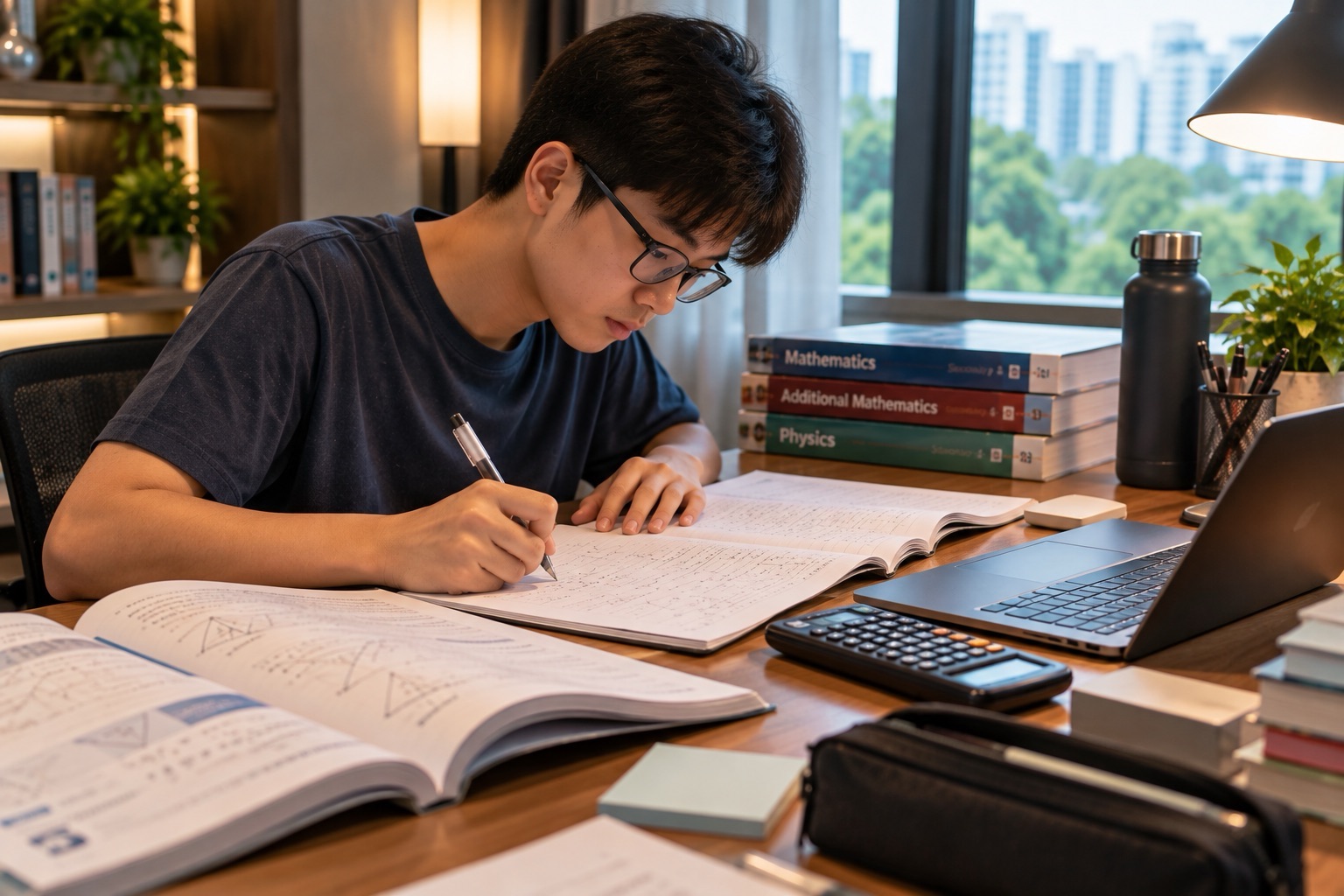
Full Subject-Based Banding (Full SBB) allows secondary students to take individual academic subjects at G1, G2 or G3 levels while belonging to mixed form classes. Home-based learning (HBL), the Singapore Student Learning Space (SLS), and school-prescribed Personal Learning Devices (PLDs) support learning across these subject combinations. HBL does not mean that schools disappear or that every pupil receives the same online worksheet. The receiving school sets the timetable, assignments, platforms, attendance instructions and support channels for its actual cohort.
For Punggol families preparing for Secondary 1 in 2027, the immediate tasks are practical: use the school-approved device instead of buying an unapproved laptop, learn how SLS accounts work, check the school’s HBL schedule, set up a quiet and realistic learning space, and understand what to do when internet access or the device fails. MOE’s National Digital Literacy Programme and Student Learning Space are established national programmes, but each secondary school’s hardware, security settings, HBL days and helpdesk arrangements can differ.
- Full SBB is about curriculum levels and shared school life; it does not mandate identical digital lessons for G1, G2 and G3.
- The National Digital Literacy Programme supports digital literacy, and secondary pupils use school-prescribed personal learning devices under the Personalised Digital Learning Programme.
- SLS provides curriculum-aligned resources, assignments and collaborative or self-directed learning. Teachers still decide what pupils must complete.
- HBL arrangements and frequency are school-specific. One school’s fortnightly HBL calendar is not the timetable for every Punggol secondary school.
- The school’s Device Management Application, acceptable-use rules and device procurement instructions govern use; an ordinary personal tablet is not necessarily approved.
- SLS AI-enabled features may give feedback or suggest activities, but outputs can be wrong and must be checked with teachers and reliable sources.
- Device trouble, unreliable internet and account problems should be reported using the school’s official instructions rather than treated as an academic failure.
- Every HBL day still needs meals, breaks, movement, honest work and a manageable workload.
Fast answer: Use the actual school’s HBL schedule, its prescribed PLD and approved digital accounts. Focus on independent learning and seek official support for technical or access problems.
Contents: Full SBB digital school life
- 1. What changes for a Full SBB learner when lessons go online
- 2. Three terms that parents need to separate
- 3. Why every secondary pupil may need a PLD
- 4. What a school-prescribed device means
- 5. PLD funds, Edusave and financial assistance
- 6. Device Management Application and parental expectations
- 7. Why each school’s HBL timetable is different
- 8. What to prepare the day before HBL
- 9. A practical HBL morning
- 10. SLS login and account help
- 11. SLS assignments are not one-size-fits-all
- 12. Digital feedback and when not to trust it blindly
- 13. The SLS Adaptive Learning System
- 14. Student Learning Assistant and AI literacy
- 15. Digital plagiarism and authentic schoolwork
- 16. A simple home study space
- 17. Screen breaks and physical movement
- 18. What if the internet stops working?
- 19. What if a PLD fails on an HBL day?
- 20. Password protection and account security
- 21. When a student receives work from several teachers
- 22. How Common Curriculum can appear online
- 23. HBL and Mother Tongue assignments
- 24. Why online G-level comparisons are misleading
- 25. Self-directed learning and student agency
- 26. Student-initiated learning opportunities
- 27. The role of Parents Gateway
- 28. Online bullying and cyber wellness
- 29. A fictional family without stable home internet
- 30. A fictional student misusing AI feedback
- 31. A realistic four-week HBL preparation plan
1. What changes for a Full SBB learner when lessons go online
Under Full SBB, students do not all take the same academic subject at the same G level. In online learning, the relevant teacher still assigns material according to the student’s actual subject group. A G2 Mathematics task may be different from a G3 task, even when classmates share a mixed form class during common lessons.
The important distinction is not which device the child owns. It is whether the digital assignment matches the approved syllabus and whether the student understands how to submit it. An HBL timetable may also include class-wide, independent and collaborative elements.
What to do: Check the subject, level, activity and deadline rather than assuming a classmate received the same task.
2. Three terms that parents need to separate
NDLP is the National Digital Literacy Programme, which supports education in a digital world. PLD refers to the school-prescribed personal learning device. SLS is the Singapore Student Learning Space, MOE’s national learning platform. HBL describes learning arranged away from the physical school campus for designated periods.
These are connected but not interchangeable. A child can use SLS at home or in a classroom. A PLD can also be used for approved school applications beyond SLS. The school sets HBL routines using these resources where appropriate.
What to do: Write the four terms on the first page of the digital-learning folder and explain what each does.
3. Why every secondary pupil may need a PLD
The National Digital Literacy Programme was introduced in 2020, and schools subsequently implemented the Personalised Digital Learning Programme for secondary students. The objective is to equip pupils to learn, collaborate, create and use technology responsibly. School-prescribed PLDs are intended to be integrated with learning rather than merely to increase screen time.
That does not mean a parent should buy the most powerful consumer laptop. Schools prescribe devices to meet teaching, security, technical-support and procurement needs. An expensive machine may still be incompatible with a school’s configuration or required management settings.
What to do: Wait for the receiving school’s current device notice and purchasing instructions.
4. What a school-prescribed device means
A school may specify a Chromebook, laptop or another approved platform according to its programme and technical arrangements. Meridian Secondary’s 2026 NDLP page, for example, describes a prescribed Chromebook and explains that students use it through the secondary years. That is a documented school example, not a national guarantee about every school’s exact model.
Parents should confirm the school device, specifications, purchase route and any existing-device option where provided. Different brands can require different charging, software and repair procedures.
What to do: Buy or obtain only the model and configuration supported by the actual school.
5. PLD funds, Edusave and financial assistance
Schools explain that eligible Singapore Citizen students can use Edusave funds to pay for approved personal learning devices, subject to the programme’s arrangements. Families with financial difficulty should ask about relevant support rather than assume a device is an unaffordable extra requirement.
The available payment method, subsidy, parental contribution, device insurance and approved purchase price can vary by school and year. A balance in Edusave is not a promise that any unapproved retail device will be reimbursed.
What to do: Check the school procurement circular and the Student Finance System before spending money.
6. Device Management Application and parental expectations
School PLDs are generally managed using a Device Management Application (DMA) or equivalent controls under the relevant school arrangements. This can support safer use, appropriate educational access and device administration. Such settings may restrict applications or use during specified hours.
Parents should not attempt to bypass management software just because a consumer review says the same laptop could run more applications. The school’s acceptable-use policy and privacy arrangements govern student use. Schools can explain their current after-school parental controls where applicable.
What to do: Ask which settings are managed by the school and which legitimate parent options exist.
7. Why each school’s HBL timetable is different
Some schools schedule HBL on recurring dates; others have arrangements tied to their curriculum and activities. Bedok South Secondary’s published HBL page describes even Fridays, fortnightly, for its 2026 programme. That example is a real school timetable, not proof every school has HBL on even Fridays.
The receiving school’s calendar, login time and task list are authoritative for that school. A parent comparing a friend’s schedule should expect differences. A teenager needs to recognise that HBL is still school learning even without a physical classroom.
What to do: Use the school-specific 2027 HBL notice, not another school’s archived calendar.
8. What to prepare the day before HBL
A good HBL day begins with preparation rather than frantic login attempts. The student should charge the device, confirm access to approved platforms, review the next day’s subjects, identify required files and check where instructions will be posted. An unfamiliar password reset at the start of a live session can cause avoidable stress.
Families can keep a simple paper checklist as a backup. The goal is independence: the pupil should learn to prepare without a parent sitting beside the screen for every activity.
What to do: Ask the teenager to lead a five-minute device and timetable check the evening before HBL.
9. A practical HBL morning
Imagine a fictional Secondary 1 student in Punggol who wakes at a normal school-friendly time, eats breakfast, checks the official timetable and starts a teacher-assigned English activity before moving to Mathematics. A mix of quiet reading, online responses, practice and discussion could follow.
This example is illustrative, not a universal clock schedule. Actual schools differ in attendance check-in, online meetings, breaks and assignment deadlines. A family should never rely on invented lesson hours instead of the confirmed timetable.
What to do: Put the school’s actual reporting and break times where the child can see them.
10. SLS login and account help
SLS is MOE’s centrally managed platform for national-system teaching and learning. Schools can provide login details and instructions. Yishun Secondary’s 2026 HBL page, for example, gives school-based support during operating hours and the SLS Helpdesk for other approved periods.
A parent should not send passwords through unofficial chat groups or hand over a child’s account to a stranger offering fast technical help. When access fails, the correct first contact is the school or the official SLS support channel specified in the school’s guidance.
What to do: Save the official help link and the school’s IT contact in one private, easily found place.
11. SLS assignments are not one-size-fits-all
A student may receive quizzes, reading resources, videos, open-ended responses or collaborative work through SLS. Teachers can create tasks suited to the class’s subject level and learning purpose. Some assignments may provide feedback immediately; others may require a teacher’s later response.
Parents should distinguish completing a screen interaction from demonstrating understanding. A child who clicks through a quiz quickly but cannot explain the method may need help with the underlying concept. The platform supports teaching; it does not replace reasoning.
What to do: After an activity, ask what the child learned and which question still needs clarification.
12. Digital feedback and when not to trust it blindly
MOE’s 2026 SLS information describes AI-enabled features supporting learning, including feedback and personalised activities. It also cautions that generative AI responses are probabilistic and can be inaccurate. An explanation that sounds fluent is not automatically correct.
Students should compare feedback with the actual syllabus, teacher instructions and trustworthy sources. Parents can help children practise checking one claim or reworking one example. Using an AI tool to copy a final answer without understanding is not the same as learning.
What to do: Teach the child to ask ‘Why does this answer work?’ and to challenge doubtful AI feedback constructively.
13. The SLS Adaptive Learning System
SLS’s Adaptive Learning System offers personalised sequences and feedback in supported subjects. In 2026, the official SLS documentation identifies Mathematics at upper-primary and lower-secondary levels and Geography at upper-secondary levels among its covered areas. More topics may be added over time.
This is not an assurance that every Full SBB subject already has a complete adaptive pathway, nor that AI chooses a pupil’s G level. Teachers retain responsibility for instruction, assessment and appropriate class arrangements.
What to do: Check whether the feature has actually been assigned and what the pupil is expected to do with its feedback.
14. Student Learning Assistant and AI literacy
MOE’s SLS guidance says the Learning Assistant can help students work through interactive components, while warning that generated answers may be wrong. Its documentation asks pupils to complete relevant AI basic modules before using some AI-enabled features.
A teenager should learn that a plausible explanation is not proof. The learning assistant can support a first attempt, prompt further thinking or suggest questions, but the pupil must still judge the answer and show independent mastery.
What to do: Use AI to reveal a stuck point, not to manufacture work the child cannot explain.
15. Digital plagiarism and authentic schoolwork
When school tasks involve essays, projects, coding or research, copying generated or online text without the required attribution can undermine learning and violate school expectations. Teachers may also ask students to explain their planning, sources and decisions.
Families should teach source-checking, paraphrasing and responsible use of any digital assistance allowed by the school. A highly polished paragraph that the child cannot explain is a warning sign, even if no software detects plagiarism.
What to do: Ask the child to keep brief notes about what they researched, wrote and revised independently.
16. A simple home study space
A reliable learning space does not require an expensive home office. A table with enough light, appropriate seating, a place for school materials and reasonably controlled interruptions can make HBL easier. Students in shared homes may not have a separate room.
The family can negotiate practical arrangements such as headphones where permitted, a clear start time and a period when other household members avoid unnecessary noise. If stable internet or space is unavailable, speak to the school about options rather than hiding the obstacle.
What to do: Protect one usable workspace and help the student say what prevents concentration.
17. Screen breaks and physical movement
HBL involves digital tools, but students still need changes of position, meals, water and some physical activity. A long uninterrupted session can make even a well-prepared teenager tired and irritable. The school timetable may specify breaks or intervals.
Parents should avoid inserting extra screen-based enrichment into every available break. A short stretch, a snack or time away from the display can restore attention. Health needs and school instructions should guide individual adjustments.
What to do: Use the school’s actual timetable to plan genuine offline breaks.
18. What if the internet stops working?
A home internet outage can interrupt video lessons, online quizzes or submissions. The student should report the issue through the official channel and preserve enough information to explain which task was affected. Repeatedly pressing submit without checking the connection can create confusion.
A genuine technical problem is different from refusing to complete work, but the school needs timely and accurate information. Parents should avoid making up a successful upload or claiming that an assignment was submitted when it was not.
What to do: Record the error time and task, contact the teacher according to policy and follow the approved alternative.
19. What if a PLD fails on an HBL day?
Devices may fail to charge, develop screen faults or experience application issues. Schools have their own support and service arrangements, which can involve an IT coordinator, helpdesk, warranty or service process. Students should not attempt unauthorised repairs that could compromise the device or its security.
A family can help by identifying the actual fault and checking the school’s prescribed steps. If a loan device or alternative assignment is needed, only the receiving school can confirm it.
What to do: Use the official PLD troubleshooting and repair route before replacing anything privately.
20. Password protection and account security
SLS and other school digital accounts can contain names, assigned work, communication and assessment information. Password sharing, phishing and casual posting of screenshots create privacy risks. School-approved devices and accounts should be used only according to the acceptable-use policy.
A student can learn to identify a suspicious login link, avoid unknown attachments and ask whether a request came from the official school channel. Parents should not upload class lists or other students’ results to public forums seeking technical help.
What to do: Keep recovery methods secure and confirm messages through a known school source before entering credentials.
21. When a student receives work from several teachers
Under Full SBB, a teenager can have different subject teachers and academic groups. During HBL, that can produce multiple activity notices, platforms and deadlines. A child who relies on memory may miss one.
The solution is a single student-owned assignment list with subject, level, deadline, platform and completion status. Families can help establish the first version and gradually withdraw from daily monitoring as independence improves.
What to do: Spend five minutes at the end of HBL recording which tasks are truly submitted and which still need action.
22. How Common Curriculum can appear online
Shared lower-secondary subjects such as Art, CCE, D&T, Food and Consumer Education, Music and PE are not always identical to academic online quizzes. Teachers may assign safe reflection, planning, listening, research or other appropriate tasks.
Parents should not assume practical activities can be improvised using tools or ingredients without school instructions. Workshop safety, food allergies and physical limitations still matter at home. Activities should preserve the educational objective while respecting the child’s environment.
What to do: Follow the exact activity directions and ask the teacher before attempting an unsafe substitute.
23. HBL and Mother Tongue assignments
A learner may have Mother Tongue activities involving reading, listening, oral preparation or writing, depending on the actual subject level and school plan. A student with confident spoken language may still need time to decode formal texts or prepare structured responses.
Families should not treat home use of a language as permission to complete assessed responses on the student’s behalf. Adults can discuss vocabulary or ask clarifying questions while preserving independent work.
What to do: Ask the child to explain the task in their own words and identify which part is supposed to be assessed.
24. Why online G-level comparisons are misleading
A student might see a friend’s screenshot of a G3 quiz while working on a G2 assignment. The different materials reflect different syllabuses, not proof that the student’s own effort is less valuable. Grades from different online tasks may also be based on different objectives and marking systems.
Parents should compare a child’s progress with the appropriate task requirements and teacher feedback. Posting public screenshots of classmates’ work can add unnecessary competition and privacy risks.
What to do: Encourage the child to focus on their actual learning goals instead of ranking digital worksheets by prestige.
25. Self-directed learning and student agency
The purpose of blended learning includes helping pupils plan, check understanding and seek help without waiting for continuous adult direction. An HBL assignment gives a small opportunity to practise this independence.
Parents can provide structure without running the entire day. A child who decides when to start, reviews feedback and records unresolved questions is developing the capability to manage future study. Adult rescue for every difficult click can hide a skill that needs to grow.
What to do: Ask what the child plans to do first and when they will check progress, then let them try.
26. Student-initiated learning opportunities
Some schools include Student-Initiated Learning (SIL) periods within HBL. Bedok South Secondary’s 2026 HBL information, for example, describes opportunities for pupils to pursue interests and reflect on learning. That is a specific school’s published provision rather than a standard promise of identical time allocation nationwide.
SIL can support curiosity, small projects, reading or other educational exploration when aligned to school directions. Parents should not convert every interest into a résumé-building competition.
What to do: Ask the teenager to describe what they chose and what they learned from the experience.
27. The role of Parents Gateway
Parents Gateway is used by many Singapore schools to communicate with parents and manage relevant notices and actions. It is not the same as the student’s SLS login, though a school may use both during HBL.
Parents can read confirmed dates, consent requests or technical notices while helping the teenager maintain their own assignment list. A message in an unofficial parent chat does not override the school’s published instructions.
What to do: Check official school notices before sharing a HBL timetable or login instruction with another parent.
28. Online bullying and cyber wellness
HBL may involve discussions or digital group work, and students can still experience exclusion, harmful remarks or inappropriate sharing outside the physical classroom. A child should know which school and platform reporting channels apply.
Do not respond to harassment by circulating the messages to more people than necessary. Preserve relevant evidence where appropriate, speak privately with school staff, and escalate urgent threats or safety risks promptly. Subject-level differences never justify harassment.
What to do: Teach a simple rule: pause, preserve, report and seek adult support rather than retaliating publicly.
29. A fictional family without stable home internet
Imagine ‘Ryan’, a fictional Secondary 1 student sharing a Punggol flat with siblings. On HBL days the internet becomes unstable when several people join online sessions. He initially says he is simply bad at online learning.
His family records the technical pattern and contacts the school to ask what legitimate access or alternative arrangements may exist. They do not invent a permission to skip tasks or assume every school supplies free broadband. The lesson is to name the real barrier so it can be addressed.
What to do: Explain connectivity difficulties early and ask for school-specific support options.
30. A fictional student misusing AI feedback
Imagine ‘Clara’, a fictional pupil who uses an AI-enabled tool for a Science explanation. It produces fluent text that incorrectly describes a fair test. Clara initially believes the paragraph because it sounds authoritative.
Her teacher asks which variable changed and how evidence supports the conclusion. When Clara checks the science, she spots the error and rewrites the response independently. The tool becomes useful only when paired with critical judgement.
What to do: Have the child verify one important claim in the original lesson or reliable source before trusting generated feedback.
31. A realistic four-week HBL preparation plan
Week one: confirm the school-prescribed device, account login and official communications. Week two: practise opening and completing a simple SLS activity. Week three: test the home workspace and fix any recurring internet or charging difficulty. Week four: review whether the child can read instructions, submit work honestly and ask teachers precise questions.
This is an orientation sequence, not a reason to miss a technical registration deadline or a school HBL session. An urgent problem should be reported immediately. Parents should also respect school rules about device use and avoid unapproved software installations.
What to do: End each week with one improvement to the routine and one question for the school’s official support contact.
One-page HBL checklist
- Check the school-specific HBL date and reporting instructions
- Charge the prescribed PLD and confirm device access
- Confirm SLS login and approved communications
- Write down academic subject level for each assignment
- Prepare books, stationery, water and a suitable workspace
- Know the official IT contact or SLS helpdesk route
- Build screen breaks, meals and movement into the day
- Complete work independently and verify AI-enabled feedback
- Submit work through the correct platform and confirm completion
- Record unresolved learning questions for the relevant teacher
- Protect passwords, classmates’ privacy and digital wellbeing
Frequently asked questions
Is HBL the same as Full SBB?
No. HBL is a learning arrangement; Full SBB is the framework for subject-level learning and mixed form classes.
Do all secondary schools have HBL on the same day?
No. Confirm the actual receiving school’s annual or term timetable.
Does every school use the same PLD?
No. Schools prescribe devices and configurations according to their programmes.
Can my child use a family laptop instead?
Only if the school’s instructions permit the relevant device or arrangement.
What is SLS?
MOE’s national digital platform providing learning resources and student activities.
Does SLS automatically choose the child’s G level?
No. Subject levels are determined through official school educational processes.
Can an AI assistant inside SLS make mistakes?
Yes. MOE tells users that generative AI responses are probabilistic and may be inaccurate.
Can my child copy AI answers into schoolwork?
Follow the school’s academic-integrity rules; copying without understanding or appropriate disclosure undermines learning.
Who can reset SLS access?
Use school-issued support instructions and authorised SLS help channels.
What if there is no reliable home internet?
Tell the school the specific access problem and ask what support or alternative instructions are available.
Are PLDs free for everyone?
No general free-device promise should be assumed. Check Edusave, purchase and financial-support arrangements.
What is a DMA?
A school device-management system used to administer and safeguard prescribed PLDs.
Are HBL tasks always graded?
No. The school determines which activities are practice, assessment or collaborative learning.
Can parents help with homework?
They can support routines and ask questions while allowing the child to produce authentic work.
Where is the official guide?
See MOE’s Student Learning Space site and the receiving school’s NDLP/HBL pages.
Official resources and Punggol reading
Check Singapore Student Learning Space, SLS AI-enabled learning guidance (August 2026), MOE Generative AI guidance for parents (September 2026), East Spring Secondary NDLP guidance (November 2026), Bedok South Secondary HBL example and Yishun Secondary HBL support. Continue to our Full SBB form-class and timetable guide.
Editorial review: 6 November 2026. School-specific HBL timetables, PLD purchases and approved AI features change. This guide does not replace the receiving school’s live instructions. Fictional examples are illustrative.


