
Did you know? G2 Computing K237 is a new SEC subject with its first year of examination in 2027, and half the overall assessment is a lab-based examination in which the student must produce and save working computer files. A learner who can explain programming terms but cannot build a functioning spreadsheet, edit a graphic or save the correct project may have prepared for only half the subject.
For Punggol families, Computing deserves a better description than “learning to use computers”. The official curriculum includes computer systems, networking, digital responsibility, spreadsheets, media software and programming, with computational thinking connecting them. The practical assessment rewards the ability to produce an appropriate result using approved software under controlled conditions.
This guide explains the verified 2027 K237 papers, the skills inside each module, original small practice projects and the questions a parent should ask of a specialist tutor. It does not claim that every school offers the subject, or that any particular examination computer will have unrestricted internet access or personal AI tools.
What exactly is K237 and when does it begin?
SEAB’s 2027 G2 school-candidate register marks Computing K237 as new. The official K237 2027 syllabus PDF explicitly states that 2027 is its first examination year.
This is a G2 subject. It is not automatically equivalent to a G3 Computing programme, an unrestricted introductory Python course or a commercial digital-skills certificate. A pupil must study what their school has entered them for, using the correct content and approved applications.
The official K237 syllabus is divided into six modules, assessed in different ways:
- Module 1 — Computing fundamentals: components such as CPU and GPU, memory, storage, input/output devices and data quantities.
- Module 2 — Networking: LANs and WANs, internet access, routers, cloud services, and the distinction between MAC and IP addresses.
- Module 3 — Impact of computing: technological uses, AI examples, cybersecurity, online scams, privacy, copyright and responsible computing.
- Module 4 — Spreadsheets: data formats, formulas, logical functions, lookups, validation, charts, sorting and filtering.
- Module 5 — Media software: vector and raster graphics, presentations, video creation and appropriate file handling.
- Module 6 — Programming: Scratch-style visual logic, variables, loops, decisions, lists, custom blocks and game development, plus microcontroller topics specified for the appropriate paper.
The practical syllabus is deliberately broader than one programming language. A student who can code a game but cannot use cell references or prepare a requested media asset has gaps in the assessed course.
The verified two-paper 2027 SEC Computing scheme
K237 students sit both compulsory papers, each contributing 50% of the final result:
- Paper 1 — Electronic Examination: 1 hour 30 minutes, 70 marks. All six modules may be examined. Section A has 20 four-option multiple-choice questions worth 20 marks; Section B has short structured questions worth 50 marks.
- Paper 2 — Lab-Based Examination: 2 hours 15 minutes, 80 marks, comprising three practical tasks on media software (approximately 30 marks), spreadsheets (approximately 25 marks) and programming (approximately 25 marks).
- Practical files: candidates submit required softcopies of their work; the 2-hour-15-minute duration includes time needed to save completed files.
- Calculators: approved calculators are permitted under the K237 specification.
- Assessment focus: theory knowledge and application contribute roughly half, while demonstrable practical software skills account for the other half.
The two papers contain 150 raw marks in total, but each has a 50% weighting. A parent should not directly average a raw score out of 70 with a raw score out of 80 without first taking account of that weighting.
The school’s instructions determine the actual examination device, software and file locations. The syllabus requires examination centres to provide appropriate hardware and approved applications, not to let candidates bring their preferred app or use unapproved cloud accounts.
A subtle trap: Paper 1 covers all modules; Paper 2 does not
The Electronic Examination assesses Modules 1–6. The Lab-Based Examination specifically focuses Modules 4–6: spreadsheets, media software and programming.
An important detail is that the syllabus marks microcontrollers as assessed in Paper 1 only. Do not assume every block, sensor or physical prototype used in school lessons becomes a task in Paper 2. The exam description and list of examinable blocks should guide practice.
Similarly, cybersecurity and networking concepts are essential for the theory paper even though the practical paper tasks focus on software artefacts.
A good tutor can show a curriculum map for both papers and explain what is being tested where. Memorising generic Computer Science facts without relating them to K237 is not a good preparation strategy.
Worked example 1: spreadsheet references change meaning
Original fictional workbook: Column B contains the price of an item and column C contains the number of units sold. Cell E1 stores a fixed discount rate of 10%.
A formula in D2 to calculate the post-discount total might use the product of B2 × C2 × (1 − $E$1) in spreadsheet notation. The reference $E$1 is absolute, while B2 and C2 are relative.
If the formula is filled down to row 3, the item references should become B3 and C3, but the discount should remain fixed at E1. Omitting the dollar signs in the E1 reference may change the referenced cell to E2 and produce an incorrect result.
This is a very common practical failure because the first row can appear correct. A tutor should ask the student to predict how each reference changes when the formula is copied. They should then test the result by altering the discount value in E1.
The difference between relative and absolute references is a relationship, not a decorative part of the formula.
Worked example 2: a formula is not a typed answer
Suppose three fictional purchases total $12, $18 and $30. The total is $60. A student can manually type “60” into a spreadsheet cell, but that cell will not automatically update when a purchase amount changes.
A correct formula using the relevant range, such as SUM applied to the three amounts, recalculates when the inputs are edited. That is what makes a spreadsheet useful for changing information.
Now imagine a fourth purchase of $10 is added. The student should check whether their SUM range includes the new row. A beautifully formatted total showing $60 is incorrect if the intended total is now $70.
The same principle applies to AVERAGE, COUNT, SUMIF and other syllabus-listed functions: correct output depends on the correct selected range, criteria and inputs. A screenshot of the desired result cannot replace a working formula in a practical assessment that requires a live workbook.
Worked example 3: choosing a chart begins with a question
Suppose a hypothetical class collects monthly counts of books borrowed from January through April: 40, 55, 48 and 63.
A line chart can help show the trend across ordered time points. A column chart can compare the four month’s counts. A pie chart might show shares of a whole in a different scenario, but may be a poor choice for showing month-to-month change.
The student should provide an informative chart title, labelled axes and an appropriate scale. If a value changes in the workbook, the chart should reflect its linked data rather than remain a manually drawn picture of the original numbers.
A syllabus-relevant combination chart can show columns and a line together when the information and units justify that design. The learner should be able to explain why the chosen display answers the user’s question.
These figures are invented for training. They are not statements about real library borrowing in Punggol.
Worked example 4: validation is different from correction
Imagine a fictional school activity tracker in which participants enter their age in a spreadsheet. The activity form asks for a whole number between 12 and 16.
A data-validation rule can reject out-of-range entries and display a helpful message, such as “Enter a whole number from 12 to 16.” It does not establish whether a plausible-looking age is true, only whether the entered value follows the prescribed format and limits.
That distinction matters. A value of 14 could pass the rule even if the user is actually 15. Data validation improves input quality but is not a substitute for verification of identity or facts.
For safe practice, use fictional records. Do not collect actual student names, identification numbers or personal contact details in a tuition exercise unless there is a legitimate school-approved reason and suitable safeguards.
Worked example 5: trace a Scratch program before pressing Run
Original block-programming scenario: A variable named score is initially set to 0. The program repeats the following action three times: add 2 to score. After the loop, it displays score.
The values after the first, second and third repetitions are 2, 4 and 6. The final output is 6. A pupil who writes 2 has identified the increment but not the number of iterations.
Now change the loop to repeat until the score is at least 6. A correctly constructed conditional loop must test the condition at the relevant time, update the variable and terminate when the condition is met.
A loop that never changes the variable may never reach its end condition. A tutor should teach the student to draw a trace table—iteration, old value, new value and condition result—rather than guess the screen output.
These are simple examples of algorithmic reasoning. The actual examination may give a different task, and students should follow the listed examinable Scratch and MakeCode blocks in the syllabus.
Worked example 6: IF–ELSE must cover both branches
Suppose a game programme awards a badge when a fictional score is at least 10 and otherwise shows “Try again”.
If the score is 12, the badge condition is true and the program takes the first branch. If the score is 8, it takes the else branch.
A flawed implementation might award the badge after any score because the display command was placed outside the conditional structure. A learner who tests only the score of 12 might not notice the error.
The tutor should ask for boundary tests: score 9, 10 and 11. These reveal whether the comparison is correct at the threshold. Explain where the conditional starts and ends and which blocks belong in each branch.
This form of systematic debugging is more reliable than changing code at random until a single demo appears to work.
Worked example 7: custom blocks remove duplication
Suppose a Scratch sprite needs to display a short welcome animation every time a user opens one of three fictional activities. A student can copy the same set of actions three times, but that makes corrections harder.
A reusable custom block can group the common actions into a named unit. Then each activity triggers the same block, reducing repetitive code and making behaviour more consistent.
A good design asks what should remain the same and what differs between activities. If the text message changes, a parameter or separate variable may be suitable depending on the environment and requirements.
The syllabus explicitly includes creating and using custom blocks. The important concept is abstraction: identifying a useful unit of behaviour and reusing it without losing clarity.
Worked example 8: MAC address versus IP address
A device communicates on a local network using networking identifiers, but those identifiers do not all have the same role.
In the syllabus model, MAC addresses are used to direct frames within the same local-area network, while IP addresses support directing packets across different interconnected networks. They are not simply two interchangeable names for a device.
A pupil who says a MAC address is the same thing as an internet address has lost the difference between local data delivery and wider network routing.
A useful analogy is that a school classroom has an internal arrangement for reaching people in the room, whereas a postal system needs information to move between distant places. Analogies are imperfect; the student should return to the actual networking terms after using them.
Avoid asking learners to share real home-router passwords, device identifiers or network configuration screens publicly as “evidence” of their understanding. A diagram of fictional devices is enough to learn the principles.
Digital citizenship: a computer can work and still cause harm
The K237 Impact of Computing module covers safe and responsible use, including scams, malware, privacy, copyright, AI and the wider effects of computing.
A pupil should know that an apparently helpful download link can carry malicious software, and that access to someone’s picture does not automatically grant permission to reuse it commercially.
Likewise, an AI-generated answer can be fluent but inaccurate. A student should check against trustworthy sources, understand restrictions on examination tools and avoid submitting another person’s or a model’s work as independently produced practical output.
The tutor can discuss how backups help recovery and why accounts should be protected without supplying instructions for malicious activity. Security knowledge supports safe use; it should not become a reason to seek access to other people’s devices or accounts.
Media software: quality, resolution and the requested deliverable
The syllabus includes vector graphics, which are formed from paths and can generally be resized without losing sharpness, and raster images, which contain pixels and may appear blurry when enlarged beyond their useful resolution.
An illustrative task might ask for a clean icon for a fictional reading club and a short slideshow introducing its activities. The learner should choose a suitable file type, use appropriate transparency and preserve readability.
If the task asks for an editable vector asset, exporting only a raster screenshot may not satisfy it. If it requires a final video with captions and audio, saving merely the slide project could miss an essential deliverable.
A strong Computing student reads the output specification before making the asset, organises files clearly and checks the saved files can be opened. The examination’s 2-hour-15-minute duration includes this necessary saving process.
Practical examinations need a tested save-and-check routine
Paper 2 is lab-based, with three distinct tasks and a 50% subject weighting. That makes software familiarity and file discipline important.
A sensible supervised practice routine is:
- Read the exact task and identify the required output formats.
- Identify which approved application or module is appropriate.
- Create a working solution and test it against the instructions.
- Verify that formulas, programming behaviour or media content actually function.
- Save the required files to the specified location with suitable filenames.
- Reopen or inspect the saved deliverables within the allowed procedure.
- Check the time remaining before submission.
Do not assume personal USB drives, online cloud folders, unapproved plug-ins or personal AI agents will be available in the actual SEC lab examination. Official school and SEAB rules govern the environment.
Common K237 mistakes worth correcting
- Confusing the new K237 G2 subject with a generic Computing or coding certification.
- Preparing only programming and neglecting spreadsheets or media software.
- Using relative cell references where a fixed rate needs an absolute reference.
- Typing a computed answer instead of writing a formula that responds to changed data.
- Selecting a chart that cannot communicate the intended relationship.
- Testing only one Scratch input and missing an IF–ELSE boundary error.
- Creating an infinite loop because the termination condition never changes.
- Repeating blocks instead of understanding when custom functions could be used.
- Mixing a local-network MAC address with an IP-routing concept.
- Saving a draft in the wrong file type or failing to submit the required file.
- Ignoring copyright, privacy or security considerations in a media project.
A useful correction identifies the first wrong decision, explains why it fails and gives a fresh task to prove the student can transfer the method.
A realistic Punggol 2027 Computing revision calendar
Term 1: map the six modules
Confirm the school’s K237 registration and available applications. Diagnose which topics are secure: components, networking, digital responsibility, spreadsheet use, media and Scratch. Start a log of knowledge and practical errors separately.
Term 2: build transferable spreadsheet and code skills
Create small fictional spreadsheets with changing inputs and correct formulas. Trace Scratch programs and test boundary conditions. Practise producing and editing graphics using approved classroom tools.
Term 3: integrate theory and practical work
Use K237-style electronic questions, then practise one media, one spreadsheet and one programming output under appropriate supervision. Simulate saving, checking and submitting files. Keep projects small enough for meaningful feedback.
Final examination period: check actual software rules
Follow the school’s examination-device briefing and SEAB’s 2027 schedule. Practise at the published 90-minute electronic paper and 2-hour-15-minute lab durations when prepared. Protect sleep and do not introduce unapproved applications late in revision.
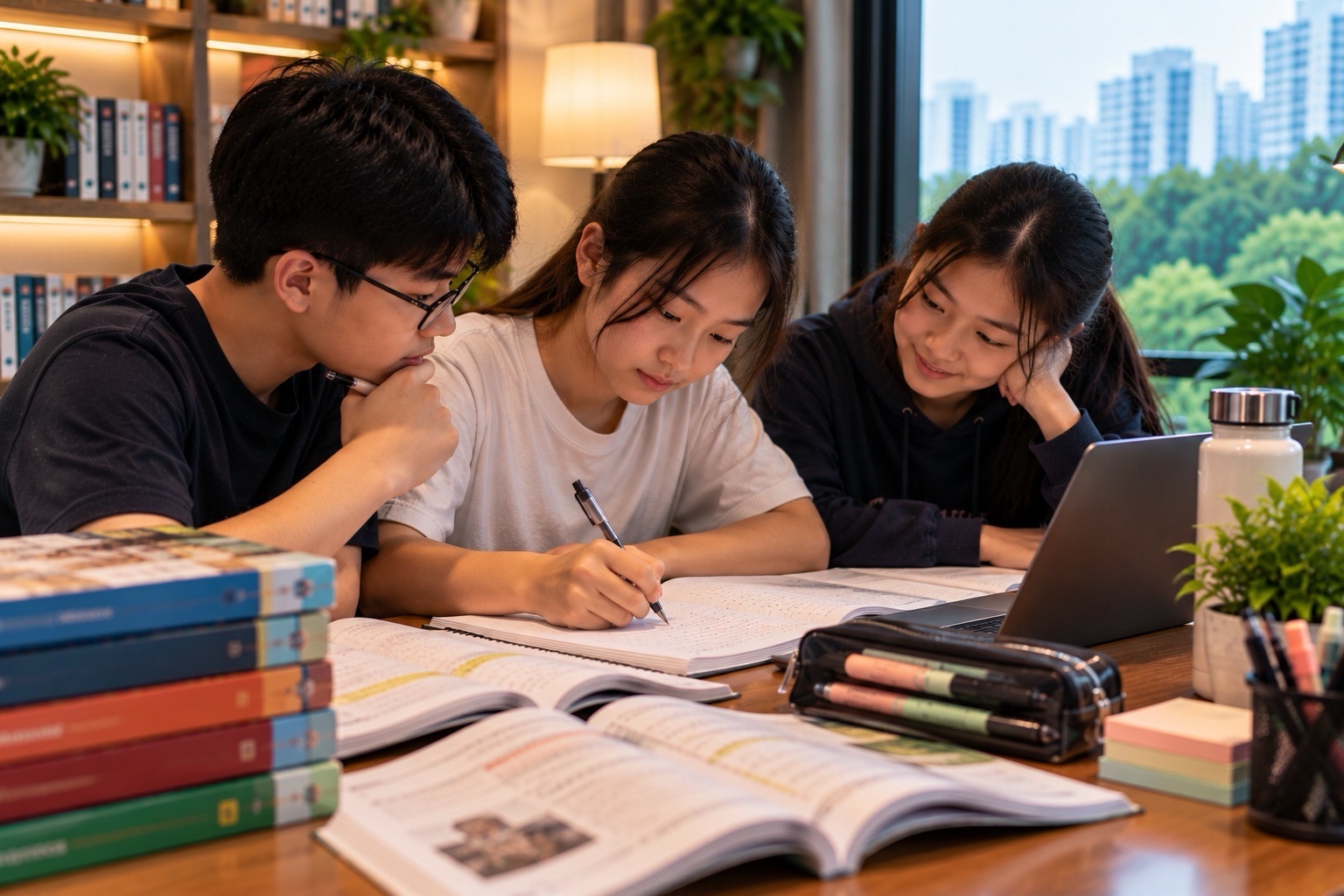
What a true three-student Computing tutorial can do
One pupil can build a formula, another explain why a reference should be absolute and a third test the workbook with changed inputs. A tutor can then give each student an independent new spreadsheet.
For Scratch, one pupil proposes a condition, another creates a trace table and the third tests a boundary case. Everyone must still make their own working project. The objective is close inspection of reasoning and output, not watching one learner operate the computer while two others sit idle.
The eduKate maximum-three-student, 1.5-hour tutorial model may support targeted software practice where a suitably qualified Computing specialist and approved tools are available. Families should confirm the actual class and software provisions, rather than assume the site article establishes that a particular K237 course is currently running.
Related Punggol guides include new SEC 2027 K237 Computing preparation, spreadsheet relative and absolute references, Scratch custom blocks and the eduKate 3-pax philosophy.
Questions to ask a K237 tutor
- Has the child’s registration been verified as G2 Computing K237, first examined in 2027?
- Can the tutor demonstrate the separate 70-mark electronic and 80-mark lab requirements?
- Does practical teaching cover media software, spreadsheets and programming rather than one topic only?
- Can the student explain relative/absolute references and test an IF–ELSE boundary?
- Are Scratch and MakeCode assessed within their precise paper restrictions?
- Does every pupil save, reopen and verify their own required deliverables?
- Are privacy, copyright and cybersecurity habits taught responsibly?
- What genuinely independent new project shows progress after correction?
Frequently asked questions
Is G2 Computing K237 new for SEC 2027?
Yes. SEAB’s syllabus labels 2027 as its first examination year. It has its own G2 specification and practical assessment.
Is Paper 2 optional because it is computer-based?
No. Both papers are compulsory and carry 50% each. Paper 2 assesses practical use of media, spreadsheet and programming tools.
Can my child prepare only by memorising coding terms?
No. Half the subject weighting requires producing actual computer outputs under lab conditions, including saving the correct files.
Will I need to buy every commercial graphics or programming application?
Not necessarily. The school and examination centre specify the approved software and provide the sanctioned environment. Check those requirements rather than purchasing unverified products.
Is microcontroller practical work tested in Paper 2?
The published K237 syllabus marks microcontroller content as Paper 1 only. Follow its precise examinable-block table for each paper.
The Punggol 2027 takeaway
G2 Computing K237 combines theory with real technical production. Its new examination rewards careful spreadsheet formulas, tested Scratch logic, appropriate graphics and media, responsible computing and reliable file handling. The best tutoring makes the learner able to explain, create, test and submit a fresh solution independently.
Official sources: SEAB 2027 K237 Computing syllabus and the 2027 G2 subject register. Reviewed 29 October 2026. School-approved software and later SEAB instructions take precedence.


