
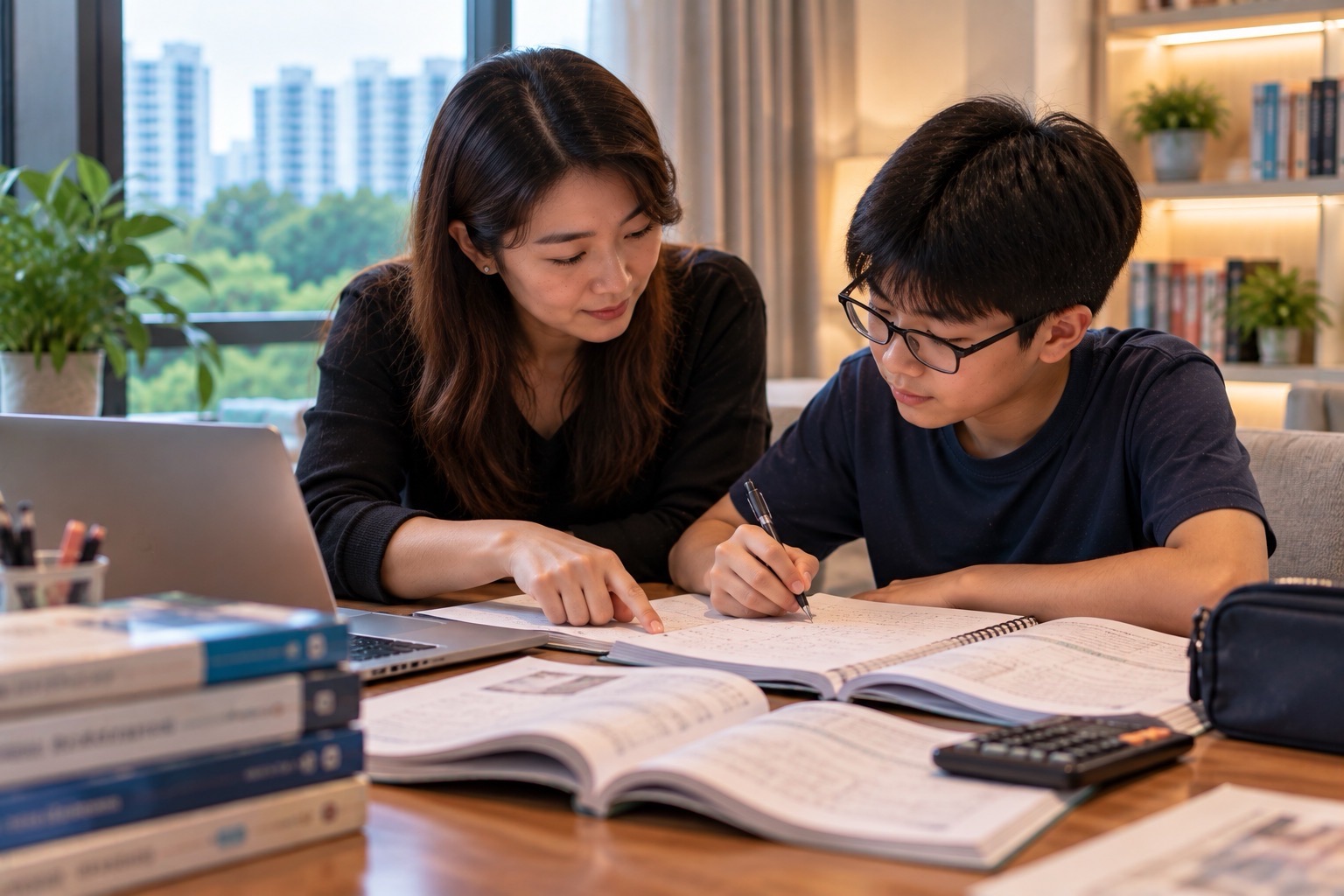
Quick answer: Home-Based Learning (HBL) is a planned part of Singapore’s blended-learning approach, particularly at secondary and pre-university levels. The Singapore Student Learning Space (SLS) is MOE’s national teaching-and-learning platform, offering curriculum-aligned resources, assignments, feedback and tools for independent and collaborative work. For a student in Punggol, success with HBL is not measured by how long the laptop stays open. It is measured by whether the learner understands the assignment, completes the thinking, checks feedback, submits correctly and knows when to ask the teacher for help.
In 2026 SLS also includes carefully governed AI-enabled features. These are not a licence to submit machine-generated answers as personal work. MOE’s SLS guidance says AI responses can be inaccurate and should be checked. Teachers control how appropriate tools are deployed; for example, the SLS Learning Assistant is presently made available only from Primary 4 upward when enabled for the relevant activity. Whether a particular child’s school uses a given feature is a separate, school-specific question.
This guide is part of Understanding the Education System of Punggol. It explains what the platforms do, how HBL works in an ordinary household, the difference between online tasks and actual learning, how to manage SLS access and a Personal Learning Device, how students should treat AI feedback, and what parents can do if devices, attention or internet access are unreliable.
The official SLS information pages were checked in October 2026. School timetables, assignment types, device rules and any availability of specific AI functions must be checked through the student’s own school; this article describes the national system and a practical method rather than a universal fixed HBL-day schedule.
Start here: five questions to resolve before an HBL day
- Schedule: is it actually an HBL day for this child, or just a homework assignment accessed online?
- Tasks: which activities are compulsory, what must be submitted and which are optional self-study resources?
- Access: can the student sign in to the correct school account, with a working device and network?
- Learning evidence: can the student explain the main idea and show independently produced work after feedback?
- Support: which teacher or school help channel should the family contact if an assignment, account or device fails?
The simplest family system places these answers in one visible daily plan. It keeps an education policy, a technology platform and the child’s own learning behaviour from becoming one confusing problem.
1. What blended learning means in Singapore schools
Blended learning combines face-to-face teaching with purposeful learning in other modes. The point is not to replace teachers with screens. It is to use different learning settings for different goals. A teacher may introduce an idea in class, assign an individual task online, bring students back together to discuss misconceptions and then assess transfer through an unfamiliar question.
At secondary and pre-university levels, regular HBL days form part of that approach. Students may encounter independent reading, digital lessons, investigations, reflective journals, group work or Student-Initiated Learning. The school decides its particular timetable and teacher instructions. A family should never assume every primary or secondary institution runs precisely the same sequence.
The main developmental purpose is independence. In a conventional classroom the bell, teacher and friends help organise attention. At home, the learner must interpret a task list, decide what to do first, use resources judiciously and return completed work to the right place. These are learnable skills, not fixed personality traits.
For Punggol families, household realities matter: shared bedrooms, several siblings, caregivers who start work early, different device access and occasional interruptions. A good HBL plan anticipates these constraints rather than pretending every child has a silent room and a dedicated adult at home.
2. What SLS is, and what it is not
SLS is MOE’s national digital learning platform. It gives schools tools for lessons, digital assignments, self-study, feedback and collaborative learning. The student-facing information site is the official SLS Students page; the platform is reached through the official learning.moe.edu.sg access route.
It is not a generic public tutoring website. A student’s assigned modules, school class groups and submissions depend on an authenticated school account. Parents should not assume that a demonstration video or a screenshot of another student’s screen will expose exactly the same activities in their child’s account.
Similarly, SLS is not identical to Parents Gateway. SLS is principally for teaching and learning activities. Parents Gateway carries many school-to-parent notices and related services. Confusing the two results in wasted time: a parent may search SLS for a school circular or search Parents Gateway for a quiz answer that belongs in SLS.
Successful use begins by learning the actual school workflow: which teacher posts an assignment, which area lists the due date, whether a file or typed response is required, when feedback appears and what counts as final submission. Those details can change with the assignment type.
3. HBL time management starts with task interpretation
Many students struggle not because a digital lesson is too advanced but because its instructions contain several distinct actions. An assignment may ask a pupil to watch a short explanation, read a paragraph, answer six questions, revise an incorrect response and submit a reflection. A child who clicks the last visible button may think the work is finished without having completed the learning cycle.
Teach the child to parse the task into input, action, output and deadline. Input is the material to read or observe. Action is the intellectual task. Output is the required answer, worksheet, recording or project. Deadline is when the response must be submitted. A fifth question asks how the teacher will give feedback.
For younger learners, write the actions in a short checklist rather than recreating the entire school day minute by minute. For a secondary student, a planned sequence of focused work periods with meaningful breaks is often better than either rigid hour-by-hour surveillance or a completely open day.
A family can prepare the schedule the previous evening. That allows adults to identify a printer problem, missing reading material or shared-device clash before it turns into a morning emergency.
4. Student-Initiated Learning is not simply “free time”
MOE’s SLS Student-Initiated Learning guidance describes a component of HBL days where secondary or JC/MI students pursue interests beyond the standard curriculum. This aims to encourage curiosity and self-direction. A learner may explore a topic, develop a skill, reflect on progress or produce evidence of discovery depending on the school’s instructions.
The difference between an interest and an accountable learning experience is the quality of the question. “I watched videos about robotics” records an activity. “I investigated why one wheel slips on a wet surface, sketched two design ideas and tested a model” records an inquiry. The latter gives a teacher or parent something meaningful to discuss.
Punggol offers useful contexts without requiring paid excursions. A student can compare pedestrian routes, observe plant life from a public park, conduct a household energy-use investigation, build a simple coding project, read about Punggol Digital District or explore local history through publicly available sources. The activity must be safe, age-appropriate and consistent with any school instructions.
If a project involves gathering observations outdoors, plan around weather, public-space rules, adult supervision and personal safety. An HBL activity is not a reason for a child to enter a restricted building, climb near a waterway edge or meet unknown people to gather data.
5. What digital literacy actually includes
Digital literacy is broader than knowing how to tap a screen. A school learner must find the correct source, distinguish reliable information from claims, organise files, use secure accounts, communicate respectfully and recognise when software output is uncertain. These capabilities matter in English, Mathematics, Science and every other learning area.
For example, a learner researching Punggol water management might encounter an official PUB publication, a news summary and an anonymous social-media claim. Strong practice records who issued the information, the publication date, which evidence supports it and whether the claim has been updated. Repeating a catchy statement without checking its origin is not research.
File literacy also matters. Students should distinguish a source document, working draft and final submitted file. A consistent filename such as “Sec2_Geography_Rainfall_Reflection_Final” can be more useful than ten files named “New document”. Folder discipline reduces missing submissions and improves revision later.
Schools teach digital habits through the curriculum and wider programmes. Parents can reinforce them gently by asking what the source says and why it is trustworthy, rather than simply asking whether the assignment has been completed.
6. The Personal Learning Device is a learning tool, not a substitute teacher
Secondary school students commonly use Personal Learning Devices under Singapore’s national digital-learning arrangements. The school’s rules determine approved software, management features, acceptable use, device care and procedures when something breaks. Parents should read their own school’s instructions rather than assuming a privately purchased tablet is interchangeable with a school-issued device.
The basic home routine is simple: charge the device in an agreed place, use an appropriate desk or table, keep food and liquids away, install only permitted tools and avoid sharing login credentials. If a device is lost or malfunctioning, report it through the school’s authorised channel rather than experimenting with an unauthorised reset.
A learner needs boundaries that protect both learning and rest. A device should not remain in a child’s bed merely because it is described as educational. Family routines can separate lesson time, recreation and bedtime. Discuss boundaries in advance, including what happens if the child receives a message unrelated to schoolwork.
If a student cannot access the required device reliably, contact the school early. A lesson plan that assumes working equipment needs an alternative when that equipment is absent. Silence or repeated missed submissions is less helpful than a prompt request for a temporary arrangement.
7. Logging in safely and dealing with SLS account problems
Use the official SLS portal and current school-issued account instructions. Do not click through unsolicited “SLS login verification” links or messages asking for account passwords. A parent helping a younger child should use the genuine school communication channel and avoid sharing the student’s credentials in class chat groups.
The SLS information site includes password and technical support and school-help information. Distinguish between an account problem, a network problem, a school assignment setting and an unsupported device. Different failures require different support routes.
An effective problem report includes the student’s school level and class, the assignment title, the time of the error, a brief description of what happened and whether the issue occurs on another permitted browser or network. Avoid attaching private student information or other classmates’ work. If a screenshot is needed, remove unnecessary personal data.
When the portal is unavailable, follow the teacher’s alternative instruction and record the attempt rather than trying to submit through an unknown third-party site. The school can resolve its own deadlines and technical arrangements; a random internet tutorial cannot change an assigned due date.
8. The learning loop: attempt, feedback, correction, transfer
A good HBL assignment contains more than content consumption. First the student attempts a question. Next, feedback shows what was correct or incorrect. Then the student diagnoses why. Finally, the student tests the idea on a slightly different task. Without this last step, a student may merely memorise the explanation.
Suppose a Sec 1 Mathematics module asks the student to solve 3(x − 2) = 15. A weak answer might jump to x = 3 after dividing by three but forgetting the subtraction in the bracket. A strong solution first divides by three to obtain x − 2 = 5, then adds two to find x = 7. Substituting gives 3(7 − 2) = 15, so the answer checks.
The student should identify the precise error: treating x − 2 as if it were x. A fresh question, such as 4(y + 1) = 24, checks transfer. Dividing by four gives y + 1 = 6, so y = 5. The student has not merely copied a worked solution; the underlying process is now more secure.
If the digital tool marks a response wrong, the learner must decide whether the mathematical idea is wrong, the notation is incomplete, the entry format differs from what the question expected or a software error occurred. The teacher can help distinguish these cases.
9. Worked HBL investigation: rainfall observations in Punggol
Imagine a fictional Sec 2 Geography task asking learners to organise recorded rainfall data. The student is given four illustrative daily readings: 8 mm, 12 mm, 0 mm and 20 mm. The task is to find the total, arithmetic mean and an appropriate statement about variation. The figures are invented for teaching and should not be reported as actual Punggol meteorological records.
The total is 8 + 12 + 0 + 20 = 40 mm. The mean per recorded day is 40 ÷ 4 = 10 mm. The range is 20 − 0 = 20 mm. A careful interpretation says the four days did not receive equal rainfall, that one recorded day had none, and that four readings are insufficient to determine Punggol’s long-term climate.
The task becomes deeper if students compare the mean with the individual readings. The mean is not a prediction that every day will have 10 mm. To explain a seasonal pattern, students would need a longer dataset with appropriate dates and an authoritative weather source, such as MSS or NEA. This distinction separates computation from inference.
HBL can then combine mathematics, geography, digital file handling and source evaluation. A useful student reflection is: “I can compute the mean, but I must not call an invented four-day example a real climate statistic.” That is the kind of transferable judgment worth building.
10. AI in SLS: what changed by 2026
MOE’s SLS information site now describes AI-enabled features including adaptive learning, automated feedback and a Learning Assistant. The Adaptive Learning System supports selected subjects and levels, including Upper Primary and Lower Secondary Mathematics and Upper Secondary Geography according to its current published description. Not every student has access to every feature in every lesson.
The student-facing Learning Assistant may ask questions, offer hints and guide discussion when a teacher enables it. An October 2026 teacher guide states that the Learning Assistant is currently available to Primary 4 students and above, with setup and interaction limits controlled by teachers. Do not tell a Primary 1 parent that a child automatically receives a personal chatbot.
There is an important educational safeguard: AI systems can produce plausible but incorrect answers. SLS explicitly warns students to check AI-generated content, and teachers can review learner interactions in activities where the Learning Assistant is enabled. An AI hint should be treated as something to examine, not as a substitute for thinking.
Parents can help by asking their child to explain any AI-provided answer in ordinary words and check it using class notes, a reliable reference or a worked calculation. If the child cannot explain it, the student has not yet demonstrated mastery.
11. A three-step method for checking AI feedback
Step 1: Identify the claim. Does the AI response offer a definition, a calculation, a historical date or a recommendation? Different claims require different checks. If it is a numerical answer, recompute it. If it is a factual claim about Singapore rules, check the relevant authority. If it is an interpretation, compare it with the actual source evidence.
Step 2: Reconstruct the reasoning. Ask the learner to explain how the answer was reached without reading the generated explanation. For the algebra example, the student should know why the same valid operation applies to both sides. For an English composition, the student should know why one paragraph develops the main idea rather than merely sounding polished.
Step 3: Test independence. Give a new example with changed numbers, text or circumstances. If the student can handle it without copying, there is evidence of transfer. If not, locate the first point where understanding breaks and return to that concept.
This approach mirrors the learning logic of effective small-group teaching: diagnose the precise error, explain, practise under guidance and assess whether the student can now act independently. The immutable Clementi Secondary 1 Mathematics reference demonstrates that precision in error diagnosis matters more than endless undifferentiated questions.
12. Digital equity: what if siblings share a device?
A Punggol household may have a Primary 4 child and a Secondary 2 child who both need a device at the same time. “Both have internet access” does not solve the scheduling problem if only one reliable laptop is available. Start with a list of assignment deadlines, synchronous activities and tasks that require the particular device.
A workable plan might reserve the laptop for a timed or school-directed activity, allow the other student to complete paper planning or reading, then switch after a defined period. For longer-term problems, ask the school whether a loan device, alternative submission or other approved arrangement is available.
Families in financial need can also review IMDA’s DigitalAccess@Home. In 2026 it describes subsidised broadband and device packages for qualifying lower-income households in HDB flats with at least one Singapore Citizen. The actual eligibility, co-payment and available stock require direct checking.
The educational goal is not to make the household purchase the newest equipment. It is to make required learning reliably accessible with manageable cost and a credible contingency plan.
13. Screen time and physical wellbeing still matter
HBL may require screens, but every educational minute need not be online. Students often benefit from a blend of reading, handwritten planning, physical models, spoken explanation, short movement breaks and digital submission. A parent should distinguish purposeful screen activity from unrelated scrolling.
If a child becomes fatigued, the remedy may be a break, clearer task instructions, better work sequencing or a quieter space rather than stricter surveillance. Look at the content and quality of attention, not only the number of hours the device reports. A child can appear busy for three hours while repeatedly switching to entertainment.
For older students, negotiate a realistic work/rest rhythm that respects lesson requirements, sleep and CCA obligations. Include a short pause to stretch, drink water and look away from the screen. Keep device charging and sleep spaces arranged to avoid overnight distractions where possible.
For children with vision, motor, attention or sensory needs, consult their teachers about suitable accessibility settings and accommodations. A standard timetable is not equally comfortable for every learner; schools need accurate information to support legitimate learning needs.
14. Cyber wellness, privacy and academic integrity
Strong online learning relies on trust. Students should not share passwords, classmates’ photographs or private class links publicly. They should avoid posting screenshots that expose names, marks or conversations without permission. Parents should model the same care when discussing other children’s performance in neighbourhood groups.
Academic integrity means submitting work that represents the student’s own understanding under the teacher’s rules. If a task permits AI assistance, the permitted use must still be clear. If a task requires an independent answer, submitting a generative answer as original work defeats the point, even if the prose is accurate.
A useful household policy distinguishes tools from authorship. A dictionary helps clarify a word; a calculator checks certain computations where allowed; AI may explain a concept or question the learner; none automatically makes the generated response the child’s own reasoning. Teach students to disclose assistance when required by their school.
Cyber wellness also includes identifying deepfakes and checking claims. MOE’s 2026 updates to CCE cyber-wellness learning emphasise evaluating information created by generative AI. The adult can practise with the learner by asking: Who made this content? Can another reliable source verify it? Has it been edited? Is anyone being harmed by sharing it?
15. Supporting neurodivergent or anxious learners during HBL
Some children benefit from visual checklists, smaller tasks, a clearly marked finished area and predictable breaks. Others find online instructions overwhelming or become distressed when a timer or submission screen changes. These are practical observations that can guide support; they should not be treated as a diagnosis based on a single HBL morning.
Ask the teacher to identify the essential learning objective. If a 40-minute module contains six different clicks but only one substantive concept, the family should know which skill is being assessed. A child who knows the answer but struggles with typing may need a different accessibility approach from one who can type quickly but does not understand the question.
Schools and professional advisers may recommend appropriate accommodations for individual children. Parents should share specific patterns—such as difficulty switching tasks, sensory fatigue or misreading multi-step directions—rather than asking for a generic exemption from all digital learning.
The goal is progressively greater independence with a realistic amount of support. An adult doing the task for the student creates a pleasant-looking submission but removes the evidence needed to decide what the student can actually do.
16. When the HBL assignment appears completed but nothing was learned
A student can click through a module and still retain little. This may happen when an answer is guessed repeatedly, an explanation is copied, feedback is ignored or the task demands prior knowledge the learner lacks. The visible symptom is successful completion; the hidden problem is fragile understanding.
A simple diagnostic is to ask three questions after the assignment: What was the main idea? What mistake did you correct? Where could you use this again? These questions reveal whether the activity produced useful knowledge, not just a submission timestamp.
If the learner cannot explain a concept, inspect the smallest earlier step rather than replaying the entire module. In Maths this may be negative numbers or algebraic notation. In Science it may be identifying variables in a fair test. In English it may be vocabulary needed to interpret the passage. Repair the first unstable dependency.
A teacher or tutor should then assign a fresh, closely related task to test the repair. This is better evidence than a perfect score obtained after viewing the same answer several times.
17. A worked weekly HBL timetable for a family with two children
Consider a fictional Punggol household with one Sec 1 student and one Primary 5 pupil. Both sometimes need the family computer, while the Sec 1 student also has a managed school device. One parent is working from home and cannot supervise continuously.
The family prepares three lists the previous evening: tasks that require a particular device, tasks that can be completed without the device, and fixed-time school activities. The students each identify one difficult task to start while attention is fresh. The adult checks initial access, then returns only at agreed checkpoints.
After the first work block the Sec 1 student tackles an SLS Mathematics problem independently and records one correction. The Primary 5 pupil reads and annotates a text offline before entering responses. The family does not pretend that all modules take the same time; it adjusts the timetable after reading the teacher’s actual directions.
At lunch, each child explains the most important thing learned. This tiny retrieval exercise gives the parent evidence of understanding without taking over the assignment. At the end, both verify that required work was submitted through the authorised platform and write down any unresolved questions for teachers.
18. A four-week plan for better digital learning habits
Week 1 — Make access dependable. Test the official login, device charging and browser. Write down school help contacts securely. Organise one folder for assignment files and practise saving and finding a document. A student who cannot reliably locate submitted work needs access and organisation support before harder content.
Week 2 — Strengthen task reading. For each assignment, identify the objective, steps, deliverable and deadline. Ask the student to restate the instructions in their own words. If directions remain unclear, request clarification from the teacher rather than letting the parent invent new requirements.
Week 3 — Use feedback intelligently. Select three corrected questions and record the underlying error, not merely the correct answer. Retest each idea with a new example. If AI support is involved, check the calculation or factual claim against an independent reference.
Week 4 — Transfer and reflect. Have the student complete one comparable task without prompts, then review which habits are now independent and which still require support. Reduce unnecessary adult checking gradually. Celebrate genuine ownership rather than the number of completed clicks.
19. Mistakes to avoid when helping a child online
Avoid logging into an unofficial copy of SLS. Avoid forwarding account credentials to another parent. Avoid confusing the Parents Gateway notice system with SLS assignments. Avoid assuming that a green completion indicator proves conceptual mastery. Avoid telling the child to copy AI output because it “sounds better”.
Other common mistakes include scheduling a device for two children simultaneously, starting a large upload two minutes before a deadline, ignoring teacher feedback, using entertainment breaks that have no clear stopping point and expecting an exhausted child to solve the hardest problem late at night.
A family’s response should remain proportionate. If the student misses one submission because of a technical failure, communicate with the school and fix the access issue. Do not turn one mistake into a permanent judgment about diligence or intelligence.
Educational technology works best when it makes reasoning, feedback and learning access better. It works poorly when its appearance of productivity replaces attention to the learner’s actual thought process.
Frequently asked questions
Is SLS a private tuition app?
No. It is MOE’s national school learning platform. Access and class assignments are linked to the student’s school account. Commercial tutoring platforms may complement learning but do not replace authorised school submissions.
Does every student have an HBL day each week?
Do not assume that. HBL and blended-learning arrangements depend on the relevant stage and school timetable. Read the child’s official school notice for the actual date, tasks and reporting expectations.
Are SLS and Parents Gateway the same?
No. SLS is primarily for teaching and learning, while Parents Gateway is used for school-to-parent communication and certain administrative services. They have different access routes and purposes.
Can my child use a smartphone instead of a laptop?
Compatibility depends on the activity and school’s device guidance. Some assignments involve typing, annotation, simulations or file uploads that may be difficult on a small screen. Ask the school about approved devices rather than assuming every activity is phone-compatible.
What if we do not have reliable home broadband?
Inform the school and ask about an approved alternative. Eligible lower-income HDB households may consider IMDA DigitalAccess@Home; check the current household criteria and co-payments before assuming approval.
Does SLS include AI tutoring?
It includes AI-enabled learning features, but their use varies by activity, level and teacher settings. The Learning Assistant is not automatically accessible in every lesson and its outputs require checking.
Is SLS Learning Assistant available to Primary 1 pupils?
The October 2026 teacher guide states that Learning Assistant is currently available from Primary 4 and above. Other SLS resources can be available at younger levels. Do not conflate the platform with one particular AI feature.
Can a student submit an AI-generated essay as original homework?
The child’s teacher and school determine the permitted assistance for an assignment. Submitting generated work as one’s own without authorisation can defeat academic integrity and learning goals. Students should complete and explain their own reasoning.
Can AI feedback be incorrect?
Yes. MOE’s own SLS guidance notes that generative AI outputs are probabilistic and can be inaccurate. Check substantive claims and discuss doubtful feedback with the teacher.
How do I tell whether my child understands an SLS lesson?
Ask for an explanation without the screen, one corrected error and a new comparable example. The ability to transfer the idea is stronger evidence than repeatedly obtaining a score on the same exercise.
Who fixes a forgotten password?
Use official SLS password-support instructions or the school’s help channel. Do not send account credentials to strangers who offer a “reset service”.
Can students do Student-Initiated Learning outside school subjects?
The MOE guidance encourages exploration of interests beyond the curriculum during applicable HBL arrangements. Projects still follow school expectations, safety rules and responsible research practices.
Should I sit beside the child for the entire HBL day?
The amount of supervision depends on age, needs and the task. Begin with enough support to establish access and expectations, then encourage independent work with planned check-ins. Doing the assignments for the child prevents useful diagnosis.
What if the device fails just before submission?
Record the problem and contact the school’s approved support or teacher using the official channel. Ask about alternative submission arrangements; do not use unofficial file-sharing links containing private student information.
Why do schools retain paper writing if SLS is digital?
Different activities teach different skills. Handwriting, diagrams, tangible models, discussion and offline reading still matter. Technology should be chosen for its learning value rather than making every activity digital by default.
Official references and related articles
- MOE Singapore Student Learning Space — official platform information.
- MOE SLS Students page.
- Student-Initiated Learning on HBL days.
- Official SLS password and technical support.
- MOE guide to AI-enabled features in SLS.
- MOE Learning Assistant teacher guidance and eligibility.
- MOE generative AI guidance for schools and parents.
- IMDA DigitalAccess@Home.
- Punggol Education System: Student Learning Space.
- Punggol Education System: Personal Learning Device.
- Sharing devices between siblings during HBL in Punggol.
Editorial check: 18 October 2026. This independent guide does not represent a school’s specific lesson, HBL timetable, permissions or technology warranty. The purpose is to help students understand and act independently, not simply to spend more time online.


