
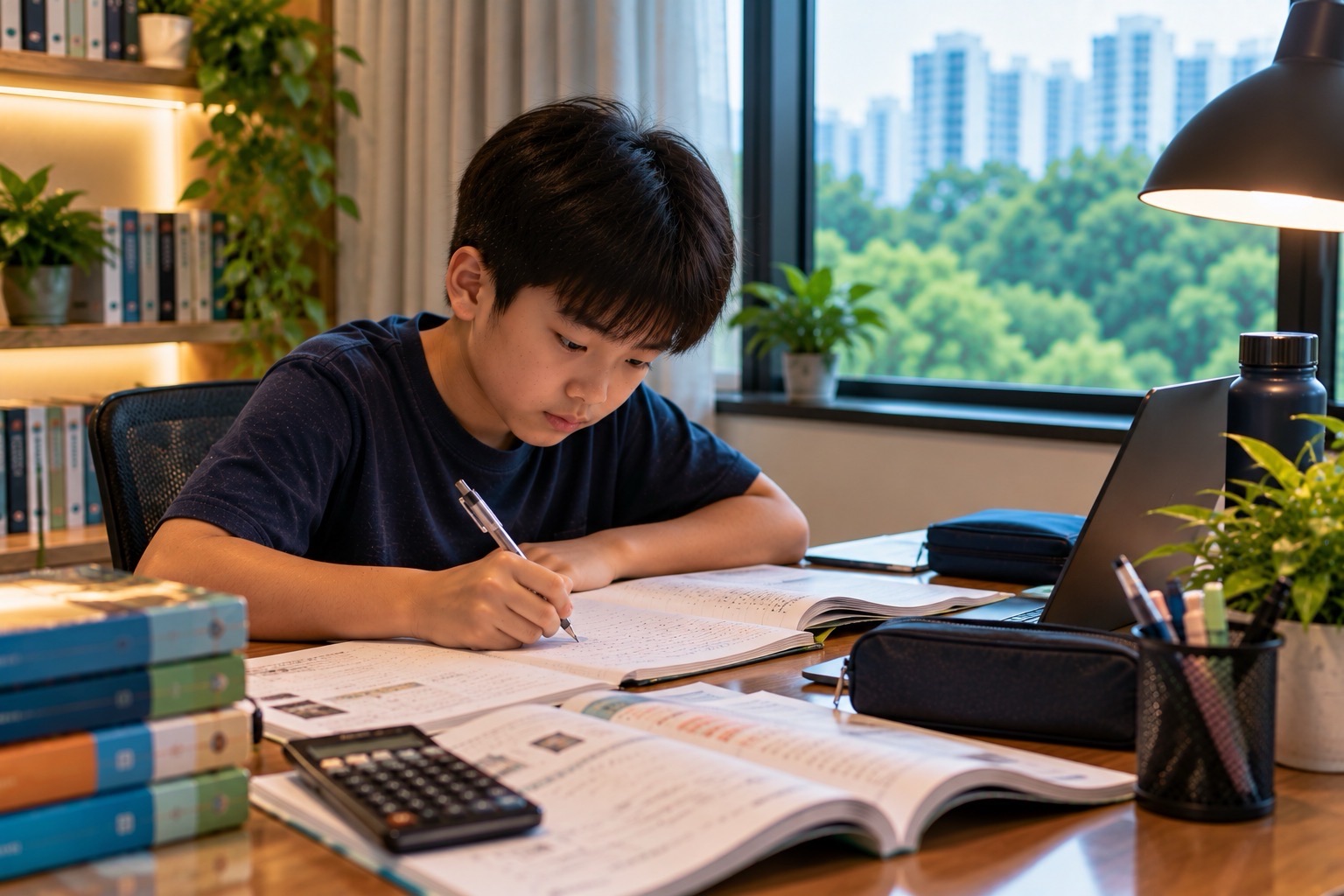
Personal Learning Devices (PLDs) are now part of the everyday infrastructure of Singapore secondary education. For Punggol families searching for PLD Singapore, personal learning device secondary school, National Digital Literacy Programme, PDLP, laptop costs, Edusave payment or how school devices are actually used, the key idea is this: the device is not meant to replace teachers, books or handwriting. It is one tool inside a broader system of digital literacy, blended learning and student independence.
Singapore’s National Digital Literacy Programme was launched in 2020, and the Personalised Digital Learning Programme placed a school-prescribed personal learning device in the hands of secondary students as part of that shift. By 2026, the interesting question is no longer “Will students use devices in school?” but “Can students use them intelligently?” A useful PLD should help a student find reliable information, think critically, apply digital tools, create work, collaborate, learn independently and move between online and offline learning without becoming dependent on the screen.
Explore related education-system guides and choose your next reading step.
That is why MOE’s current digital-literacy framework goes beyond device ownership. Under the EdTech Masterplan 2030, digital literacy and technological skills are organised around the ideas of Find, Think, Apply and Create. The device is infrastructure. The real educational aim is judgment, capability and agency.
This Punggol Education System guide explains what PLDs are, how the Personalised Digital Learning Programme works, how Edusave fits in, what students actually use the device for, how SLS connects to the device, what families should do about charging, files, distraction, damage and cyber safety, and how a laptop can become a learning tool instead of an expensive rectangle that spends the evening playing videos.
What Is a Personal Learning Device?
A Personal Learning Device is a school-prescribed digital device used by a student for teaching and learning.
Depending on the school, the device may be a laptop, tablet or another approved form factor.
The important word is school-prescribed.
Schools choose device models and configurations based on curriculum needs, technical support, warranty arrangements, software compatibility and procurement conditions.
That is why families should not assume that a home laptop bought independently is automatically interchangeable with the school-prescribed device.
The school needs to support a whole cohort, not one machine.
What Is the Personalised Digital Learning Programme?
The Personalised Digital Learning Programme, or PDLP, is the programme through which MOE-funded secondary students use personal learning devices as part of teaching and learning.
The programme sits inside the wider National Digital Literacy Programme.
The device enables schools to design learning experiences that can move between:
- teacher explanation;
- student practice;
- Student Learning Space activities;
- research and information evaluation;
- collaborative documents;
- multimedia creation;
- coding or data work;
- home-based learning; and
- independent revision.
The programme is therefore not “one laptop per child” as an end in itself.
It is a delivery system for a different mix of learning experiences.
Why Singapore Introduced PLDs
Before personal learning devices became standard, digital learning often depended on booking a computer laboratory or using shared school machines.
That worked for occasional ICT lessons.
It was less suited to a school system where digital tools increasingly appear across English, Mathematics, Science, Humanities, Art, Design and Technology, project work and Home-Based Learning.
A personal device changes the architecture.
The student can carry the same learning environment between classroom, library and home.
That continuity supports blended learning and gives students more responsibility for managing their own work.
The National Digital Literacy Programme Is Bigger Than the Device
The National Digital Literacy Programme was launched in 2020 to strengthen digital literacy across Singapore schools.
The current MOE framework under EdTech Masterplan 2030 describes digital literacy and technological skills through four connected capabilities:
Find
Gather and evaluate information critically, while using digital resources safely, securely and responsibly.
Think
Interpret data, analyse information and solve problems systematically.
Apply
Use devices and software productively and transfer digital skills into new situations.
Create
Produce digital content and artefacts, code, communicate and collaborate.
Notice what is missing from that framework.
There is no category called “stare at screen efficiently”.
The device matters because of what the learner can do with it.
PLD and Student Learning Space: Different Jobs
Parents sometimes use “PLD” and “SLS” as though they are the same thing.
They are not.
PLD is the device.
Student Learning Space is MOE’s national online learning platform.
A student may use SLS on the PLD, but the device can also run other school-approved tools for writing, presentation, coding, spreadsheets, research, collaboration and subject-specific tasks.
Think of the PLD as the desk and SLS as one of the most important learning environments on that desk.
For the platform itself, see Punggol Education System | Student Learning Space (SLS).
Blended Learning: Why the Device Goes Home
MOE’s blended-learning model combines different modes rather than replacing classroom teaching with online lessons.
Students may move between:
- in-person and distance learning;
- synchronous and asynchronous learning;
- structured and self-directed work;
- ICT-mediated and non-ICT activities; and
- curriculum and out-of-curriculum learning.
Regular Home-Based Learning has been integrated into the secondary and pre-university experience to strengthen self-directed and independent learning.
That is why the PLD travels home.
The learning system is designed to cross the school gate.
How Students Actually Use a PLD in Class
The device can appear in a lesson for five minutes or for most of the period.
Useful classroom applications include:
- opening an SLS activity;
- watching a short teacher-assigned explanation;
- annotating a document;
- conducting research;
- working on a collaborative slide deck;
- using spreadsheets for data analysis;
- coding;
- creating diagrams or multimedia;
- submitting work;
- receiving feedback; and
- reviewing prior material.
Good digital teaching is not measured by how long the screen stays open.
Sometimes the best next step after a digital activity is to close the laptop and discuss the idea.
Why Handwriting Still Matters
The arrival of PLDs did not make handwriting obsolete.
Students still need handwriting for examinations, working, annotation, diagrams, Mathematics, note-making and many classroom tasks.
The question is not “paper or device?”
It is “which medium best fits this learning job?”
For example:
- Long algebraic working may be clearer by hand.
- A shared presentation may be easier digitally.
- A vocabulary notebook may be physical or digital depending on how the student reviews it.
- A Science graph may begin by hand and later be analysed in a spreadsheet.
- Essay planning may work on paper before drafting on screen.
Strong students learn to choose the medium rather than becoming loyal to one.
Can Edusave Pay for the PLD?
Yes, for eligible Singapore Citizen students under approved digital-learning programmes.
MOE expanded approved Edusave use to include personal learning devices for the Personalised Digital Learning Programme.
The exact device price varies by school procurement, model, accessories, warranty and subsidy arrangements.
Parents should use the school’s current PLD notice for the final amount.
For the wider account system, read Punggol Education System | Edusave Account Singapore.
What If the Family Cannot Afford the Device?
Digital access cannot work as a national programme if a child is excluded because the household cannot afford the required device.
MOE therefore provides additional support for Singapore Citizen students from lower-income households, including support through the Opportunity Fund and financial-assistance arrangements.
The exact subsidy available depends on the current scheme, the student’s eligibility and the school’s device cost.
Families who are concerned about affordability should speak to the school early.
Do not wait until the final payment deadline and hope the problem solves itself.
Why Schools Prescribe Devices Instead of Letting Everyone Bring Anything
Standardisation creates several practical advantages.
- Teachers know what software and features students have.
- School technical teams can support a smaller set of devices.
- Warranty procedures are clearer.
- Charging and connectivity arrangements are more predictable.
- Cyber-security controls can be implemented consistently.
- Bulk procurement can reduce cost.
A Bring-Your-Own-Anything model sounds flexible until one lesson contains six operating systems, missing applications, incompatible chargers and one device too old to update.
Standardisation reduces friction so the lesson can focus on learning.
The Device Management Layer
School-issued or school-prescribed learning devices operate within school digital policies and management arrangements.
These can include security settings, approved applications, filtering, updates and other controls designed to keep the device suitable for school use.
Exact implementation can vary by school and programme.
Parents should read the school’s current PLD agreement and device-use policy rather than relying on another school’s instructions from three years ago.
The larger principle is that a school PLD is both personal and institutional.
The student carries it.
The school still needs it to function safely inside a managed learning environment.
PLD Rules Are Not Anti-Technology
Students sometimes interpret restrictions as evidence that the school does not trust technology.
Usually the opposite is true.
A school places limits on games, unauthorised software, unsafe sites or distracting use because the device is important enough to protect as a learning tool.
A calculator is useful because it calculates.
A PLD is useful because it supports learning.
Once the device becomes mostly entertainment during lessons, the educational purpose is being crowded out.
The Three Biggest PLD Problems at Home
1. Battery
A device at 7% charge is not an independent-learning system.
2. Files
Students can create excellent work and still lose time because they cannot find it.
3. Distraction
The same machine used for schoolwork can also open games, videos, chats and endless browsing.
Most PLD problems are therefore not advanced technical failures.
They are routine-management failures.
The Punggol Night-Before PLD Routine
- Charge the device fully.
- Put the charger in its assigned place.
- Check tomorrow’s timetable.
- Download any files needed offline.
- Close unnecessary tabs.
- Save and sync current work.
- Confirm that the device can connect to Wi-Fi.
- Pack the device in a protective sleeve.
- Keep a pen and notebook too.
This routine takes minutes.
It can save an entire lesson from becoming troubleshooting theatre.
File Management Is a School Skill
Digital organisation is part of learning.
A student should know where work is stored and how it is named.
A practical folder system can be simple:
- English;
- Mathematics;
- Science;
- Mother Tongue;
- Humanities;
- CCA or Projects; and
- Admin.
Inside each subject, organise by term, topic or assignment.
The perfect taxonomy does not matter.
Retrievability does.
If a student spends ten minutes looking for yesterday’s worksheet, the problem is no longer digital literacy in theory.
It is lost learning time.
Use File Names That Still Make Sense Next Month
“final.docx” is a dangerous filename.
So are “newfinal2.pptx” and “chem thing”.
A useful naming pattern is:
Subject – Topic – Task – Date
For example: Science – Forces – Practical Reflection – 2026-03-11.
Students do not need corporate document control.
They need enough structure that future them can understand past them.
Backups Matter Before They Matter
A device can fail.
A file can corrupt.
A student can accidentally overwrite the wrong document.
Work should therefore be saved in the school-approved cloud environment or other approved backup location rather than existing only on one device.
The best time to learn backup habits is not the night before a major deadline.
It is during ordinary weekly work.
Distraction Is the Hardest PLD Problem
The device can contain the textbook, homework, friends, videos, games and the entire internet in one rectangle.
That is cognitively difficult.
A student who opens the PLD to complete a twenty-minute task may spend five minutes working and forty minutes switching contexts.
The solution is not necessarily banning the device after school.
The solution is to reduce unnecessary choice during study.
Useful strategies include:
- full-screen the task;
- close unrelated tabs;
- put the phone elsewhere;
- use a defined work interval;
- turn off non-essential notifications; and
- write the next action before opening the browser.
The Device Should Not Become the Homework Dispatcher
Some students wait for the device to tell them what to do.
They open SLS, check class chat, look at notifications and then decide whether work exists.
A stronger system starts with the student’s own plan.
The student should know:
- what is due;
- what is unfinished;
- what needs revision;
- which task requires the PLD; and
- when the device can be closed.
Technology should support agency.
It should not replace it.
PLD and Homework: Not Every Task Needs a Screen
A common mistake is to assume that because a student owns a PLD, all homework should happen on it.
That can increase cognitive load and screen fatigue.
A better workflow might be:
- Read the assignment digitally.
- Plan on paper.
- Complete calculations by hand.
- Use the device for research.
- Draft digitally.
- Print or submit as required.
- Review away from the screen.
The device is one station in the workflow.
It does not have to be the entire workflow.
PLD and English
For English, the device can support:
- drafting and redrafting;
- dictionary and corpus work;
- research;
- annotation;
- oral recording;
- presentation;
- feedback; and
- collaborative writing.
But students still need to develop sentence control, vocabulary precision, reading stamina and the ability to think before typing.
A spell-checker can catch a typo.
It cannot decide whether the sentence says something worth reading.
PLD and Mathematics
Mathematics often benefits from a hybrid workflow.
The device can support interactive visualisation, data work, graphing, video explanations and SLS practice.
But algebraic manipulation, geometry working and exam-style solutions still require careful handwritten reasoning.
Students should not confuse seeing a digital solution with being able to produce the solution independently.
The screen can explain.
The learner still has to reconstruct.
PLD and Science
Science can use PLDs particularly well because the subject already moves between observation, evidence, models and explanation.
Students may use the device for:
- simulations;
- data logging;
- spreadsheets;
- graphing;
- research;
- virtual experiments;
- video analysis; and
- collaborative investigation.
MOE’s current digital-literacy direction also increasingly connects scientific learning with data competencies and technology use.
The best digital Science task does not make the student admire an animation.
It makes the student reason better about the phenomenon.
PLD and Research: Finding Is Not Knowing
Digital access gives students enormous information reach.
That creates a new problem.
The bottleneck is no longer only finding information.
It is deciding what deserves trust.
Students should learn to ask:
- Who published this?
- When was it updated?
- What evidence supports the claim?
- Is the page selling something?
- Does another reliable source agree?
- Am I reading the original source or a summary of a summary?
That is why MOE’s digital-literacy framework begins with Find as a critical skill, not merely a search skill.
PLD and AI: The Device Makes Judgment More Important
By 2026, generative AI makes digital literacy more demanding, not less.
A student can produce fluent text in seconds.
The challenge is deciding whether the text is accurate, relevant, original enough for the task and genuinely understood.
Students therefore need stronger verification habits.
A useful AI rule is:
Use the tool to extend thinking, not to outsource the thinking you are meant to learn.
If an assignment is testing explanation, reasoning or writing, copying a generated answer may produce a polished submission while leaving the actual learner unchanged.
Cyber Safety Is Part of Learning
A student using a PLD is participating in a networked environment.
That means basic cyber safety becomes part of ordinary school readiness.
Students should know how to:
- use strong passwords;
- keep credentials private;
- recognise phishing;
- avoid unknown downloads;
- report suspicious messages;
- protect personal information; and
- keep software updated through approved channels.
Digital citizenship is not a separate lecture students forget after assembly.
It is the daily practice of using connected systems responsibly.
What Parents Should Not Do With the PLD
- Do not use the child’s school device as the family entertainment computer.
- Do not install unauthorised software just because it is convenient.
- Do not remove school management controls without permission.
- Do not let younger siblings use it casually.
- Do not wait until the morning to discover the charger is missing.
- Do not assume every technical problem is the child’s fault.
- Do not assume every screen means learning.
The PLD is the student’s school tool.
Treating it that way protects both the device and the learning routine.
What Students Should Learn to Repair Themselves
Secondary students should gradually become first-line troubleshooters.
They should be able to check:
- battery level;
- Wi-Fi connection;
- volume and microphone;
- browser refresh;
- whether an app needs reopening;
- whether a file was saved;
- whether the correct account is signed in; and
- whether restarting the device solves the problem.
They should not attempt risky system changes or hardware repairs.
The goal is basic technical independence, not amateur surgery on the laptop.
Damage, Warranty and Repair
School-prescribed PLDs are usually sold with warranty and support arrangements specified by the school’s procurement package.
The exact coverage differs by model and school arrangement.
Parents should keep:
- purchase information;
- warranty details;
- device serial information;
- school repair instructions; and
- any insurance or accidental-damage terms.
When something breaks, use the school’s official support route before visiting an unrelated repair shop that may affect warranty coverage.
The Best Accessory Is a Routine
Families can buy sleeves, keyboards, mice, stands and cables.
Some are useful.
But the accessory that protects learning most is routine.
A student who charges, saves, packs and checks the device consistently will get more value from an ordinary PLD than a disorganised student with an expensive setup.
Digital independence is mostly boring maintenance done before it becomes urgent.
Punggol Home Setup for PLD Learning
A strong home setup does not require a dedicated study room.
The student needs:
- reliable Wi-Fi where possible;
- a consistent charging point;
- a table or desk;
- enough light;
- a place for notebooks and textbooks;
- headphones when audio is required; and
- a family rule for distraction.
In smaller homes, the study location can change by time of day.
Consistency of setup matters more than aesthetic perfection.
For shared-device and home logistics, see Punggol Shared Device Scheduling.
If Home Wi-Fi Fails
Digital learning should have a fallback.
Students can:
- download work in advance when possible;
- use school connectivity during available hours;
- work on offline tasks;
- inform the teacher when connectivity prevents submission; and
- use public learning spaces such as Punggol Regional Library where appropriate.
The worst fallback is pretending the assignment does not exist because the router had a bad evening.
Punggol Regional Library as a Digital Learning Backup
Punggol Regional Library can function as a second learning environment when home conditions are noisy, crowded or technically difficult.
Students can combine physical books, study spaces and digital work in one place.
That is an important part of the larger Punggol education ecosystem.
A town becomes educationally stronger when learning can continue beyond the classroom and beyond the home.
See Punggol Regional Library Guide.
PLD and Sleep
The PLD creates one difficult boundary: the school tool is also a bright screen used at night.
Students should avoid letting digital homework expand indefinitely into bedtime.
A practical routine is to set a device cut-off after essential schoolwork is complete.
Late-night scrolling disguised as “I still need the laptop for homework” is not a technology problem.
It is a boundary problem.
Sleep remains part of academic performance.
The Secondary 1 PLD Transition
Secondary 1 is often the moment when students receive a much larger share of responsibility for digital learning.
Families should not expect instant independence.
The first term can focus on:
- charging habits;
- password management;
- file organisation;
- SLS navigation;
- typing and document skills;
- submission routines;
- digital etiquette; and
- knowing when to ask for technical help.
Independence is built through repeated small competence.
For the larger transition, see Punggol Education System | Secondary 1 Posting.
PLD Does Not Mean Students Need More Screen Time Everywhere
The educational use of screens makes recreational screen choices more important.
A student may already spend several hours using a device for school.
Families should therefore distinguish:
- required learning screen time;
- productive creative screen time; and
- passive entertainment screen time.
Counting all three as one category can lead to arguments that miss the point.
The better question is what the screen is doing to the student’s attention, sleep, movement and learning.
How Parents Can Tell Whether the PLD Is Helping
Do not judge by how busy the student looks.
Look for outcomes.
The PLD is helping when the student becomes better able to:
- find reliable information;
- complete and submit work independently;
- organise files;
- use feedback;
- revise without constant prompting;
- create clear digital work;
- solve basic technical problems; and
- move away from the screen when another tool is better.
The strongest sign of digital learning is not device dependence.
It is flexible competence.
The Parent’s Role Should Shrink Over Time
In Secondary 1, a parent may still ask, “Is the laptop charged?”
By Secondary 3, the student should usually own that responsibility.
The parent’s role can move from:
reminding → checking → observing → trusting.
If the parent is still packing the charger every night for a fifteen-year-old, the device may be working while the independence system is not.
Frequently Asked Questions
What is a PLD in Singapore schools?
PLD stands for Personal Learning Device, a school-prescribed device used for teaching and learning under the Personalised Digital Learning Programme.
What is the National Digital Literacy Programme?
It is MOE’s national effort, launched in 2020, to strengthen students’ digital literacy and technological skills across the education system.
Is PDLP the same as NDLP?
No. The Personalised Digital Learning Programme is one major component within the broader National Digital Literacy Programme.
Do all secondary students use PLDs?
PLDs are part of the mainstream secondary-school digital-learning infrastructure under the PDLP. Exact implementation, device model and school arrangements differ by school.
Can I buy my own laptop instead?
Do not assume so. Schools prescribe devices for compatibility, support and programme management. Follow your child’s school instructions before buying independently.
Can Edusave pay for the PLD?
Eligible Singapore Citizen students can use Edusave for approved PLD purchases under the programme, subject to the school’s payment arrangements.
What if the family cannot afford the device?
Additional support is available for eligible lower-income Singapore Citizen students. Contact the school early about subsidy and financial-assistance options.
Is SLS the same as the PLD?
No. SLS is an online learning platform. The PLD is the physical device used to access SLS and other approved learning tools.
Does a PLD replace textbooks?
Not completely. Schools use a blend of digital and non-digital materials depending on the subject and learning task.
Does a PLD replace handwriting?
No. Students still need handwritten working, notes, diagrams and examination skills.
Can students install games on the school PLD?
Schools set device-use policies and management controls. Students should follow the school’s approved-use rules and avoid unauthorised software.
What happens if the device breaks?
Use the school’s official warranty or support process. Coverage and procedures differ by device and procurement arrangement.
Can the device be used for Home-Based Learning?
Yes. PLDs are a core part of the blended-learning environment that supports HBL and learning outside school.
How should a student organise school files?
Use a simple subject-based folder system, sensible file names and approved cloud backup so work can be retrieved easily.
Where should parents check the latest PLD rules?
Use the child’s school PLD information, MOE digital-learning guidance and current school notices because device models, prices and operational policies vary.
Helpful Reading and Official Sources
- MOE — EdTech Masterplan 2030
- MOE — Strengthening Digital Literacy / NDLP
- MOE — Edusave Pupils Fund Report
- MOE — What Education in Singapore Looks Like
- Punggol Education System | Student Learning Space (SLS)
- Punggol Education System | Edusave Account Singapore
- Punggol Digital School Readiness
- Singapore Education Pathway
Digital-learning programme information in this article was checked against current MOE information available on 7 October 2026. Device models, prices, subsidies, school policies and technical arrangements vary by school and can change. Use your child’s school as the final operational source.
The Device Is Not the Education
A PLD is powerful because it is ordinary.
It can open a textbook, a simulation, a spreadsheet, a dictionary, a classroom, a library and a conversation.
But the same device can also waste an evening.
That is why the real educational achievement is not distributing laptops.
It is teaching young people how to use powerful tools without becoming controlled by them.
Find well.
Think clearly.
Apply intelligently.
Create something useful.
Then close the screen when the work is done.
Continue Through the Punggol Education System
Continue with Student Learning Space (SLS), Edusave Account Singapore, or the Singapore Education Pathway.
Properly taught kids shine a bright light into the future.


